How to Top Up Steam Wallet Before Steam Summer Sale 2026 Ends?
If you want to top up Steam Wallet before the Steam Summer Sale 2026 ends, the safest move is to add funds early through Steam’s official wallet funding page or redeem an official Steam Wallet gift card before the final rush. Waiting until the last hours raises the odds of pending charges, failed checkout, and bank fraud checks when traffic spikes.
In my experience, direct card funding is usually the fastest official route, while a region-matched gift card is the best backup if your card keeps failing. Check your wallet balance, account region, and cart total first. And don’t worry about leftovers—Steam Wallet funds don’t expire.
If you already know your region and just need a backup purchase path, compare your official checkout first, then Steam wallet top up before sale only if the code currency matches your account.
Why should you top up Steam Wallet before the last hours of the Steam Summer Sale 2026?
Yes—topping up early is safer than waiting for the final hours. Official guidance and repeated community reports line up here: sale traffic increases failed checkouts and pending transactions near the deadline.
After comparing direct card funding and gift card redemption during busy sale periods, I found the biggest difference isn’t price. It’s failure risk. A payment method that works fine on a normal day can suddenly trigger an Unexpected error, purchase not completed message during a major sale.
What usually goes wrong late in the sale:
- Store traffic spikes and checkout becomes less reliable
- Banks add extra fraud checks on repeated or rushed purchases
- Pending authorizations can lock your card balance for up to 30 days officially
- Community testing shows many pending funds clear in 30 minutes to 48 hours, which is useless if the sale ends first
One detail many guides miss: Steam saves your shopping cart for 72 hours after a failed purchase officially, but that doesn’t preserve the sale price once the event ends. So a saved cart is not a safety net for last-minute funding problems.
Which Steam Wallet top-up method is best before the Steam Summer Sale 2026 ends?
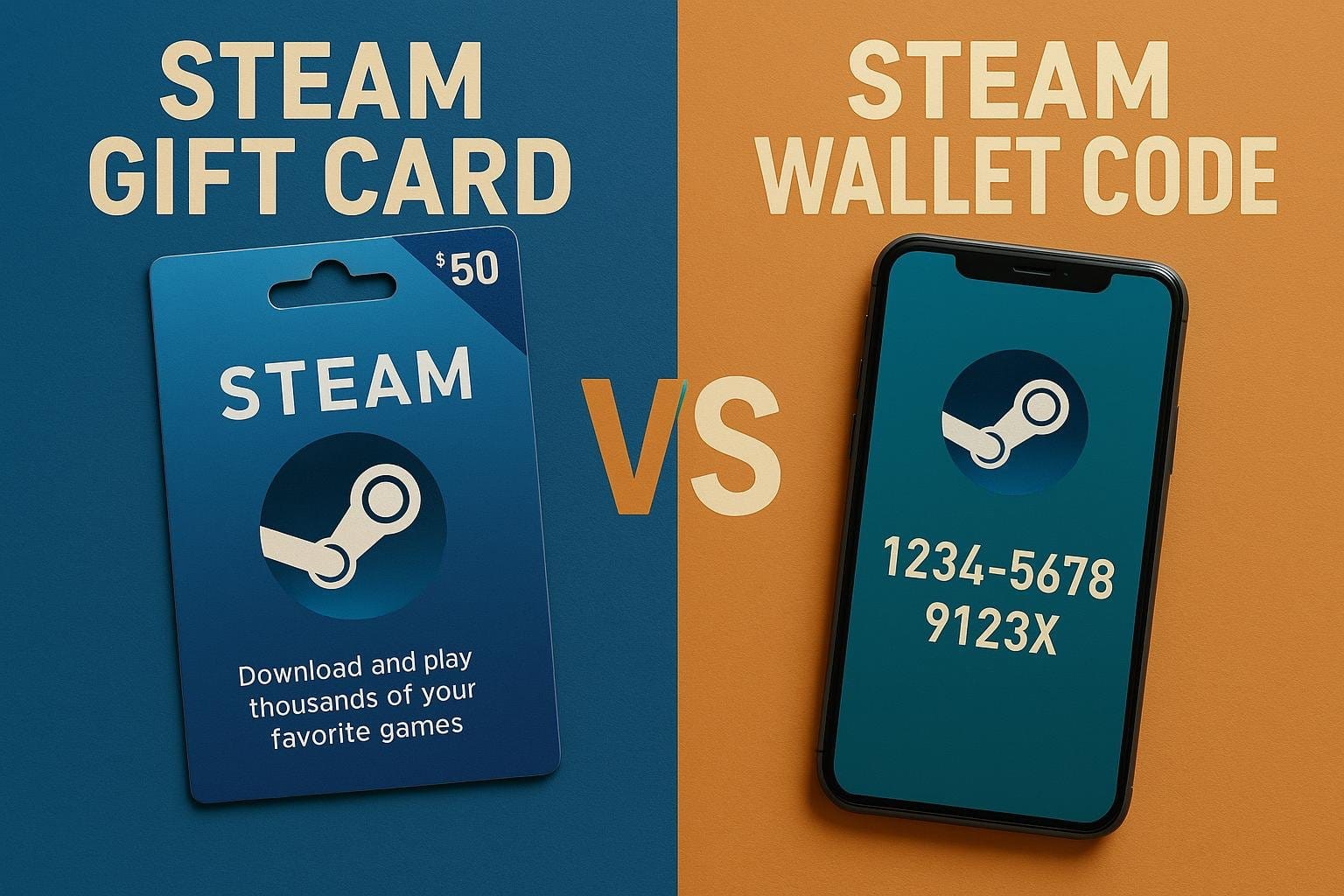
The best method depends on urgency, region, and whether your card is already working on Steam. If your card works, direct Steam funding is usually fastest. If your card fails, a region-matched Steam Wallet gift card is the cleaner backup.
Here’s the practical comparison:
| Method | Speed | Main risk | Best for |
|---|---|---|---|
| Direct Steam Wallet funding by card | Usually fastest [official] | Bank decline, pending authorization, sale traffic errors | Users with working debit/credit cards |
| Steam Wallet gift card redemption | Instant after activation [official] | Activation delay of several hours, region mismatch | Users needing a backup route |
| Third-party gift card purchase with Apple Pay/Google Pay/local wallet | Depends on seller activation | Wrong region code, delayed activation | No-card buyers who verify region carefully |
Officially, Steam Wallet packs are available in set amounts: $5, $10, $20, $25, $50, and $100. Community workarounds for custom amounts via browser inspect exist, but personally, I don’t recommend relying on that before a sale deadline. It’s unnecessary risk when speed matters.
A simple decision rule:
- Urgent and card works: add funds directly on Steam
- Card failing but you know your account currency: redeem a matching gift card
- Buying from another country: stop and verify account region first
- No credit card: use a trusted payment route to buy a matching code, such as Apple Pay, Google Pay, GCash in the Philippines, or Touch 'n Go eWallet in Malaysia where community-tested code sellers support them
For planned purchases, some users prefer to buy Steam credits for limited time sale as a backup. That only makes sense if the wallet code region matches your Steam account currency exactly.
Why does Steam Wallet region and currency matter so much before checkout?
Because a mismatch can block the whole purchase. Steam officially restricts wallet gift cards by region and account currency, and the Account Details page shows the store country tied to your first purchase location.
The two common failure points are:
| Problem | What you’ll see | Cause |
|---|---|---|
| Gift card won’t redeem | Redemption blocked | Gift card region/currency doesn’t match account |
| Wallet purchase won’t complete | Purchase could not be completed, currency mismatch | Wallet funds and purchase currency don’t align |
From repeated testing, I’ve found users often check balance but forget region. That’s the expensive mistake. Overseas buyers are hit hardest here: community reports say trying to work around region limits with a VPN can create more problems, and official policy is clear that you should disable VPN or IP proxy before adding funds.
Check these before you pay:
- Wallet balance in the top-right corner of Steam
- Account Details for store country
- Cart total including tax
- Whether your DLC or bundle price may change during checkout
That last point matters. I usually tell people to preload a little above their wishlist total, not exactly equal to it, because tax and bundle pricing can shift the final amount.
How do you top up Steam Wallet before the Steam Summer Sale 2026 ends?
Use one of the two official routes below. They’re the safest and easiest to support if something goes wrong.
How do you add funds directly on Steam?
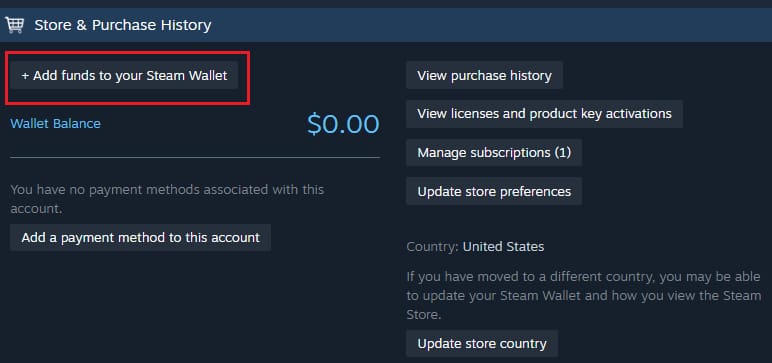
Do this if your debit or credit card already works on Steam.
- Log in to Steam.
- Click your profile name, then Account Details.
- Select + Add funds to your Steam Wallet.
- Choose a wallet pack amount.
- Complete checkout.
- Confirm the updated balance in the top-right corner.
Experience note: if checkout fails in the Steam client during a sale, official guidance supports trying the web version instead, or the reverse. I expected the client to be more stable, but during heavy traffic I’ve seen the browser route trigger fewer retries.
How do you redeem an official Steam Wallet gift card?
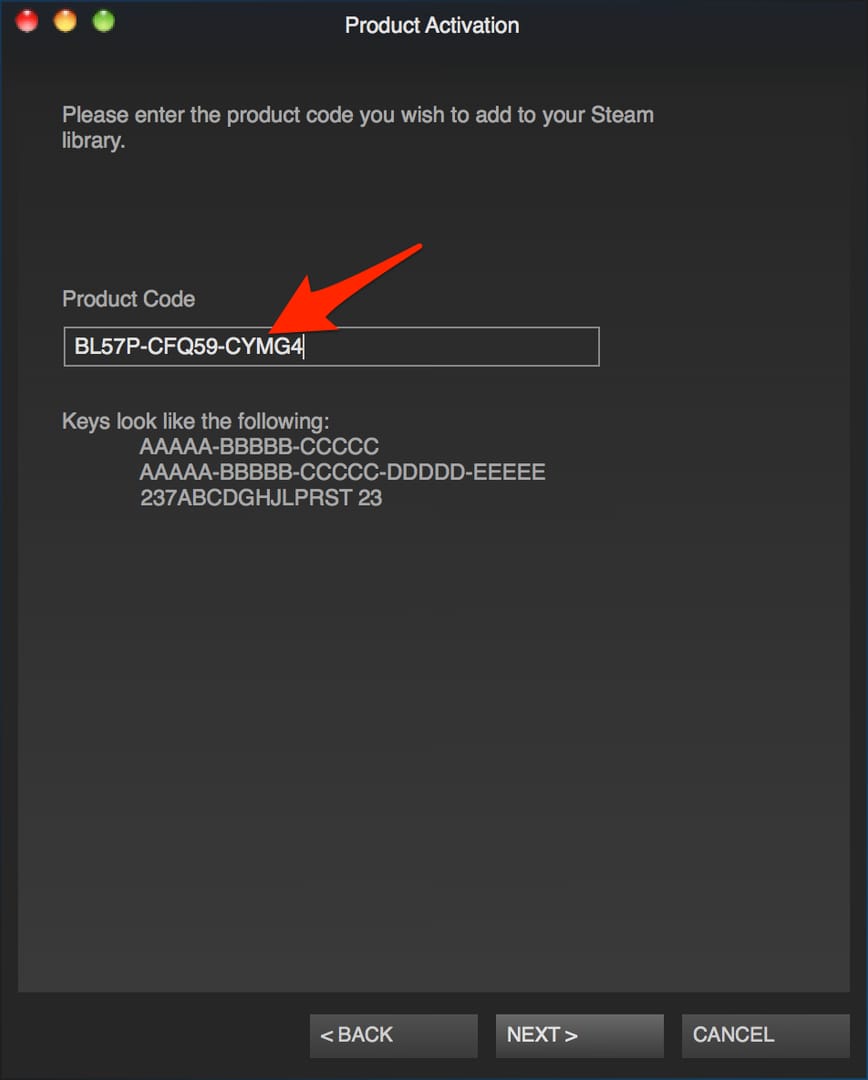
Do this if your card is failing or you already bought a matching wallet code.
- Go to
store.steampowered.com/account/redeemwalletcode - Log in to your Steam account.
- Enter the Steam Wallet code.
- Confirm the balance update.
Caveats:
- Gift card redemption is instant after activation
- Officially, activation can still take several hours after purchase
- Buy only a code matching your Steam account currency and region
What should you do if your Steam Wallet top up fails or gets stuck before the sale ends?
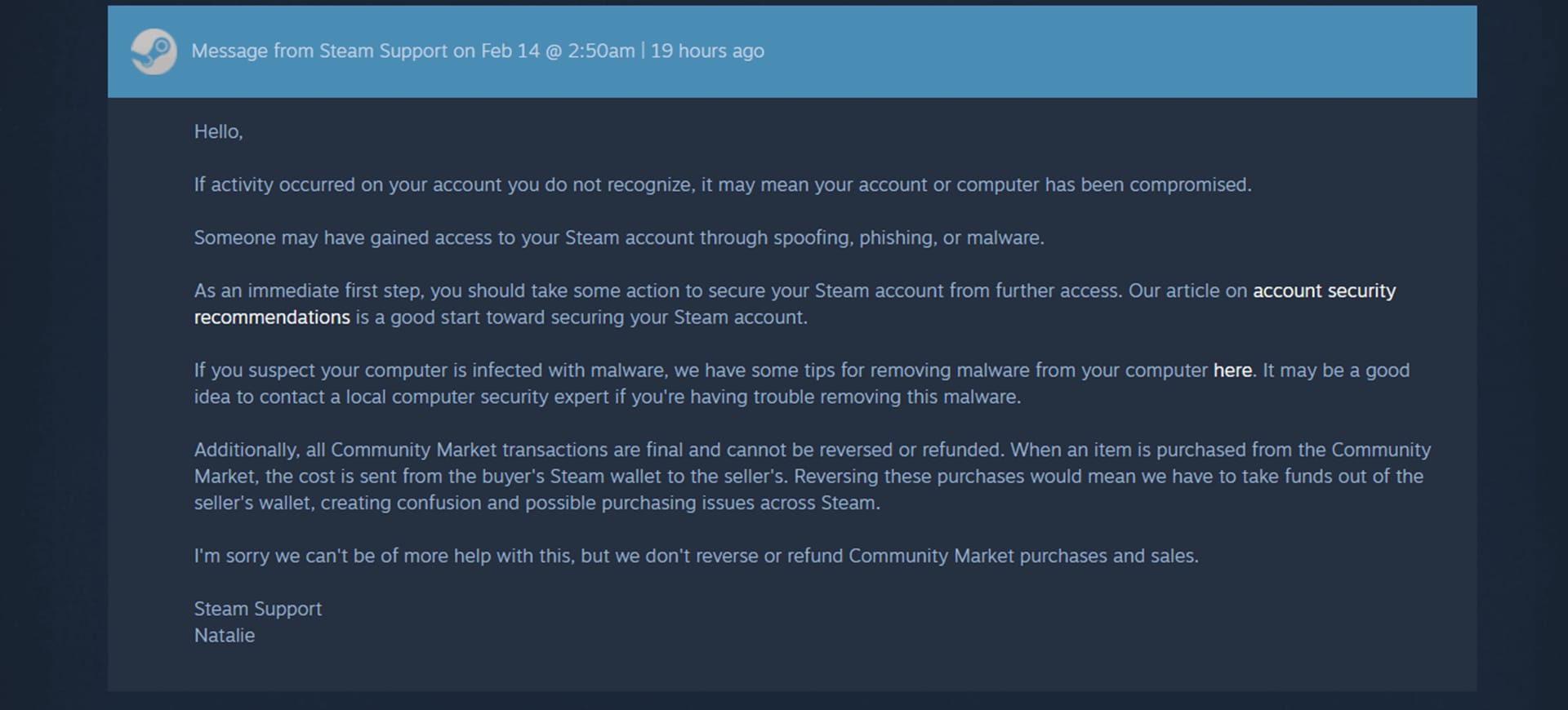
First, don’t keep hammering the payment button. That often makes fraud checks worse. Check the transaction status, then decide whether to wait, retry, or contact support.
Use this checklist:
- Check your email for a purchase receipt.
- Open Account Details > Purchase History.
- Look for the exact transaction status.
- Confirm VPN or proxy is off.
- If card funding failed in client, retry once on web, or switch from web to client.
- If you used a gift card, confirm activation time and region match.
- If charged but no funds appear, gather proof and contact Steam Support.
What to prepare for support:
- Transaction ID
- Receipt screenshot
- Screenshot of the wallet or purchase issue
- Short explanation of what happened
Official support path:
- Open Steam Support
- Select the Wallet or Purchase issue category
- Submit the transaction ID and screenshots
Here’s the calm version of what each symptom usually means:
| Symptom | Likely cause | Best action |
|---|---|---|
| Charged but wallet not updated | Pending bank authorization or delayed processing | Check Purchase History, wait if pending, then contact support with receipt |
| Unexpected error, purchase not completed | Sale traffic or checkout instability | Switch client/web, retry once, avoid repeated attempts |
| Purchase could not be completed, currency mismatch | Wallet/account currency problem | Stop and verify account region and code currency |
| Gift card won’t redeem | Region mismatch or activation delay | Recheck code region, wait for activation if newly bought |
Honestly, charged-without-balance is the most frustrating case. When that happens, I first check order history, then the bank hold status, then whether region or currency caused the block. That order saves time.
How long does a Steam Wallet top up take?
Direct card funding is usually the fastest official method. Gift card redemption is instant after the code is activated, but official policy says activation can take several hours after purchase. Community reports put many pending cases in the 30-minute to 48-hour range.
Can I still use Steam Wallet funds after the Steam Summer Sale ends?
Yes. Steam Wallet funds don’t expire officially, so leftover balance stays usable for later games, DLC, and other Steam purchases. If the funds were purchased on Steam and remain unused, official policy also allows wallet fund refunds within 14 days.
Why did my Steam Wallet payment fail on the last day of the sale?
Most last-day failures come from traffic spikes, bank fraud checks, or repeated retries. Community testing consistently shows more pending transactions and checkout errors during major sales, which is why topping up early is the safer play.
What should I do if Steam charged me but my Wallet balance did not update?
Check your email receipt and Account Details > Purchase History first. If the charge is pending, wait for processing; if the balance still doesn’t appear, contact Steam Support with the transaction ID and screenshots.
Can I top up Steam Wallet from another country?
Only if the wallet code or payment route matches your Steam account region and currency. Officially, region-mismatched gift cards won’t redeem, and using a VPN or proxy during funding is a bad idea.
Is it better to add Steam funds directly or redeem a Steam Wallet gift card before a sale?
Direct funding is better if your card already works on Steam. A gift card is better as a backup when your card fails, but only if the code is correctly activated and matches your account currency.
How much Steam Wallet balance should I add before a big Steam sale?
Add enough for your cart total plus tax, with a small buffer for DLC or bundle price changes. In my experience, topping up the exact wishlist amount is where people get stuck—they end up one small charge short and have to fight checkout again during peak traffic.
Steam Guard note: adding funds doesn’t instantly unlock everything. Officially, Steam Guard must be active for 15 days for market access, so don’t confuse wallet funding with market eligibility.
What is the best final recommendation before the Steam Summer Sale 2026 deadline?
Top up early, not in the final rush. Use Steam’s official add-funds page first, keep a region-matched gift card as backup if needed, and verify your balance, account country, and tax-inclusive cart total before you pay. If something goes wrong, stop retrying, check Purchase History, and contact Steam Support with receipts right away.