GIGB Top Up: Chronal Nexus and Gameplay Benefits
GIGB is an online action role-playing and tactical mobile title built around squad-based combat, character building, and competitive events. It is not a financial bond fund or corporate investment ticker; it is a dedicated gaming ecosystem where players assemble squads and clear high-difficulty stages. In GIGB, Chronal Nexus functions as the core premium currency used to acquire exclusive character summons, obtain limited event weapons, refresh energy reserves, and purchase progression passes.
Performing a GIGB top up provides immediate access to high-tier resources that let you optimize your squad without waiting through daily energy recovery cycles. Whether you are aiming to pull a newly released rate-up character during a 2026 seasonal banner or stocking up on materials to refine character gear, having a steady reserve of Chronal Nexus ensures you never fall behind in competitive leaderboards.
Core Uses for GIGB Chronal Nexus
- Character & Equipment Summons: Draw from limited-time banners to acquire top-tier units and specialized equipment sets.
- Stamina & Energy Refills: Reset daily energy limits to continue farming progression dungeons and upgrade materials.
- Battle Pass & Bundle Unlocks: Gain access to premium reward tracks and exclusive cosmetic costumes.
- Resource Conversion: Exchange Chronal Nexus for rare skill books, breakthrough tokens, and general account consumables.
How to Locate Your GIGB User ID and Server In-Game
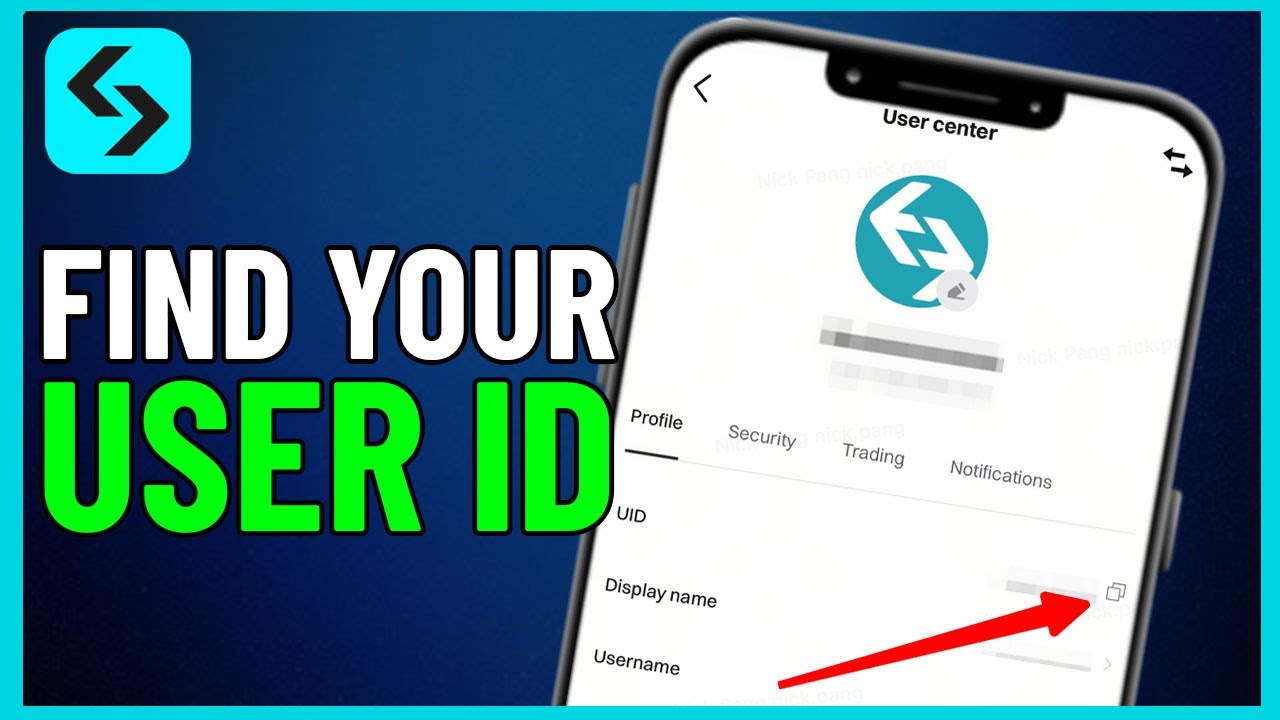
To ensure your Chronal Nexus order arrives at your specific character profile without error, you must supply your numeric User ID (UID) and choose your active server region. Follow these exact steps to find your account details inside the game client:
- Launch GIGB on your mobile device or official PC client.
- On the title screen, check the bottom display area to confirm your current server selection (Asia, America, Europe, or TW_HK_MO).
- Enter the game lobby and tap your player profile icon in the upper-left corner of the main screen.
- In the profile overview window, find the line labeled User ID or UID located directly beneath your account nickname.
- Tap the copy icon next to the number string to copy your UID directly to your clipboard.
Always double-check that the copied UID matches the server you play on. In GIGB, player accounts are locked to regional databases, so supplying both accurate details guarantees automatic order routing.
Step-by-Step Guide to Top Up GIGB on VGTopup
VGTopup offers a direct, password-free checkout system designed to credit Chronal Nexus to your profile quickly and securely. Follow this quick walkthrough to complete your purchase:
- Select Your Currency Package: Choose the Chronal Nexus denomination that fits your in-game goals from the package options on the live checkout panel.
- Enter Your GIGB User ID: Paste your numeric UID into the designated field labeled "Please Enter User ID".
- Select Your Regional Server: Open the server dropdown and pick your active region (Asia, America, Europe, or TW_HK_MO).
- Confirm Your Order Details: Verify that the entered UID and server match your game profile precisely.
- Complete Payment: Pick your preferred payment method on the checkout interface and finalize the transaction.
- Receive In-Game Currency: Launch GIGB and open your in-game mailbox or balance menu to verify your credited Chronal Nexus.
Live package prices, promotional bundles, and payment options are clearly shown on the order selection module on VGTopup.
Supported Regional Servers: Asia, America, Europe, and TW_HK_MO
GIGB operates distinct regional server clusters to maintain stable multiplayer matchmaking and low ping for regional events. VGTopup supports direct UID recharges across all official regional servers.
| Server Name | Server Code (serverId) | Primary Coverage Regions |
|---|---|---|
| Asia | os_asia | East Asia, Southeast Asia, South Asia, Oceania |
| America | os_usa | North America, Central America, South America |
| Europe | os_euro | Western Europe, Eastern Europe, Middle East, Africa |
| TW_HK_MO | os_cht | Taiwan, Hong Kong, Macau |
Because character profiles are partition-locked, an account created on the America server cannot receive a top-up directed to the Asia server. Always make sure your server selection on VGTopup corresponds to the server displayed on your game start screen.
Safe Top-Up Best Practices: Why UID-Only Checkout Keeps Your Account Secure
Account safety is a critical priority for every mobile gamer. Many unofficial services ask players to hand over login credentials, email passwords, or third-party authentication tokens, putting account security at risk. VGTopup operates strictly on a direct UID recharge architecture, eliminating these risks entirely.
Key Security Advantages of Direct UID Recharges
- Zero Password Sharing: You never disclose your game password, Google account, Apple ID, or social network credentials.
- No Account Takeover Risks: Because no third party logs into your account, your profile remains completely under your personal control at all times.
- Official Database Routing: The recharge system delivers Chronal Nexus directly to your character index using standard in-game crediting channels.
- Protected Privacy: Your personal login tokens and device data stay private on your local hardware.
What to Check If Your GIGB Chronal Nexus Delivery Is Delayed
Top-ups through VGTopup are processed quickly. However, occasional network traffic or maintenance windows can cause slight delays. If your Chronal Nexus balance does not update right away, follow these diagnostic steps:
- Restart the Game App: Fully close the GIGB app from your device multitasking menu and relaunch it to refresh your server profile connection.
- Check the In-Game Mailbox: Some event bundles and bonus top-up packages arrive as claimable items in your in-game system inbox rather than directly into the numerical wallet balance.
- Review Your Order Receipt: Inspect the confirmation receipt on VGTopup to verify that you did not mistype a digit in your User ID or select the wrong server.
- Check for Server Maintenance: Check the official GIGB game notice board to confirm whether the game servers are undergoing maintenance or patch deployment.
- Contact Support: If the currency has not appeared after completing these checks, submit your VGTopup order number, character UID, and server name to VGTopup customer support for rapid manual verification.
Frequently Asked Questions
How do I top up GIGB Chronal Nexus using my User ID?
To top up GIGB on VGTopup, select your desired Chronal Nexus package on the product page, enter your numeric User ID into the account field, select your active server (Asia, America, Europe, or TW_HK_MO), and proceed through checkout. The currency is credited directly to your account profile upon payment completion.
Do I need to share my GIGB login password to complete a top-up on VGTopup?
No. VGTopup requires only your GIGB User ID and server region to process your recharge. You should never share your account password, email credentials, or verification codes.
Which regional servers are supported for GIGB recharge?
VGTopup supports all official GIGB regional servers: Asia (os_asia), America (os_usa), Europe (os_euro), and TW_HK_MO (os_cht).
Where can I find my GIGB User ID and server in the game?
Your server is visible on the title screen prior to entering the lobby. Your User ID is located inside the game lobby by tapping your player avatar icon in the top-left corner; the numeric UID is displayed directly beneath your character name.
What should I do if I selected the wrong server during GIGB top-up?
If you submit an incorrect server, contact VGTopup customer support immediately with your order number. If the order has not yet completed processing against the game server database, support can adjust your server assignment.
Can I buy a GIGB top-up for a friend using their User ID?
Yes. Because VGTopup only requires a User ID and server selection without login credentials, you can recharge Chronal Nexus for friends or guildmates by entering their UID and selecting their correct game server at checkout.