The first five minutes are for doing nothing
The most productive thing you can do after a botched Lattice purchase is sit on your hands for about ten minutes. Pull up your banking app or platform wallet and read the status line slowly. A pending card authorization will often show as "charged" in your bank app even when the money is merely held, not actually captured. Held funds aren't gone funds. It releases on its own. This is the piece most rival guides skip past, and it's exactly why "contact support immediately" is terrible opening advice.
Three states. Three totally different reactions:
- Failed (declined): Nothing charged, nothing held. The store bounces you with an error. Investigate the cause, and you're clear to try once more after a breather.
- Pending / authorizing: A hold pops up in your bank app. Lattice might still land, or the hold rolls back over a few days. Don't retry.
- Charged but undelivered: Money captured, no Lattice in your account. This is the case that needs a ticket, and it's also the one with the firmest policy footing.
Marvel Rivals Official News puts it plainly: being charged with no Lattice "often means pending authorization or Steam wallet deduction without in-game credit." The official guidance is to re-attempt only after confirming the first didn't settle, or to reach support. Look at that sequence. Confirm comes before act, not after.
Your order ID and receipt are the backbone of everything downstream. On Steam, that's sitting in your purchase-history email and your account's transaction list. On PlayStation it's tucked into transaction history under your account, and in-game the receipt is keyed to your UID. Screenshot the lot right now, before a retry smears the trail.
Why these top-ups break down in the first place
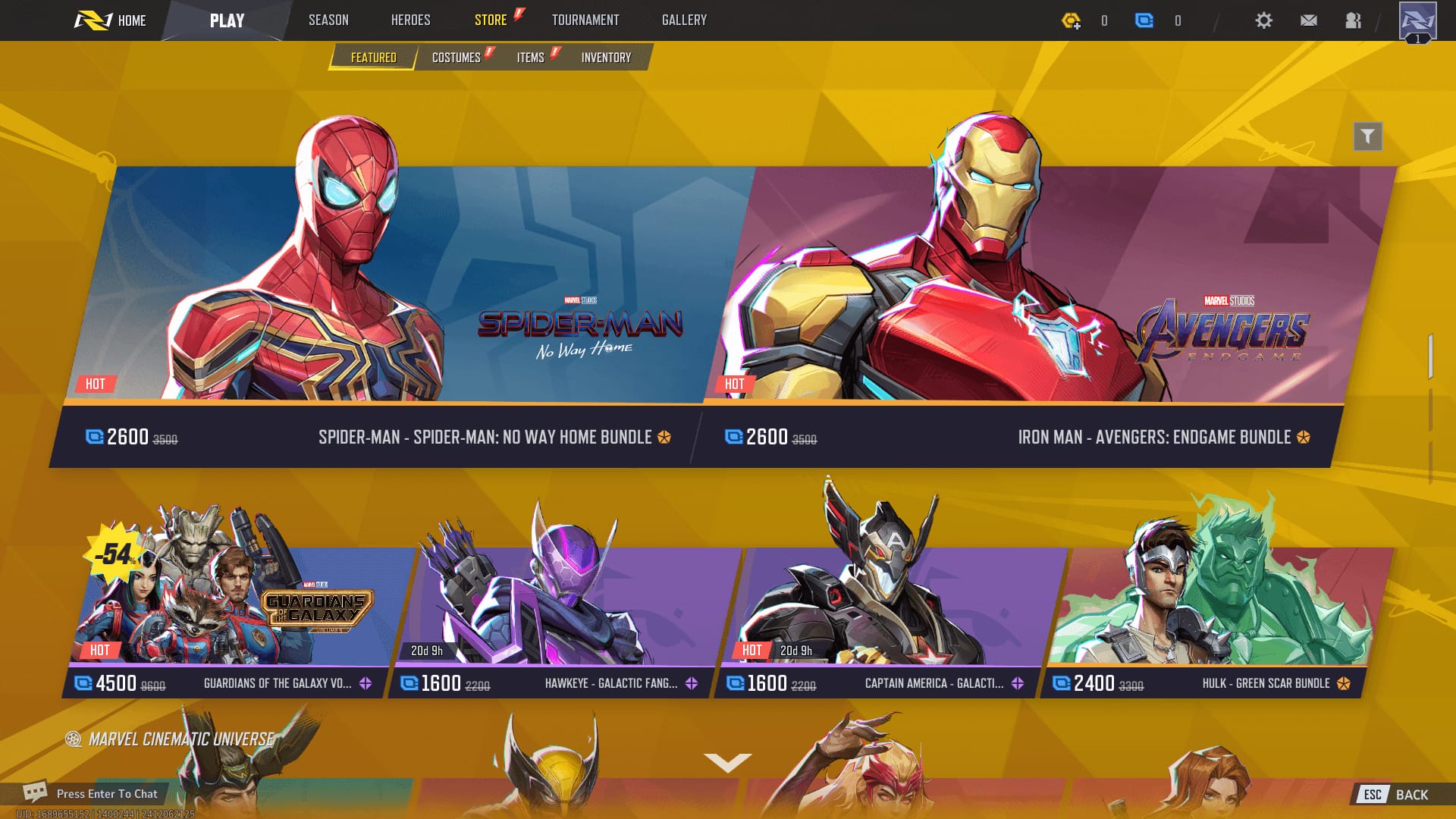
Most failures are bank-side or region-side, not a NetEase bug. That matters more than it sounds, because blaming the game first marches you down the wrong support corridor and torches an afternoon. Steam Community threads keep landing on the same short roster of culprits: the Steam Overlay being switched off, a region or currency mismatch between account and payment method, a Steam Wallet shortfall, a network timeout, or an honest server-side hiccup.
Card declines earn their own paragraph. Banks routinely flag in-game digital buys, especially first-timers or odd amounts, as possible fraud. And here's the bitter twist: retrying too quickly can trip those fraud-protection blocks and lock further purchase attempts for a stretch, so the "just try again" reflex actively digs the hole deeper. If a card got declined once, the smarter play is to wait, then either confirm with your bank that the merchant is whitelisted or simply switch payment methods.
Region and currency mismatches are the quiet assassins. When your platform account region, your card's billing country, and the store's currency don't all agree, the gateway can silently reject the transaction or park it on a hold indefinitely. PS5 players describe the same flavor of loading errors tracing back to PS Store wallet or region settings, per community reports on r/marvelrivals.
The checklist I run before bugging support
Hit these in sequence, and bail the instant Lattice shows up:
- Verify the real payment status in your email, receipt, or platform wallet. Failed, pending, or captured. This one answer dictates everything else.
- Restart the client and the platform. A full exit, not just backing out to a menu.
- Enable the Steam Overlay (on PC) via game properties, General tab. A disabled overlay is among the most common Steam-side blockers there is.
- Check region/currency alignment across account and payment method.
- Clear cache or reinstall if the store still refuses to load options.
- Use the official NetEase top-up route as a backstop.
That sixth one deserves spelling out. The official FAQ's Steam-specific workaround is to exit the game, restart Steam, enable the overlay, and reinstall Steam if needed. Its Q26 entry reads: "Exit the game and restart Steam. Check if the Steam Overlay is enabled." If the in-client store keeps choking, the in-game support flow hands you a detour: search "unable to top up," click through to "still not work," and you'll get a link to pay.neteasegames.com where you finish the purchase by punching in your UID.
One rule threads through all six steps. Never re-click "buy" on a fresh failure until you've confirmed the prior attempt didn't capture. The community line on Steam and Reddit is blunt about it: retrying a failed purchase can spawn a double charge, so wait out a pending reversal instead of forcing a second transaction.
Steam, PlayStation, and in-app are three different fights
Where you bought matters enormously, and the quickest refund lane frequently isn't the in-game ticket at all.
| Platform |
Most common failure |
First fix |
Fastest refund channel for charged-but-undelivered |
| Steam / PC |
Overlay or loading error |
Enable Steam Overlay + restart Steam |
Steam refund request (case-by-case) |
| PS5 |
Purchase / loading error |
Console restart + PS Store wallet/region check |
PlayStation Store refund request |
| Mobile / in-app |
Wallet or region mismatch |
Platform-specific wallet/region fix |
Platform store, then NetEase ticket |
Source: Community sources aggregated via Steam Community (2025); platform refund policies per PCMag and PlayStation Support.
Lining these up, my read is this: platform-level refunds tend to clear charged-but-undelivered cases more cleanly than in-game tickets, because the platform owns the transaction record. The snag is their eligibility windows run tight and policy-bound.
For Steam, refunds on in-game purchases are case-by-case, usually inside 14 days and under two hours of related playtime, per PCMag's rundown of Steam policy. On console, refunds are doable within 14 days provided the content hasn't been downloaded or used, filed through transaction history, with the cash taking roughly 30–60 days to crawl back, according to PlayStation Support. Those numbers are eligibility ceilings, not promises. Digital currency you've already spent is far stickier to recover than an untouched buy.
If you're on PC and the in-store route keeps gagging, finishing the top-up through a verified channel sidesteps the whole overlay-and-wallet gauntlet. Some players would rather route a Marvel Rivals recharge through a transparent external option than wrestle the in-client store, though for any refund dispute, the channel you originally paid through is still where you file. (Disclosure: that's an external top-up option, not an official store. Weigh it on price and convenience, and keep official channels for refunds.)
What the policy actually covers, and where you're exposed

There's no in-game refund button for Lattice or skins. Per Sportskeeda's refund overview, you contact platform support or reach NetEase through Discord or the official support form. No one-tap reversal exists inside the game. That's the honest lay of the land, and it ought to color how you treat every purchase.
The cleanest scenario is charged-but-undelivered. When payment captured but no currency synced, the official line treats it as a delivery or settlement issue, with re-attempt-after-confirmation or support contact as the fix. These do resolve, but they live or die on your evidence.
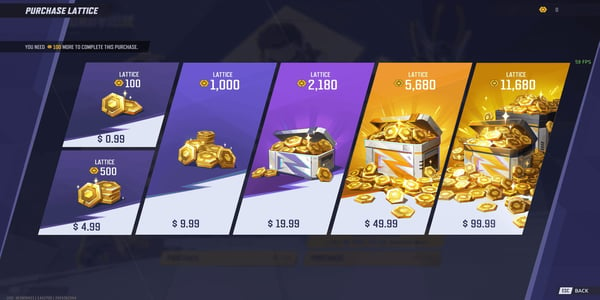
The murkiest scenario is the wrong-currency or wrong-amount buy. The mechanic that snags people sits right here: per Marvel Rivals Dev Talk Vol.07, "LATTICE (gold currency) is the premium currency, obtained via purchasing. UNITS (blue currency) can be exchanged at a 1:1 ratio using LATTICE." That conversion runs one way only. Lattice flows into Units, never back the other direction. Buy Units when you meant Lattice, or overshoot the amount, and there's no tidy reversal waiting. No policy net catches buyer's remorse on a successful transaction, so prevention means slowing down at the confirmation screen rather than hoping for a do-over.
On the running argument over whether NetEase refunds reliably or just stalls: the documented policy backs resolution for genuine charged-but-undelivered cases, but no official source publishes a guaranteed timeline or success rate. Treat speedy resolution as evidence-dependent, not automatic.
Filing a ticket that actually moves
Evidence is the biggest single lever on resolution speed. Bigger than which channel you pick, bigger than how nicely you word it. Across Reddit and Steam threads the community keeps converging on the same packet: your order ID from the platform receipt, a transaction screenshot, the email confirmation, and your UID. Pull all that together before you open the ticket.
Contact runs through the official Discord's Marvel Rivals Support bot or the NetEase contact form, per the official site. Response windows aren't published anywhere official, so don't anchor on some promised turnaround. Anchor instead on submitting a complete, screenshot-backed case the first time, so support doesn't kick it back for missing proof.
Now the chargeback question, which is where players get burned hardest. Filing a bank dispute before you've exhausted official refund channels risks account flags or outright bans, according to Reddit reports. A chargeback is a financial nuke. Publishers can read it as a hostile reversal and lock the whole account. Save it for after official support has flatly failed and you're still inside your platform's dispute window. The sequence: confirm the charge, run platform/NetEase support with full evidence, and only then float a bank dispute as a genuine last resort.
What I'd do differently next time
Looking back at that loading error, the fix was never a clever trick. It was patience. If I were rebuilding my own habits around this:
- I'd read any "failed" screen as unconfirmed, not unpaid, and check the wallet before reacting.
- I'd never retry inside the first ten minutes. A pending hold needs breathing room to either deliver or unwind on its own.
- I'd screenshot the receipt and UID on every top-up, no exceptions, so a ticket becomes a two-minute job instead of a treasure hunt.
- On PC, I'd confirm the overlay is on before I open the store, since that's the most common silent blocker.
- And I'd cling to one line: confirm, then act. Most of this stress is just a bank hold wearing a lost-payment costume.
The failure loop is nearly always self-inflicted through speed. Slow the first five minutes down and the overwhelming majority of these untangle without ever pinging support.
Frequently Asked Questions
Why did my Marvel Rivals Lattice payment fail but money still left my account?
Almost always a pending authorization rather than a captured charge. Your bank is holding the funds while the transaction tries to settle, and it usually releases on its own within a few business days. The official FAQ specifically pins "charged but no Lattice" on pending authorization or an unsynced wallet deduction, so check whether your bank app says "pending" before you assume the money's gone for good.
How long does a Lattice refund take in Marvel Rivals?
NetEase doesn't publish a timeline for in-game tickets, so it swings. Platform refunds are steadier: Steam handles them case-by-case, generally inside that 14-day, sub-two-hour-playtime window per PCMag, while PlayStation refunds (if content is unused within 14 days) can take roughly 30–60 days to hit your account. Currency you've already spent is much harder to reverse than an untouched purchase.
Can I get Lattice back if I bought Units or the wrong amount by mistake?
Realistically, no. The conversion is one-way: Lattice exchanges into Units at 1:1 per Marvel Rivals Dev Talk Vol.07, but Units never convert back, and a completed purchase that charged correctly has no easy reversal. There's no in-game refund button for this case. The confirmation screen is your only real safeguard.
Is it safe to top up Lattice through third parties?
Official channels, meaning the in-game store or NetEase's own pay.neteasegames.com (which takes Steam Wallet, credit/debit, and PayPal), keep refund disputes cleanest because the publisher owns the transaction record. If you do reach for an external option, do it for price or convenience, but always file any refund or charged-but-undelivered claim through whichever channel you originally paid with.
Should I just retry the purchase if it failed?
Not right away. Re-clicking buy on a fresh failure is the top cause of genuine double charges, and retrying too fast can trip fraud-protection blocks that lock further attempts for hours. Wait for any pending hold to clear or reverse, confirm the first attempt didn't capture, and only then try once more, ideally with a different payment method if a card decline kicked the whole thing off.









Comments