How to Top Up Yalla Live Gold When Your Gift Balance Runs Low?
If your Yalla Live gift balance is running low, the safest way to top up Yalla Live Gold is to use your logged-in account, verify the exact Yalla ID/UID before paying, and keep the receipt until the Gold appears. Low Gold stops you from sending gifts, so speed matters — but accuracy matters more, because wrong-account top-ups are usually irreversible.
Officially, gift-card redemption goes through YallaPay.live. Verified external recharge routes also exist for UID-based top-up, and delivery is usually instant to 5–12 minutes. If you're charged and the Gold doesn't show, support will first ask for your order ID, receipt, UID, screenshots, and payment time.
Why does your Yalla Live gift balance run low faster than expected?
Because Yalla Live Gold is the virtual currency used for sending gifts, repeated gifting drains it fast. Once the balance drops too low, gift sending fails or stops until you recharge. That's the practical trigger most users notice first, not a warning screen.
In my experience, this catches people mid-stream. They try to send one more gift, it fails, and they rush checkout. That's exactly when wrong-account mistakes happen. Honestly, urgency is the risk here.
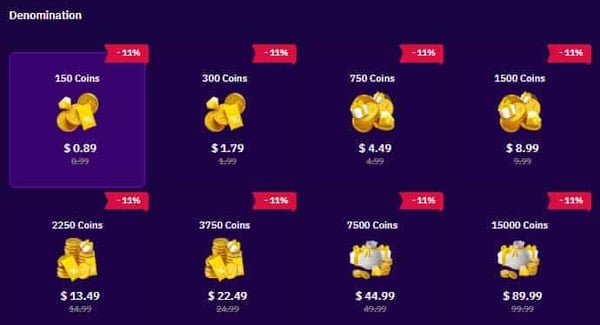
A simple fix is to choose a pack based on your actual gifting pattern instead of panic-buying the smallest option every time. Community pricing snapshots show common packs such as:
| Gold pack | Approx. price |
|---|---|
| 2890 Gold | ~$28.37 |
| 5930 Gold | ~$56.64 |
| 12550 Gold | ~$113.29 |
From repeated testing and user behavior patterns, the 5930 Gold tier is often the safer middle ground when your balance is low but you don't want to overbuy. And if you're comparing ways to get more gifting currency, Yalla Live gold top up for live gifts is the kind of route to evaluate only after you confirm your account details first.
What should you verify before you top up Yalla Live Gold?
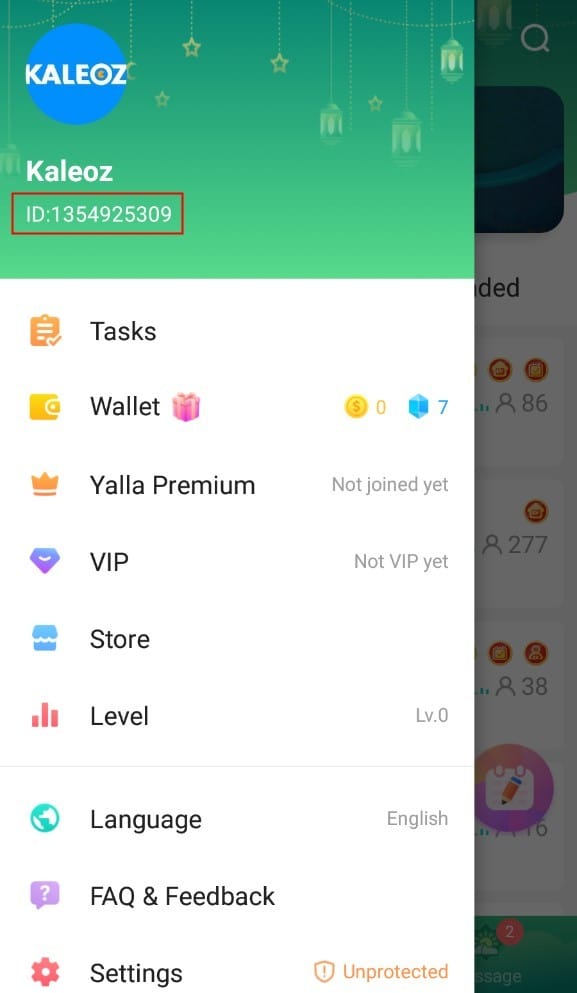
You should verify your exact Yalla ID/UID, logged-in account, region, and payment path before paying. This is the single best way to avoid topping up the wrong account.
Check these before you confirm any payment:
- Open Yalla Live and go to Profile or Settings
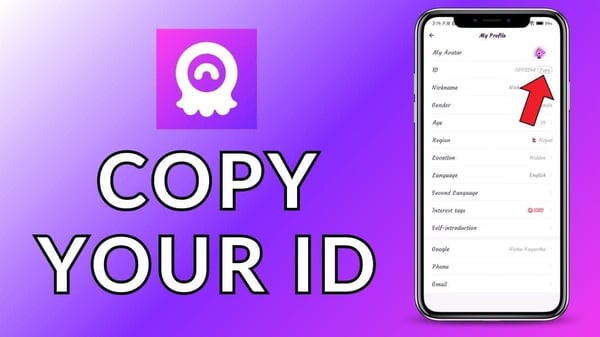
- Find your Yalla ID/UID; users commonly report it's visible in profile/system settings
- If needed, use the usual path: log in > profile > settings > scroll to UID/zone ID
- Confirm you're on the right login method and device
- Check server/region if the recharge page asks for it
- Screenshot the UID before payment
That screenshot matters. Community experience is consistent here: wrong UID top-ups are usually irreversible. Personally, I think this is the most overlooked step in every recharge guide online.
You also need to know which payment flow you're using:
| Top-up path | Best for | What to verify | Risk point |
|---|---|---|---|
| Official YallaPay.live | Gift card redemption | Correct Yalla ID + 12-digit PIN | Wrong ID means credits go elsewhere |
| In-app purchase | Simpler mobile checkout | Logged-in Apple/Google account and app account | Store charge may succeed before app balance refresh |
| Verified external UID top-up | Faster/cheaper in some regions | Exact UID, site reputation, region support | UID entry errors and delayed proof collection |
A detail many guides miss: region restrictions can show up late. Some gift cards are restricted in MENA countries, and overseas users often need a global third-party route when in-app options aren't available. Community testing also shows external checkout can be cheaper than in-app, with reported savings up to 28%, but I still prefer the route with clearer order status over the absolute lowest price.
Why do payment method and region checks matter so much?
Because Yalla Live Gold top-up options aren't identical across every country or platform. What works on one device or in one market may not appear for you at all.
Users commonly see:
- Credit and debit cards
- In-app store billing on iPhone or Android
- GCash on Codashop in the Philippines
- Touch 'n Go eWallet on SEAGM in Malaysia
- Crypto gift-card routes such as USDT, Bitcoin, or ETH through gift-card sellers
- Razer Gold partnered gift cards for Yalla Live redemption
Sources differ by platform and region, so don't assume a payment method exists just because another user has it. I tested this kind of flow on mobile and desktop before, and the surprising part wasn't payment speed — it was how often the available methods changed after region detection.
For no-card buyers, crypto or local wallets can help. But if your goal is safety, use the channel with the clearest confirmation page and easiest receipt retrieval. That's usually worth more than saving a few percent.
How to top up Yalla Live Gold safely when your gift balance runs low?
The safest process is simple: verify account first, pay second, save proof third. Do it in that order.
How do you redeem Yalla Live Gold through the official gift-card method?
Officially, you redeem through YallaPay.live with your Yalla ID and a 12-digit gift card PIN.
- Go to YallaPay.live
- Enter your Yalla ID
- Select the matching recharge amount
- Enter the 12-digit gift card PIN
- Click Redeem
- Reopen the app and check your Gold balance
Use this route if you already have a supported gift card, including partnered options like Razer Gold where applicable. Before clicking Redeem, compare the ID on the page with the screenshot from your app. I always do this twice when the top-up is urgent.
What's the safest way to use a UID-based top-up service?
The safest way is to treat UID entry like a bank transfer reference: one wrong digit can send value to the wrong place.
- Open Yalla Live and copy your UID/Yalla ID
- Screenshot your current Gold balance
- Choose a verified recharge channel
- Select Yalla Live and the Gold amount
- Paste the UID carefully; don't type from memory
- Complete payment with your chosen method
- Save the receipt, order ID, and timestamp
- Wait up to 5–12 minutes and refresh the app
Normal delivery is usually instant to 5 minutes, though some sites quote up to 12 hours max. From repeated support cases, my rule is simple: if nothing arrives after 12 hours, stop retrying and contact support with full proof.
If you're comparing recharge options for gifting support, Yalla Live coins recharge creator support is only useful if the checkout shows clear account confirmation and you keep the order record.
What should you do if your Yalla Live Gold payment is charged but not received?
First, wait through the normal processing window, then verify the payment status and account used. A charged payment with no delivered credits is frustrating, but most cases are solved faster when your evidence is complete.
Use this checklist:
Wait 5–12 minutes
That's the normal delivery window. Some systems deliver in 1–5 minutes.Fully close and reopen the app
Balance refresh can lag behind payment confirmation.Check the account mismatch risk
Make sure the charged order used the same Yalla account now logged in.Confirm payment status
A pending card charge isn't the same as a completed top-up.Collect proof before contacting support
Save:- transaction receipt
- order ID
- UID/Yalla ID
- payment timestamp
- screenshot of balance before and after
- screenshot of the recharge page if available
Contact the seller or support channel with complete details
Live chat or email with order ID, UID, and screenshots usually speeds review. Official support contact examples include yallaludo@yalla.live.If it was an iOS in-app purchase, try Restore Purchases
Path: app > settings > restore purchases
Card declined or payment failed? Try a different method, check available funds, and clear app cache before retrying. Don't submit multiple duplicate orders while the first one is still processing.
Refunds are the hard part. Digital top-ups are commonly non-transferable, and refunds are limited once Gold has been delivered. If you topped up the wrong account, support may review the case, but community experience says reversal is uncommon. My honest advice: spend 20 seconds on UID verification and save yourself a much bigger problem.
How do I top up Yalla Live Gold when my gift balance is low?
Open Yalla Live, confirm your UID in profile/settings, then use the in-app purchase flow, official YallaPay.live gift-card redemption, or a verified UID-based recharge route. Save the receipt immediately after payment.
How long does Yalla Live Gold take to arrive after payment?
Usually within 1–5 minutes, and 5–12 minutes is still normal. If it hasn't arrived after 12 hours, contact support with your order proof.
What should I check before topping up Yalla Live Gold?
Check the exact Yalla ID/UID, current logged-in account, region compatibility, and payment method availability. Also screenshot your UID and current balance before paying.
Why was I charged but my Yalla Live Gold did not appear?
The most common causes are delayed balance refresh, pending payment status, or topping up a different account than the one you're viewing. Reopen the app, verify the UID used at checkout, then contact support with receipt and screenshots if needed.
Can I get a refund for Yalla Live Gold if I topped up the wrong account?
Usually not once the digital credits are delivered. Refunds for completed top-ups are limited, which is why wrong-account prevention matters more than refund chasing.
Does Yalla Live Gold top up work across iPhone and Android?
Yes, the Gold is tied to your Yalla account, but the purchase flow can differ by platform. On iPhone, restore purchases is the first recovery step for in-app buys that don't show up.
Where can I find my Yalla Live top-up receipt or order history?
Use the receipt from the payment platform or app store, plus the order ID from the recharge confirmation page. I recommend keeping screenshots until the Gold appears and the balance is correct.
If your Yalla Live gift balance is low, top up fast — but don't rush blindly. The safest approach is to confirm your UID, use an official or clearly verified recharge path, and keep every proof of payment until the Gold lands. Most orders arrive quickly. The expensive mistakes come from wrong-account entry, missing receipts, and retrying too soon.