What everyone assumed at launch, and why half of it was wrong
For years the community ran on a binary: official meant safe, everything else meant scam-risk. That made sense back when Identity V was younger and credential-harvesting junk sites were everywhere. But it baked in two errors that still trip people up.
The first one treated the in-app store as the "official safe baseline." It isn't the value baseline at all. The official website (pay.neteasegames.com) hands out more bonus Echoes than buying inside the game, confirmed straight from NetEase GamesClub: "Official top-up grants more extra bonus compared with top-up in game." On the $9.99 tier the gap is real, the website gives you 759 Echoes (690 base plus 69 bonus) against 723 through the in-game path, per cross-referenced wiki and BitTopup figures. Same ten bucks, about 36 more Echoes. Trivial on its own. But it tells you the "safe equals in-app" reflex was bleeding players money the entire time.
Second, the old framing assumed any non-NetEase vendor was equally dicey. Player testing has slowly chipped that down. The read across multiple r/IdentityV threads in 2026 is that reputable third-party sites running a UID-and-server method, no password, sit at low ban risk, while password/login-based sites are the genuinely dangerous breed. Those aren't the same animal, and treating them like one is exactly how solid guides end up giving rotten advice.
What shifted between then and now wasn't the prices. It was the community finally clocking where the danger lives. Hold that thought, because next up is the plumbing.
How Echoes actually land in your account
Echoes are Identity V's premium currency, spent on skins, characters, and essence pulls in Illusion Hall, per the Identity V Wiki. You can grab them through several channels, and the channel decides both your price and your exposure.
Three broad delivery models, and ranking them by safety beats ranking them by brand:
- Code / ID-and-server delivery (lowest risk). You hand over your numeric User ID and server region. That's the whole transaction. The vendor pushes Echoes to that account or fires off a redemption code. No password ever leaves your hands. The official NetEase site runs this way, and so do the solid resellers. SEAGM processes through a service provider, with users reporting instant delivery off just UID plus server, per its store page and corroborating TikTok reviews.
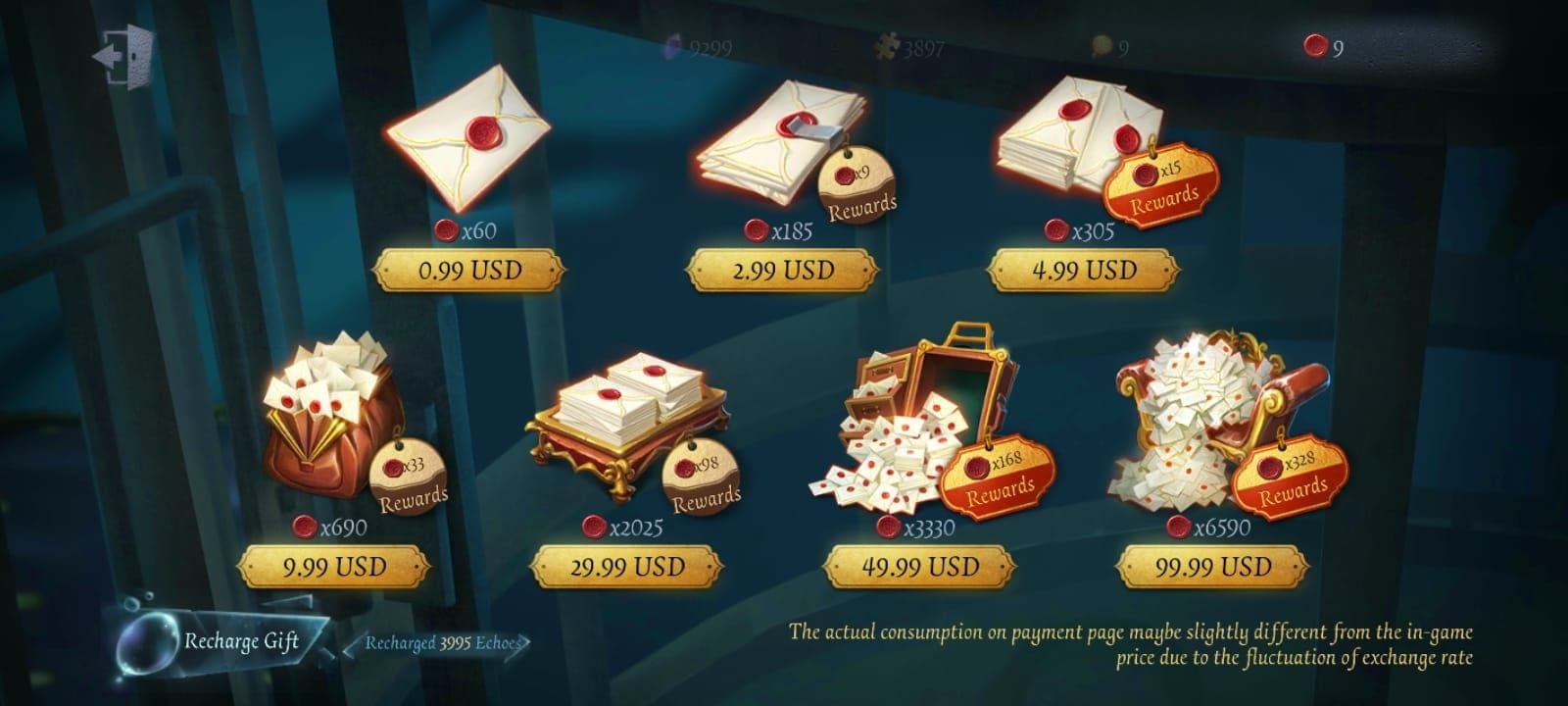
- Platform-store delivery (safe but pricier). Google Play, the Apple App Store, and on PC, Steam. Guaranteed delivery, zero credential exposure, but you swallow the platform's cut. Plenty of player reports note in-app purchases run higher than the official website. One under-discussed quirk: because iOS and Android slap on different platform fees, the same Echoes tier can wear a different price tag on an iPhone versus an Android phone tied to the same account.
- Login-based delivery (the bad one). The site wants your account email and password and offers to "log in to top up for you." This is the only bucket I'd flag as automatically unsafe. The r/IdentityV read is blunt about it: sharing login credentials carries both ban and account-theft risk. As one widely-echoed warning puts it (per 2026 threads): never share your password, UID only.
Stack the first-top-up bonus on top of all that. The official site bakes a first-recharge bonus into packs (that +69 on the $9.99 tier per the wiki), and repeat purchases drop to a lower bonus afterward. The piece worth filing away: that elevated bonus rides on first purchase behavior per pack structure, not a one-and-done account flag you torch on a single cheap pack. New players who blow their opening top-up on a $0.99 pack to "test the waters" leave the juiciest bonus differential sitting on the table.
Knowing the channels is half the call. The rest is the money. So here's the cost-per-Echo, no rounding away the inconvenient bits.
The 2026 price picture, cost-per-Echo laid bare
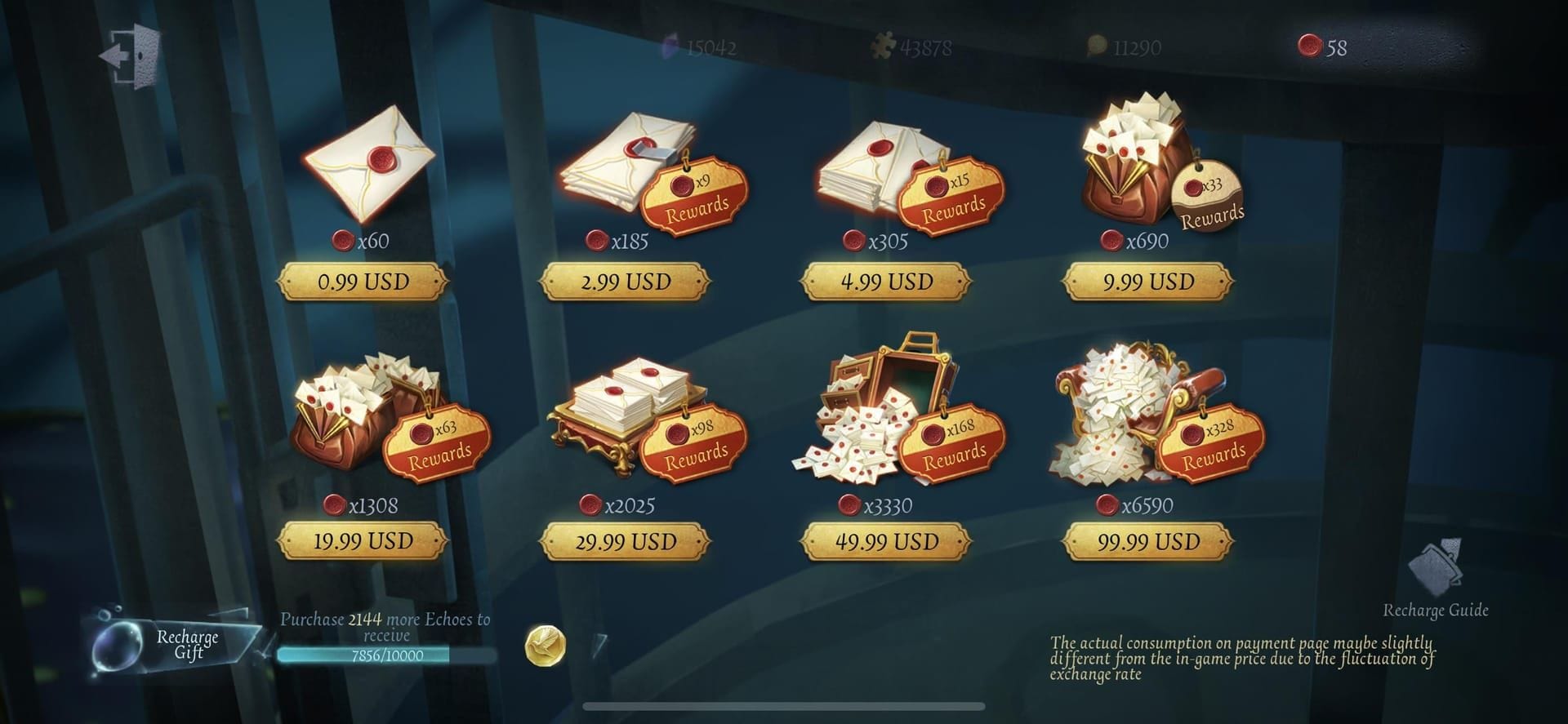
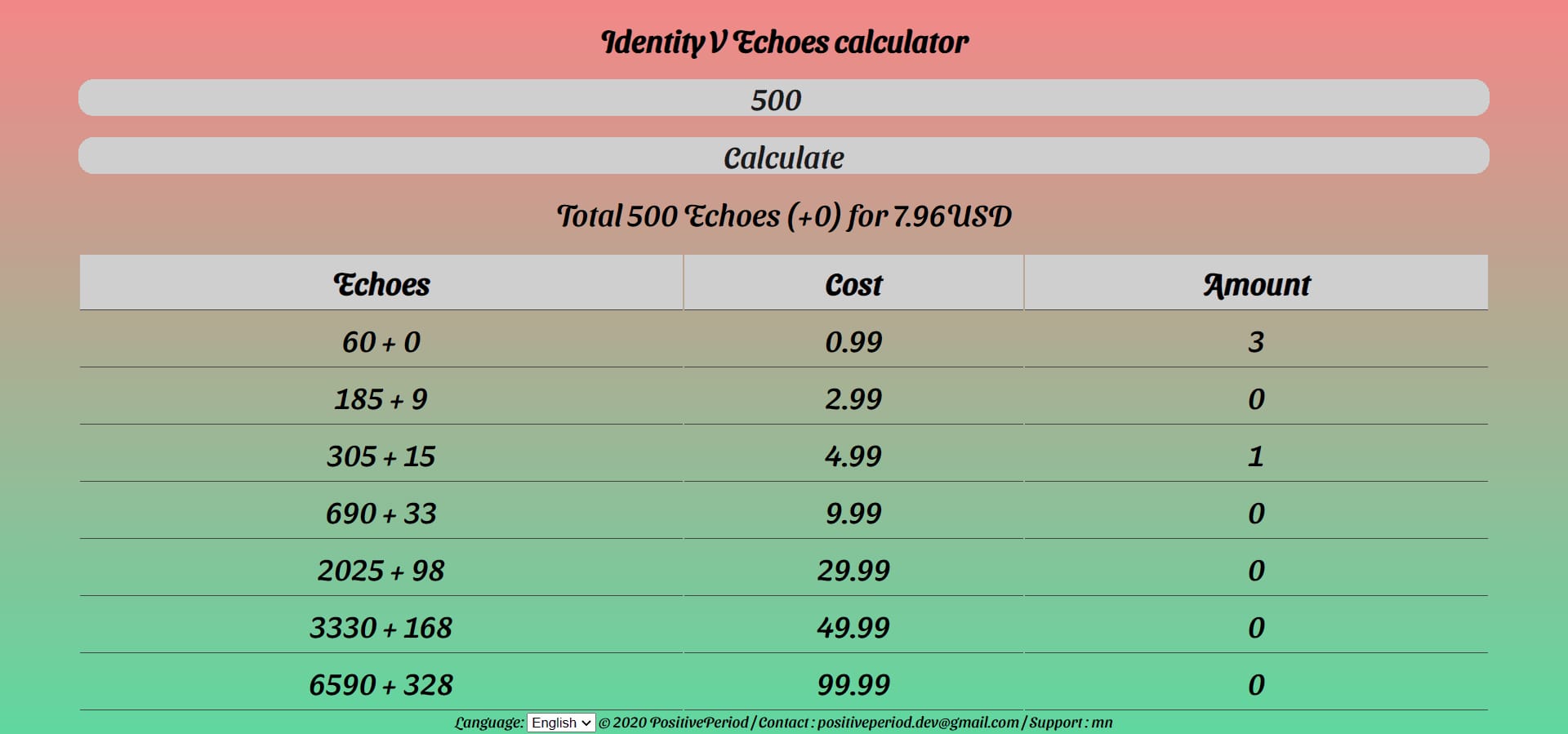
On the official US store, the per-Echo rate doesn't sit flat across the tiers. It curves, and not the way you'd assume. The $9.99 pack is the sweet spot, not the biggest one.
| Price (USD) |
Base |
Bonus |
Total Echoes |
$ per Echo |
| $0.99 |
60 |
6 |
66 |
$0.015 |
| $2.99 |
185 |
18 |
203 |
$0.0147 |
| $4.99 |
305 |
30 |
335 |
$0.0149 |
| $9.99 |
690 |
69 |
759 |
$0.01316 |
| $29.99 |
2025 |
202 |
2227 |
$0.01347 |
| $49.99 |
3330 |
333 |
3663 |
$0.01365 |
| $99.99 |
6590 |
659 |
7249 |
$0.01379 |
Source: Identity V Wiki Fandom (2026)
Read the bottom half twice. The $99.99 whale brick is the worst per-Echo rate on the official board at $0.01379, while the humble $9.99 tier sits prettiest at $0.01316. That inversion catches folks out constantly. Bulk does not buy you value here. If you're dropping real cash through official, you come out ahead stacking $9.99 packs instead of buying one giant slab, a pattern Reddit buyers have flagged: ten $9.99 official packs net around 200 more Echoes than the in-game equivalent, per 2026 r/IdentityV discussion.
Onto the third-party side. The savings are genuine, but the claims sprawl, so weight them by how trustworthy the source is. The measured, conservative number: BitTopup's $9.99 package delivers 759 Echoes against the official in-game 723, an improvement around 5%, per BitTopup. The same source claims up to 27% savings on certain packs, and 10–36% more Echoes than in-game for the same dollar. I'd treat the top of that band as marketing-flavored rather than guaranteed. Lower-tier marketplaces report their own deltas, with Eneba listing 690 Echoes at $9.64 with cashback against the official ~$9.99, and Kaleoz sellers floating 3663 Echoes around $46.70 against the official $49.99.
| Method |
Total Echoes ($9.99) |
$ per Echo |
Notes |
| Official Website |
759 |
$0.01316 |
Includes first bonus |
| In-Game / App Store |
723 |
$0.0138 |
Lower bonus |
| Reputable third-party (example) |
759+ |
~$0.0131 or lower |
UID only, varies by region |
Source: Identity V Wiki Fandom, BitTopup, r/IdentityV (2025–2026)
So where's that third-party discount even coming from? Not an exploit. It's regional pricing arbitrage and exchange-rate gaps, where vendors source Echoes in cheaper markets and slide part of the spread your way. Which is why the honest answer to the official-vs-reseller question is both can be cheapest, depending on your situation. The official first-top-up bonus often beats a flat reseller discount for a one-time buyer, while a reputable reseller's standing discount can win for someone topping up monthly. The break-even is just whether the bonus is bigger than the discount on this exact pack in your region.
So the gap is real and modest. The question that paralyzes cautious spenders is whether chasing it gets you banned.
What actually triggers a ban, sorted
Using a reputable UID-only reseller hasn't produced the ban wave scare-guides imply. The community-documented risk pattern is specific, not blanket, and once you see it you can size up any site yourself.
The genuinely bannable or loss-prone behaviors:
- Handing over your login credentials. The trap that pairs ban risk and outright account theft. Per repeated r/IdentityV warnings (2026), login-share sites are the bucket to treat as dangerous on sight. No discount is worth your account.
- Unauthorized vendors operating outside ToS. Honest disagreement lives here. One camp on r/IdentityV argues UID plus server on a reputable site like SEAGM is low-risk; another holds that any non-official channel carries some ToS exposure. Both show up in the same threads, and I won't pretend the second view is baseless. My read, weighing what's actually documented: the official site is unambiguously safest, but well-established UID-only resellers get used at scale by the community without the ban stories you'd expect if the risk ran high.
- VPN region-switching to chase cheaper Echoes. This one I'd actively talk most players off of. Flipping regions to exploit local pricing can flag your account, and the savings for a casual spender rarely cover the gamble, per 2026 community reports. Not worth it unless you're a high-volume buyer who's done the homework.
So is third-party top-up safe, or a scam in waiting? The defensible answer isn't yes or no. It depends entirely on the delivery method and the vendor's track record. Community consensus keeps landing on a rough tier list: official NetEase site first, then SEAGM-class UID-only resellers, then everything else with more scrutiny. SEAGM in particular gets called legit by TikTok reviewers who confirm it with small test purchases first, which is exactly the right move and the backbone of the checklist coming up.
One more contested bit: there's even disagreement over whether SEAGM reliably runs cheaper. Most threads say yes, but at least one r/IdentityV post reports SEAGM costing more than official in regions like the Philippines. That's not a contradiction, it's the regional-pricing reality. Always price your own region before you assume the reseller wins.
Knowing the risk pattern is one thing. Catching a bad actor before you pay is another. Here's the self-serve red-flag set.
Spotting an unsafe site before your money's gone
You don't have to trust a brand's reputation if you can read the warning signs yourself. The documented red flags cluster into three buckets, and any single one should stop you cold.
Credential and access flags. A site that asks for your password, or your login email with a password, or wants you logging in through their portal? Close the tab. A legit Echoes top-up needs your UID and server, that's it, per the official NetEase requirement and player guidance alike. No top-up genuinely requires your password.

Pricing and offer flags. Discounts above roughly 40% are a documented warning sign, not a deal. Per BitTopup and Reddit guidance, unrealistic discounts signal either a scam or stolen-currency laundering you don't want to be sitting downstream of. A reputable reseller's edge lives in that 5–27% band. When something's screaming 60% off, the product on sale is probably your payment details.
Delivery and recourse flags. No customer support, no refund policy, no chargeback path. That's a no-recourse site, and it's where the "I paid and the Echoes never showed" horror stories come from. Reputable platforms, official and SEAGM-class alike, back chargebacks and refunds; the no-recourse ones leave you with nothing if the top-up flops, per community payment-safety guidance.
Run any site against those three buckets and you'll filter out the real scams without needing a logo to vouch for it. Which leads to the routine I'd run every time.
The pre-payment checklist I actually run
Before money moves, five checks. None of them eats more than a minute, and together they cover basically every documented failure mode.
- Confirm it's UID plus server only. Pull your User ID from in-game settings. If checkout asks for anything past UID and server (a password especially), abort.
- Price your own region first. Don't just assume the reseller wins. Compare the official site, the in-app price, and the third-party total for your region and currency. Sometimes official's first-bonus or regional pricing already clears the discount, especially on a one-time buy.
- Bank the first-top-up bonus on purpose. New and planning to spend at all? Route your opening purchase through the official site at the $9.99 tier or higher to grab the fat first-recharge bonus, instead of frittering it on a $0.99 test pack.
- Verify recourse exists. Check for a refund policy and a real support channel before paying. A platform with chargeback protection turns a failed top-up into an annoyance instead of a loss.
- Test small on a new vendor. First time with any reseller, buy the smallest pack to confirm delivery and account safety, the exact tactic community reviewers lean on to validate sites.
If the Echoes don't show: don't panic, don't immediately re-buy. Double-check your UID and server were entered right, since a mismatch is the single most common "didn't arrive" cause, and reseller support pages flag UID/server verification as the first fix. Then ping the platform's support with your order ID; official and reputable third-party channels both keep recovery paths. The no-recourse sites are precisely where this step becomes impossible, which is the entire reason step 4 lands before you ever pay.
That checklist holds whether you spend a dollar a year or two hundred a month. But the cheapest call genuinely shifts by how much and how often you buy.
The cheapest safe pick, by how you actually spend
No single winner here. The right answer splits by spend frequency, and anyone preaching "always use X" is flattening real differences.
F2P-leaning / one-time low-spender. Go official, no debate. A single $4.99 or even $0.99 pack covers small needs, per wiki pricing, and the official site's first-top-up bonus stretches that one buy furthest. The 5–15% you might save on a reseller is rounding error on a sub-$5 purchase and not worth onboarding a fresh vendor. If you'll only ever do this once, the official site is your cheapest safe option.
Mid-spender (regular monthly buyer). Here's where it gets interesting. The $9.99 official pack at $0.01316 per Echo is the recurring value anchor, but once your first-bonus is spent, a reputable UID-only reseller's standing discount can edge it out month after month, per Reddit consensus pointing at both official $9.99 and SEAGM for this profile. My take: grab the official first-bonus on your opening purchase, then price-check a vetted reseller each month and let the numbers pick. Don't marry a single channel.
Whale ($200+/month, bulk buyer). Fight the urge to buy the biggest slab. That $99.99 pack is the worst per-Echo rate on the official board, so stacking $9.99 tiers runs more efficient. For genuine volume, reputable third-party bulk discounts can beat official, per BitTopup's bulk claims, but verify per-region and test the vendor first given the bigger sums riding on it. At whale volume the discount compounds into actual money, which is exactly why the vetting discipline matters most right here.
Across all three, the through-line: cheapest isn't lowest sticker price. Once you fold in the first-top-up bonus and chargeback protection, the "expensive official" option is frequently the genuine best deal for one-time and new buyers, while the reseller edge belongs to the steady repeat spender who's already done the regional homework.
For the sake of transparency: this piece is published by VGTopup, itself an ID-based top-up option that asks for UID and server rather than a password. So weigh that when you read my framing, and do what I'd tell anyone, which is price it against the official tiers above for your region before you commit. The neutral advice stands on its own, compare an Identity V Echoes top up against the official store and let the per-Echo numbers, not any brand, make the call.
As for what shifts next: nothing big is flagged. No significant top-up changes surfaced in 2026 patch notes, and prices have held steady from 2025 data. Re-verify pack prices and bonuses each major patch, since the only thing that reliably moves this verdict is the bonus structure on the official side.
Frequently Asked Questions
Does the first top-up bonus apply if I buy through a third-party site?
The big first-recharge bonus is an official-website mechanic baked into NetEase's pack structure. Third-party deliveries pass through the standard pack contents, not NetEase's first-time bonus uplift. That's the core reason new players should route their first purchase through the official site: you can't reliably recapture that bonus through a reseller's flat discount, per wiki pricing logic.
Is it cheaper to top up Echoes in another region like Japan or Brazil?
Sometimes. Players report Japan/yen pricing and markets like Brazil and Southeast Asia running cheaper than the US, per 2026 community reports. But chasing it through a VPN region-switch can flag your account, and for a casual spender the savings rarely cover the gamble. Reputable resellers already arbitrage regional pricing for you without you touching a VPN, which is the safer way to capture that gap.
What exactly do I do if my Echoes never arrive?
First verify your UID and server went in correctly, since a mismatch is the most common cause and an easy fix, per reseller support guidance. If they're right, contact the platform's support with your order ID; official and reputable third-party channels both keep recovery and chargeback paths. The exception is no-recourse sites with no support channel, where there's no fix at all, which is why you confirm recourse exists before paying.
Why is the in-app Google Play or App Store price higher than the official website?
Platform fees. Apple and Google take a cut of in-app purchases and pass it straight to you, so the in-game store runs pricier than pay.neteasegames.com for the same Echoes, per community reports. A quirk worth knowing: because iOS and Android charge different fees, the identical Echoes tier can cost different amounts on an iPhone versus an Android phone tied to the same account.
Can a reputable third-party top-up actually get me banned?
The documented risk traces back to credential-sharing, not UID-only purchases on established sites. Community consensus across 2026 r/IdentityV threads is that the official site is safest and SEAGM-class UID-only resellers see heavy use without the ban stories you'd expect if the risk ran high. There's honest disagreement, with some users holding that any non-official channel carries ToS exposure, so if zero risk tolerance is your priority, stick to official.








Comments