What rides with your login and what gets charged separately
Roster, progress, balance: all of it lives on your Seasun account. Payment, meaning the actual charge for a DigSeals pack, is the job of whichever storefront rang you up. Two systems, kept apart by design, and forever treated as one.
Snowbreak puts its cross-platform approach right on the record. "Powered by the Unreal Engine 4, Snowbreak offers a next-gen, cross-platform gaming experience, sharing your progress across all of your devices," reads the Snowbreak: Containment Zone App Store page. Google Play repeats the same cross-device promise. So if the question is whether you can top up on Android and then play on iOS, the developer built it to say yes.
It all hinges on the account link. You set up or sign into a Seasun account at account.amazingseasun.com, link it in-game on whatever device you're holding, and from there everything you buy and everything you earn fastens to the login instead of the handset, as a long-running r/SnowbreakOfficial megathread on the same-account question lays out. The Steam/PC client gets pulled into the same login too.
| Feature |
iOS |
Android |
PC |
| Progress sharing |
Yes |
Yes |
Yes |
| Seasun login link |
Yes |
Yes |
Yes |
| Top-up channel |
App Store |
Google Play |
Official site |
Source: App Store, Google Play, Official Site (2026)
That third row is the whole story. Login, identical everywhere. Checkout, not so much. And that lone difference is where nearly every cross-platform worry comes from.
DigSeals land on the account, so why the panic?
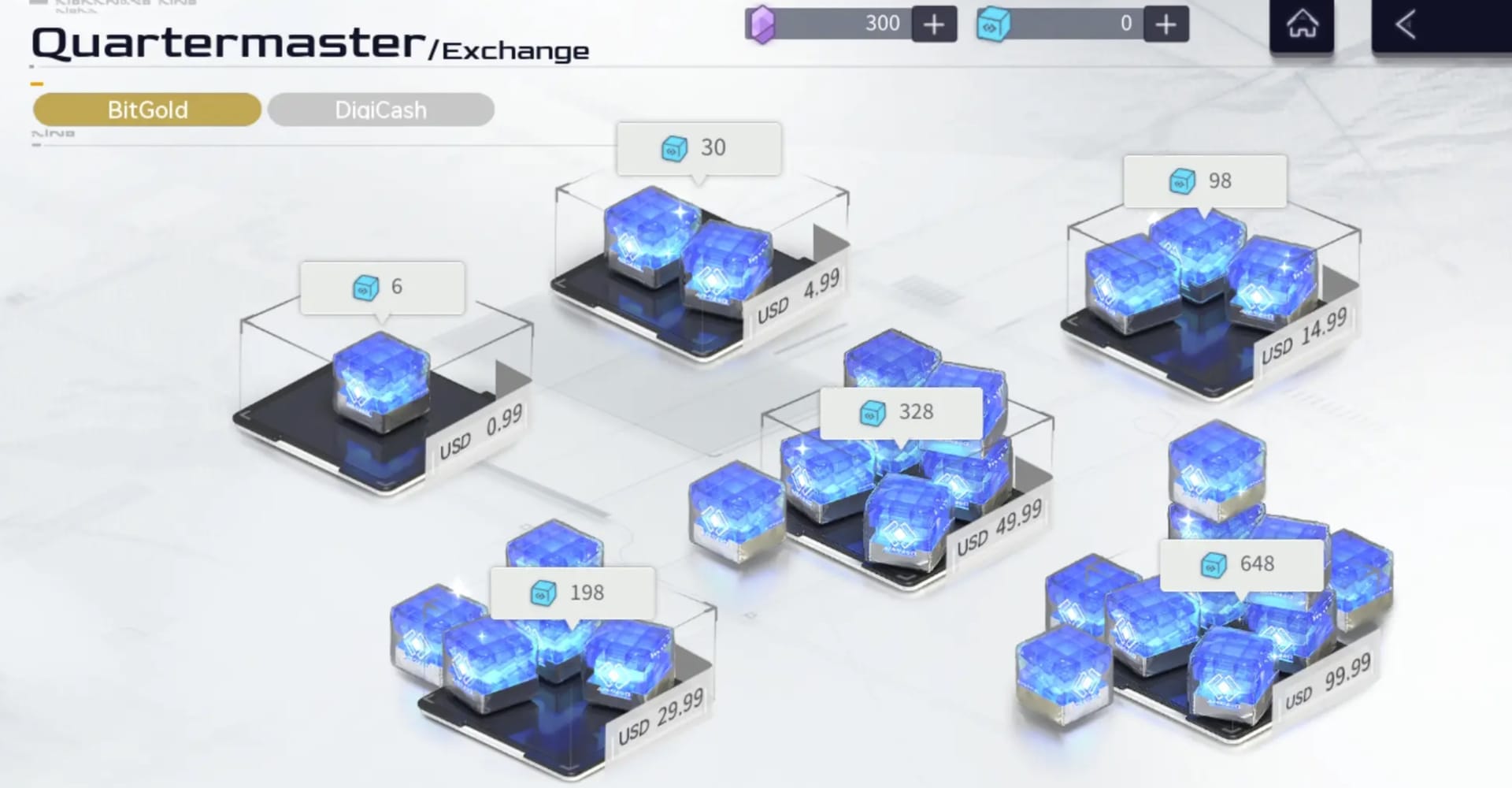
"I changed phones and my currency vanished" is a fairy tale, honestly, and it grows out of confusing where you signed in with how you paid. If the account's linked before you swap, nothing is stranded on the old device. Purchased currency belongs to the account, end of.

Third-party storefronts make this obvious. They don't even ask which platform you play on. They want your UID and server, then deliver to that account no matter where the money came from, as a SEAGM top-up guide sets out. The official stores run on the exact same logic: the UID is the address, the device is just the front door.
So the mid-spender about to flog their Android phone for an iPhone has nothing to "transfer". Link the Seasun account before you wipe the old handset, which is the one step that actually counts, and your DigSeals, your roster, your pity counter all surface on the new login. The r/SnowbreakOfficial crowd puts it the same way: link first, swap after.
Now the bit nobody bothers to spell out. The only honest route to losing access is skipping the Seasun link and leaning on a guest or device login, or handing your credentials to some third-party login bypass. The first strands your progress on a device you no longer own. The second invites a flat-out ban; community threads peg those login bypasses as a ban vector, a completely different animal from a normal top-up. Official store channels and the official Seasun link are the safe lanes. Don't farm your login out to anyone.
The first-purchase bonus trap that quietly costs spenders
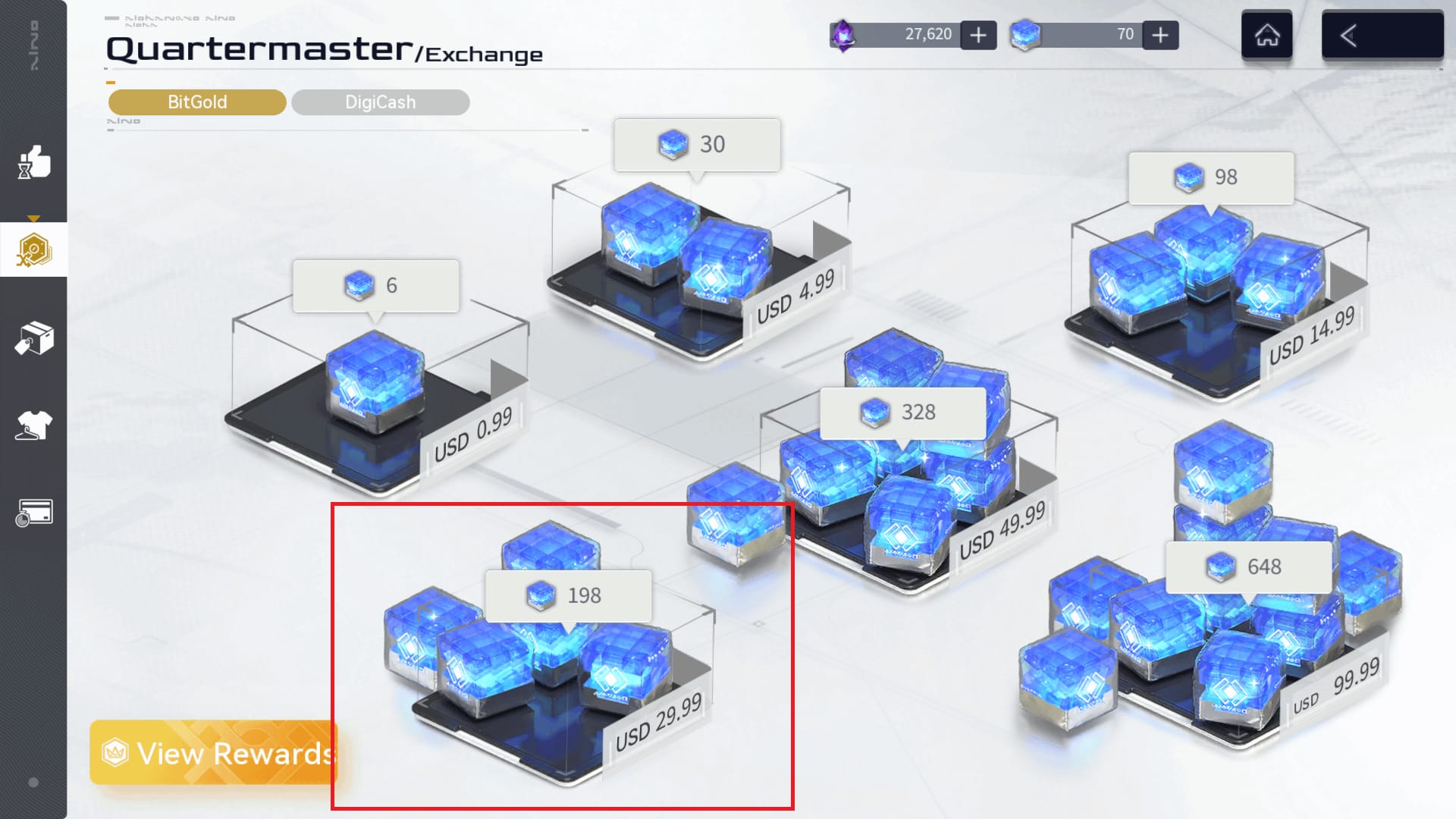
This is the one that genuinely stings. That double-value bonus on your first DigCash exchange is tracked against the account, not per store, so hopping from iOS to Android hoping to "claim it again" gets you nothing.
Here's how it works. BitGold is the premium currency you buy through a top-up, and you swap it in-game for DigCash, with a first-exchange 2x bonus, per a SnowbreakEN notice. The catch that same notice owns up to: the bonus keys off your account's exchange amounts, never the storefront you paid through. Expecting it to re-fire on another platform is a documented misread, and a pricey one if you've earmarked a second whale-sized purchase around a doubling that just won't arrive.
I'll put my judgement plainly: chasing a second first-purchase bonus by store-hopping is a wasted top-up. Buy wherever it's cheapest or handiest, run the exchange once, pocket the doubling once, and get on with your day. The only situation where the sums even arguably move is a version-tied reset of the bonus, and those get announced. The phone in your hand has nothing to do with it.
Broken down by who you are, it sorts itself out:
- F2P / first-time buyer: your only real homework is staying safe. Link the Seasun account, buy through the official store, and ignore anyone selling you "double on both platforms".
- Mid-spender switching phones: link before the swap, then treat the bonus as a one-time account event you've probably already spent.
- Whale eyeing both stores: the cross-store double-dip isn't a plan. Pick the store with the kinder regional price and pour the effort into keeping receipts instead.
Does Google Play really undercut the App Store?
Regional price gaps between the App Store and Google Play do exist, and they're worth a thirty-second glance before you reach for one shop on autopilot. The official channels are the iOS App Store, Google Play on Android, and the official PC site, all feeding the one linked account. No published number nails down a fixed percentage gap across US, EU, SEA, and Brazil; store pricing wobbles with local tax, currency, and platform fees, so I won't pretend a tidy figure exists. What's solid is that the same pack can ring up at different totals across stores in the same region, and Android checkout occasionally lands cheaper once fees settle.
My practical steer: heavy spenders should price the identical DigSeals pack on both stores in their region once, settle on whichever wins, and stop comparison-shopping every single purchase. The saving on one pack seldom earns the right to splinter your receipts across two billing systems, and receipts, as you'll see in a minute, are what rescue you when delivery goes sideways.
If wrangling store regions is the faff you'd rather sidestep, a third-party route that delivers straight to your UID is one option; Snowbreak: Containment Zone Bit Gold top up is one transparent example, and full disclosure, that's an affiliate link. The point holds regardless: anything delivering to your UID lands on the same account the official stores feed.
When a top-up doesn't show up: the sequence that actually fixes it

Most "my Snowbreak top up didn't arrive" reports aren't lost money at all. They're propagation lag, and players panic before the delivery window has even closed. Delivery can drag during high-traffic banner launches, which does a convincing impression of a vanished payment. So the opening move is the dull one: wait, re-sync, then escalate. Disputing the charge before the standard window runs out is its own trap; community top-up threads warn that a premature chargeback can snarl your account while the currency was only ever mid-delivery.
The order I'd actually work through:
- Fully close and relaunch the game, then recheck the mail/inbox. Propagation often finishes on relaunch.
- Confirm the login is the same Seasun account you paid on (the obvious one people skip on a second device).
- Find your store order ID (the App Store or Google Play receipt, not just the in-game purchase log).
- Sit out the standard delivery window before you call it a genuine failure.
- Raise a support ticket only once that window has lapsed.
| Symptom |
Likely cause |
Fix |
When to escalate |
| Currency not showing on second device |
Wrong login / not synced |
Confirm Seasun account, relaunch |
If still missing after re-login |
| Paid but nothing delivered |
Propagation delay (often banner-launch traffic) |
Relaunch, wait the delivery window |
After window lapses → ticket |
| Shop won't load after payment |
Client/session hiccup |
Restart app, re-enter shop |
Persistent → ticket with receipt |
| Bonus didn't double |
First-exchange bonus already used on account |
Verify prior exchanges |
Not a fault — no ticket needed |
Source: r/SnowbreakOfficial (2026), SnowbreakEN (2025)
When you do escalate, the thing support genuinely needs is the store-level order ID, that App Store or Google Play receipt, not the in-game log on its own, which may not verify a claim by itself. Drop a line to snowbreakcs@seasungames.com, attach the receipt, add your UID. That's the whole ticket. The single most valuable habit any spender can keep is hanging on to every order ID; it turns a panicked "have I just kissed forty dollars goodbye" into a five-minute resolution.
The cross-platform top-up jitters are overcooked. The account model keeps your DigSeals safe whichever phone you're clutching, and the developer's own store pages back the single-account, share-everything design. The two worries worth holding onto are the pair nobody's selling you: the first-purchase bonus won't fire twice across stores, and don't dispute a charge before the delivery window closes.
So settle on one primary billing platform for the sake of receipt-tracking sanity, link your Seasun account before you ever switch devices, take the first-exchange doubling once, and squirrel away every order ID. Manage that, and the cross-platform question quietly stops being a question.
Frequently Asked Questions
Can I top up on Android then play on iOS with the same account?
Yes. Currency clings to your linked Seasun account, not the device, so a purchase made through Google Play shows up when you sign into the same account on iOS, which is the cross-platform design the developer states on both store listings. The one prerequisite people forget: you've got to be signed into the same Seasun account on both devices, not a guest login on one of them.
Can whales claim the first-purchase double bonus on both iOS and Android?
Generally no. The first-exchange 2x bonus is tracked by your account's exchange amounts, per SnowbreakEN's reset notice, not by storefront, so jumping stores to re-trigger it does nothing. The only honest reset comes from announced version-tied bonus resets, which apply to the account whatever platform you're on, never from store-hopping.
How long should I wait before assuming my top-up is lost?
Sit out the standard delivery window before you treat it as a failure. Delivery can lag during high-traffic banner launches, which masquerades as a lost payment. Disputing the charge early can rebound on you when the currency is merely mid-delivery, per community top-up threads. Relaunch the app first; propagation frequently completes on a fresh session.
What exactly does support need to fix a missing purchase?
Your store-level order ID, that App Store or Google Play receipt, plus your UID, sent to snowbreakcs@seasungames.com. The in-game purchase log on its own may not be enough to verify the claim, so the storefront receipt is what actually settles tickets. Keep every order ID for exactly this reason.
Is it safe to recharge on a different device or through a third-party site?
Topping up on a different device under your own linked account is perfectly safe; the UID is the delivery address. The real hazard is third-party login bypasses, which community reports tie to account bans, a separate matter from a normal UID-based top-up. Stick to official store channels or the official Seasun link, and never hand your login credentials to a soul.











Comments