
4Fun Top Up: What Is 4Fun and What Are 4Fun Diamonds Used For?
4Fun is a popular interactive group voice chat and social entertainment platform that brings people together through real-time audio rooms, casual mini-games, and live social broadcasts. Users join community rooms to chat with friends, sing karaoke, participate in voice battles (PKs), and play social games like Ludo, Lucky 77, and Fruit Roulette.
Diamonds serve as the primary premium currency in 4Fun. When you complete a 4Fun top up, you receive diamonds directly in your in-app wallet. These diamonds enable you to participate fully in the 4Fun social ecosystem.
Core Uses of 4Fun Diamonds
- Sending Animated Virtual Gifts: Support your favorite room hosts, streamers, and friends by sending animated gifts ranging from roses and rockets to luxury sports cars and castles.
- Purchasing Exclusive Profile Cosmetics: Stand out in crowded voice rooms by unlocking dynamic entrance effects, luxury vehicle animations, custom avatar frames, and glowing chat bubble themes.
- Participating in Room Mini-Games: Use your diamond balance to join interactive social mini-games hosted inside voice chat rooms.
- Boosting Voice Room Rankings: Spending diamonds on gifts increases room popularity points, helping your favorite chat room rise to the top of regional discovery boards.
- Unlocking VIP Badges: Maintain high community status with tiered VIP badges that grant exclusive room privileges and special privileges.
4Fun Currency Breakdown: Diamonds vs Gems
Many users ask about the difference between diamonds and gems in 4Fun. Here is how they operate:
| Currency | How It Is Obtained | Primary Function | Transferable? |
|---|---|---|---|
| Diamonds | Direct recharge on VGTopup using UID | Gifting hosts, buying entrance effects, playing mini-games, unlocking VIP status | Yes (sent as gifts to other users) |
| Gems | Received by room hosts when users send them gifts | In-app creator rewards, host tier progression, and host withdrawal programs | Converted via host reward system |
How to Find Your 4Fun User ID (UID)
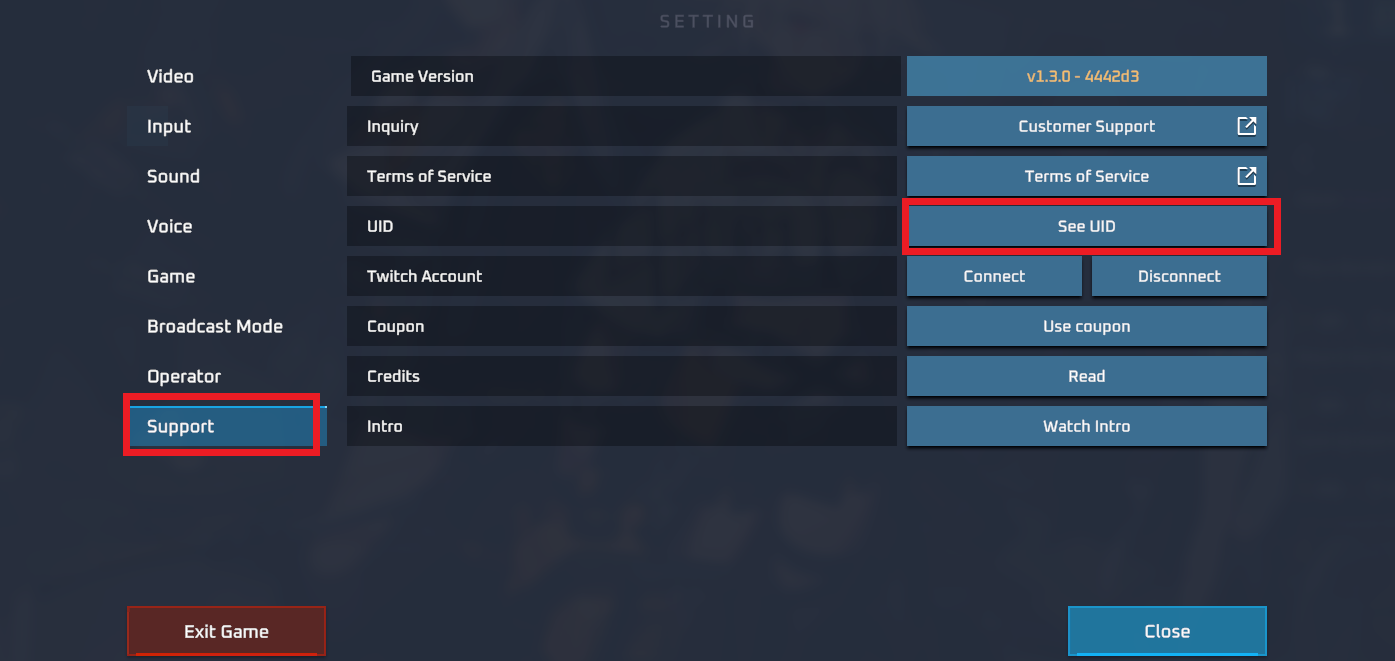
To top up your 4Fun balance, you only need your numeric User ID (UID). Your UID is a unique numeric identifier linked permanently to your 4Fun profile.
Follow these quick steps to locate your UID inside the app:
- Open the 4Fun (or 4Fun Lite) application on your smartphone or tablet.
- Tap the Me icon located in the bottom-right corner of the home navigation bar.
- Look directly beneath your profile picture and nickname at the top of the profile screen.
- You will see UID: followed by a series of numbers (typically 6 to 10 digits).
- Tap the small Copy icon next to the digits to copy your UID directly to your clipboard.
Always use the numeric UID rather than your custom display name. Display names can change and are not unique, while your numeric UID routes the diamond delivery straight to your specific account.
Step-by-Step Guide to Top Up 4Fun on VGTopup
Recharging your 4Fun account on VGTopup is straightforward and requires no complex verification. Follow these instructions to place your order:
- Select Your Diamond Package: Browse the live diamond denominations listed on this page and click on the pack you wish to purchase. Current pricing and diamond quantities are displayed in real time.
- Enter Your 4Fun UID: Paste your numeric UID into the player ID field. Check the digits carefully to ensure there are no missing or extra numbers.
- Select Your Payment Method: Choose from the available secure checkout methods provided on VGTopup.
- Confirm and Pay: Review your order details and complete the checkout process.
- Check Your In-App Balance: Once payment confirmation is complete, open your 4Fun app, go to Me > Wallet, and view your updated diamond balance.
Safe Top-Up Practices: Why UID-Only Checkout Protects Your Account
Account security is critical when buying digital credits online. VGTopup uses a direct UID-only recharge system to keep your personal data completely safe.
Zero Password Requirements
VGTopup will never ask for your 4Fun account password, email verification code, SMS one-time password (OTP), or third-party social login details (such as Google, Apple, or Facebook). You only provide your public UID.
Protection Against Account Theft
Sharing your login credentials on third-party websites exposes your profile to unauthorized access, altered settings, or stolen in-app balances. By relying entirely on your public UID, our checkout process eliminates login-sharing risks.
Direct System Processing
Recharges processed through UID route directly to your account wallet. Your private chat logs, friend lists, and room ownership settings remain private and untouched.
Supported 4Fun Versions and Regional Voice Room Features in 2026
In 2026, 4Fun continues to operate multiple client builds and localized room servers to serve communities across South Asia, the Middle East, Southeast Asia, and international regions.
4Fun vs 4Fun Lite Compatibility
Diamonds purchased on VGTopup work seamlessly whether you use the standard 4Fun app or the data-saving 4Fun Lite client. Because both applications connect to the same centralized profile database, any balance recharged to your numeric UID is instantly available on either version.
Regional Voice Room Features in 2026
- Multi-Seat HD Voice Rooms: Host up to 12 active speakers simultaneously with high-definition audio stability and low latency.
- PK Battle System: Room hosts can challenge other broadcasters in real-time gifting competitions where viewer diamond gifts determine the winning room.
- Interactive 3D Room Gifts: Send next-generation gifts with full-screen 3D animations that trigger special audio effects across the entire room.
- Localized Community Events: Participate in seasonal festivals, regional singing tournaments, and holiday leaderboards featuring custom room banners and limited-edition badges.
Troubleshooting 4Fun Recharge Issues and Delivery Verification
If your diamonds do not appear immediately after completing your order, follow these troubleshooting steps to resolve the issue:
1. Force Close and Restart the 4Fun App
Sometimes the 4Fun mobile app caches your wallet data locally. Completely close the app from your device's recent apps switcher, wait ten seconds, and relaunch it to force a server refresh.
2. Check Your Diamond Record Log
Inside 4Fun, navigate to Me > Wallet > Diamond Records. This screen shows every incoming credit transaction and outgoing gift deduction with exact timestamps.
3. Verify the Submitted UID
Check your VGTopup order confirmation email to verify the UID you typed during checkout. If you accidentally submitted an incorrect UID, reach out to our customer support team immediately with your order number and correct UID.
4. Account Region and Network Verification
Ensure your device has a stable internet connection. If your network switches between Wi-Fi and mobile data during an active session, disconnect and reconnect to re-establish a stable link to 4Fun servers.
Frequently Asked Questions About 4Fun Top Up
What is the 4Fun app used for?
4Fun is a social voice chat and entertainment platform designed for group audio conversations, live streaming, interactive voice battles, and casual multiplayer mini-games. Users join themed audio rooms to meet new people, chat with friends, sing together, and send virtual gifts to creators.
How do I find my 4Fun UID for top up?
Open the 4Fun app, tap the Me icon in the lower-right corner of the screen, and locate the numeric UID printed right below your avatar and nickname. Tap the copy icon next to the number to copy it for checkout.
Do I need to share my 4Fun account password to recharge diamonds?
No. VGTopup only requires your numeric 4Fun UID to deliver your diamonds. You should never share your account password, SMS verification codes, or social media logins with anyone.
How long does it take for 4Fun diamonds to appear in my account after checkout?
Diamond delivery is processed immediately once your payment is confirmed. In most cases, your diamonds appear in your 4Fun in-app wallet within a few moments of order completion.
Can I top up 4Fun diamonds for a friend using their UID?
Yes. You can surprise friends or support your favorite room hosts by entering their numeric 4Fun UID in the order field instead of your own. The diamonds will credit directly to their profile.
What should I do if I entered the wrong 4Fun UID during top up?
If you realize you entered an incorrect UID, contact VGTopup customer support immediately with your transaction ID and the correct UID. If the order has not yet been processed by the automated delivery system, our support staff will assist in updating your details.
Select Denomination
Tax, payment fees and eligible coupons are calculated at checkout.
| Package | Price |
|---|---|
| 50,000 Diamonds | USD 3.36 |
| 100,000 Diamonds | USD 5.80 |
| 300,000 Diamonds | USD 17.40 |
| 600,000 Diamonds | USD 34.87 |
| 1,200,000 Diamonds | USD 69.46 |
| 2,000,000 Diamonds | USD 116.02 |