
Xena Live Coins Top Up: Overview and In-App Utility
Xena Live is an interactive voice streaming and group chat application where users connect through audio rooms, live multi-guest stages, talent performances, and competitive PK battles. Within the platform, Coins serve as the primary currency required to unlock interactive features, support content creators, and personalize your social presence.
When you complete a Xena Live Coins top up on VGTopup, your balance credits directly to your account using your numeric user identifier (UID). Having an active Coin balance allows you to participate in community events, trigger room animations, and climb the platform's social leaderboards without interruption.
What Are Xena Live Coins and How to Use Them
Xena Live operates an interactive digital economy designed around audience engagement. Understanding how Coins function ensures you get the maximum value out of every recharge.
- Virtual Gifting: Send animated digital gifts to streamers, room hosts, and co-hosts. Gifts range from basic icons to elaborate full-screen 3D effects such as sports cars, castles, and custom luxury animations.
- PK Battle Support: During competitive host vs. host matchups, audience members spend Coins on battle-specific gifts to push their preferred streamer ahead on the points bar before the timer expires.
- VIP Progression: Spending Coins contributes directly to your account's VIP status points. Advancing through VIP tiers unlocks special privileges, distinctive chat bubbles, profile badges, and exclusive entry banners.
- Microphone Priority and Audio Room Effects: Active audio rooms often feature Coin-enabled interactions, including jukebox song requests, premium room entrance effects, and lucky draw mini-games.
Coins vs. Beans: How the Economy Works
It is essential to understand the distinction between Coins and Beans inside the app:
- Coins: The purchasing currency bought with real funds by users and viewers. Coins are used to purchase gifts, enter paid audio sessions, and activate VIP perks.
- Beans: The earning currency accumulated by room hosts and broadcasters when they receive gifts from viewers. Broadcasters convert Beans into rewards through the platform's creator withdrawal system.
- Non-Reversible Flow: Coins spent on gifts convert automatically into Beans for the recipient; you cannot convert Coins directly into cash or back into your personal bank balance.
How to Find Your Numeric Xena Live UID
To ensure your recharge reaches the correct account, you must provide your permanent numeric User ID (UID). This identifier is unique to your profile and differs from your customizable display name.
Follow these steps to find your UID:
- Open the Xena Live app on your mobile device.
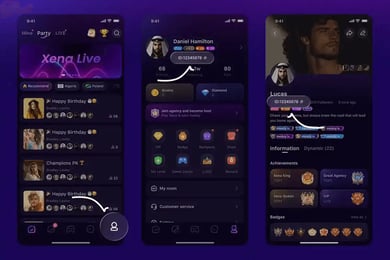
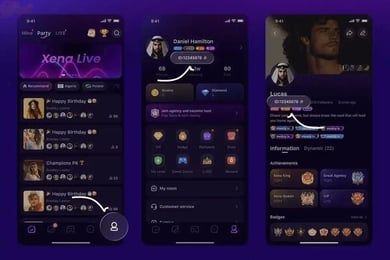
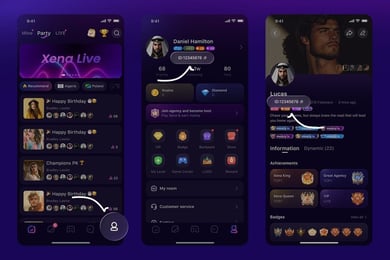
- Tap the Profile icon (labeled "Me" or "My Page") located in the bottom right corner of the main screen.
- Look directly beneath your profile avatar and username.
- Find the line labeled UID (a series of 6 to 10 digits).
- Tap the copy icon next to the number or write it down carefully.
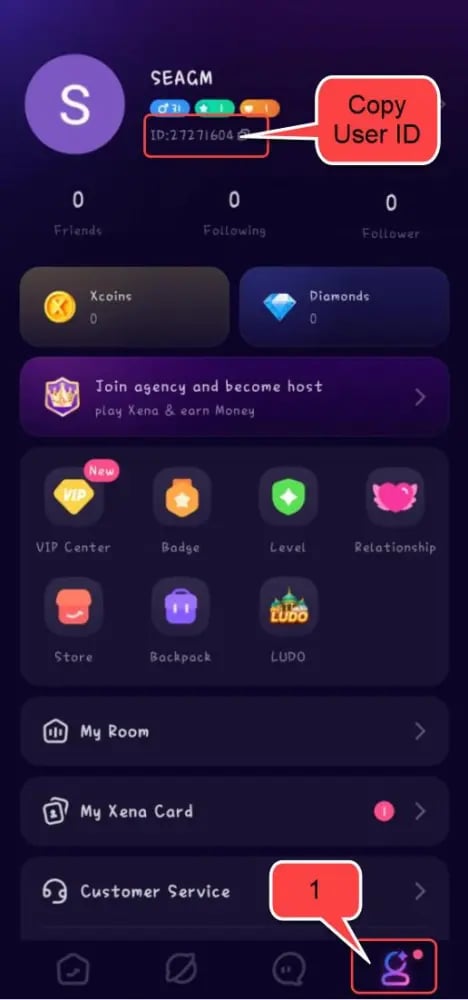
Note: Do not enter your custom nickname or room ID in the checkout field. Only the permanent numeric UID guarantees direct delivery to your wallet.
Maximizing PK Battles, Voice Rooms, and VIP Tier Perks with Coins
To make strategic use of your balance, plan your spending around high-impact platform activities.
Excelling in PK Battles
PK battles pit two broadcasters against each other in real time. Winning requires rapid gift delivery within fixed time windows. High-tier Coin gifts carry multiplier points during specific "boost moments" or "streak rounds" in the battle, enabling your favored broadcaster to claim victory and rank up on daily regional leaderboards.
Climbing VIP Tiers 1 through 12
Every Coin spent on Xena Live grants VIP experience points. As you advance through VIP 1 to VIP 12, your account receives progressive account upgrades:
| VIP Tier Bracket | Key Perks and Unlocks | Social Impact |
|---|---|---|
| VIP 1 – VIP 3 | Bronze avatar border, standard entry notification, custom chat color | Basic recognition in crowded voice rooms |
| VIP 4 – VIP 7 | Silver nameplate, dynamic entry banner, room mute resistance | High visibility during host broadcasts |
| VIP 8 – VIP 10 | Gold profile frame, animated luxury entrance, private messaging privileges | Premium supporter standing across regional leaderboards |
| VIP 11 – VIP 12 | Diamond custom badge, exclusive animated vehicle entry, VIP customer service channel | Elite status with top-tier room presence and anti-kick protection |
Step-by-Step Guide: How to Top Up Xena Live Coins on VGTopup
Recharging through VGTopup takes only a few moments. Follow this straightforward guide to complete your purchase:
- Select Denomination: Choose the Xena Live Coin package that fits your spending preferences from the product list above.
- Input Account Details: Enter your numeric UID into the designated player field. Double-check the number to prevent delivery delays.
- Proceed to Checkout: Click the buy button to move to the secure payment portal.
- Choose Payment Option: Select your preferred local or global payment method from the available options displayed on the checkout page.
- Confirm and Pay: Finalize the payment. The automated dispatch system processes your order and sends the Coins straight to your in-app balance.
Pricing and package rates are displayed clearly at live checkout based on current exchange rates.
Safe Top-Up Practices: Zero Account Password Requirement
Account safety is critical when purchasing virtual items online. VGTopup relies entirely on direct UID top-up mechanics, maintaining strict security protocols for your personal data.
- No Passwords Requested: You never need to share your account password, email login credentials, Apple ID, or Google Play details.
- No SMS Verification Codes: Legitimate UID recharges do not require one-time passwords (OTP) or phone authentication codes. Never share verification codes with third parties.
- Protected Account Ownership: Credential-sharing schemes put your account at risk of theft, unauthorized gift transfers, or permanent platform bans. By using only your numeric UID, your login credentials stay completely under your control.
Troubleshooting Delivery and Verifying Your In-App Balance
If you have completed your transaction and wish to verify that your Coins have been credited, follow these troubleshooting steps:
- Refresh the App: Completely close the Xena Live application from your recent apps switcher and reopen it.
- Check Your Wallet: Navigate to Me > Wallet > My Coins. Your updated balance will appear in your main ledger.
- Review Order Status: Check your order confirmation on VGTopup to ensure the payment succeeded and verify the numeric UID you submitted.
- Allow for Network Sync: During peak live event hours, regional server synchronization might take a couple of minutes.
- Contact Customer Support: If your balance does not update after a brief period, contact the 24/7 VGTopup customer service team with your Order ID and UID for rapid assistance.
Frequently Asked Questions
What is Xena Live and what are Coins used for?
Xena Live is a popular interactive group voice chat and live streaming entertainment app. Coins are the in-app digital currency used to purchase dynamic virtual gifts, support hosts during competitive PK battles, customize your profile appearance, and unlock tiered VIP privileges.
How do I find my Xena Live UID for topping up?
Open the Xena Live app, click the profile tab labeled "Me" at the bottom right corner, and locate the numeric sequence displayed under your avatar. That sequence is your permanent UID. Enter only these numbers when placing your order on VGTopup.
Do I need to provide my Xena Live account password to recharge?
No. Recharges on VGTopup are completed via direct numeric UID dispatch. You never need to supply your password, social login details, or SMS verification codes.
How long does it take for Xena Live Coins to arrive after purchase?
Orders placed on VGTopup are processed automatically. In most cases, the Coins are credited to your in-game wallet immediately after your payment is confirmed.
Can Xena Live Coins be converted into cash or Beans?
No. Coins are consumer tokens used exclusively to purchase gifts and unlock in-app perks. When you send gifts, the recipient receives Beans, which are part of the platform's broadcaster program. Coins themselves cannot be converted into cash or transferred back to personal accounts.
What should I do if my Xena Live Coins do not appear in my balance?
First, force-restart your Xena Live app to refresh the connection with the platform servers. Next, verify your current balance under the in-app Wallet tab. If the balance remains unchanged, check your VGTopup receipt to confirm that the submitted UID was correct, and reach out to VGTopup customer support with your order details.
Select Denomination
Tax, payment fees and eligible coupons are calculated at checkout.
| Package | Price |
|---|---|
| 33,500 Xena Coins Bundle | USD 3.28 |
| Xena Coins * 67500 | USD 6.61 |
| 202,500 Xena Coins Bundle | USD 19.83 |
| 406,800 Xena Coins Bundle | USD 39.83 |
| 680,000 Xena Coins Bundle | USD 66.58 |
| 1,000,000 Xena Coins Bundle | USD 97.91 |
| 3,350,000 Xena Coins Bundle | USD 328.00 |