
Mobile Legends: Adventure M-Cash Top Up: Overview and In-Game Utility
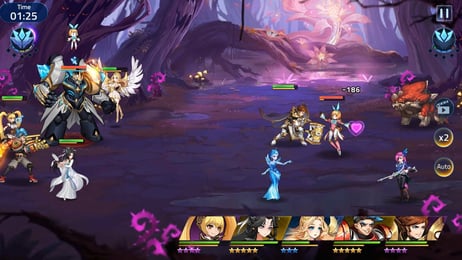
Mobile Legends: Adventure (MLA) is an idle RPG set in the Mobile Legends universe where tactical team compositions and hero evolution determine your progression through the campaign, Babel Tower, and competitive PvP arenas. M-Cash is the primary premium currency used in MLA to purchase exclusive in-game items, activate premium passes, and acquire essential summoning resources.
While free diamonds can be collected through daily quests and stage clearances, M-Cash allows players to bypass time gates and unlock high-tier packs directly. Topping up M-Cash gives you direct access to:
- Premium & Prophecy Summons: Secure specific Order, Chaos, and elemental faction SSR heroes to round out your formation.
- Sacred Oath Scrolls & Summon Packs: Target elite heroes needed for late-game campaign stages.
- Growth Funds & Campaign Passes: Maximize your return on progression with layered milestone rewards.
- Monthly & Weekly Subscriptions: Receive consistent daily resources, idle reward multipliers, and VIP progression points.
- Hero Awakening Materials: Acquire Soul Meteors, Ancient Twilight resources, and specific hero shards to build your core roster.
- Exclusive Hero Skins: Obtain limited-edition cosmetic skins with attribute bonuses.
VGTopup provides direct M-Cash recharges directly to your game profile without requiring password access or third-party account logins.
Step-by-Step Guide: How to Top Up MLA M-Cash on VGTopup
Recharging your Mobile Legends: Adventure account takes less than a minute. Follow these steps to complete your purchase:
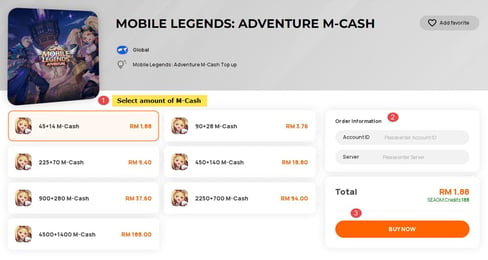
- Select Your Package: Browse the available M-Cash denominations listed on this page and choose the amount you need for your in-game purchase.
- Enter Your User ID and Server ID: Type your numerical User ID and your 4-digit or 5-digit Server ID in the input fields provided.
- Proceed to Checkout: Review your selected package and account information, then click the purchase button.
- Select a Payment Method: Choose from the available secure payment options on the checkout page.
- Complete the Transaction: Once payment verification is complete, the M-Cash balance is credited directly to your Mobile Legends: Adventure account in real time.
How to Find Your MLA User ID and Server ID
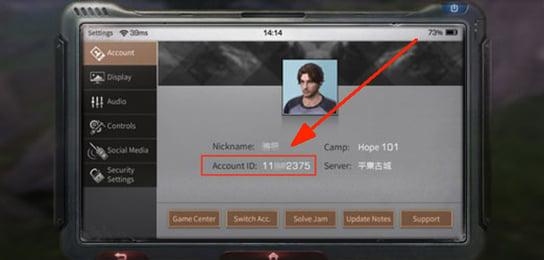
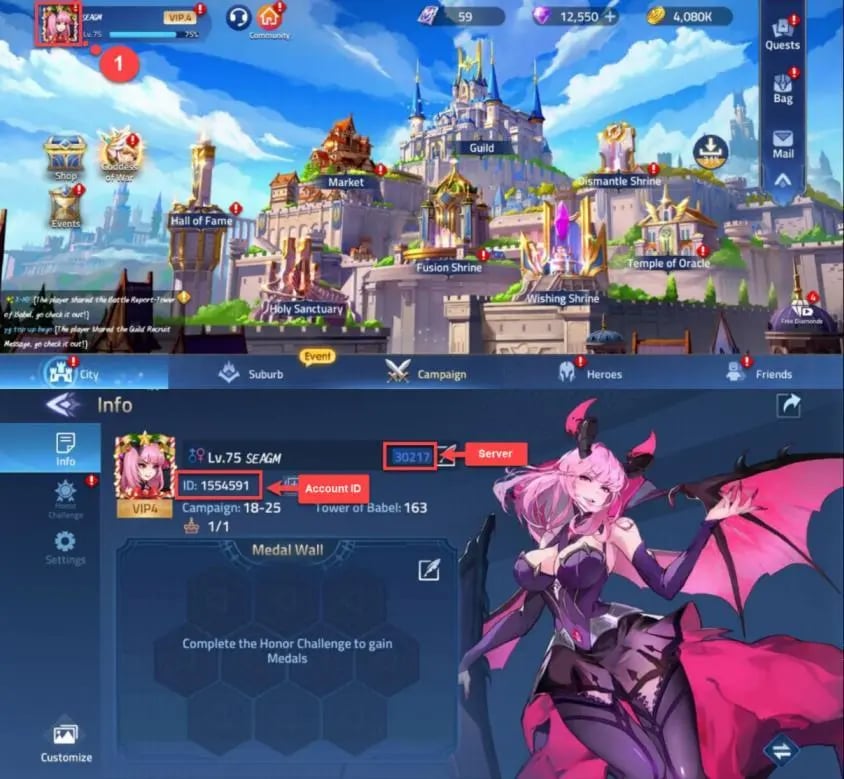
To ensure your M-Cash arrives without delay, make sure you enter your exact User ID and Server ID. Both numbers are visible inside your game client.
- Launch Mobile Legends: Adventure on your mobile device or emulator.
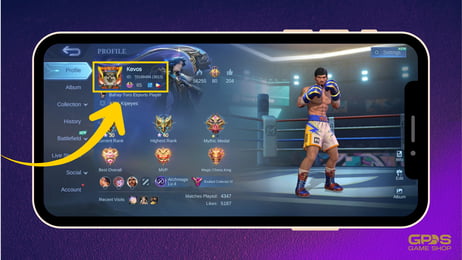
- Tap your Player Avatar in the top-left corner of the main lobby screen.
- Stay on the Details profile tab.
- Locate your account numbers displayed below your player name.
- You will see a format like:
ID: 12345678 (70021). * The first number (12345678) is your User ID. * The number inside the parentheses (70021) is your Server ID. - Copy or write down both numbers carefully and paste them into the designated fields on VGTopup.
Mobile Legends: Adventure M-Cash Packages and Denominations
VGTopup offers standard global denominations suitable for any in-game requirement, from daily convenience packs to large-scale summoning campaigns.
| Package Denomination | Common In-Game Application | Primary Progression Benefit |
|---|---|---|
| 1499 M-Cash | Daily Event Packs, Stamina Refresh | Fast daily task completion |
| 1999 M-Cash | Weekly Summon Bundles | Consistent weekly hero pulls |
| 2999 M-Cash | Prophecy Summons, Shard Packs | Targeted SSR hero duplicates |
| 4999 M-Cash | Monthly Pass, Event Stage Unlocks | High-value 30-day resource yield |
| 9999 M-Cash | Sacred Oath Bundles, Awakening Chests | Rapid upgrade for Order/Chaos heroes |
| 10999 M-Cash | Deluxe Growth Fund, Premium Skins | Permanent cosmetic & gem milestones |
| 32999 M-Cash | Seasonal Event Full Completion | High-tier PvP leaderboard push |
| 65999 M-Cash | Maximum Value Bulk Supply | Comprehensive roster expansion & Awakening |
Live pricing and current conversion rates for each denomination are displayed dynamically on the checkout selection table above.
M-Cash vs. MLBB Diamonds: Key Differences Explained
A common mistake among players is confusing Mobile Legends: Adventure (MLA) with Mobile Legends: Bang Bang (MLBB). While both games share lore, characters, and are developed by Moonton, they operate on separate servers and use different currencies.
- Mobile Legends: Adventure (MLA) is an idle RPG. It uses M-Cash as its direct store checkout currency, along with in-game free diamonds for summons.
- Mobile Legends: Bang Bang (MLBB) is a 5v5 MOBA. It uses MLBB Diamonds for heroes, skins, and battle passes.
- Compatibility Notice: MLBB Diamonds cannot be transferred to or used in Mobile Legends: Adventure. Purchasing MLBB Diamonds will not credit your MLA account. To buy items, passes, or packs in MLA, you must purchase MLA M-Cash.
Always double-check that you are purchasing on this Mobile Legends: Adventure page if you want M-Cash credited to your idle RPG profile.
Why Choose VGTopup for Mobile Legends: Adventure Top-Ups
VGTopup is designed to provide mobile gamers with a direct, dependable, and secure top-up experience:
- No Password Required: We only require your User ID and Server ID. Your login credentials, email, and social accounts remain private and secure.
- 24/7 Automated Delivery: Our processing system handles orders round the clock, ensuring rapid delivery straight to your game account upon payment confirmation.
- Clear Pricing: All prices are shown clearly before checkout, with no hidden fees or extra surcharges applied at the final step.
- Customer Support: Our support team is available to assist you with order verification, delivery questions, or ID corrections.
Troubleshooting Delivery and Common MLA Account ID Errors
If you experience a delay in receiving your M-Cash or encounter an error during checkout, review the following troubleshooting points:
- Swapping User ID and Server ID: Ensure you did not enter the Server ID in the User ID box or vice versa. The User ID is the longer number, while the Server ID is the 4-to-5-digit number in parentheses.
- Typo in Account Numbers: Double-check every digit against your in-game profile. If an incorrect User ID/Server ID combination is submitted, delivery cannot be processed.
- In-Game Balance Refresh: After receiving an order completion notification, close Mobile Legends: Adventure completely and restart the app to refresh your wallet balance.
- Checking In-Game Mail: Certain special promotions, bonus items, or VIP point bundles tied to M-Cash recharges may be sent directly to your in-game mailbox rather than the top balance bar. Check your mail tab if you bought a bundle pack.
- Contacting Support: If your balance does not update within a few minutes of payment completion, reach out to VGTopup customer service with your Order Number, User ID, and Server ID for prompt resolution.
Frequently Asked Questions
How do I find my Mobile Legends: Adventure User ID and Server ID?
Tap your player avatar in the top-left corner of the game screen to open the Details profile tab. Your User ID is the main number displayed under your name, and your Server ID is the 4-to-5-digit number inside the parentheses next to it.
What is M-Cash used for in Mobile Legends: Adventure?
M-Cash is used to purchase premium summon scrolls, growth funds, monthly passes, awakening resource packs, daily deal chests, and exclusive skins in the in-game store.
Is MLA M-Cash the same currency as MLBB Diamonds?
No. Mobile Legends: Adventure uses M-Cash, whereas Mobile Legends: Bang Bang uses Diamonds. The two games have separate billing systems, and their currencies cannot be shared or converted between games.
Do I need to provide my account password to top up MLA M-Cash?
No. VGTopup only requires your in-game User ID and Server ID to deliver M-Cash directly to your account. You should never share your account password or social login details.
How quickly is M-Cash credited to my account after payment?
Orders are processed automatically upon successful payment confirmation. Under standard network conditions, M-Cash appears in your account almost immediately. Restarting the game client updates your balance display.
What should I do if I entered the wrong Server ID during checkout?
If you realize you entered an incorrect Server ID or User ID, contact VGTopup customer support immediately with your transaction order number. If the order has not yet been processed by the automated dispatch system, our team can help correct the account details.
Select Denomination
Tax, payment fees and eligible coupons are calculated at checkout.
| Package | Price |
|---|---|
| o1499 M-Cash | USD 13.66 |
| o2999 M-Cash | USD 26.38 |
| o4999 M-Cash | USD 40.88 |
| o9999 M-Cash | USD 84.73 |
| o10999 M-Cash | USD 90.31 |
| o32999 M-Cash | USD 280.13 |
| o65999 M-Cash | USD 540.53 |