The login is the attack surface, not the card
The standard scare is "online top-up equals stolen account." That framing is mostly wrong. A legitimate SuperSus top-up wants exactly one field: your Space ID, which is the game's word for your Player ID. Per Kaleoz Guide, you launch the game, tap your avatar top-left, and read the ID off the homepage. None of that is a credential. It's a public address. Think of it as handing over your mailbox number so somebody can drop a letter inside. The number alone still doesn't open the box.
Trouble only shows up when a player gets coaxed into handing over the thing they log in with. Standard safety guidance, repeated across Codashop and similar platform help pages, is flat about it: never surrender your password or OTP, and only key your Space ID into trusted storefronts. Typing login details into a site that should never need more than a public ID is how accounts genuinely vanish. That's social engineering, not the card payment.
So, stated tightly: a first top-up done with ID-only entry carries near-zero takeover risk, and whatever's left is almost all "a nice stranger promised me cheap stars if I'd just share my login." Keep that in your pocket. It outlasts every wrinkle below.
What Golden Stars buy, and why that picks your first spend

Know the product before the price. Golden Stars are SuperSus's premium currency for cosmetics, skins, and shop items, per the Super Sus Official Site, the same place that pegs the playerbase at 300 million worldwide. Stars are the raw spending unit. The Golden Pass (sometimes the Super Pass) is a separate beast: a seasonal track that turns one payment into a whole season of payouts.
This is the line beginners smudge, and it costs them. Buying Stars and then sinking them into one skin is a single transaction's worth of value. The Pass spreads rewards across an entire season instead. Historic pricing from the Super Sus Wiki puts the Super Pass at 499 Golden Stars and Super Pass Plus at 1,500, which means the Pass is priced in Stars. Most guides skip that conversion. Your Stars can become Pass progress, and for a value-minded newcomer that's usually the smarter destination than sitting on a currency pile for some event down the road.
My read for a first-ever spender: settle whether you want the season's Pass rewards before you buy a stack of Stars. If you do, size the top-up around the Pass cost (roughly 499 Stars for the base track) instead of guessing. Stockpiling Stars "for a future event" is the speculative play. The Pass is the known quantity.
What the listings actually show on pricing

Official in-game prices aren't laid out in a tidy public table, so the honest route is reading the third-party listings, which the official channels themselves push you toward. SuperSus's own Facebook has repeatedly named Smile.one, Codashop, and JollyMax as safe, cheap, fast top-up options across 2025–2026 posts. That's a publisher blessing the third-party road, which flips the "in-app is safer" debate on its head. Official channels treat verified third parties as legitimate, not as a hazard.
Here's the entry tier from current listings.
| Pack |
Approx. price |
Bonus |
Source |
| 100 Golden Stars |
$0.79–$0.88 |
Varies |
JollyMax / Eneba |
| 300 + 95 Golden Stars |
Rp 11,040 IDR |
95 bonus |
JollyMax ID |
| Super Pass |
Rp 74,200 IDR |
Pass rewards |
JollyMax |
Source: JollyMax / Eneba (2026); official in-game prices not publicly listed.
You can run the cost-per-Star yourself. At about $0.79 for 100 Stars, you're paying roughly $0.0079 per Star on the smallest US-region pack, per JollyMax. The 300+95 bundle folds in a bonus, so you pay for 300 and pocket 395, which on paper sharpens the per-Star rate against the flat 100 pack. That's the ordinary "bigger pack, better rate" curve every game uses.
But the curve doesn't tell the whole story for a new account, and this is exactly where "always buy biggest" advice falls apart.
The first-purchase bonus is bound to your account, not the pack
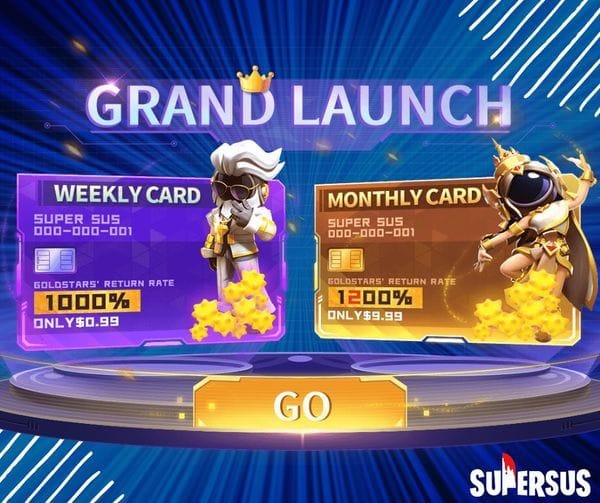
The "buy the largest pack for the best per-Star rate" rule misses a mechanic that rewrites the arithmetic on your opening transaction. The one-time first-purchase bonus attaches to your account, not the pack. It fires once, on your first qualifying top-up, whatever the size. A tiny qualifying pack grabs the identical one-time multiplier the biggest one would.
Sit with what that does. If the bonus roughly doubles whatever Stars trigger it, the percentage lift is the same on a 100-Star pack and a 1,000-Star pack. The difference is that the 100-Star pack is the one you can afford to "spend" the trigger on while you're still figuring the game out. Burn the bonus on a giant pack and you've welded your best-ever rate to a payment you might wish you hadn't made. Burn it on the smallest qualifying pack and you've banked the one-time edge for coffee money, leaving every future top-up to stand on its own.
This is the most under-explained lever in every SuperSus top-up guide I've read, and it's the one I'd pull first. Trigger small. After that, and only after that, weigh whether bigger packs or the Pass have earned your money.
A second wrinkle hides inside the packs. Some seasonal bundles quietly tuck Golden Pass progress in alongside the raw Stars. When they do, the bundle can out-value an equal stack of plain Stars, since you're walking away with currency and season-track movement in one shot. Read what a pack actually contains before you rank it on cost-per-Star, because that per-Star figure is blind to bundled Pass value.
Your first top-up, run cleanly
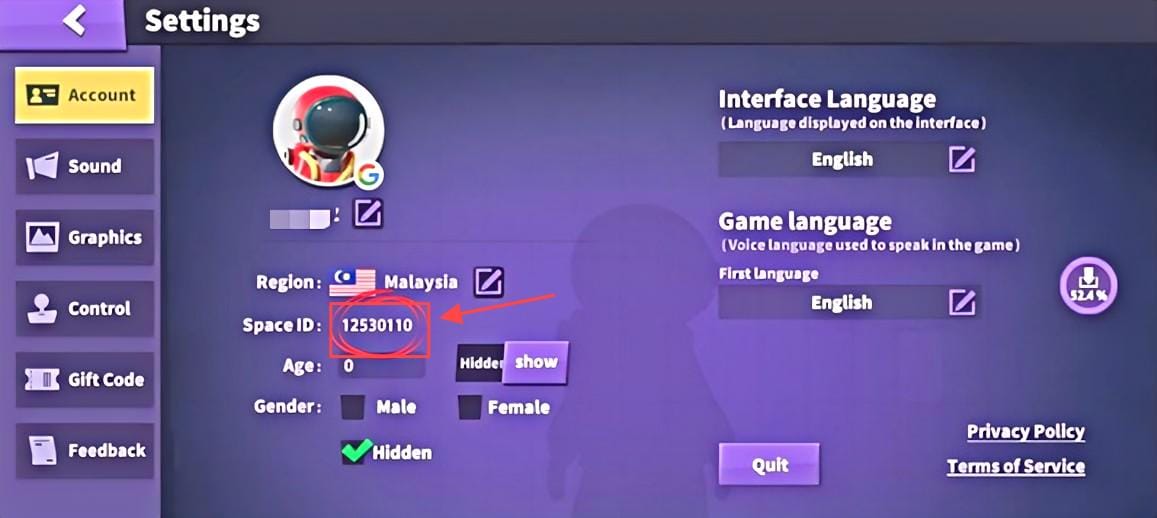
The flow is short. Done in order, it kills the two things that snag beginners: wrong region and unverified delivery.
- Find your Space ID. Launch SuperSus, tap your avatar top-left, read the ID off the homepage, per Kaleoz Guide. Copy it exactly. A mistyped ID is the number-one reason Stars "never arrive." They landed in a stranger's lap instead.
- Confirm region and currency. Pricing really does swing by market: US listings sit near $0.79 for 100 Stars while Indonesia shows Rp 11,040 for a 100+28 bundle, per JollyMax regional data. Match the storefront's region to yours so the price and pack you see are the ones you'll get.
- Pick the pack, and trigger the bonus small if it's your first. For a debut purchase, the smallest qualifying pack is the smart trigger.
- Enter Space ID only. Pay. A legitimate flow wants your ID and a payment method, nothing you'd log in with. The sequence: select pack, enter Space ID, pay, instant delivery.
- Verify the Stars landed in-game before anything else. If they're absent after a few minutes, jump to the delivery section. Don't re-buy.
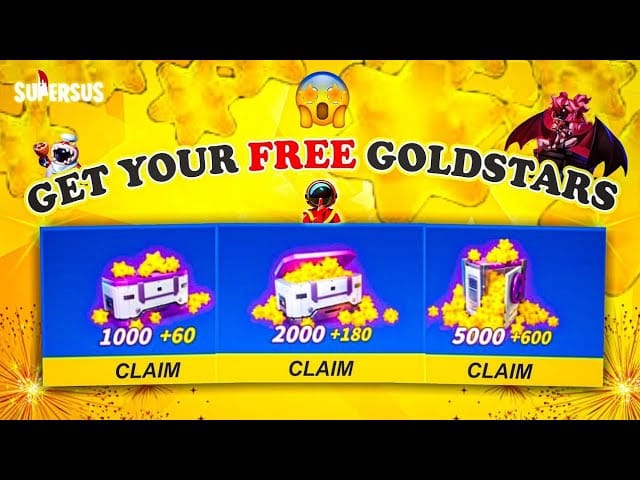
For a day-1 beginner, the Codashop community guides nail the order: lean on free login rewards and events first, then top up after you've verified your ID. SuperSus seeds free Stars through events too. The Asian Festival run in March 2025 handed out up to 1,200 free limited Golden Stars, per official SuperSus news. Grab that kind of free currency before you reach for the wallet.
Where the value case splits by spender
The right opening move isn't one-size-fits-all. Three honest profiles:
- Day-1 beginner (first-ever purchase): drain the free login rewards and event Stars first. When you do pay, claim the bonus on the smallest qualifying pack. You'll have learned the game and banked the one-time edge before any real money's at stake.
- Cautious low-spender ($5 budget): a smallest-tier pack like 100 Stars on a trusted platform buys instant delivery without overcommitting. Skip the fractional-cent "cheapest" hunts across sketchy sites; the pennies saved aren't worth the scam exposure.
- Value-focused first spender weighing Stars vs Pass: do the comparison before buying loose Stars. With the Super Pass sitting near 499 Stars and historically returning a full season of rewards, it usually out-delivers an equal currency pile for anyone who'll play the season out.
On the old "is hoarding Stars for a future event smarter than this season's Pass" argument, for a beginner the answer is no. The Pass is a reward set you'll actually use right now. The future-event hoard is a bet on content nobody's seen yet. SuperSus's history backs this: a 2022 Facebook recharge campaign handed a Ruby Skin set for recharging 1,000+ Stars, which shows events pay you for spending in the moment, not for sitting on a stash.
Keeping the account safe once your card is live
The payment is the safe part. Your behavior around it is the variable. The non-negotiables:
- Never share your password, login link, or OTP. Not with a top-up site, not with a chatty "helper" in a lobby waving discounted Stars. Only your public Space ID should ever leave your hands.
- A site that asks you to log in to "verify" before topping up is a flare in the night. A legit top-up never needs your game login. The instant a flow reaches for credentials instead of an ID, walk.
- Switch on every security layer the account offers. Two-factor and login alerts mean a leaked detail is far less likely to turn into a stolen account.
Why I keep banging on the login-versus-ID split: it's the single thing that genuinely separates a safe top-up from a hijacked account, and nearly every guide just declares "your Player ID is safe to share" without saying why. It's safe because it's public. An address, not a key. The key is whatever logs you in. Guard that, and the payment itself is a shrug.
When the Stars don't show
Panic re-buying loses people more money than theft ever does. Delivery delays are almost always processing, not fraud. The documented norm across the JollyMax and Codashop flows is instant or near-instant delivery, so a brief wait is usually the payment queue clearing, not your Stars evaporating.
A simple decision tree:
- Missing for a few minutes after a successful payment? Normal. Close and reopen the game; let the queue settle. Do not re-purchase.
- Confirmed payment, ID checked correct, still nothing after a reasonable wait? Now it's a support matter. Hold your proof: order confirmation, transaction ID, the exact Space ID you entered, and a timestamp.
- No payment confirmation at all? The transaction probably never completed. Check your payment method before fearing the worst.
The proof you keep is what gets it sorted fast. And the most common "I never got my Stars" culprit isn't theft, it's a fat-fingered Space ID routing currency to somebody else's account, which is precisely why step one is copy the ID, not type it from memory.
On refunds, set the expectation straight: digital currency buys are typically final once delivered, so the protective play is checking the pack and ID before paying, not banking on a refund after. There's no clean published refund guarantee to lean on. Treat the pre-payment check as your real safety net.
The whole new-player playbook in one pass
The sequence I'd actually run: claim free event and login Stars first; copy your Space ID and confirm your region; trigger the first-purchase bonus on the smallest qualifying pack; settle Stars-versus-Pass before any bigger spend; never let anything you log in with leave your hands; and if delivery drags, wait and check instead of re-buying.
Prefer topping up outside the app? Going through a verified platform is a legitimate route the publisher itself endorses. You can compare packs and complete a SuperSus Golden Stars & Passes top up with just your public Player ID, never your login. (Disclosure: this piece is published by VGTopup, one such third-party platform, so weigh it accordingly. The neutral rule still holds: ID in, credentials never.)
Frequently Asked Questions
Where exactly do I find my SuperSus player ID for a top-up?
Launch the game, tap your avatar in the top-left corner, and the Space ID shows on the homepage, per Kaleoz Guide. It's a public identifier, safe to paste into a top-up storefront. Copy it rather than retyping, because one wrong digit routes your Stars to a stranger's account and is the leading cause of "missing" top-ups.
Yes. The first-purchase bonus is a one-time, account-bound boost that fires on your first qualifying top-up no matter the pack size. Since the percentage lift is the same on a small pack as a large one, the smart move is triggering it on the smallest qualifying pack. You capture the identical edge without locking into a big spend you might regret.
Is it cheaper to buy Golden Stars in-app or through a third-party site?
Third-party platforms tend to run cheaper because they dodge app-store fees, per the Bitsika top-up guide, and SuperSus's own Facebook has recommended Smile.one, Codashop, and JollyMax. The catch is simple: only the platforms that need nothing but your public Space ID are safe. If a "cheaper" site asks for your game login, the savings aren't worth the account risk.
Why didn't my Golden Stars arrive after I paid?
Almost always processing, not theft. Delivery is normally instant, so a short delay just means the queue is clearing; reopen the game before doing anything. If a confirmed, correctly-entered payment still shows nothing after a reasonable wait, contact support with your order ID, transaction record, and the exact Space ID you used. Never re-purchase in a panic.
Should I buy raw Golden Stars or the Golden Pass first?
For a value-focused beginner who'll play the season out, decide on the Pass first. The Super Pass historically costs around 499 Golden Stars and returns a full season of rewards, per the Super Sus Wiki, which usually out-delivers an equal stack of loose currency. Buy raw Stars only once you know you don't want the Pass, or need them for a specific cosmetic right now.











Comments