Get your Space ID right before anything else
Nine in ten "paid but no Goldstars" complaints come down to a typo. Not theft. A typo.
The Space ID lives inside the game, never on the store page. Boot up Super Sus, go to Settings, then tap your Avatar, and the ID sits directly under your profile picture, per Codashop's official guide. Copy it character for character. Transpose one digit and your Goldstars settle happily into a stranger's account, with zero recall button anywhere.
A wrong Space ID or the wrong server region wipes the entire top-up. No undo. The store delivered to the ID you handed it, which means it did exactly what you asked. That's why I treat the copy step as the real transaction and the payment as the trivial part. Cross-check the ID against your in-game profile before the GCash screen ever loads.
But the ID digits aren't the only trap. Region is the sneaky one. Super Sus runs across several server regions, and a perfectly correct ID pointed at the wrong region still delivers nothing. Play on SEA/PH? Confirm the store sits on that region before you pay. "Correct ID, no delivery" almost always traces back to this single mismatch.
The GCash flow, and why it's the easy part
After the ID checks out, the payment is over in under a minute. On Codashop: drop in your Space ID, pick a Goldstar package, set GCash as the method, finish payment, Goldstars credit immediately, per the official store steps. JollyMax behaves the same way.
For Filipino players, GCash edges out PayPal for one mundane reason: local support and instant processing on Codashop. PayPal functions fine. GCash is simply the smoother native rail here.
What I always do at this stage:
- Screenshot the GCash reference number the second payment confirms. It's your only leverage if anything stalls. Without it, a dispute is your word against a wall of silence.
- Eyeball the amount before tapping confirm. Discounted and full-price packs sometimes sit side by side, and you don't want to hand over ₱45 for something listed at ₱42.75.
- Give it the full few minutes before you panic. Instant means instant on a clean order, sure, but a brief GCash hiccup isn't a failed transaction.
That reference number is genuinely the fastest road to fixing a stuck order. Order-tracking stores let you tie the reference to a live status. A DM "seller" can't do that.
What Goldstars actually cost — and why small packs lose
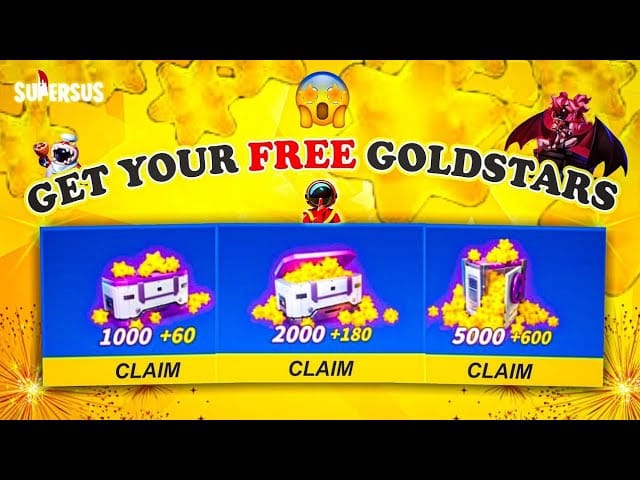
Goldstars are the premium currency in Super Sus, spent on skins, cosmetics, bundles, and Golden Pass buys, per Super Sus official. The real question isn't the price. It's which pack bleeds the least value. And the tiny packs lose.
Here's the published PH pricing:
| Platform |
Pack |
Price (PHP) |
Extras |
| Smile.one |
100 GS |
₱42.75 |
+28 GS |
| Smile.one |
300 GS |
₱128.25 |
+95 GS |
| Codashop |
Various |
Varies |
Instant GCash |
Source: Smile.one / Codashop (2026)
Work it out on the smallest pack and you're at roughly ₱0.43 per Goldstar on the discounted 100 GS bundle, per Smile.one Philippines. Now look at the bonus column. The 100 GS pack throws in +28, the 300 GS pack throws in +95. The bonus scales faster than the sticker price climbs. Buy bigger and the "free" stars quietly drag your effective per-star cost under what the headline implies.
JollyMax runs its own promos, with select packs dropping to reduced prices like ₱28.60 per their 2026 listing, so it pays to price the same pack across stores before you commit.
Topping up in USD-denominated regions? Same tier logic holds. Codashop's Cambodia listing shows 520 Goldstars at about US$3.63, 1060 at US$7.35, and 2180 at US$15.17, with the per-star rate improving every rung up. Third-party global storefronts like Eneba list 100 GS at $0.88 and 520 GS at $3.97, so a quick cross-check earns its keep.
My read: if you're spending at all, the mid-tier bundle is the only entry that makes sense. Five repeat purchases at ₱42-ish bleed value through worse rates and no bonus scaling. Buy the bonus tier once. Don't buy the tiny pack five times.
When the top-up "fails" — diagnose before you blame the store
Most "GCash top-up failed" cries aren't fraud at all. They're user-side ID or network snags, and the fix hinges entirely on which one bit you.
Money deducted, no Goldstars. Wait the few minutes first, since instant delivery can lag a hair behind a GCash confirmation. Still nothing? The villain is almost always a wrong Space ID or region mismatch (see above), not a hijacked payment. Open your saved reference number and ping the store's support with it. Stores with order tracking can trace precisely where those Goldstars went. This is the whole reason no-tracking sellers are poison: a deducted charge with no reference and no trail leaves you holding nothing.
Payment declined or stuck. That's network or balance, not the game. Check your GCash balance, confirm the wallet has authorization for the merchant, retry on a steady connection. A declined charge usually means the money never actually left, so verify in your GCash history before you assume anything's gone.
What separates a recoverable hiccup from a real loss is documentation. Keep reference numbers from official platforms. On a random GCash seller there's no order tracking and disputes just evaporate. When something stalls, that reference number is the entire ballgame.
How to tell a top-up route is actually legit
Traceable transactions are the safe ones. Official distributors and verified platforms get recommended specifically for GCash safety and instant delivery over unverified third-parties, per community guidance compiled across 2026 listings.
Trust signals worth a glance:
- The store asks for your Space ID, never your account password. A real top-up only needs your public Player ID. Anyone wanting to log into your account is a red flag, no exceptions.
- You get a reference or order number you can follow. Traceability is the gap between a fixable stumble and a payment that simply disappears.
- Pricing sits out in the open, not haggled in a private message.
The genuine PH risk isn't GCash and it isn't the established stores. It's the screenshot-only "cheap sellers" on social media with no tracking whatsoever. They dangle a few pesos off, then deliver slowly, partially, or not at all, and good luck finding recourse.
About that one term drifting through search: "mohl88yj." There's nothing verifiable behind it. Searches turn up zero. Anything unlisted and untraceable is a no, so stay on platforms you can hold accountable.
Same honest framing applies to any third-party route, including the one hosting this guide. As a disclosure: SuperSus Golden Stars & Passes top up via VGTopup runs the identical Space-ID-plus-order-tracking model, where you enter only your public ID, pay with GCash, and walk away with a trackable order. The value isn't some hidden discount. It's traceability, the exact thing the cheap-seller DMs can't hand you. Stack it against the stores above on price and delivery, then pick whichever gives you a reference number you can act on.
The point I'll plant my flag on: the lowest listed price isn't automatically the best deal. Delivery speed and dispute support outweigh shaving off a few pesos. A ₱40 "deal" that strands your payment costs you ₱40. A slightly pricier route with tracking never costs you the principal.
Goldstars or Golden Pass — where casual money goes furthest

Casual player making a first purchase? Buy the Golden Pass before you start hoarding loose Goldstars. The Pass is a seasonal track handing out exclusive rewards across the whole season, versus a one-time cosmetic you'd grab with raw Goldstars, per Super Sus's official descriptions. For the same spend, it spreads value across weeks of play rather than a single skin.
Loose Goldstars earn their place when there's a specific cosmetic or bundle you want and the seasonal track doesn't carry it. As a default first buy, though, the Pass wins on cosmetic value-per-peso for anyone playing with any regularity instead of chasing one skin.
The spending order I'd actually follow, by player type:
- F2P / curious: Claim free events and redeem codes first. The Asian Festival 2025 event alone handed out up to 1,200 free limited-time Goldstars, per Super Sus official news, and codes like SUPERSUS2026 circulate per a community redeem-code guide on Now.gg. Drain the free pile before spending a peso, then make your first paid top-up through official GCash for safety.
- Casual low-spender: Small-to-mid packs (100–300 GS) via GCash for the occasional skin. Skip the repeat tiny buys. Grab the bonus tier once.
- Mid-spender: Larger bundles (1,000+ GS) on verified platforms for the better rate and fatter bonuses.
The thread tying all three together: free first, bonus tier second, tiny repeat-purchases never.
If only one thing survives all of this, make it this trio. Copy your Space ID exactly. Screenshot the GCash reference. Buy the bonus tier. That combination heads off nearly every top-up regret I've watched players talk themselves into.
Frequently Asked Questions
Why was my GCash payment deducted but no Goldstars arrived?
Nine times out of ten it's a wrong Space ID or a region mismatch, meaning the Goldstars went precisely where you pointed them. Check your ID against your in-game profile, then reach the store with your saved reference number. A genuinely stuck order (not a misdelivered one) on a tracked platform can be traced. On a no-tracking seller you've got no recourse, which is the real argument for steering clear of them.
How long does Super Sus Goldstars delivery take after GCash?
Instant on a clean transaction. Goldstars credit immediately once GCash confirms on Codashop and JollyMax, per their official 2026 listings. If they're missing after a few minutes, the cause is almost always an ID or region error rather than delivery lag, so recheck what you typed before assuming the worst.
What's the cheapest way to buy Super Sus Goldstars in the Philippines?
Cheapest per star isn't the smallest pack, it's the bonus-heavy mid tier. The 100 GS pack runs around ₱0.43 per Goldstar on Smile.one's discounted listing, but bigger bundles fold in proportionally more bonus stars (300 GS ships +95 against 100 GS's +28). Price the same pack across Codashop, JollyMax, and Smile.one, since their discounts don't line up.
Can I get a refund for a failed Super Sus top-up?
If money left your wallet and you suspect a misdelivery, that reference number is your only leverage, which is exactly why you screenshot it before confirming. Tracked platforms can investigate. Social-media sellers with no order tracking leave disputes going nowhere. A declined charge usually means the funds never moved, so check your GCash history before you request anything.
Golden Pass or Goldstars — which should I buy first?
For casual players, the Golden Pass. It's a seasonal reward track that spreads value across weeks of play, against a one-time cosmetic bought with raw Goldstars, per Super Sus's official description. Reach for loose Goldstars only when you want a specific skin or bundle the Pass leaves out, and always clear free event rewards and redeem codes before either one.











Comments