Server mismatch, not fat fingers, is doing the damage
Most guides frame this as a typing problem. Get the digits right and you're home. I'd argue that framing loses more gems than it saves, because it parks your attention on the one field that's hardest to botch and leaves the field that quietly defaults wrong completely unguarded.
The routing mechanic is where server turns dangerous. Portals read a UID and a server selection as a pair, then send currency to exactly one account-server combination, a behavior documented across several third-party top-up guides. A UID isn't unique across the whole game. It's unique inside a single server. Haikyu Fly High splits into Global, SEA, NA, and Japan, with accounts bound to one server at creation or login, per ongoing reports in r/HaikyuuFlyHigh threads. KLab brought the Global build live on July 31, 2025 across NA, LATAM, Europe and SEA, according to the KLab Global Launch Press Release, which is exactly why "wait, which version am I on" is a real and frequent question.
So what would knock the theory down? If wrong-server payments bounced, or if support could reverse them, a mismatch would be a nuisance rather than a loss. They don't bounce. Support can't reverse them. The outcomes table below makes that concrete.
Find your UID in under 30 seconds, then quit trusting autofill
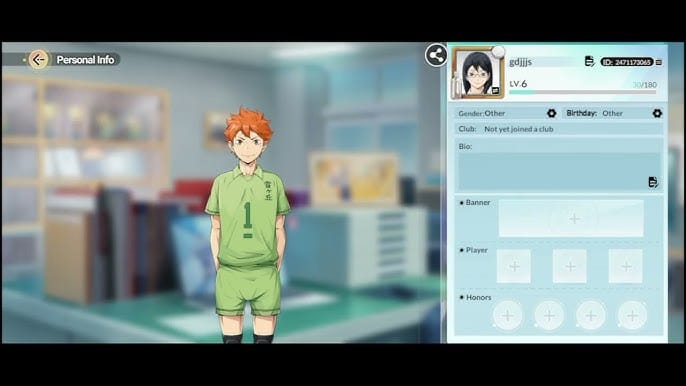
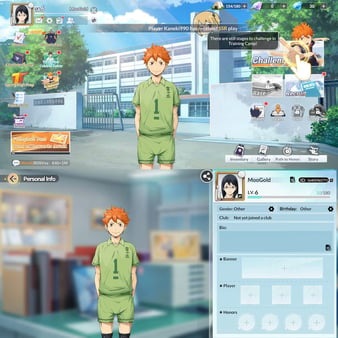
Tap the profile icon in the top-left to reach the menu where your Player ID lives, per a 2026 YouTube walkthrough on locating your player ID. On the Personal Info page the UID sits up in the right corner, according to a Lootbar top-up guide. Two slightly different screens, one number. That number is your fixed identity.
Reading it isn't the trap. Copying it is. A widely-cited top-up thread on r/HaikyuuFlyHigh logs the exact failure mode: a portal autofilling a UID pulled from a previous, different account, or a player keying in a nickname where the UID belonged. Names shift. The UID doesn't. So the only rule that earns its keep here: verify by UID, never by the nickname your eye already trusts. A display name can wander from season to season while the ID underneath stays nailed down, which is exactly why a familiar name on the confirmation screen tells you nothing.
| Field |
Where to find it |
The mistake that costs you |
| UID / Player ID |
Profile (top-left icon) or Personal Info, upper-right |
Pasting an autofilled ID from another account |
| Server |
Account settings / login screen |
Accepting the default dropdown without checking |
| Region |
Account region binding (login method) |
Assuming "Global" = your local region |
| Confirmation |
Order/account-name preview before pay |
Reading the nickname instead of the UID |
Source: Account Login & Binding FAQ + YouTube guide (2025–2026)
Once you've got both, screenshot the UID and server side by side from the profile, which is what that same Lootbar guide suggests for reuse. Honestly, one screenshot sitting in your gallery is the highest-value ten-second habit in this whole process. It kills the need to squint at a tiny ID under the time pressure of whatever future top-up you're rushing through.
The copy step the rush wrecks
That "instant delivery" language around top-ups manufactures a false clock, and the false clock is what talks people out of the one check that counts. Delivery can run as quick as three minutes on third-party platforms, per an LDShop banner-schedule guide. Quick is fine. Quick as an excuse to skip verification is how the gems vanish. Fifteen seconds of slowing down costs you nothing when the credit arrives in minutes anyway.
Server and region pull the same weight as the digits
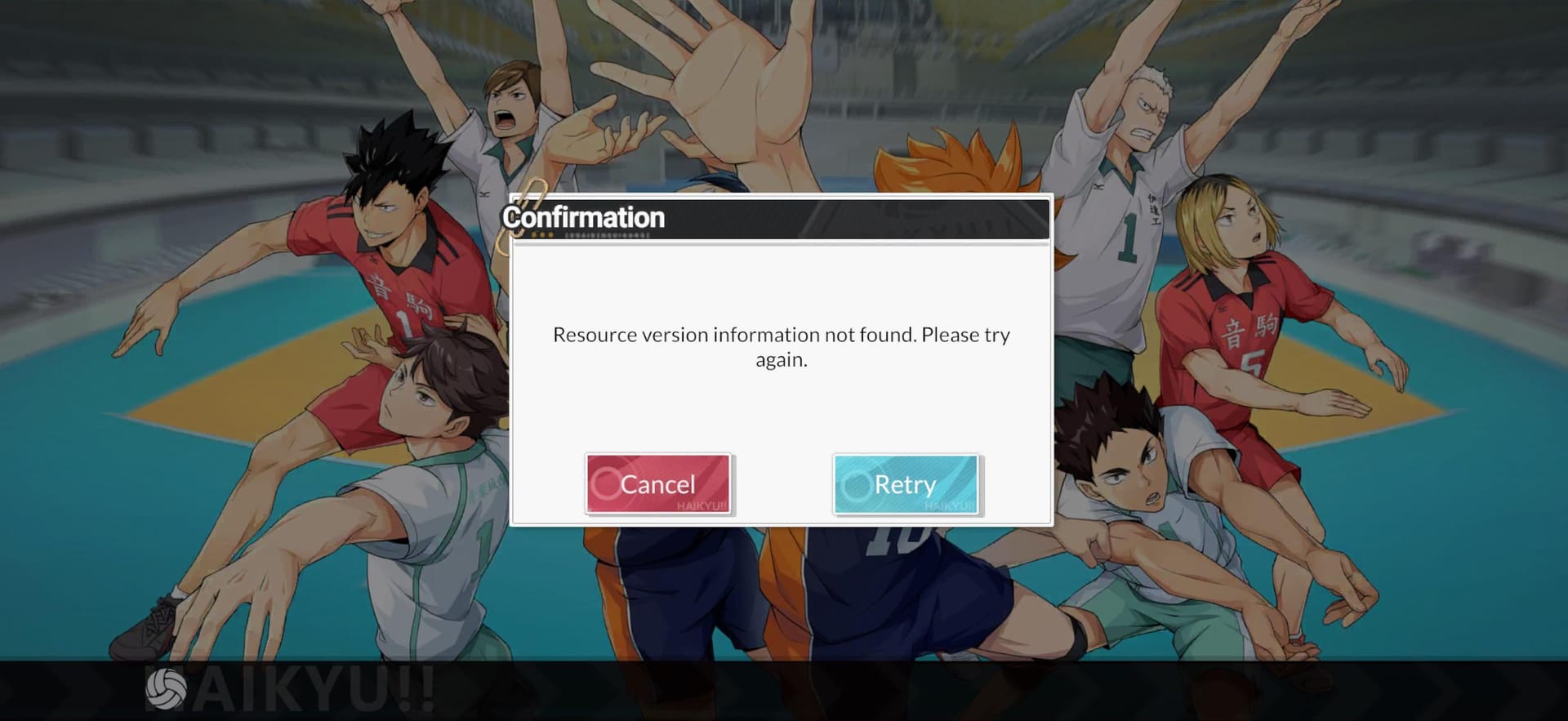
Two players can carry the same UID on separate servers. The system reads UID-plus-server as a single, valid destination, so a genuine number under the wrong server isn't an "error" anything will flag. It's a clean instruction to pay a stranger.
This is the part that makes recovery collapse. The Account Login & Binding FAQ states that wrong-account top-ups can't move between servers or accounts under the binding policy, and that no unbind is supported. Stack that on top of the routing behavior and the verdict falls out: the platform did precisely what you asked. There's no glitch to dispute. The gems are parked in an account the system regards as entirely legitimate.
Region matters for the same structural reason. A documented r/HaikyuuFlyHigh thread on SEA-versus-Global access catches players colliding with mismatches just by accepting a default dropdown instead of confirming their actual region. "Global" is a server label. It's not a promise that the server is yours.
The four-step check, plus the step I won't skip

The official pre-top-up routine is brief, per the Account Login & Binding FAQ: open your profile, read your UID and server name, screenshot both, confirm your login-method binding. Run those in order and you've wiped out the typo and the saved-ID problem in a single pass.
- Open the profile and read the UID off the Personal Info screen.
- Note the server name explicitly. Say it out loud if you juggle more than one account.
- Screenshot both so the next top-up is a glance, not a hunt.
- Confirm the binding (which login method this account ties to).
Then the step I'd refuse to pay without: the account-name preview. A flow that bounces your in-game name back at you after you enter UID and server hands you one last human-readable check that the right person is getting credited. If you've ever debated where to complete a Haikyu!! Fly High recharge, that preview is the one feature I'd treat as non-negotiable. Read the UID against your screenshot, not the nickname, since names drift and IDs don't.
My read is plain. A flow that takes your money before it shows you who you're paying is doing you a disservice. The preview isn't a courtesy. It's the only client-side catch for a server mismatch the routing will never raise on its own.
Not every wrong input lands in the same place, and lumping them together is exactly why people panic in the wrong direction. Three distinct outcomes:
| Wrong input |
What the system does |
Recoverable? |
| Invalid UID (doesn't exist) |
Lookup fails; order can't complete or no valid destination |
Usually yes — payment typically can't route to nothing |
| Valid UID, wrong server |
Credits a real different player on that server |
Practically no — seen as legitimate, no unbind |
| Valid-but-wrong UID, right server |
Credits a different real account |
Practically no — same reason |
| Correct UID + correct server + delayed |
Queued, not lost |
Yes — resolves on its own |
Source: synthesized from Account Login & Binding FAQ + Help with Payments Zendesk (2025) and third-party routing behavior
The cliff edge sits between row one and rows two and three. An invalid UID is the safe failure. No real account to credit, so the order generally just refuses to go. A valid-but-wrong UID, or a valid UID under the wrong server, is the unsafe failure: a genuine person on the receiving end, a credit the system blesses, and a binding policy with no door marked unbind. That gap is the whole argument for loading verification up front instead of chasing fixes after.
And row four matters more than people expect. A correct order that hasn't shown up is almost always queued, not lost. With delivery sometimes landing inside that three-minute window the LDShop guide describes, a missing credit at the two-minute mark is a queue, not a disaster. Re-buying in a panic is how one correct top-up becomes a double charge. If your UID and server were both right, sit on your hands before you go near the buy button again.
If the gems already landed in the wrong account, start here
Push for recovery, but set your expectations against the policy. The official channel runs on specific evidence. When you write in, hand over your Game ID (under your player profile), the item name, and the price, per the Help with Payments, Missing Items & Refund Requests article. Pull all of that together before you open the ticket, not while you're typing it.
Two honest caveats on what support can actually reach:
- The documented stance is recover the account first, then handle refund requests, and there's no unbind under that payments policy. For a real wrong-server or wrong-UID credit to a stranger, that route never touches the gems. The official refund mechanism the docs describe (via Google Play) pulls ingots back out. It's built for your account's payment trouble, not for prying currency loose from someone else's.
- This is where the official line and community optimism split. Forum anecdotes now and then hint that someone got rescued. The written policy backs recovery of your account and missing items, not the reversal of a legitimate credit elsewhere. Trust the more authoritative source: treat a valid-but-wrong top-up as gone and let prevention shoulder the load.
If the credit hit your own account and you're just missing the items, that's a different and far more winnable fight. It's the missing-items scenario the payments docs were written around. File it with the Game ID, item, and price.
Two players who should verify differently
Day-1 beginners on a first top-up. Before any purchase, verify your UID and server on first login. Community consensus in an account-reset thread on r/HaikyuuFlyHigh flags guest-account problems that bite specifically when people buy before binding. A guest account you haven't secured is the worst possible thing to staple a payment to. Bind first, screenshot second, buy third.
Multi-account players. This is the highest-risk group. Epicnpc's accounts forum is blunt about it: always re-check the server dropdown and the UID for each account. The autofill trap was practically designed for you. A portal remembering the last UID you used feels convenient right up until it quietly pre-fills account A's ID while you're topping up account B. Don't trust a saved ID across accounts. Re-verify every time, even when it feels pointless. Especially then.
Where I land on safe recharging
Prevention is the only strategy that holds up, because for the dangerous cases the recovery door is bolted. No unbind in the binding policy, routing that treats your input as gospel, a refund mechanism aimed at your account rather than the stranger's. The whole game lives in the fifteen seconds before you pay.
Build one habit, make it the screenshot: UID and server, captured once, glanced at forever. Build a second, refuse to pay on any flow that won't surface an account-name preview, and check that preview against your saved UID rather than a nickname that can quietly change underneath you. Those two moves disarm the typo trap, the autofill trap, the nickname trap, and the server-default trap all at once. The rest is detail.
Frequently Asked Questions
Can two players really have the same UID on different servers?
Yes. The UID is unique within a server, not across the whole game. Since Haikyu Fly High runs separate Global, SEA, NA and Japan servers with accounts bound at creation (per ongoing r/HaikyuuFlyHigh reports), the same string of digits can point at two different people on two servers. That's why the server selection carries as much weight as the number itself, and why your portal preview should confirm the name on that server.
My top up hasn't arrived. Is my money gone?
Almost certainly not, assuming your UID and server were right. Delivery can take a few minutes, as quick as three on some third-party platforms per LDShop's guide, and a correct order that's running late is queued rather than lost. Resist re-buying. A panic second purchase is how a single correct top-up turns into a double charge. Wait it out, then check your order with support if it still hasn't landed.
Does linking via guest versus a bound account change my recovery odds?
It changes your exposure more than your refund odds. A guest account isn't secured, so if something breaks before you bind it, you might struggle to even prove ownership, which is the reason the day-1 advice is bind before you buy. The written recovery process still wants a Game ID and your purchase details no matter the login type. An unbound guest account just makes that harder to establish.
If I sent gems to my own account but they're missing, can I get them?
This one's recoverable. The Help with Payments docs exist for exactly this: contact support with your Game ID (under your profile), the item name, and the price. Missing items on your own account are a fulfillment problem, not a wrong-destination one. Completely different from a valid credit that landed in a stranger's account, which the binding policy offers no path to reverse.
Is the real danger the server dropdown rather than typing the UID wrong?
In my read, yes. The dropdown is the silent killer. A mistyped UID often fails into a non-existent account and just won't route, which is the safe failure. A correctly typed UID under a defaulted-wrong server credits a real person and sticks, because the system reads a legitimate pair. Those documented SEA-versus-Global mismatches on r/HaikyuuFlyHigh trace back to accepting the default region, not to fumbling the digits.










Comments