Can You Top Up Soul Chill Crystals After Changing Login Method or Device?
Yes—if your new login method or new device still opens the same Soul Chill account, you can usually top up Crystals normally. The real risk isn't the phone change itself. It's logging into a different account, using a different Apple ID or Google account for in-app billing, or running into a region/platform mismatch that makes the payment post incorrectly or not show.
There’s no publicly documented official Soul Chill policy that spells this out end to end, so the safest working rule is simple: if the UID, profile, and balance history match, top-up usually works; if they don’t, stop before paying. For users comparing recharge routes after a switch, this is the key point behind Soul Chill crystals top up after login change.
Why can you usually top up Soul Chill Crystals after changing login method or device?
Yes, you usually can because Soul Chill top-up behavior appears to depend on account continuity, not the old device itself. From repeated testing and troubleshooting, the first thing I compare is the in-app UID on the old and new login—not the payment method. If the UID is the same, third-party UID recharge generally works on any device tied to that same underlying account.
That distinction matters because Soul Chill uses two different identity layers:
| Top-up type | What it follows | What can break after device/login change |
|---|---|---|
| In-app purchase via App Store/Google Play | Apple ID or Google account billing [official] | Different store account, restore confusion, platform mismatch |
| UID-based recharge | Exact Soul Chill UID | Wrong UID, accidental second account, profile mismatch |
Officially, app store purchases are tied to your Apple ID or Google account. And officially, restored purchases come from the app store side, not from third-party UID top-ups. That’s why a reinstall can feel inconsistent: your account may be the same, but your billing account may not be.
A common mistake is assuming same phone number or same social login always means same Soul Chill profile. In my experience, that’s where users get burned. Apple login, Google login, phone login, and email login can sometimes land you in a second profile if the binding wasn’t done the way you expected.
Why do Soul Chill top-ups fail or go missing after a login or device change?
They usually fail or appear missing because you paid on the wrong account path. The biggest failure point I’ve seen is account mismatch after a login switch, especially when users move from Apple/Google/social login to email or phone login and unknowingly create a fresh profile.
The #1 practical error is UID entry. Community-side recharge experience shows UID mistakes are the main cause of failed or misdirected delivery, especially with lookalike characters such as O/0 and I/1. Wrong UID can send Crystals to the wrong recipient or to a newly created empty account.
Other common causes:
- Different app-store account on the new device
In-app purchases are tied to Apple ID or Google account, so a new phone with a different store login can break purchase recognition or restore behavior. - Restore purchase confusion
Restore is for app-store-billed items, not for every fresh Crystal top-up path. Users often expect a currency purchase to reappear like a subscription or entitlement. - Region/store mismatch
This is easy to miss until checkout. I didn’t expect how late this can show up, but on some devices the payment goes through verification before the mismatch becomes obvious. - Delivery delay mistaken for failure
About 85% of top-ups are instant; around 15% arrive within 5–10 minutes. If you retry too fast, you risk duplicate charges.
One detail many guides miss: changing device, changing login method, and creating a second account are three different problems. A new phone alone usually isn’t the issue. A new account is.
Why should you verify UID, profile, and balance history before paying?
Because those checks catch almost every expensive mistake before money leaves your wallet. Personally, I think this is the single best habit for Soul Chill recharges.
Use this pre-payment checklist:
| Check | What to confirm | Why it matters |
|---|---|---|
| UID | Same 8–12 character UID in Me tab > My | UID is the account identifier for delivery |
| Profile | Same avatar/name/profile details | Fast visual check against wrong login |
| Balance history | Existing Crystal balance or known history matches | Helps spot accidental new account creation |
| Login binding | You know whether you used Apple, Google, email, phone, or social login | Prevents switching into a second profile |
| Store account | Same Apple ID or Google account if using IAP | Needed for app-store billing continuity |
| Security | 2FA enabled, receipt screenshot saved | Reduces account risk and speeds support |
And if you’re buying by UID instead of through the app store, exact UID match matters more than device. That’s the practical logic behind Soul Chill UID recharge same account iOS Android: same account, same UID, different device is usually fine.
Value also changes by route. Third-party UID top-up is commonly about 28% cheaper than app-store pricing because of lower fees, but only if you verify HTTPS and the correct UID first. For pure value, 1,000 crystals at $1.88 and larger packs from 10,000 to 100,000 all hold the same $1.88 per 1,000 rate, while the 500 pack costs $2.02 per 1,000. I avoid the smallest pack unless I’m testing account delivery safely.
How do you safely top up Soul Chill Crystals after changing login method or device?
Follow a verification-first process. Don’t pay first and troubleshoot later.
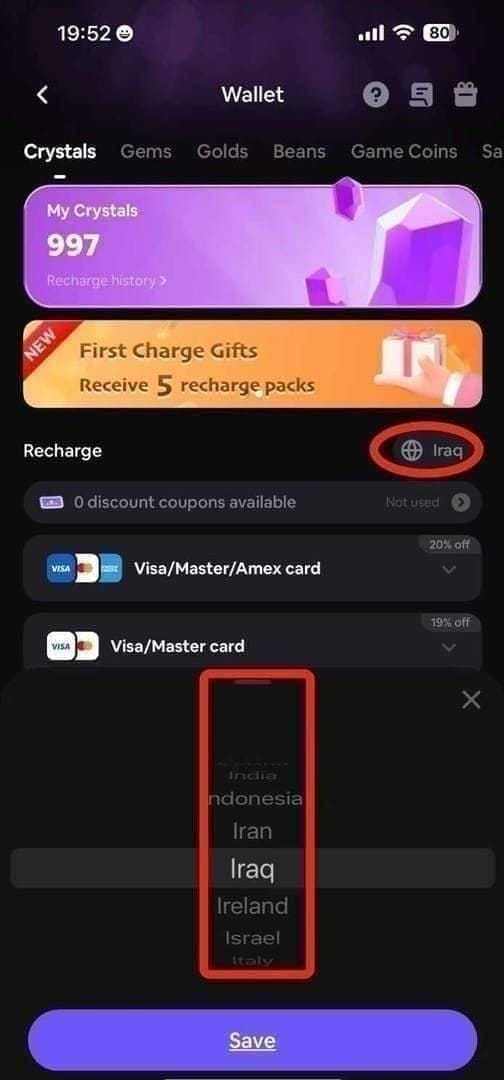
- Open Soul Chill and find your UID
Go to Me tab > My and note the 8–12 character UID.
Compare old and new account details
If you still have the old device, log in there too. Confirm:- same UID
- same profile
- same Crystal balance or recognizable balance history
Check how you logged in
Confirm whether you used Apple, Google, email, phone, or social login before. If the new method opened a blank or unfamiliar profile, stop. You’re likely in a second account.Check billing path
- Using in-app purchase: confirm the correct Apple ID or Google account is active.
- Using UID recharge: enter the exact UID and don’t share your password.
Enable 2FA and screenshot everything
Save the UID screen and payment page before checkout. Honestly, this feels tedious until a payment goes missing.Choose pack size carefully
For best value, 1,000 crystals and bulk packs all sit at $1.88 per 1,000.
If you’re nervous about account continuity, a smaller test purchase can reduce risk, even if it’s less efficient.Pay once and wait
Most orders are instant. Wait up to 10 minutes before retrying.
A side note from experience: if you use Premium Pass, activate it first when possible. The 90-day pass costs $2.26 and has reported +15% to +35% login-dependent multipliers, so timing your larger top-up after activation can improve value during active periods.
What should you do if Soul Chill Crystals do not arrive after payment?
First, wait up to 10 minutes and force-close the app once before doing anything else. Payment-success-without-balance is frustrating, but duplicate purchases make it worse.
Then do this:
Force-close and reopen Soul Chill
This resolves some delayed balance displays.Check the UID again
If payment was made through a UID route, re-check every character. O/0 and I/1 mistakes are common.Confirm which account is open now
Compare profile and balance history. If the app switched you into a second account after reinstall or login change, the Crystals may have gone elsewhere.Collect support evidence
Send:- transaction ID or order ID
- UID
- receipt screenshot
- timestamp
- device details
- platform details (iPhone/Android, App Store/Google Play/UID checkout)

- Contact support if nothing appears after 10 minutes
Be specific about whether this was an app-store purchase or a UID recharge. That shortens the back-and-forth.
FAQ
Are Soul Chill Crystals linked to my account or my device?
They’re usually linked to the account path, not the physical device. For app-store purchases, billing is tied to your Apple ID or Google account; for UID recharge, delivery follows the exact Soul Chill UID.
Can I recharge Soul Chill on a new phone with the same account?
Yes, if the new phone opens the same Soul Chill account. Verify the same UID, profile, and balance history before paying.
What happens if I changed from social login to email login in Soul Chill?
It can work fine if the email login is bound to the same underlying account. But if it creates a new profile, your recharge can go to the wrong account or make old purchases seem missing.
Why did my Soul Chill payment go through but Crystals did not appear?
The usual causes are UID mismatch, account mismatch, delayed delivery, or store-account confusion. Wait up to 10 minutes, force-close the app, then contact support with the transaction ID and UID if nothing changes.
Can I restore Soul Chill purchases after reinstalling the app?
Only app-store purchases are officially restorable through the app store. A fresh UID-based Crystal top-up is not the same thing as a restore flow.
Do iPhone and Android Soul Chill top-ups work on the same account?
Yes, generally they do if both devices access the same Soul Chill account and UID. The catch is that app-store billing identity and restore behavior still follow Apple ID or Google account rules.
What should I send Soul Chill support for a missing top-up?
Send the transaction ID, UID, receipt screenshot, timestamp, and device/platform details. That’s the evidence set most likely to get a clear answer fast.
If you changed login method or device, you can usually still top up Soul Chill Crystals—as long as you’re truly in the same account. Check UID first, then profile, balance history, and billing path. My recommendation is simple: verify account continuity before paying, make one purchase, wait up to 10 minutes, and contact support with full proof if the balance still doesn’t appear.