
Top War Gold Bricks Top Up: What Are Gold Bricks and How Do They Work in 2026?
Top War: Battle Game features two distinct gold assets that serve entirely different purposes. Standard in-game Gold is a basic resource collected from gold mines, base harvesting, and bank merges. You spend standard gold on unit mergers, building upgrades, and basic combat tech trees.
In contrast, Top War Gold Bricks (also known in certain game regions as Gold Blocks) are the game's universal premium direct-value token. Instead of purchasing locked packages tied to a specific promotion, Gold Bricks function as universal vouchers inside Top War. Holding Gold Bricks allows you to trigger real-money packs, buy daily special bundles, fund VIP passes, and acquire limited-time event crates directly from the in-game store.
When you top up Top War Gold Bricks through VGTopup, the system delivers the credits directly to your in-game account via your Player ID. You maintain full flexibility over when and where you spend your balance across base defense, hero recruitment, and naval, land, or air force upgrades.
Top War Gold Bricks Packs, Pricing, and VIP EXP Rewards
Every Gold Brick purchase converts directly into in-game purchasing power while advancing your VIP rank. Top War awards VIP EXP point-for-point whenever you obtain or redeem premium currency, unlocking permanent commander perks such as increased marching speed, extra builder slots, and combat damage buffs.
| Gold Bricks Pack Type | Primary In-Game Usage | VIP EXP Value | Top-Up Delivery Method |
|---|---|---|---|
| Starter Voucher Tiers | Daily Deals, Hero Recruitment Tickets | 1:1 VIP EXP Ratio | Direct Player ID Crediting |
| Tactical Growth Packs | Component Chests, Tech Speed-ups | 1:1 VIP EXP Ratio | Direct Player ID Crediting |
| Commander Supply Packs | Base Skins, Decor Sets, Exclusive Events | 1:1 VIP EXP Ratio | Direct Player ID Crediting |
| Supreme War Reserves | High-tier Hero Shards, Mega Bundles | 1:1 VIP EXP Ratio | Direct Player ID Crediting |
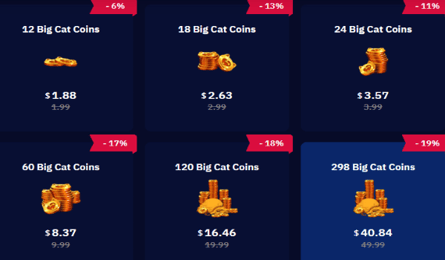
Real-time pricing for all pack sizes is displayed directly in the live checkout area above. You can switch regional currencies on VGTopup to view localized rates instantly.
How to Find Your Top War Player ID in the Game App
To ensure your Gold Bricks arrive without delay, you must provide your exact in-game Player ID (UID). Follow these visual steps inside the Top War mobile app:
- Launch the Top War game app on your mobile device or official PC emulator.
- Tap your commander Avatar icon located in the top-left corner of the main base screen.
- Your player profile window will open. Locate your User ID / Player ID (a string of numbers) displayed next to your username and server number.
- Tap the Copy icon next to the ID number to copy it directly to your clipboard.
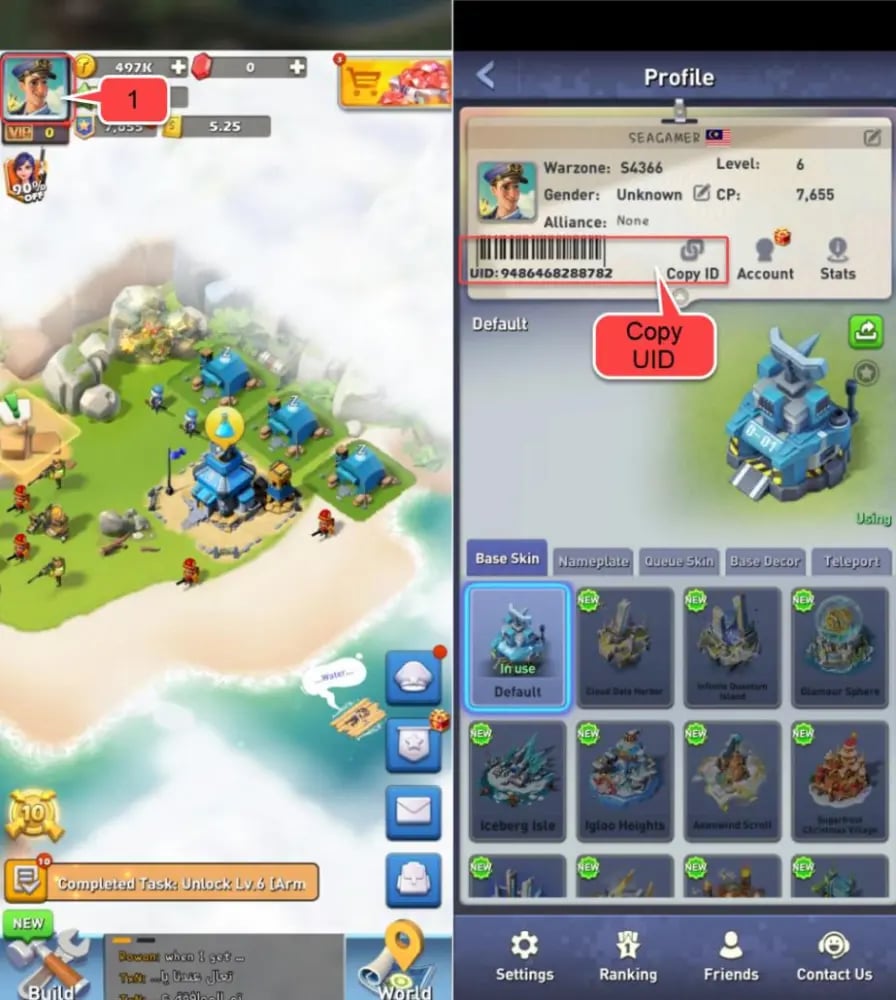
Double-check that you copy the numeric Player ID and not your alliance tag or server number.
How to Top Up Top War Gold Bricks Using Player ID on VGTopup
Completing a recharge on VGTopup requires only your Player ID. You never have to share account passwords or third-party social logins.
- Select Pack Size: Choose the amount of Top War Gold Bricks you wish to purchase from the product options above.
- Enter Player ID: Paste your numeric User ID into the Player ID field.
- Review Order: Confirm that the Player ID matches your in-game profile to prevent delivery to an incorrect account.
- Proceed to Checkout: Select your preferred payment method from the available checkout options.
- Receive Your Balance: Once payment processes, your Gold Bricks are credited directly to your Top War account. Open the game app to verify your updated balance.
Safety First: Why You Never Need to Share Account Passwords for Top-Ups
Account security is essential in competitive strategy games like Top War. Many unauthorized sellers request Google, Facebook, Apple, or Twitter login details to execute in-game transactions. Sharing login credentials exposes your base to theft, accidental resource liquidation, unauthorized alliance changes, and permanent account bans.
VGTopup uses an ID-only delivery system. The transaction interacts exclusively with public player identification parameters to send your Gold Bricks straight to your game mailbox or resource wallet. Your login credentials, private recovery codes, and linked social accounts remain completely private on your own device.
Maximizing Progression: Best In-Game Packs to Buy with Gold Bricks
Once your Gold Bricks arrive in Top War, spending them strategically gives your army a distinct tactical advantage. Focus your Gold Bricks on high-impact resources:
- High-Tier Hero Recruitment: Top War battles rely heavily on specialized hero talents. Spending your Gold Bricks on premium recruitment tokens during targeted hero events helps you secure 5-star heroes faster.
- High-Level Components: Component chests provide stat multipliers for attack speed, armor, and critical strikes. Purchasing high-level component bundles during server discount cycles yields substantial combat power gains.
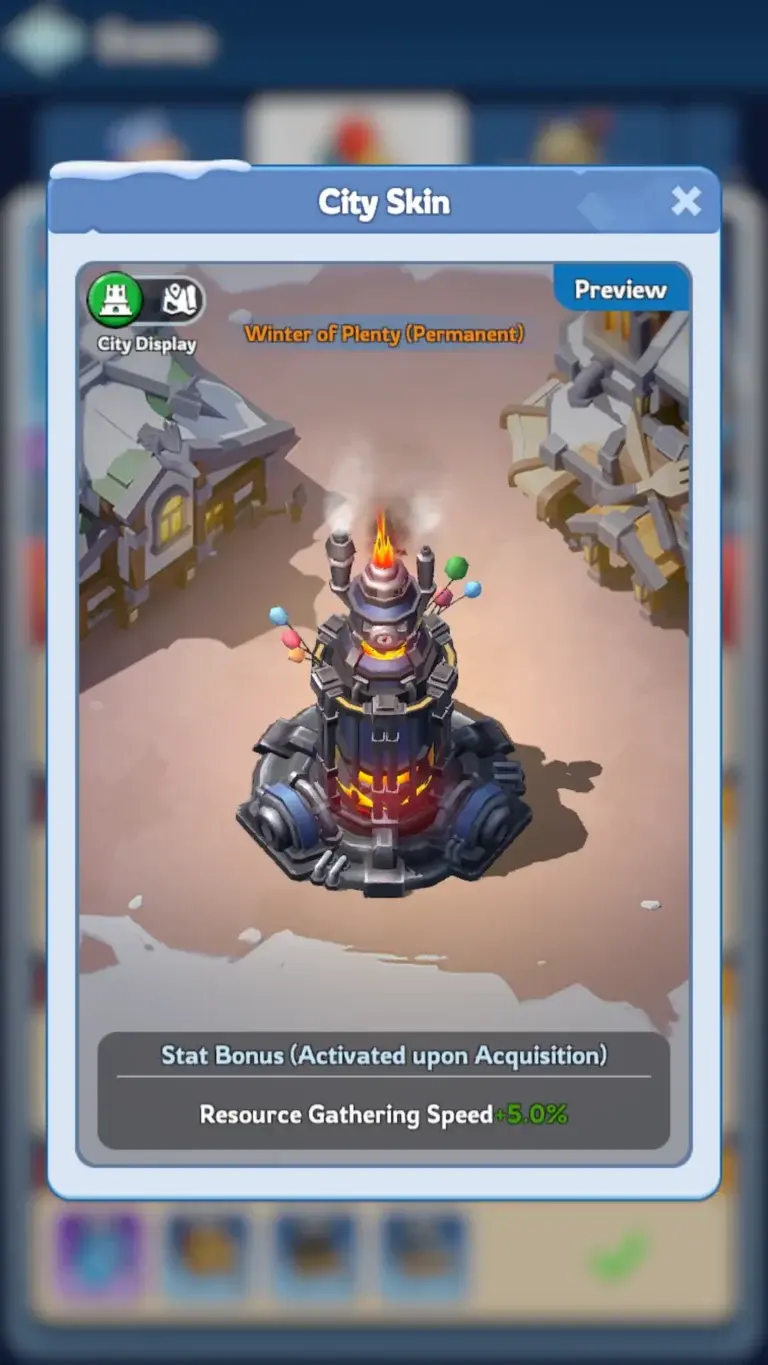
- Base Skins and Decor Sets: Permanent base skins and decorative items offer passive march speed and stat increases that stack across all unit types, giving your entire army a permanent boost.
- Server War and SvS Preparation: Save reserves of Gold Bricks to purchase high-capacity hospital healing speed-ups, shields, and gathering buffs right before Capital Clash or Cross-Server Warzone events.
Troubleshooting Common Top War Recharge and Delivery Issues
If you experience any delay in receiving your Gold Bricks, follow these standard diagnostic steps:
- Restart the Game Client: Fully close the Top War app and clear it from your device's active memory tasks. Re-launch the game so your local client syncs with the live game servers.
- Check In-Game Mail: Some promotional bundles and Gold Brick vouchers are delivered directly to your in-game system mailbox. Open the Mail tab and claim any pending system messages.
- Verify Your Player ID: Check your order confirmation on VGTopup. If you entered a typo in your Player ID, reach out immediately to VGTopup customer support with your transaction reference number so our team can assist you.
Frequently Asked Questions
Where do I find my Top War Player ID for recharge?
Tap your commander avatar in the top-left corner of the Top War main screen. Your numeric Player ID is displayed directly on your profile card. Tap the copy icon next to the number to copy it accurately.
Do I need to share my Top War password to purchase Gold Bricks?
No. VGTopup requires only your numeric Player ID. You should never share your game password, Google Play login, Apple ID, or social network credentials with anyone.
Do Top War Gold Bricks give VIP EXP when redeemed?
Yes. Purchasing and utilizing Gold Bricks generates VIP EXP at standard rates, allowing you to increase your VIP rank and unlock permanent commander benefits.
How long does it take for Gold Bricks to arrive after top-up?
Orders on VGTopup are processed automatically once payment confirmation is received. Most transactions credit directly to your Top War account within moments.
What in-game items can I buy with Top War Gold Bricks?
You can use Gold Bricks to buy almost any real-money package in Top War, including daily supply deals, hero recruitment shards, decor sets, tech acceleration packs, and seasonal event bundles.
Can I top up Top War Gold Bricks for a friend using their Player ID?
Yes. Because the top-up process only requires a Player ID, you can enter a friend's or alliance member's Player ID at checkout to send Gold Bricks directly to their account.
What should I do if I entered the wrong Player ID during checkout?
If you realize you submitted an incorrect Player ID, contact VGTopup support immediately. If the order has not yet been processed by the automated delivery system, our support agents can correct the details on your order.
Select Denomination
Tax, payment fees and eligible coupons are calculated at checkout.
| Package | Price |
|---|---|
| 5 Gold Bricks | USD 4.16 |
| 10 Gold Bricks | USD 8.32 |
| 30 Gold Bricks | USD 24.76 |
| 60 Gold Bricks | USD 48.86 |
| 100 Gold Bricks | USD 80.95 |