Super Sus Goldstar Top Up Payment Pending: What Should You Do?
If your Super Sus Goldstar Top Up Payment Pending status appears, don’t pay again yet. First check whether Goldstar was actually added, then compare that with your app-store or bank status. In Super Sus, pending usually means one of three things: delayed game delivery, app-store billing still processing, or a bank authorization hold rather than a settled charge.
In my experience, the biggest mistake is retrying too fast. That’s how users end up with duplicate charges. Officially, GS top-ups are usually real-time through in-game purchase or pay.supersus.io, but delays do happen, and official policy says completed payments are not refundable. So verify first, escalate second.
Why is my Super Sus Goldstar top up payment pending?
It’s usually pending because the payment is stuck at one of three layers: game delivery, app-store billing, or bank processing.
I separate pending cases like this before doing anything else:
| Layer | What pending usually means | What you should check first | Typical next move |
|---|---|---|---|
| Super Sus delivery | Payment went through but GS hasn’t arrived yet | Your current Goldstar balance, in-game shop history | Wait briefly, then contact Super Sus support |
| Google Play / Apple billing | Store is still processing or reviewing the purchase | Store purchase history, receipt status | Wait, restart app/device, check billing account |
| Bank / card issuer | Authorization hold, not final settlement | Banking app wording: pending, authorized, posted | Don’t retry; wait for release or ask bank |
Official guidance confirms GS payment is typically real-time, but occasional delays happen. And official support also says if the transaction succeeded but no GS arrived, you should wait first due to delay.
Personally, I think this distinction is what most guides miss. A charged card screen can still be just a hold. If the bank hasn’t posted the transaction, Super Sus often can’t fix it because the payment wasn’t fully settled.
Can region or country mismatch cause Super Sus payment pending?

Yes. Region mismatch is one of the most common causes, especially for overseas buyers.
Officially, regional financial policies can block in-game GS purchases, and the official workaround is using pay.supersus.io. From repeated testing and support cases, the risky mismatch combo is:
- Super Sus account in one region
- Apple ID or Google Play country in another
- Card issuer from a third country
- Billing currency that doesn’t match the store country
- VPN or location masking during checkout
That’s why overseas users see more under review or pending cases. I’ve seen buyers focus on the card only, when the real problem was the store country. Honestly, this is easy to miss because the failure often appears late in checkout, not at login.
Quick mismatch checklist
| Check | Safe state | Risk state |
|---|---|---|
| App store country | Matches your billing setup | Different from card/billing country |
| Card issuer country | Matches store region where possible | Cross-border card on local-only billing |
| Currency | Expected local/store currency | Forced conversion or unsupported currency |
| Location/VPN | Normal device location | VPN active during payment |
| Purchase route | Official site if in-app blocked | Repeated in-app retries in unsupported region |
If you need a cleaner troubleshooting path for a failed or stuck order, this guide helps: Super Sus top up payment failed fix.
How long should you wait before contacting support for a pending Super Sus payment?
Wait long enough to separate a normal delay from a real failure, but not so long that you lose your receipts or order details.
Here’s the practical timing matrix I use:
| Situation | Normal wait | Why |
|---|---|---|
| Official site or in-game GS not credited yet | Short wait first | Officially usually real-time, but occasional delays happen |
| Google Play / App Store still processing | Check again after restart and purchase history review | Store-side processing can lag behind the game |
| PayPal eCheck pending | 3–7 business days | eCheck clearing is slower by design |
| Bangladesh wallet examples from community/single-source reports | 2–10 min common, some direct top-ups 5–60 min | Useful benchmark for third-party timing, not official Super Sus timing |
| Unclaimed PayPal payment | Refund after 30 days | Applies to unclaimed payment cases, not all pending cases |
My rule: if the store says completed and your GS still isn’t there after a reasonable short delay, contact Super Sus first. If the store itself still says pending, contact Apple/Google before blaming the game. If the bank shows only an authorization hold, contact the bank if it doesn’t release in normal time.
How do you fix a Super Sus Goldstar top up payment pending status step by step?
Fix it by verifying delivery first, then checking the store, then checking region and payment details, and only then escalating.
Check your Goldstar balance
- Open Super Sus and confirm whether GS was actually added.
- I always do this before reading the payment screen too closely. Users often miss that the currency already arrived.
Restart the app and, if needed, reboot the device
- Official experience notes say rebooting can fix lag and purchase issues.
- This matters more than people think. I expected it to be cosmetic, but it sometimes refreshes delayed balance display.
Review purchase history
- In-game: check whether the order appears completed.
- Google Play / Apple App Store: check if the purchase is pending, completed, or failed.
- Bank/card app: check whether it says pending/authorized or posted/settled.
Do not retry if money looks deducted
- Community experience strongly warns against retrying when charged, because it can create duplicates.
- Retry only when the first order is clearly failed, reversed, or expired.
Check region and billing alignment
- Confirm your app-store country
- Confirm your payment method country
- Confirm currency and account location make sense together
- Turn off VPN if you used one
Prepare evidence
- Screenshot of pending/completed payment
- Receipt
- Order ID
- Timestamp
- Amount paid
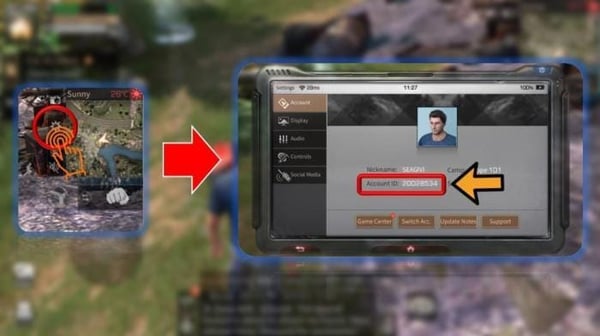
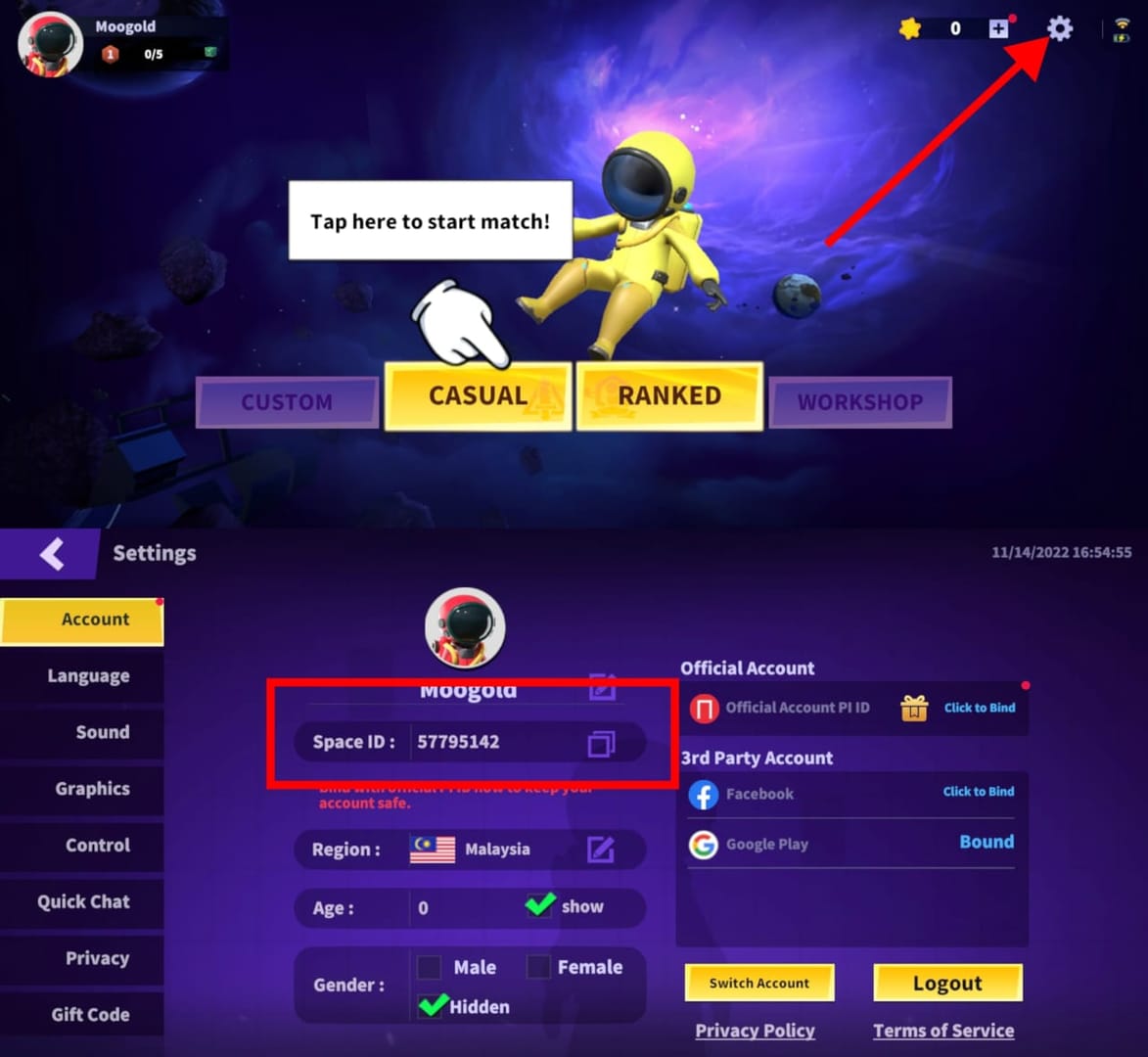
- Your Space ID / player ID
- Community support experience shows Space ID is essential for delivery verification
Escalate to the right team
- Store completed, GS missing: contact Super Sus
- Store pending: contact Apple or Google Play
- Bank hold only: contact card issuer/bank
If your order is stuck after payment and you need the support-ready checklist in one place, see Super Sus Goldstar recharge after pending.
Who should you contact first for a Super Sus pending purchase: the app store, bank, or game support?
Contact the team that controls the layer where the payment is stuck.
Use this decision table
| What you see | Contact first | Why |
|---|---|---|
| App Store / Google Play says pending | Apple or Google Play | The store controls billing approval |
| Bank says pending/authorized, store has no completed order | Bank/card issuer | It may be only a hold |
| Store says completed, but no Goldstar in account | Super Sus support | The game team verifies delivery |
| In-game purchase blocked by region policy | Use official site, then Super Sus if needed | Officially, regional policies can block in-app buys |
What details should you send?
Officially, Super Sus support channels are:
- supersusgame@gmail.com
- Facebook.com/supersusgame
Send these in the first message:
- Space ID / player ID
- Receipt screenshot
- Order ID
- Payment amount
- Payment time and timezone
- Platform used: in-game or pay.supersus.io
- Payment method used
- Short description: charged but not credited or store still pending
I’ve handled enough payment cases to say this plainly: a complete first ticket saves hours. A vague my payment failed message usually triggers back-and-forth.
What’s the safest way to top up if your region keeps causing payment issues?
The safest route is the official site or official in-game purchase, with your account and billing region aligned.
Officially confirmed routes:
- In-game: Shop tab → select GS package → complete transaction
- Official site: pay.supersus.io
Comparison:
| Route | Best for | Pros | Watch-outs |
|---|---|---|---|
| In-game purchase | Standard local billing | Direct, simple | Can be blocked by regional financial policies |
| Official site | Users blocked in-app by region | Official workaround | Still needs correct payment details |
| Third-party recharge | Users seeking alternative payment access | Community reports instant delivery on some routes | Community also reports TOS/penalty risk |
I’ll be direct here: if your goal is account safety, stick to official channels first. Community reports do say some global top-up routes are fast and cheaper, and some support cross-region top-ups, but community guidance also warns that third-party top-ups can violate policy and carry penalty or ban risk. I personally don’t think the discount is worth it on a main account.
FAQ
Why is my Super SUS Goldstar top up still pending?
Because the order is usually stuck in one of three places: the game, the app store, or your bank. Check which layer still shows pending before contacting anyone.
How long does a Super SUS pending payment usually take?
Official GS delivery is usually real-time, but delays happen. If it’s a PayPal eCheck, 3–7 business days is normal; if it’s only a bank authorization hold, release timing depends on the issuer.
What should I do if Super SUS charged me but Goldstar did not arrive?
First confirm whether the charge is actually settled, not just pending. If the store shows completed and GS is still missing, contact Super Sus support with your receipt, order ID, and Space ID.
Should I retry a Super SUS top up when payment is pending?
No—unless the first order clearly failed or was reversed. Community experience consistently warns that retrying while a charge is still pending can cause duplicate payments.
Can region or country mismatch cause Super SUS payment pending?
Yes. Mismatch between account region, Apple ID or Google Play country, card issuer country, and billing currency is a common trigger, especially for overseas buyers.
Will a pending Super SUS payment be refunded automatically?
Sometimes. If the payment never settles, banks often release the authorization hold automatically; some PayPal unclaimed payments refund after 30 days. But completed Super Sus payments are officially non-refundable, so don’t assume every pending case becomes a refund.
Super Sus Goldstar payment pending usually isn’t a lost payment—it’s a delay, store review, or bank hold. Check your GS balance first, then your store status, then your bank. Don’t retry while money is still pending. If the store completed the order and Goldstar didn’t arrive, contact Super Sus support with full proof right away.