Your seat on the map matters less than the region stamped on your account
The mistake that tanks most overseas top-ups: players assume the villain is wherever they're standing right now. Rarely true. The thing that decides whether a charge clears is your account region, the one fused to your purchase history, sitting alongside whatever card you've got on file.
Why does that split matter so much? A store charge (Google Play or App Store) interrogates three signals: the store country attached to the account you're logged into, the billing region of the card, and whether those two shake hands. Land in Berlin carrying a US Apple ID and a US card and the App Store keeps billing you fine, because nothing about your account region actually moved. Land in Berlin, flip your store to a German account on some forum's say-so, and your old US entitlements plus any leftover balance can suddenly get marooned. That's the snare. It's well-documented across mobile platforms: swap your store region and you risk losing whatever you already bought.
An ID-based top-up never touches those three checks. No store login at all. You hand over your Player ID, the Credits drop onto whatever account that ID names. The official flow on the NetEase GamesClub site has you pick an amount, type your UID, and pay with Visa, Mastercard, or PayPal. Nobody asks your store country. No app-store gate.
So forget "can I top up from abroad." The honest question is whether you want to keep wrestling the store or just walk around it. I'd walk around it.
Why the payment drops dead the instant you cross a border
Three separate failures wear the same "top-up failed" mask, and lumping them together is exactly how someone loses an afternoon to this.
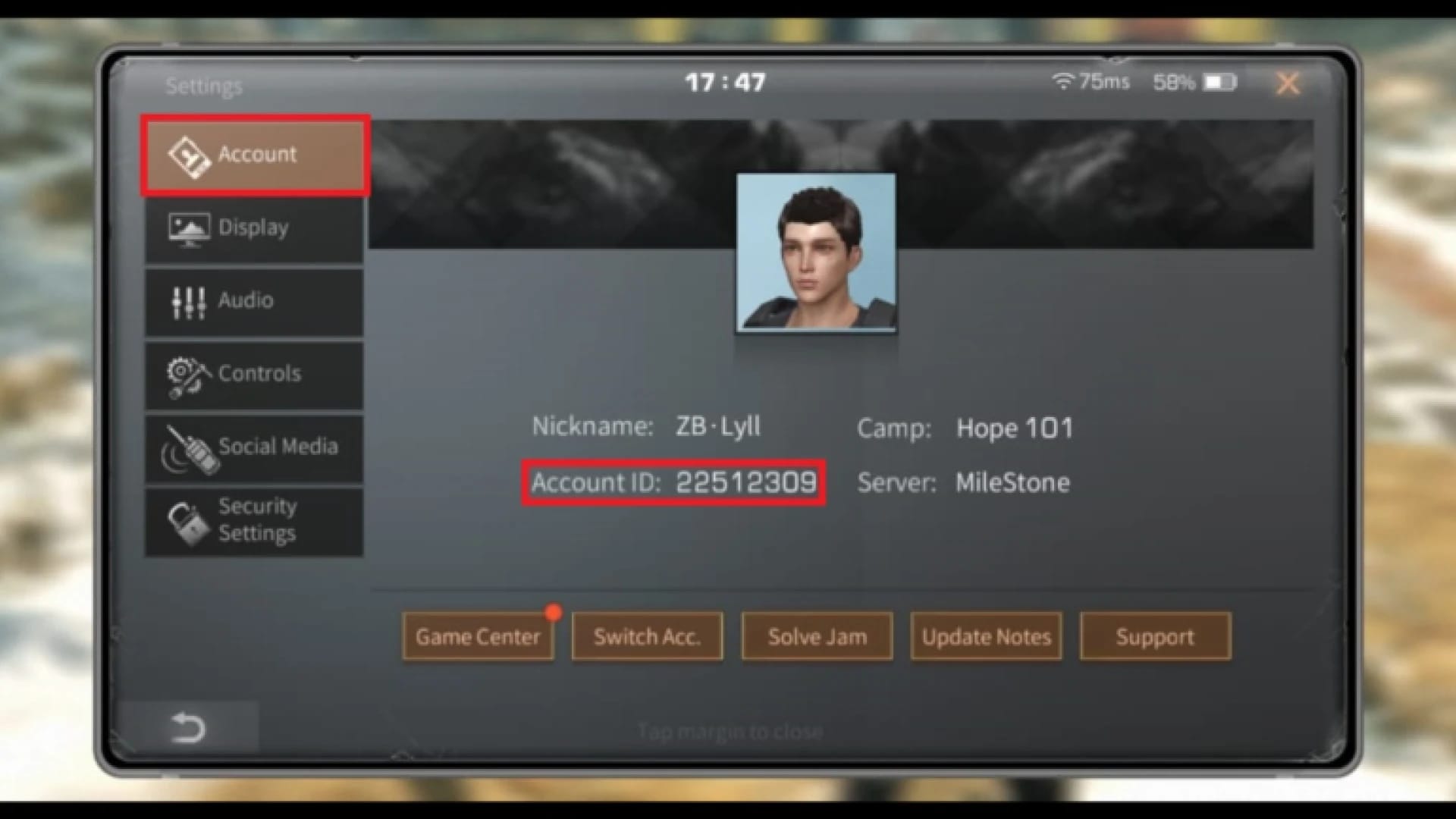
Store region lock. Your store account belongs to Country A, you've relocated to Country B, and the store wants a Country B payment method it can't square with a Country A account. Most common culprit by far, and there's no tidy in-store fix that won't gamble with your purchase history.
Card and billing mismatch. Your card's issuing country and your store region don't agree, so the store bounces the charge before the game ever hears about it. Same symptom on the surface, completely different cause underneath.
Fraud-decline flags. Meaner, and barely talked about. The second your payment geography starts looking scrambled (card from one country, IP from another, store region from a third), banks and processors begin declining on reflex. Hunt the "cheapest region" hard enough and you build that suspicious pattern with your own hands.
Then there's the membership trap, and it earns its own siren. Store-based membership renewals tend to die quietly overseas while one-off ID top-ups keep sailing through. Your weekly or monthly card just stops renewing. No alarm, no error. You clock it three days on when the perks evaporate. Heading somewhere for the long haul? Kill auto-renew before you board and move to manual ID-based renewal. I treat auto-renew as the first switch to flip off, never the last.
Three real ways to pay from abroad, sorted by how much they'll annoy you
| If you're… |
Then default to… |
| A short-term traveler with your original card |
Store payment (don't touch your region) |
| A long-term expat or anyone the store keeps blocking |
ID-based web-shop top-up via UID |
| Out of working cards entirely |
PayPal or a local e-wallet through an ID-based site |
Store payment on your original-region account. If the card still matches the store you bought from, this holds up across most of the planet and you don't have to do anything clever. The blunder is "repairing" something working fine. Don't switch regions just because you packed up and moved. If the charges go through, hands off.
Web-shop / Player-ID top-up. This is the route that genuinely fixes the cross-border headache instead of haggling with it. Choose a pack on a top-up site, punch in your UID and server, pick a payment method, and the Credits glue themselves to the account behind that ID. Per MooGold, Credits show up within 30 minutes of you handing over UID and server ID, and plenty of packs deliver on the spot. SEAGM, MooGold, BuffBuff, G2G, Codashop, they all run UID top-up worldwide. That's the entire point: the UID doesn't care which border you're parked behind.
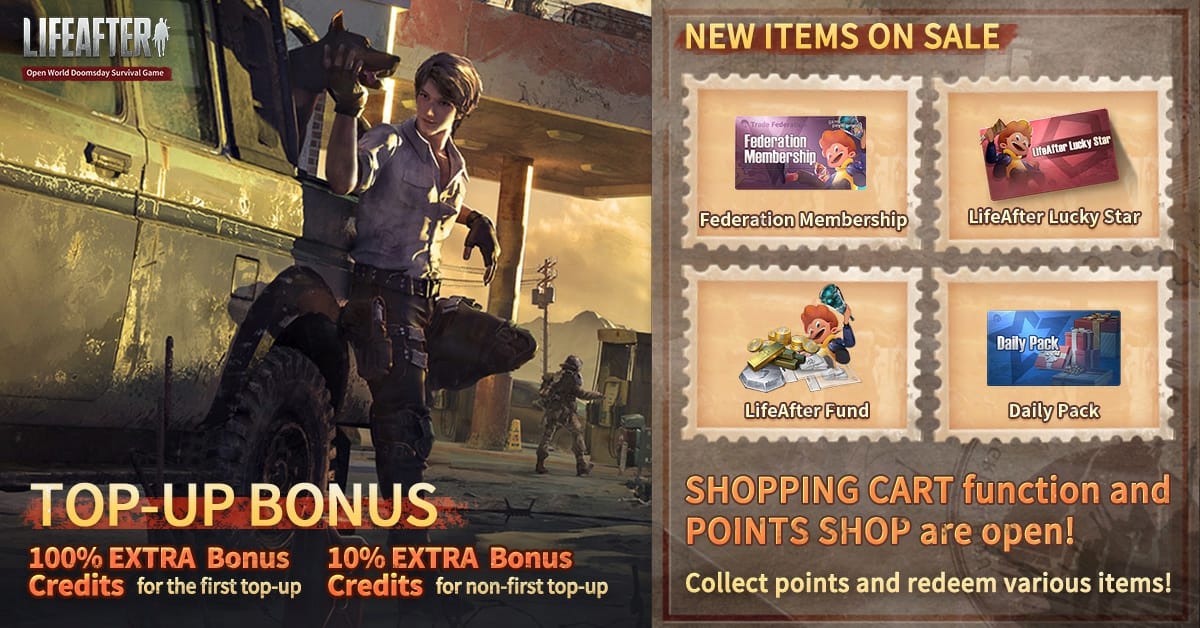
International e-wallets and cards. When cards keep bouncing, payment flexibility is the cure. Per G2G, these platforms take multiple currencies and methods, PayPal, cards, local e-wallets, for international players. Certain markets get granular about it. Codashop handles MAE, Touch 'n Go, and FPX for LifeAfter in Malaysia, say. The principle scales: an ID-based channel that swallows PayPal or a local wallet hands you a way out when your home card is the thing getting slapped down.
Players have been pointing each other toward direct UID top-up sites for Federation Credits for years now. Per r/lifeafter, the community has long read this as the standard workaround for store friction, not some fringe stunt.
"Cheapest country" mostly falls apart once the fees land
The daydream goes: somewhere out there, a region sells Credits 30% cheaper, and all you've got to do is reach it. Reality's a lot leaner. Price gaps do exist, third-party packs hover near the official sticker and occasionally dip under it. Per MMOExp, a 330-Credit pack runs around $4.37, against the official entry tiers below.

| Channel |
Pack |
Price |
| Official first top-up |
60 Credits |
$0.99 (+10 Points, +6 bonus) |
| Official first top-up |
300 Credits |
$4.99 (+60 Points, +30 bonus) |
| Third-party example |
65 Credits |
$0.95 |
| Third-party example |
330 Credits |
$4.37 |
| Third-party example |
558 Credits |
$6.71 |
Sources: NetEase GamesClub (2026); MMOExp (2026)
Discount platforms stretch it further. BuffBuff advertises up to 23% off on Credit packs, per BuffBuff. That's a real saving, grab it.
But this is where the "cheapest region" chase caves in. To capture a regional price you generally need a payment instrument and a geography that match that region. The instant you fake either, two costs crawl out. First, your bank's foreign-exchange and cross-border fee, which quietly chews through a slice of any headline gap. Second, the fraud-decline risk from up above. Tally it all and the region-hopping saving usually melts off, while the hassle and decline odds stick around.
So pull the two ideas apart. Shopping discounts is sharp. A 23%-off pack or a sub-sticker third-party price is actual cash in your pocket. Shopping regions is mostly theater once exchange fees and declines get counted in. My read: take the discount on an ID-based buy paid in your own currency and ditch the geography games.
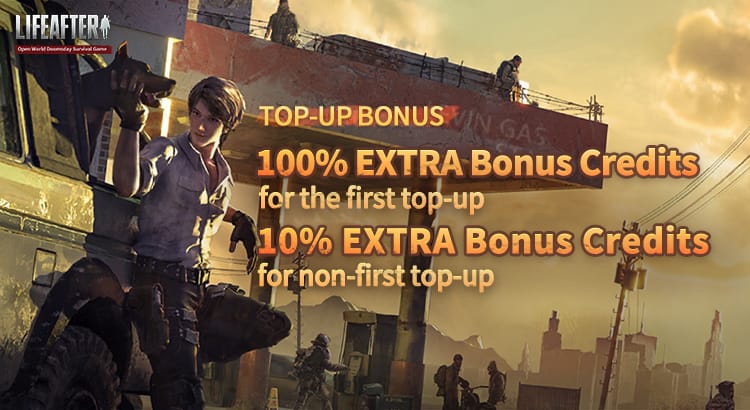
One more thing worth pocketing: that official first top-up bonus. NetEase's first-purchase tiers stack extra Points and bonus Credits, so the 300-Credit / $4.99 tier tosses in +60 Points and +30 bonus the very first time. Never topped up that account? Claim it before you chase any reseller cut, because it fires exactly once.
Doing the UID top-up without firing Credits at the wrong account
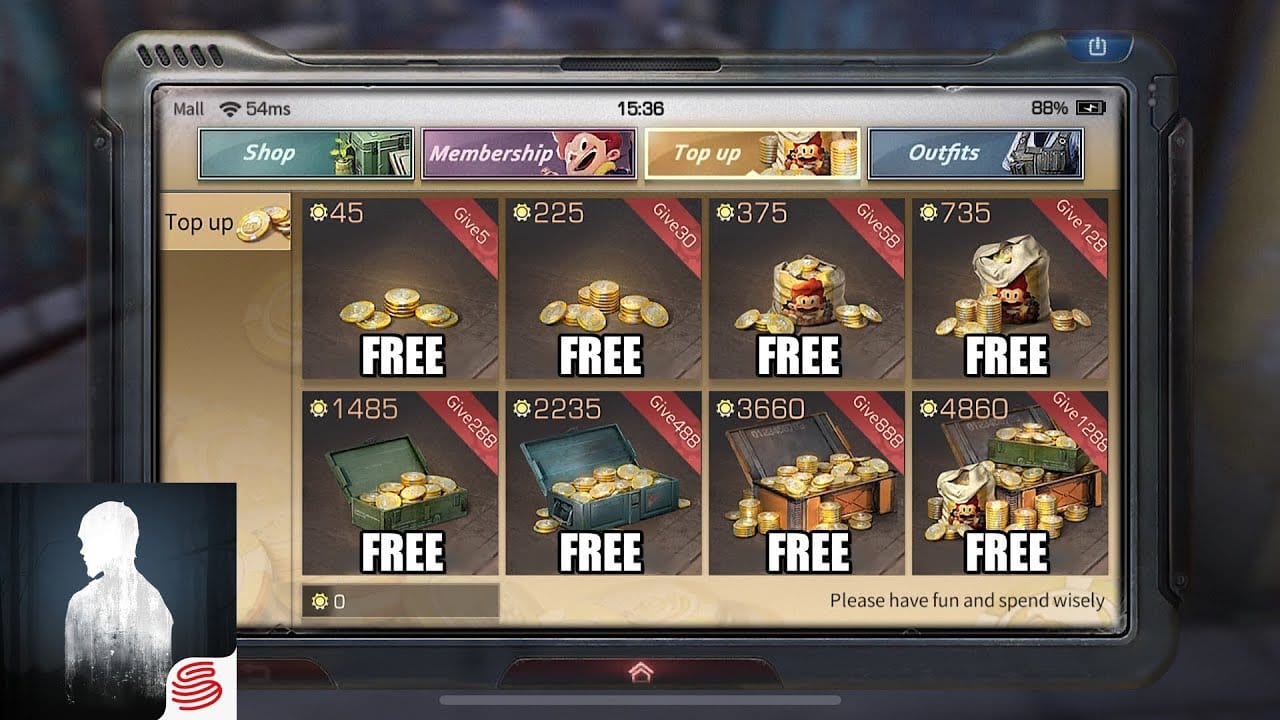
The risky part of UID top-up isn't paying. It's aiming. Credits land on the account tied to the Player ID you typed, not the phone in your hand, not whichever profile happens to be signed in. Botch the UID or scoop up the wrong profile's ID and the Credits slide off somewhere you can't follow. No "oops" button.
So run it in this order:
- Pull your real UID from inside the game. Open LifeAfter, tap Settings (top right), read your Account ID, per the official game site. Don't fish it out of memory or an old screenshot. Open it live.
- Confirm the server / camp the account sits on, since ID-based sites usually want both UID and server. A wrong server is a recovery nightmare.
- Enter UID and server on the top-up site, check both character by character, then choose your payment method.
- Pay and screenshot the order confirmation. Order ID, UID, pack, timestamp. That's your evidence if anything wanders off.
- Verify delivery in-game. Open your Credits balance and confirm the new total. Delivery lands inside 30 minutes, often instantly, so if nothing shows in that window it's a delivery issue to raise with the order ID, not a reason to pay twice.
That verification step is the one folks skip and the one that bails them out. Confirm the balance moved on the right account before you close a thing.
For transparency, this piece runs on VGTopup, itself an ID-based top-up option that takes your UID and bills in your own currency. The same workflow above applies, and the LifeAfter Credits & Membership Top-Up top up flow asks for your Player ID before payment, which is precisely the field you want to triple-check.
VPN and region-switching: louder than they deserve, riskier than they look
Two pieces of stock advice get way more airtime than they've earned.
"Switch your store region." For most travelers this spawns more trouble than it clears. Account region lives at the purchase-history level, so a "temporary" flip can strand old entitlements and any region-locked content you already paid for. You'd be swapping a payment annoyance for a possible lockout. Don't, unless you've truly drained every ID-based option first.
"Use a VPN to top up." Least reliable fix on the board and the one most likely to flag your transaction. Around community chatter, a VPN gets named for server access or region snags, but it's neither needed nor advised for the payment itself. Stacking a VPN over a cross-border card is the exact scrambled-geography signal that sets off fraud declines. For a clean ID-based buy, a VPN adds risk and nothing else. Leave it.
The quiet good news threading all of this: there's no sign of a hard region block on topping up LifeAfter. The official site takes international cards and PayPal. Third-party UID sites run worldwide. The walls people slam into are store walls and bank walls, not some game-side ban on foreign money. Which is exactly why routing around the store works so well.
Red flags for a dodgy source, whatever the channel: no order confirmation or order ID, a site demanding your account password instead of just your UID (it never needs your password), and no stated delivery time. A legit ID-based top-up wants your UID and server, nothing more sensitive than that.
What most expats should just set as the default
Living abroad long-term with a store that won't quit fighting you? Stop troubleshooting the store. Go ID-based, pay in your own currency with PayPal or your home card, snag whatever first-top-up or discount bonus you qualify for, and confirm the balance landed before you close the tab. That's the whole playbook, and it sidesteps every trap in this article: region lockout, fraud declines, silent membership death, Credits launched into the void.
The frustration cross-border players carry is real. It's just usually pointed at the wrong target. The store was never built for somebody whose account and location split apart. The UID was. Use it.
Frequently Asked Questions
Can I top up LifeAfter using only my Player ID?
Yes, and that's the whole edge of the ID-based route, which is why it works from anywhere. You give your UID and server, pay, and Credits attach to that account with no store login in the picture. One caveat: the Credits go wherever the ID points, so a mistyped UID ships them somewhere you can't claw back. Pull the ID live from in-game Settings rather than recycling an old one.
Why does my LifeAfter top-up fail abroad when it worked at home?
Usually a clash between your store region, your card's billing country, and your current IP, three signals that no longer agree. Store purchases police all three. ID-based ones don't. If it's a one-off pack failing while a subscription works (or the reverse), suspect the store channel specifically, since store membership renewals can die quietly overseas while individual ID top-ups still clear.
Which country actually has the cheapest LifeAfter Credits?
Not worth the chase. Real price gaps exist between channels, third-party packs can land at or under official prices, and discount platforms advertise up to 23% off per BuffBuff. But those are channel discounts you can grab in your own currency. Region-specific pricing usually demands you match that region's payment geography, which piles on exchange fees and fraud-decline risk that tend to erase the gap.
Will a VPN help me top up overseas?
For the payment itself, no, and it can backfire. A VPN draped over a cross-border card is the exact scrambled-location pattern that trips fraud declines, and community chatter only ties VPNs to server access, not top-up. An ID-based buy needs no VPN whatsoever.
How long do LifeAfter Credits take to arrive when bought from another country?
Through an ID-based site, within 30 minutes of submitting your UID and server per MooGold, and often instantly. If the balance hasn't budged past that window, treat it as a delivery issue and raise it with your order ID. Don't repurchase, because paying twice just risks a double charge for Credits that may still be in transit.











Comments