If you just want the date: "Coming soon" is the honest answer
Announced March 16, 2026, with a reveal trailer and gameplay footage, per the Steam Store Page for Prism 2033. Rechecked that same page in June 2026 and it still reads "Coming soon." No date, no window, nothing you can build a reminder around. CyberNest Entertainment Limited is the developer and publisher.
So where do the "late 2026 / early 2027" guesses come from? Media analysis, not the studio. LDShop.gg says flatly there's no confirmed window, and that late-2026-to-early-2027 framing is an editorial estimate. IGN was just as direct in their March 2026 coverage, stating there was "no release information provided yet." When IGN and the store page both shrug, that's your trust boundary.
The thing date-roundup posts skip over: a "confirmed date" headline on an unreleased game is usually an aggregator placeholder. Steam's backend lets a publisher key in a provisional date that auto-renders as something concrete-looking, and third-party trackers scrape it and serve it as gospel. The LDShop.gg writeup flags exactly this, warning that treating those placeholders as confirmed risks planning time off around a window nobody has verified. I've watched folks book a Friday off for a launch that slipped a full quarter. Don't join them.
| Claim |
Status |
Source |
| Confirmed release date |
None ("Coming soon") |
Steam official |
| Announcement date |
March 16, 2026 |
Steam / IGN |
| Estimated window |
Late 2026 / early 2027 |
LDShop.gg (estimate) |
| Pricing / editions |
Not published |
Steam official |
| System requirements |
Not published |
Steam official |
| Preload / download size |
Not published |
Steam official |
Source: Steam Store Page for Prism 2033 (2026) and media coverage (Mar 2026).
For the date-chaser: nothing to circle yet. Wishlist it, drop the date-anxiety, and let Steam ping you once it's real.
Fund the wallet, not the moment
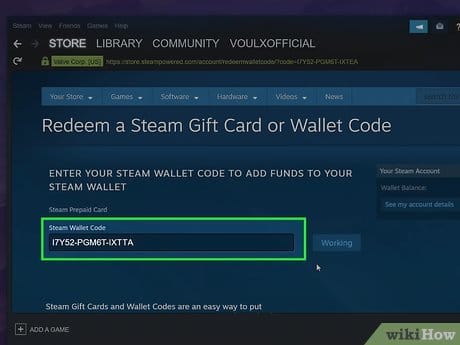
This is the single most useful line in the whole piece, so I'm parking it where you can't scroll past it. The common launch-day regret isn't picking the wrong edition. It's reaching checkout during a traffic spike and watching a card bounce. Banks fraud-flag sudden digital purchases all the time, especially a first charge to a storefront at an odd hour, and a hyped MMORPG launch is precisely the high-volume, off-hours scenario those filters love to catch.
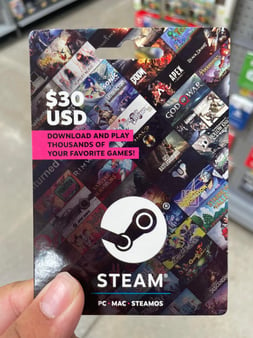
A pre-funded wallet steps around the whole problem. The mechanic worth internalizing: a redeemed gift-card balance has already cleared. It sits in your account as Steam Wallet credit, and credit can't bounce the way a fresh card swipe can. No bank in the loop at point of purchase, no fraud filter to satisfy, no 3-D Secure popup waiting to fail. Wallet funds don't expire either, so there's no downside to loading them weeks ahead of a date nobody even has.
With no pricing published yet, I'd anchor to where MMORPGs in this tier usually land. Most standard PC editions sit in the $20–$50 band, which is the range a single gift card should comfortably absorb. Roughly:
- A $20 card clears a budget or standard-tier launch price with little or no leftover.
- A $30–$40 card covers a standard edition with buffer for a starter cosmetic or the day-one tax some MMOs tack on.
- A $50 card comfortably absorbs a likely deluxe edition if one exists, with change left for an in-game pack later.

Getting the balance ready:
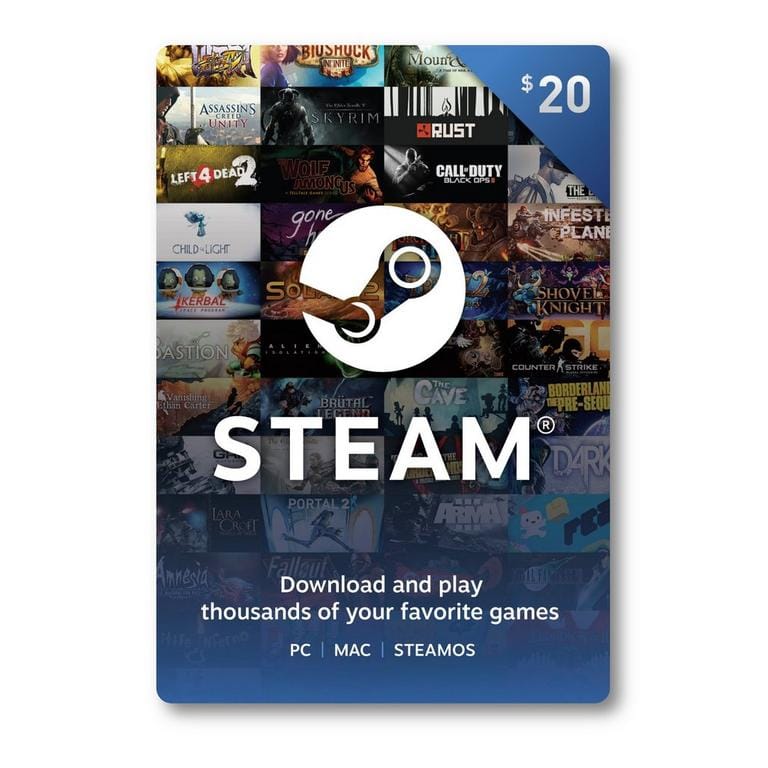
- Buy a Steam Gift Card in your own account's region/currency (this matters, region locks below).
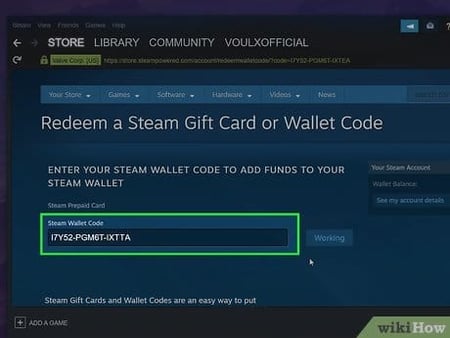
- Open Steam → click your wallet balance (top right) → Redeem a Steam Gift Card.
- Punch in the code. Balance lands instantly and stays yours indefinitely.
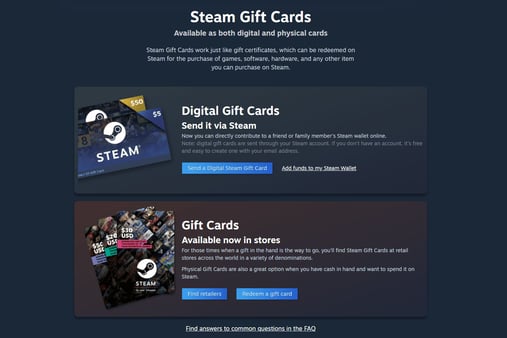
Done. When Prism 2033 finally grows a buy button, you click and you're in. No card, no decline, no popup. If you'd rather load that credit ahead of time, a Steam Gift Card recharge is one transparent route to getting funds sitting in your wallet before launch-day pressure hits. Just match the denomination to your region. And yeah, that's a third-party option, not a requirement. Valve sells cards directly too.
For the day-one buyer: redeem a $30–$50 card now, wishlist the game, and you've killed the one failure point you actually control on launch day.
Don't pre-order or grab the deluxe yet
I'll plant my flag on the unpopular side: pre-ordering this thing before any review or hands-on deep-dive is a poor default, and waiting costs you nothing. The clever play on a hyped launch isn't squeezing through the door first. It's funding your wallet, then buying day-one after the first reviews drop. With credit already parked in your account, "waiting for reviews" runs you maybe twenty minutes of reading on launch morning, not your place in line.
MassivelyOP's March 2026 coverage tagged Prism 2033 as an open-world MMORPG "making big promises and flashing some AI," and their read leaned cautious: hold for a confirmed date and post-launch reviews before buying. That's not cynicism, it's pattern recognition. Big-promise MMORPGs are exactly the genre where day-one reality and the pre-launch trailer rarely line up.
On deluxe versus standard, hold. No editions or pricing tiers exist publicly, so anyone telling you the deluxe is "worth it" is freelancing. My rule across any game: a deluxe earns its premium only when the bonus is gameplay-affecting. An extra character slot, a real progression boost, account-wide unlocks. A cosmetic pack and a soundtrack download aren't that. You can almost always grab those à la carte later if you actually want them, and by then you'll know whether the game earned the outlay.
For the cautious buyer: wishlist, pre-fund a standard-sized balance, then read the first 24 hours of reviews before committing a cent. Your wallet credit isn't going anywhere.
Buying it for someone else? Fund their wallet, skip the region tricks
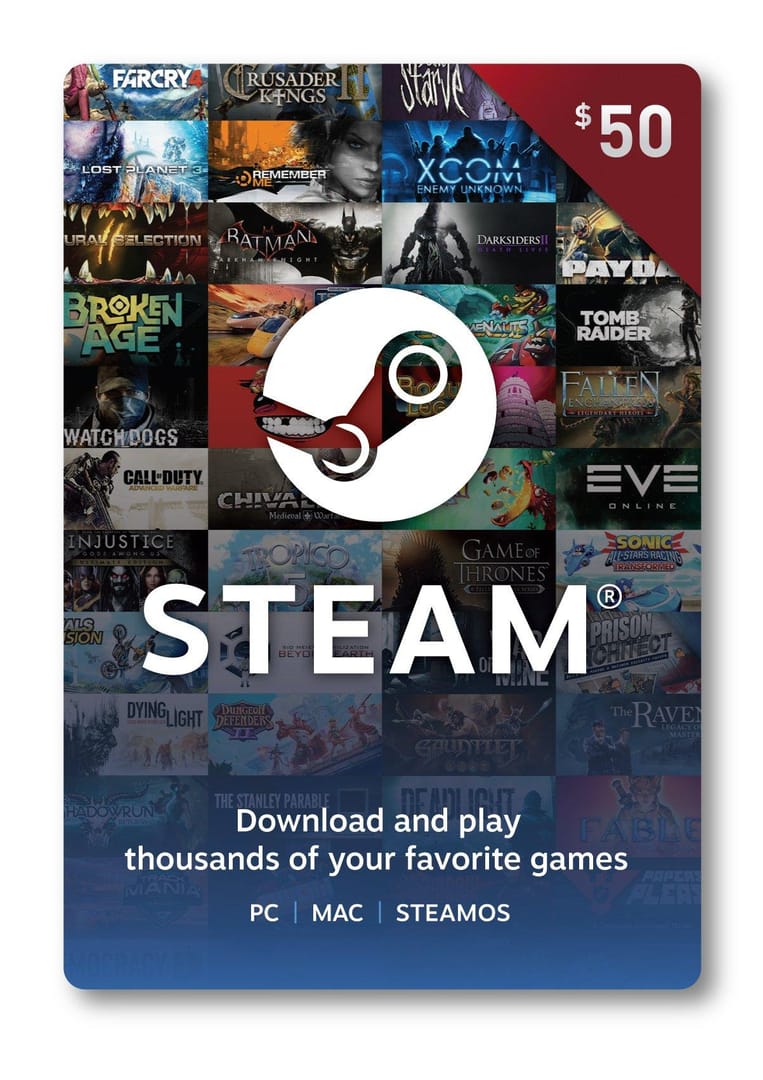
Gifting forks into two clean paths, and one is a trap. The clean path: once the game has a confirmed release and a posted price, fund the recipient's Steam wallet with a gift card in their region's currency, and let them buy it. That hands them the edition choice (smart, given nothing's confirmed) and dodges the gift-region restrictions Steam enforces on direct game gifting across currency zones.
The trap is region-hopping for a lower price. Steam regional pricing really does vary. Markets like Brazil and Turkey have historically carried lower local prices than the US, EU, or UK. But chasing that gap is risky two ways. First, no regional pricing exists for Prism 2033 yet, so any "it's cheaper in X" claim is pure speculation right now. Second, and worse because it sticks: buying a gift card or game outside your account's home region runs into activation and region locks, plus currency mismatches that can brick the purchase or flag the account. The handful of dollars saved aren't worth a frozen balance.
So match the card to the recipient's home region, every single time. That cross-region "deal" is the move that turns a thoughtful gift into a support ticket.
For the gift-buyer: wait for confirmed pricing, then gift wallet credit in the recipient's own region. Let them pick the edition, and never region-hop to scrape off a few bucks.
The unlock-time detail almost every date post fumbles
Once Prism 2033 gets a date, here's the bit to lock in: most worldwide Steam releases unlock at a single global moment pinned to UTC, not local midnight in each country. So your "release day" can genuinely land differently from a friend's depending on timezone. A 10:00 AM Pacific unlock is the same instant as 1:00 PM Eastern, 6:00 PM in the UK, 7:00 PM across most of the EU, and well past midnight into the next calendar day for parts of Asia and Oceania.
So when the studio finally posts a launch time, convert that exact UTC hour to your local clock instead of assuming "it's out where I am at midnight." Steam's store page runs a live countdown once a date is set, and that countdown is the authoritative source. It already does the timezone math for you. Until then there's no hour to convert, and no upcoming events, betas, or patches announced in the next several weeks either, per the official page. A quiet pre-release window.
Where things stand by player profile:
| Your profile |
Do this now |
Why |
| Day-one buyer |
Wishlist + redeem a $30–$50 gift card |
Removes the only launch-day failure point you control |
| Cautious buyer |
Wishlist + fund standard-sized balance, read reviews first |
Costs you nothing to wait; credit doesn't expire |
| Gift-buyer |
Wait for confirmed price, fund recipient's wallet in their region |
Lets them pick the edition; avoids region-lock bricking |
| Date-chaser |
Wishlist only, ignore aggregator dates |
No confirmed date exists to plan around |
Source: Steam Store Page for Prism 2033 (2026); persona guidance synthesized from MassivelyOP (Mar 2026).
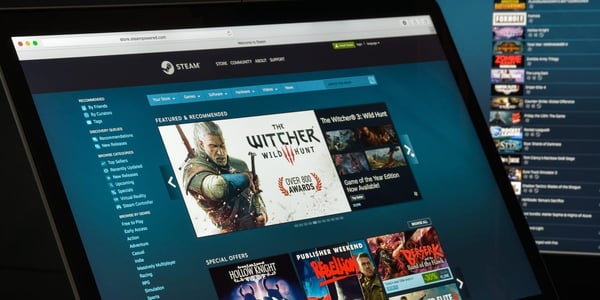
To wishlist and pull a real alert: open the Prism 2033 store page, hit "Add to your Wishlist," and make sure your Steam email notifications are switched on. That's the only release-alert system pulling straight from the publisher. No third-party tracker, and it fires the moment a date or launch goes live.
Frequently Asked Questions
When does Prism 2033 actually come out?
No confirmed date. The official Steam page reads "Coming soon" as of June 2026. Media estimates point to late 2026 or early 2027 per LDShop.gg, but that's an analyst guess, not a studio commitment. The game was only announced this past March 16, so treat every specific date elsewhere as a placeholder until Steam's countdown timer lights up.
Can I preorder Prism 2033 with a Steam Gift Card right now?
You can't preorder it at all yet. No buy button, no price, no editions published. What you can do is redeem a Steam Gift Card to your wallet today. That balance never expires and sits ready. When a purchase option appears, you click buy and the credit covers it instantly, no card swipe involved.
Will Prism 2033 release on PS5 or Xbox?
No console release is confirmed. The only platforms on the official page are PC via Steam and Epic Games Store, plus iOS and Android mobile. There's been zero PS5 or Xbox announcement, so anyone listing a console date is guessing ahead of the developer.
What time will Prism 2033 unlock in my region?
Until a date is set, there's no unlock hour to convert. When one is announced, expect a single global UTC moment rather than local midnight, and Steam's store countdown will show the exact time in your own timezone automatically. Asia-Pacific players often get it on a later calendar day than North America for the same instant.
How much will Prism 2033 cost on Steam?
No pricing is published yet. Based on where comparable MMORPGs land, a standard PC edition would plausibly sit somewhere in the $20–$50 range, which is why a single gift card in that band covers most outcomes. But that's an expectation, not a confirmed figure. Wait for the official store listing before assuming any price.
My card keeps getting declined on Steam, what do I do?
This is exactly why pre-funding helps. Checkout declines usually trace back to bank fraud filters tripped by a sudden digital purchase, and they spike during high-traffic launches. A redeemed gift-card balance has already cleared into your wallet, so there's no bank approval needed at the moment you buy. The decline path simply doesn't exist for wallet credit.







Comments