The date holds — what the launch build feels like is the open question
Friday, June 5, 2026 is firm. THQ Nordic states it without hedging, and the publisher's release announcement lists development for "PC, PlayStation®5, and Xbox Series X|S, launching June 5th, 2026." That's a first-party statement with a trailer attached. So if you're asking whether the date is real or rumored, it's real. The platform trio is settled the same way on the Steam store page, with corroboration on Wikipedia.
What stays unresolved is the thing you should actually weigh: how the build performs the morning it goes live. This project has been restarted before. Alkimia's version grew out of the 2019 Nyras playable teaser, and per THQ Nordic the scope has ballooned since, with reworked combat, a bigger world, and full UE5 visuals. A locked date on a long-cooking UE5 title tells you when you can buy. It says nothing about shader-compilation hitching or traversal stutter, the two gremlins that have hounded nearly every recent UE5 open-world launch.
So keep the two questions apart. When does it land on Steam? June 5, 2026, no asterisk. Is the launch build the one you'll want to play? That's a wait-and-watch call, and I lean toward watching.
Why UE5 pushes the real spec floor above the box

The published requirements aren't dishonest. They're just a floor you'll want to sit above. Nanite geometry, Lumen lighting, and streamed open zones all shift load onto storage throughput and VRAM in ways a CPU/GPU table can't fully show. Two mechanics drive that, and neither shows up on any requirements sheet.
Start with shader compilation. UE5 games routinely compile shaders on first launch or stream them mid-session, and when that pipeline isn't pre-baked you get traversal stutter that no graphics card fully erases. It's why a GPU parked exactly on the "recommended" line can feel rougher than the number suggests.
Then there's texture streaming off a slow drive. This one ambushes people. The remake supports DLSS, FSR and ray tracing according to a Steam community discussion citing dev info, and upscaling will absolutely help you reach a frame target. What it won't touch is texture pop-in caused by a disk that can't feed assets quickly enough. An open zone like Khorinis is precisely the kind of workload that drags a sluggish drive into the light.
Alkimia already demands an SSD (more on that in a second), so the studio clearly knows the score. My read: treat the "recommended" GPU as your minimum for a clean run, and don't mistake DLSS/FSR support for permission to skimp on storage or VRAM. Upscaling buys frames. It doesn't buy asset bandwidth.
Read the storage line first, the GPU column last
Here's the full sheet, both tiers next to each other.
| Tier |
CPU |
RAM |
GPU (VRAM) |
Storage |
| Minimum |
i7-7700K / R5 1600X |
16 GB |
8 GB — RX 6700 XT / RTX 2070 |
60 GB SSD |
| Recommended |
R5 2600X / i7-7700K |
32 GB |
12 GB — RTX 3070 Ti / RTX 4070 / RX 6800 XT |
60 GB SSD |
Source: Steam store page and DSO Gaming (2026)
A few things surface once you pull your eyes off the GPU column. The minimum tier aims at mid-range 2020-era kit: an i7-7700K, 16 GB, and an 8 GB card making for an old-but-still-capable 1080p machine. The recommended tier, per DSO Gaming and demo reports, chases 1440p/60+ on an RTX 4070-class card with 32 GB of system memory.
The detail nobody underlines: an SSD is mandatory at both tiers. The store page spells out SSD or NVMe for the 60 GB install, and there's no "minimum HDD" backdoor here. Good. On a UE5 open-zone game a mechanical drive produces the exact pop-in I described above. If your rig still spins the game off a hard disk, that's the upgrade to make before you touch anything else.
The point I'll plant a flag on: for most players the VRAM ceiling and disk speed will choke you well before the GPU tier does. An 8 GB card clears the minimum, but 8 GB is lean for UE5 at higher textures, and the bump to a 12 GB recommended card is about headroom as much as raw shading muscle. If you're opening the wallet, spend on the card that hands you 12 GB-plus and on the SSD, not on matching the exact model names in the table.
One caveat hangs over the whole thing. These are pre-launch numbers, with final optimization still pending per the same DSO Gaming demo coverage, so treat every figure as provisional until launch week. Which is exactly why upgrading today on the strength of a spec box is a trap.
Steam Deck: playable, not Verified — and that line matters

If the handheld is your main machine, don't assume day-one comfort. The Next Fest demo ran at 25–32 FPS on low settings with tweaks, according to a Steam Deck HQ preview, and the official Discord FAQ calls the game "very playable" while owning up to "possible smaller issues."
Two sources, same direction, a small gap between them, so I'll lay it out straight. Optimistically, a demo hitting that range before final tuning is a fair starting point, and full-build optimization usually lifts those numbers. Cautiously, the publisher itself is waving a flag about rough edges, and 25–32 on low sits in playable-but-not-pleasant territory for an RPG you'll pour dozens of hours into.
My position for Deck owners: this lands playable but not Steam Deck Verified at launch, and for this crowd a Verified badge, if it ever arrives, will tell you more than any 4K benchmark. Wait for post-launch ProtonDB and Deck reports before you sign over your handheld evenings. The framerate floor is low enough that one bad patch could turn it miserable, and you give up nothing by holding two weeks.
Editions, regional pricing, and funding your wallet without preordering

Two editions are confirmed. The Standard Edition is $59.99 USD, per Xbox and GameStop listings, while the Collector's Edition runs $199.99 per GameStop, bundling physical merch and extras. Pre-orders carry a bonus, either a digital soundtrack or a copy of Gothic Classic, per THQ Nordic and Xbox.
| Edition |
Price (USD) |
Platforms |
Bonus |
| Standard |
$59.99 |
PC / PS5 / Xbox |
Pre-order soundtrack or Gothic Classic |
| Collector's |
$199.99 |
PC / PS5 |
Physical merch / extras |
Source: GameStop / Xbox (2026)
On regional pricing: the US holds at the Standard sticker, EU and UK sit roughly level in local currency, and Turkey and Brazil come in lower through Steam's standard regional model, per the store page. No per-market deltas are published past that pattern, so I won't fake a precise percentage. Just know the gap exists and follows Steam's usual structure.
Now the genuinely reader-protective part. I don't think a preorder earns its keep here. The bonus is a soundtrack or a classic-game copy, pleasant but hardly decisive, and you'd be committing cash to a UE5 launch with a low Deck framerate floor and optimization still in progress. There's a cleaner route to being ready: pre-fund your Steam wallet instead of locking in the preorder.
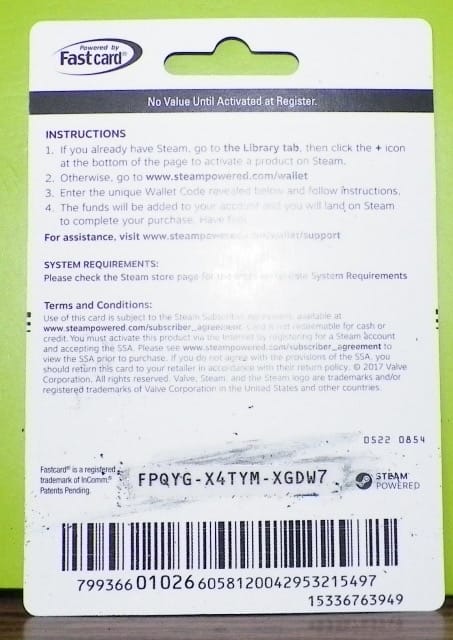
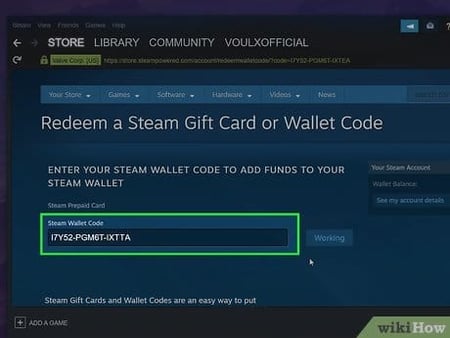
A loaded balance gives you the same launch-day readiness with none of the commitment. One $60-equivalent Steam Gift Card covers the Standard Edition outright, and if you're flirting with the Collector's, you're topping a balance to roughly the $199.99 figure. The quiet edge is mechanical. Funding your wallet in your home currency first sidesteps the conversion surprises that can bite on launch day when regional pricing and exchange rates jostle. As an above-board option, you can top up anytime with a Steam Gift Card top up and decide which edition, or whether to sit through two patches, only once the launch reviews are in. No rush, no preorder lock.
The budgeting logic fits on one line: stage the money, delay the decision.
Upgrade now, or wait for two patches?

For most people, wait, on both the hardware and the purchase. The biggest blunder making the rounds right now is judging your rig against the 2019 Nyras teaser or the demo build, neither of which mirrors the final, still-optimizing game. Community consensus across Steam and Reddit lines up that final-build optimizations are coming, so any upgrade decision keyed to current performance is standing on sand.
Three player profiles, three different calls.
- Original Gothic veteran on an aging PC — check whether you clear the minimum (i7-7700K / 16 GB / RX 6700 XT-class). If a mechanical drive is the only thing in your way, the SSD is your one required buy. Leave the GPU alone until final specs and launch benchmarks arrive.
- Newcomer on PS5 or Xbox — easiest path of the three. The Standard at $59.99, no Steam wallet involved, and frankly UE5's launch track record argues for letting a patch or two land before you wade in. Nothing lost by waiting.
- PC upgrader eyeing a fresh GPU — the recommended tier points at RTX 4070-class for 1440p/60+, but don't buy a card off the demo's showing. Pre-launch numbers are provisional, a 12 GB-plus card and an SSD are the safe bets, and the exact model can wait on verified launch benchmarks.
The combat overhaul will split longtime fans, and whether a restarted project keeps its announced date is a fair thing to fret over. On the buying question, though, the evidence only points one way. Stage your money, keep your current hardware until real benchmarks exist, and let the launch build prove itself.
Frequently Asked Questions
When does Gothic 1 Remake come out on Steam?
June 5, 2026, a Friday, confirmed by THQ Nordic across PC, PS5 and Xbox Series X|S all at once. No staggered platform rollout is indicated, so Steam buyers get it the same day as console players rather than waiting on a later PC port window.
Can a low-end PC run Gothic 1 Remake?
If "low-end" means a 2020-era i7-7700K with 16 GB RAM and an 8 GB card like the RX 6700 XT or RTX 2070, you clear the official minimum for 1080p per the Steam store page. The non-negotiable is the drive. The install requires an SSD at every tier, so a genuinely old machine still running off a hard disk won't qualify no matter how good its CPU or GPU.
Does Gothic 1 Remake support DLSS and ray tracing?
DLSS, FSR and ray tracing are all listed, per a Steam community discussion citing dev info. Practical note for handheld and lower-spec users: upscaling lifts your framerate but does nothing for texture pop-in caused by slow storage, so it's no substitute for the required SSD.
Is the Collector's Edition worth $199.99 over the $60 Standard?
That gap buys physical merch and extras, per GameStop, not gameplay content. For anyone uncertain about a UE5 launch's day-one state, I'd fund a wallet for the Standard and skip the collector tier until reviews confirm the build is solid. The merch isn't going anywhere. A rough launch can't be undone.
Will Gothic 1 Remake be cheaper in some regions?
Yes. Turkey and Brazil typically price lower through Steam's standard regional model, while EU and UK sit close to the US price in local currency, per the Steam store page. Loading your Steam wallet in your home currency ahead of launch is the cleanest way to dodge conversion-rate surprises when regional pricing settles on release day.









Comments