
Xbox Gift Card Top Up and Digital Code Overview in 2026
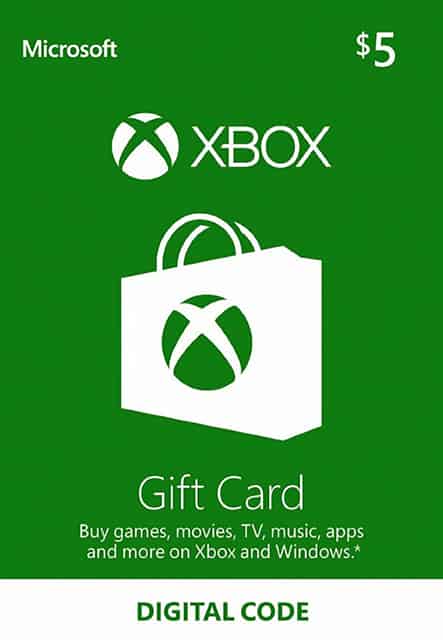
An Xbox Gift Card top up provides direct digital currency to your Microsoft account balance, giving you full access to digital games, add-ons, subscriptions, and entertainment across Xbox consoles and Windows PC devices. Delivered as a digital 25-character alphanumeric key, these codes allow gamers to load prepaid funds without linking a personal credit card or debit card directly to their gaming console.
Once redeemed, the entire value of the card is transferred directly into your personal Microsoft account balance. There are no maintenance fees attached to the digital code, and the loaded currency does not expire. Whether you are stocking up your wallet for major 2026 game releases, grabbing seasonal downloadable content, or topping up a friend's balance as a gift, digital codes offer a secure, flexible payment method.
VGTopup provides access to a variety of regional denominations. Because prices and currency exchange rates update in real time, you can always check current pricing and regional availability directly on the live checkout interface before placing an order.
Eligible Purchases: Games, Add-ons, and Xbox Game Pass in 2026
Your redeemed balance works across both the Xbox Store and the Microsoft Store. This shared wallet system ensures your loaded funds can be spent across multiple devices and digital platforms connected to your single Microsoft account profile.
- Full Digital Games: Purchase the latest blockbuster titles and indie games on Xbox Series X, Xbox Series S, Xbox One, and Windows 10/11 PCs.
- Game Expansions and Add-ons: Buy DLCs, season passes, cosmetics, expansion packs, and in-game microtransactions.
- Xbox Game Pass Subscriptions: Pay for recurring or prepaid memberships, including Xbox Game Pass Ultimate, PC Game Pass, and Game Pass Core directly using your wallet balance.
- Digital Entertainment: Rent or purchase movies, TV shows, and entertainment apps available on the Microsoft Store.
- In-Game Currencies: Load virtual currencies such as points, coins, and tokens directly inside supported console and PC titles.
Regional Compatibility and Store Currency Matching Rules
Xbox gift card digital codes are region-locked and currency-specific. You must purchase a digital voucher that matches the designated country and currency of your Microsoft account. If you attempt to redeem a voucher issued in a currency that differs from your account's set billing region, the system will decline the code.
| Region Code | Currency | Store Match Requirement | Cross-Region Redemption |
|---|---|---|---|
| United States (US) | USD ($) | US Microsoft Account Profile | Not Supported |
| Eurozone (EU) | EUR (€) | Eurozone Member Account Profile | Restricted to EUR Region |
| United Kingdom (GB) | GBP (£) | UK Microsoft Account Profile | Not Supported |
| Canada (CA) | CAD ($) | Canadian Microsoft Account Profile | Not Supported |
| Australia (AU) | AUD ($) | Australian Microsoft Account Profile | Not Supported |
| Global / Multi-Region | Specific Fiat | Matches Account Country Currency | Region Locked to Profile |
Always ensure that your console account region, your Microsoft billing profile address, and the digital gift card region match perfectly before ordering.
How to Recharge Xbox Gift Card on VGTopup Using Email Delivery
Recharging your balance on VGTopup is straightforward, fast, and does not require sharing your private account credentials. Follow these clear steps to complete your purchase:
- Select Your Region and Denomination: Browse the available Xbox Gift Card options and choose the currency value that matches your Microsoft account country.
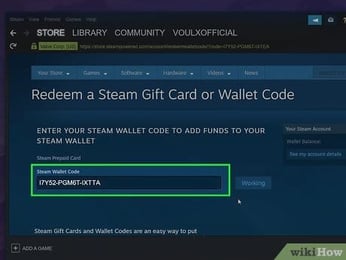
- Enter Your Email Address: Type your active email address into the player account field. Make sure your email is spelled accurately, as your 25-character digital code will be sent directly to this address.
- Proceed to Checkout: Review your order details and select your preferred payment method on the live checkout page.
- Receive Your Digital Code: Once payment is processed, check your email inbox for your order confirmation containing the full 25-character redemption key.
- Redeem and Play: Enter the code into your Xbox console, Windows PC app, or web browser to immediately update your balance.
Finding Your Account Email and Delivery Information
Because VGTopup uses direct digital delivery, you never need to supply your gamertag, Xbox account password, or sensitive login credentials. The only information required during checkout is a valid email address where your code will be delivered.
To ensure you track your purchases properly, make sure you use an active email inbox that you can access immediately on your mobile device or computer. If you plan to apply the funds to your personal Xbox profile, double-check which email address is linked to your console by visiting the Settings > Account menu on your Xbox device.
Step-by-Step Guide to Redeeming 25-Character Xbox Codes
Redeeming your 25-character code is simple and can be completed through your console, the Windows Xbox app, or any desktop or mobile web browser.
Method 1: Redeeming on Xbox Series X|S or Xbox One Consoles
- Turn on your console and sign in to the Microsoft profile you want to fund.
- Press the Xbox button on your controller to open the guide.
- Select Store from the home screen or guide menu.
- Press the View button or use the left stick to open the side menu, then select Redeem.
- Enter the 25-character alphanumeric code using the on-screen keyboard (hyphens are added automatically).
- Select Check Code, review the credit amount, and click Confirm.
Method 2: Redeeming on Windows 10/11 Xbox App
- Open the Xbox App on your PC and sign in with your primary account.
- Click your gamer profile icon in the top-left corner of the window.
- Select Settings from the dropdown list, then click the Redeem button.
- Type or paste your 25-character digital voucher code into the input box.
- Click Next and confirm the addition of funds to your wallet.
Method 3: Redeeming via Web Browser (PC or Mobile)
- Open your browser and navigate to
redeem.microsoft.com. - Sign in with the exact Microsoft account credentials you use on your Xbox.
- Enter the 25-character code received in your VGTopup delivery email.
- Click Next, verify the value, and select Confirm to complete the top up.
Troubleshooting Common Xbox Code Activation and Redemption Errors
If you experience an issue while redeeming your digital code, consult these standard troubleshooting steps:
- Code Not Found / Incorrect Code Error: Microsoft codes do not contain the characters A, E, I, O, U, L, S, 0, 1, or 5 to prevent typographical errors. Ensure you are not confusing the letter "G" with the number "6", or the letter "B" with the number "8".
- Already Redeemed Error: Sign in to
account.microsoft.comand review your Order History and current Payment & Billing balance. If the balance updated, the code succeeded. If multiple users share your household console, verify that another profile did not redeem the code. - Geo-Location / Currency Mismatch Error: If you receive a regional error, verify that your Microsoft account's billing address country matches the region of the card purchased. You can check your account region at
account.microsoft.com/profile. - Temporary Store Service Interruptions: Occasionally, Xbox network maintenance may delay wallet balance updates. Check the official Xbox Status page and wait a few minutes before re-entering the code.
Why Choose VGTopup for Your Xbox Digital Purchases
- Passwordless Security: You never share your console login details, temporary passwords, or two-factor authentication codes. Your personal account data remains completely private.
- Email Delivery: Receive your 25-character digital code directly in your inbox, ready for instant personal redemption or easy digital gifting to friends and family.
- Transparent Live Checkout: Check exact regional pricing, supported payment options, and current availability directly on the checkout screen without hidden platform fees.
- Global Language Support: VGTopup is built for international gamers, offering multilingual navigation and dedicated support assistance.
Frequently Asked Questions
How do I load money onto my Xbox account with a digital gift card?
To load money, obtain your 25-character code from your VGTopup delivery email, sign in to your Microsoft profile on your console, PC, or redeem.microsoft.com, and submit the code. The balance will immediately reflect in your account wallet.
Can I use an Xbox gift card to purchase Xbox Game Pass in 2026?
Yes. Once the digital card is redeemed to your Microsoft account balance, you can select your account funds as the primary payment method when subscribing to Xbox Game Pass Ultimate, PC Game Pass, or Game Pass Core.
Do Xbox digital gift cards expire or have hidden fees?
No. Unredeemed digital codes and funds already loaded into your Microsoft account balance do not expire, and there are no activation or maintenance fees charged against your balance.
Can I convert an Xbox gift card balance into cash or transfer it to another account?
No. Once a 25-character code is redeemed to a specific Microsoft profile, the funds cannot be transferred to another gamertag, refunded, or withdrawn as cash.
What should I do if my 25-character Xbox code shows an error during redemption?
First, re-type the code carefully to confirm there are no character typos. Next, verify that your account billing region matches the currency region of the card. If the issue persists, contact VGTopup customer support with your order number for prompt assistance.
How can I check my current Xbox account balance?
You can check your current balance by opening the Store app on your console and looking at the top menu, or by signing in to account.microsoft.com and navigating to the Payment & Billing section.
Select Denomination
Tax, payment fees and eligible coupons are calculated at checkout.
| Package | Price |
|---|---|
| XBOX 10$ US-XBOX 10$ US | USD 8.27 |
| XBOX 20$ US-XBOX 20$ US | USD 16.54 |
| XBOX 25$ US-XBOX 25$ US | USD 19.51 |
| XBOX 50$ US-XBOX 50$ US | USD 39.20 |
| XBOX 100$ US-XBOX 100$ US | USD 79.08 |