
PSN Gift Card Top Up and PlayStation Wallet Overview
A PlayStation Network (PSN) gift card is a prepaid digital voucher containing a unique 12-digit code used to credit funds directly to your PlayStation Network wallet. Once redeemed, the wallet balance provides a secure, convenient payment method across the digital PlayStation ecosystem without linking a personal credit card or bank account to your console.
Funding your PSN account balance via digital gift cards gives you total control over gaming expenditures while keeping personal financial details offline. PlayStation wallet funds do not expire once credited to your account, allowing you to top up during digital promos and save the balance for major releases, seasonal PlayStation Store sales, or recurring digital memberships.
What You Can Buy: PS5 and PS4 Games, Add-ons, and PS Plus Subscriptions
PlayStation Network wallet funds give you direct access to the entire catalog of digital content available on the PlayStation Store for both PlayStation 5 and PlayStation 4 consoles. Once your balance is funded, you can purchase:
- Full Digital Games: Pre-order upcoming titles or purchase standard, deluxe, and ultimate editions directly from the PlayStation Store.
- In-Game Currency & Microtransactions: Buy virtual currencies directly, including Fortnite V-Bucks, Call of Duty Points (CP), EA Sports FC Points, Apex Coins, and Genshin Impact Genesis Crystals.
- Expansions and DLCs: Unlock expansion passes, season passes, story DLC packs, cosmetics, and additional downloadable content.
- PlayStation Plus Memberships: Fund your subscription fees for PlayStation Plus Essential, Extra, or Premium / Deluxe tiers using your account wallet balance.
- Digital Media & Rentals: Rent or purchase select movies, series, and application upgrades where available in your regional PlayStation Store.
Note: PSN wallet funds apply strictly to digital PlayStation Store purchases and cannot be used to buy physical hardware directly from retail storefronts or converted back into cash.
PlayStation Network Region Locking and Country Compatibility Rules
PlayStation Network accounts and gift card vouchers operate under strict regional restrictions. Every PSN voucher code is tied to a specific country and currency denomination. A digital code issued for one country cannot be redeemed on a PlayStation account registered under a different country or currency.
| Region / Country | Matching Currency | Can Redeem on Different Country PSN Account? |
|---|---|---|
| United States (US) | USD ($) | No (Requires US PSN Account) |
| United Kingdom (UK) | GBP (£) | No (Requires UK PSN Account) |
| Eurozone (EU) | EUR (€) | No (Requires matching EU Country Account) |
| Japan (JP) | JPY (¥) | No (Requires JP PSN Account) |
| Hong Kong (HK) | HKD ($) | No (Requires HK PSN Account) |
| Australia (AU) | AUD ($) | No (Requires AU PSN Account) |
Before completing your purchase on VGTopup, confirm that the country code of the voucher matches the country assigned to your active PlayStation Network account profile.
How to Check Your Account Details and Region on PlayStation
To ensure complete compatibility before purchasing your gift card, check your registered account country directly through your console or via a web browser:
- Sign in to your account at the official PlayStation website or turn on your PS5 / PS4 console.
- Navigate to Settings > Users and Accounts > Account.
- Select Account Information or Profile to view your designated Residential Address and Country/Region.
- Confirm the primary email address linked to your user account.
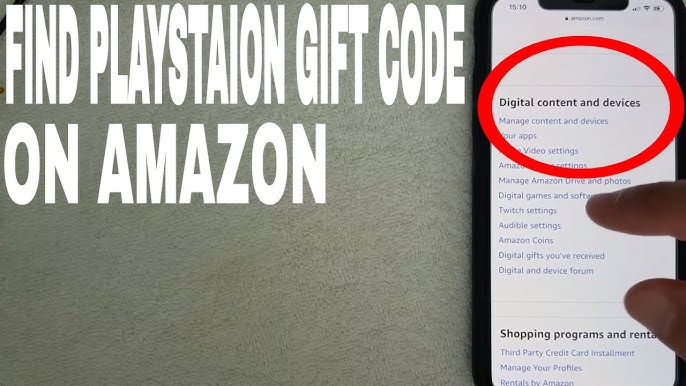
Ensure that the region displayed in your account settings matches the digital voucher region you select on VGTopup.
Step-by-Step Guide: How to Redeem a 12-Digit PSN Voucher Code
You can redeem your 12-digit PSN code on PS5, PS4, the PlayStation mobile app, or via web browser. Follow the specific walk-through for your preferred platform:
Method 1: Redeeming on PlayStation 5 (PS5)
- Turn on your PS5 and log in to your active user profile.
- Go to Settings (gear icon) in the top-right corner of the home screen.
- Select Users and Accounts > Account > Payment and Subscriptions.
- Select Redeem Code.
- Carefully enter the 12-digit code received from VGTopup and select Redeem.
- The funds will immediately reflect in your PSN wallet balance.
Method 2: Redeeming on PlayStation 4 (PS4)
- From the PS4 home screen, open the PlayStation Store.
- Scroll down the left-hand sidebar menu and select Redeem Codes.
- Enter your 12-digit digital voucher code using the on-screen keyboard.
- Select Continue and confirm the transaction.
Method 3: Redeeming on the PlayStation App (iOS / Android)
- Open the official PlayStation App on your smartphone and log into your account.
- Tap the PlayStation Store icon at the bottom of the screen.
- Tap the menu icon (three lines) or profile avatar in the upper-right corner.
- Select Redeem Code.
- Type the 12-digit voucher code manually or use your phone camera to scan the code text, then confirm.
Method 4: Redeeming via Web Browser
- Open your web browser and go to the official PlayStation Store website.
- Click Sign In in the top-right corner and log in to your account.
- Click on your profile avatar at the top of the page.
- Select Redeem Code from the drop-down menu.
- Input the 12-digit code and click Next to credit the funds.
How to Buy and Receive PSN Gift Cards Instantly via Email on VGTopup
VGTopup provides an efficient, password-free checkout system designed to deliver digital PSN vouchers directly to your inbox:
- Select Region and Denomination: Choose your required PlayStation Network country region and card balance value.
- Enter Delivery Email: Provide the email address where you want your digital voucher code sent. VGTopup never asks for your PlayStation account login or console password.
- Proceed to Checkout: Check the live product rates shown on the order page, choose your preferred secure payment method, and complete the order.
- Receive Your Code: Your 12-digit digital PSN code is generated and dispatched to your email address, ready for immediate redemption on your console or account.
Troubleshooting Common PSN Code Redemption Errors and Balance Checks
If you experience an issue while redeeming your digital code, review the standard error causes and resolutions below:
- Error WC-40371-5 / WS-45485-6 (Invalid Code): Re-check each character of the 12-digit sequence. Ensure you have not confused numbers with letters (such as the number 0 with the letter O, or the number 1 with the letter I). PSN codes do not use hyphens when typed into console prompts.
- Region Mismatch Error: If the console reports the code cannot be redeemed in your region, verify that your account's country settings match the specific country edition of the card purchased.
- Error WS-45486-7 (Code Already Redeemed): Check your transaction history under Settings > Payment and Subscriptions > Transaction History to verify whether the wallet funds have already been applied to your balance.
- Tax, payment fees and eligible coupons are calculated at checkout.
Frequently Asked Questions
How do I add money to my PSN balance using a gift card?
Log into your PlayStation account on a PS5, PS4, mobile app, or browser, access the Redeem Code option under account or store settings, and enter the 12-digit digital voucher code sent to your email from VGTopup.
Are PlayStation gift cards reloadable?
No. PlayStation gift cards are single-use prepaid digital vouchers. Once the 12-digit code is redeemed onto your account, the balance is added to your permanent digital wallet and the voucher code expires.
Can I convert a PlayStation gift card to cash or transfer balance?
No. PlayStation Network wallet funds cannot be transferred to another PSN account, refunded, or converted into physical cash once redeemed.
How do I check my PSN gift card balance?
Once redeemed, your balance is visible in the top corner of the PlayStation Store interface or under Settings > Users and Accounts > Payment and Subscriptions on your PS5 or PS4 console.
Can I use a US PSN gift card on an account registered in another country?
No. PlayStation Network gift cards are strictly region-locked. A US PSN gift card will only redeem on an account registered with the United States as its home country and USD as its currency.
Can I buy PlayStation Plus memberships with a PSN gift card?
Yes. When you redeem a PSN gift card, the funds sit in your PlayStation wallet. You can use this active wallet balance to purchase or renew PlayStation Plus Essential, Extra, or Premium subscription plans on the PlayStation Store.
Select Denomination
Tax, payment fees and eligible coupons are calculated at checkout.
| Package | Price |
|---|---|
| PSN USA 10$-PSN USA 10$ | USD 8.72 |
| PSN USA 25$-PSN USA 25$ | USD 21.56 |
| PSN USA 50$-PSN USA 50$ | USD 40.06 |
| PSN USA 100$-PSN USA 100$ | USD 80.12 |