Three different "IDs" float around T3 Arena, and mixing them up is where the money leaks. The UID is a long, unique numeric string bolted to one account. According to YouTube UID tutorials for T3 Arena (2026), it's separate from both your display username and the login ID you authenticate with. Same player, three labels.
Here's the breakdown that decides whether your payment lands:
| Identifier |
What it looks like |
Where it lives |
Use it for a top-up? |
| UID |
Long numeric string |
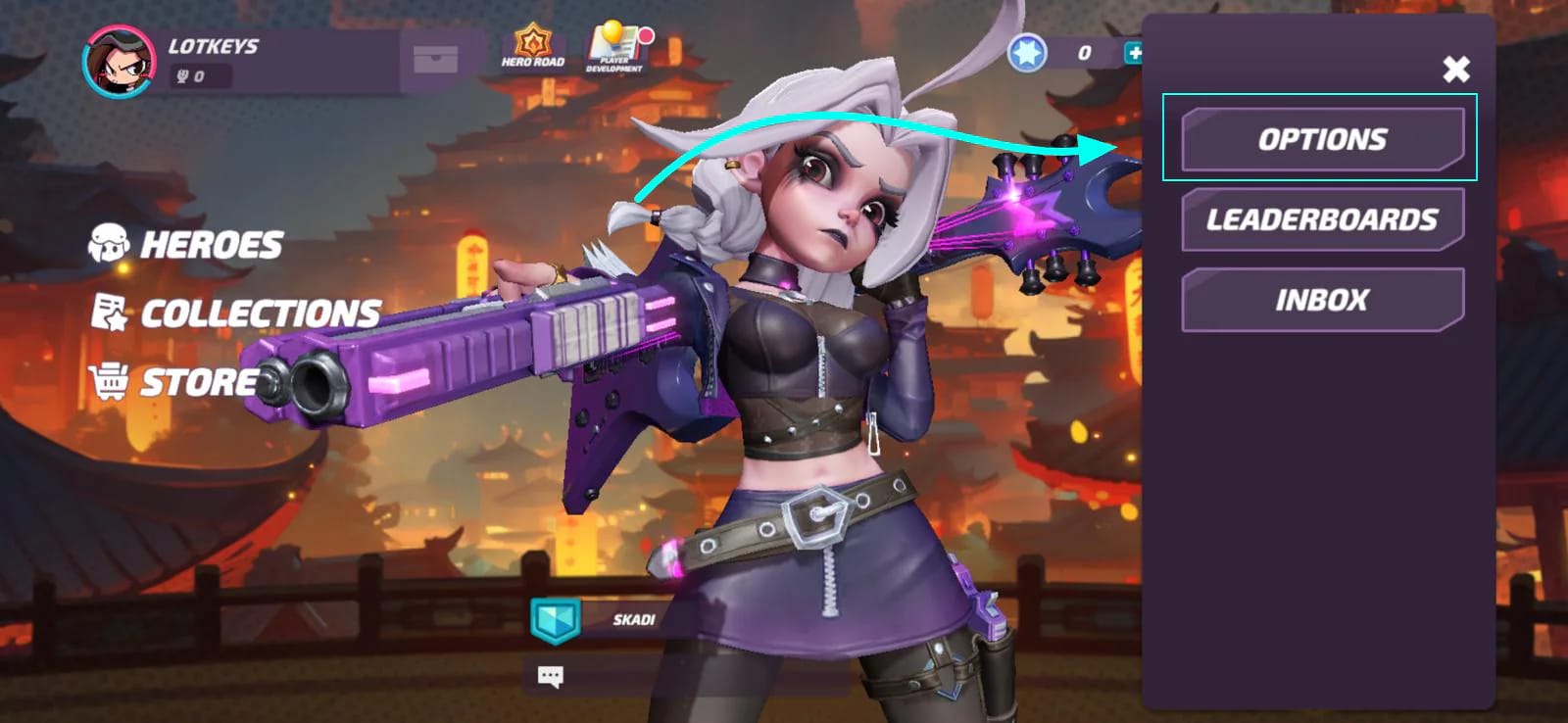
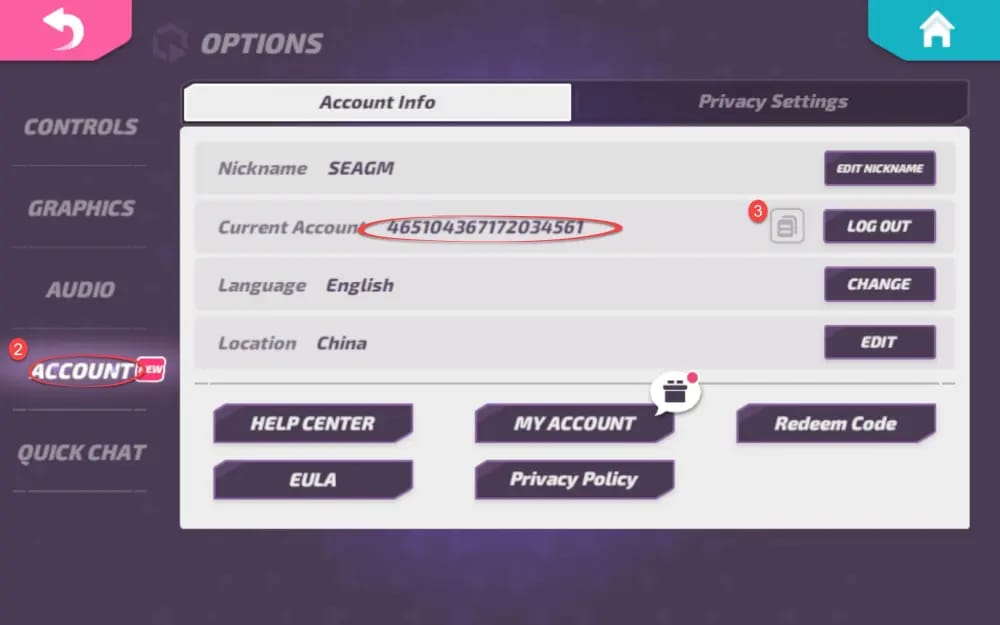
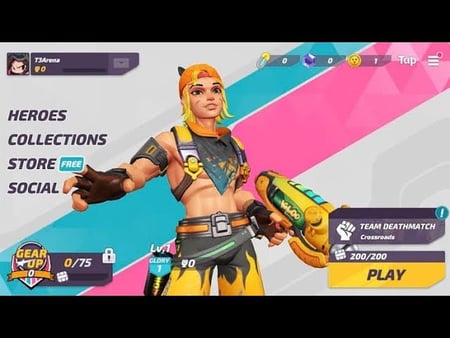
Tap avatar (top-left) on home screen, or Options > Account |
Yes — this is the one |
| Username |
Editable display name |
Shown next to your avatar |
No |
| Login / account ID |
Email or linked-platform credential |
Account binding settings |
Never — and never share it |
Source: T3Arena official X (2026); YouTube T3 Arena tutorials (2026)
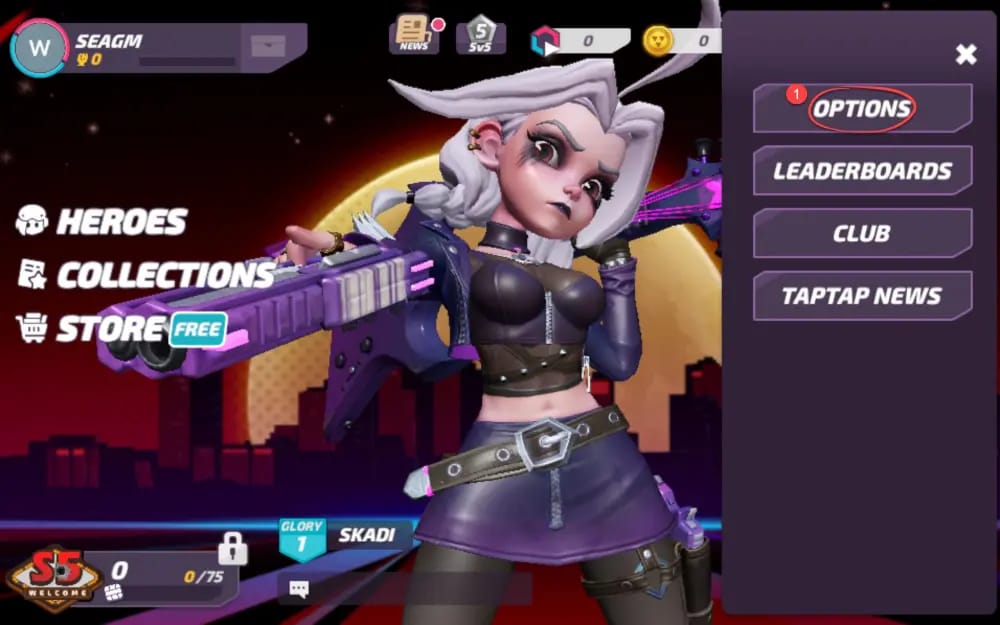
Two documented routes reach the same number. A community post in the Facebook T3 Arena group (2026) walks you through tapping the avatar in the top-left of the main home screen and copying the string shown there. The official path, per T3Arena's X account, is Options > Account, where the UID sits as a long line of digits you can copy-paste.
My read: tell your friend to use whichever path hands them a tap-to-copy button. The avatar method is quicker. The Account screen is the canonical source. Both spit out an identical number, and the only thing that matters is that they copy it instead of reading it aloud.
Copy it. Don't dictate it. Don't retype it.
The single biggest error-preventer is free and takes one tap. Manual entry is where wrong-UID errors are born, and the failure mode is genuinely sneaky.
Retype a long numeric string by hand and one transposed or dropped digit gives you a UID that's still structurally valid. It clears the field's format check, points at a real (wrong) account or no account at all, then either fails quietly or funds a complete stranger. A BuyUcoin guide on UID checkout errors (2026), written for a comparable game, pins single-digit hand-entry slips as a leading cause of misrouted sends. Same source prescribes the cure: copy-paste or screenshot the exact string and read it back before paying.

The leading-zero trap earns its own line. Some input fields silently shave a leading zero as you type, so 0123456789 collapses into 123456789, validates fine, and lands nowhere useful. Pasting keeps the full string intact. Typing risks losing the front of it. That's the "valid but wrong" failure that stays invisible until your friend's mailbox stubbornly stays empty.
Then there's the O-versus-0 problem. UIDs are numeric, so a letter "O" should never show up. But dictate the string over voice and let your friend hear "oh" where you meant "zero," and you've planted an error no field will ever catch. Screenshot the UID instead of speaking it and that entire class of mistake disappears. That's the habit I'd lock in first.
Region is the failure nobody checks, and it eats correct UIDs alive
A flawlessly typed UID can still come back "not found." The culprit is server region, and it triggers more silent failures than typos do, because the number looks perfect.
Third-party top-up flows make you pick the player's server region to route the recharge, per Moogold's T3 Arena product page. Choose wrong and the system hunts through a server pool where your friend's account doesn't exist, so you get a "not found" that has nothing to do with the digits you entered. A Lootbar blog on top-up basics (2026) flags exactly this trap: skip region and a correct UID resolves as missing.
So the verification step every guide forgets is a region question, not just a number check. Before you pay, ask two things: the UID and the server they play on. Both go in the form. If the site auto-detects or defaults a region, override it to match your friend. Defaults lie.
Platform quirks add one more wrinkle worth knowing. Top-up site FAQs (2026) note that iOS, Android, and PC accounts can differ in UID format or top-up eligibility, and that you should keep the matching region throughout. A linked account's UID stays consistent for that player, but the platform-and-region combo decides whether a given route actually delivers. If your friend just switched devices, have them re-pull the UID from the Account screen rather than recycling an old screenshot.
Running the friend top-up, with the checkpoints that pay for themselves
This is the end-to-end sequence I'd run, treating verification as part of the work rather than a polite afterthought:
- Get the UID via text, not voice. Have your friend tap the avatar (or open Options > Account), copy the string, and drop it into chat. A screenshot beats even that, carrying the exact characters with zero transcription risk. The BitTopUp T3 Arena guide (2026) describes this confirm-by-screenshot step: request the UID, then have them verify it matches their profile.
- Confirm the server region in the same message. This is what catches "valid UID, wrong server" before a cent moves.
- Paste, never type, the UID into a UID-only form. Services in this space, including VGTopup-style sites, support UID-only T Gems recharges with no login required, per BitTopUp's documentation of the pattern.
- Read the UID back one last time against your friend's screenshot before confirming. Double-checking the exact string before payment, the BuyUcoin guide's core instruction, is the cheapest insurance you'll ever buy.
- Select the matching region, pick the bundle, pay.
A word on bundles. T Gems buy the bundles, the battle pass, and the cosmetics. For a sense of how rewards scale, T3 Arena's Fandom version history wiki logs an early top-up reward of 30 T-Gems converting to a Power Core x230, a tidy sanity check that the currency ties to specific tiers. Pick the right denomination.
Want to skip account-sharing entirely and pay using only your friend's UID, no password, no login? T3 Arena Gems top up via VGTopup runs on exactly the UID-only model above. Lock in the UID and region first. (Disclosure: VGTopup publishes this guide. The neutral point holds no matter where you buy. UID-only beats login-sharing every single time.)
Why UID-only wins against handing over a login
Some players still pass their password to a "friend" doing them a top-up favor. Don't. The UID is all anyone needs to send you currency, and SEAGM's instructions say it cleanly: use only the UID, never share login credentials. Reddit discussions in r/T3Arena back the same practice, sticking to verified third-party sites and treating any "friend" request for your login as suspect.
That last bit is a scam pattern the community under-discusses. A password ask during a gifting transaction is a red flag, not a convenience, because gifting is architecturally a one-way, UID-only operation. Share a UID and you carry no login risk. Share credentials and you've handed over the whole account. The asymmetry is the entire argument.
Delivery lands in the mail, not the wallet
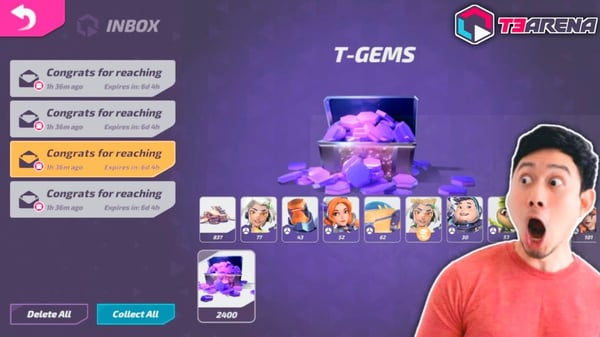
This is the mechanic behind most of the needless panic: T Gems from a top-up often show up in the in-game mail/inbox first, not the balance directly. Friends glance at an unchanged wallet, decide the payment vanished, and spin up a refund crusade over nothing.
A widely-referenced r/T3Arena thread (2026) built around this exact confusion says to check in-game mail before calling a top-up dead. The Lootbar guide matches: confirm receipt by having your friend check mail/inbox or balance after the transaction. So the post-purchase step isn't optional. Open the mail, claim the delivery, watch the balance move. And screenshot the confirmation screen on your end while you're at it.
When T Gems land on the wrong account
Now the uncomfortable part. T3 Arena has no official in-game gifting system, which shapes what's recoverable. Community consensus on r/T3Arena (2026) is that a top-up sent to a wrong UID routes recovery through the third-party service's support or in-game customer support. There's no self-serve "undo."
Realistically, a top-up that hit a valid but wrong account is brutal to claw back, since the currency already settled on a real account that isn't yours. A top-up that simply errored out (wrong region, non-existent UID) recovers more easily because nothing got delivered. That split is everything, and it's why the verification habits above outrank any recovery process. Prevention is the only dependable cure here.
If you do have to file:
- Hit the top-up service's support first, then T3 Arena's official support. The publisher is XD Entertainment / XD Inc., reachable at t3arena@xd.com on the Google Play page.
- Hoard every scrap of evidence: the transaction ID, a screenshot of the UID you entered, the payment confirmation, and your friend's UID screenshot showing the intended target. The gap between the two is your case.
- Be straight about which failure happened. A "not found" error (no delivery) makes a stronger refund claim than a successful send to a mistyped real account.
Trace most "the platform lost my money" complaints and they bottom out in user-side UID or region slips, preventable in the form, not faults owed a refund afterward. That's the read the panic threads miss. The system mostly does what you tell it, including when you tell it wrong.
Frequently Asked Questions
Where exactly do I find my UID in T3 Arena?
Two spots, same number. Tap your avatar in the top-left of the main home screen and copy the UID shown, per a Facebook T3 Arena group post (2026), or open Options > Account, where it sits as a long numeric string you can copy-paste, per T3Arena's official X. The Account screen is the canonical source, so use it if your friend recently changed devices.
Is the UID the same as my username?
No, and that mix-up burns money. The UID is a fixed numeric identifier, your username is your editable display name, your login ID is your credential. YouTube T3 Arena tutorials (2026) stress that the UID is separate from both. Only the UID goes in a top-up form. A username will never resolve a recharge.
Why does it say "wrong UID" when I'm sure the number is right?
Check the region before you re-check the digits. A correct UID on the wrong server pool returns "not found," per the Lootbar top-up guide, and a silently dropped leading zero produces a valid-looking string pointing nowhere. Re-pull the UID by copy-paste, confirm the server, and the error usually clears.
Do I need my friend's password to top up their T Gems?
Never. The UID alone does the job and stays safer. SEAGM's instructions say to use only the UID and never share login credentials. Any "friend" top-up that wants your password is a red flag, because gifting is a one-way, UID-only operation that touches nothing in your account binding.
My friend paid but my T Gems balance didn't change — did it fail?
Check your in-game mail first. T Gems from a top-up often land in the inbox instead of the wallet directly, and an r/T3Arena thread (2026) flags this exact false alarm. Claim the mail, confirm the balance moved, then decide whether anything actually went wrong. Keep the payment screenshot either way.









Comments