The receipt check that ends most panics in 30 seconds
Don't draft the angry ticket yet. The receipt already did the arithmetic for you. A web or third-party top-up keys off one thing and one thing only: your UID. Discussions over on r/marvelrivals make it clear the username and display name are window dressing. They don't touch the payment routing. The UID is who you are. The name's just paint.
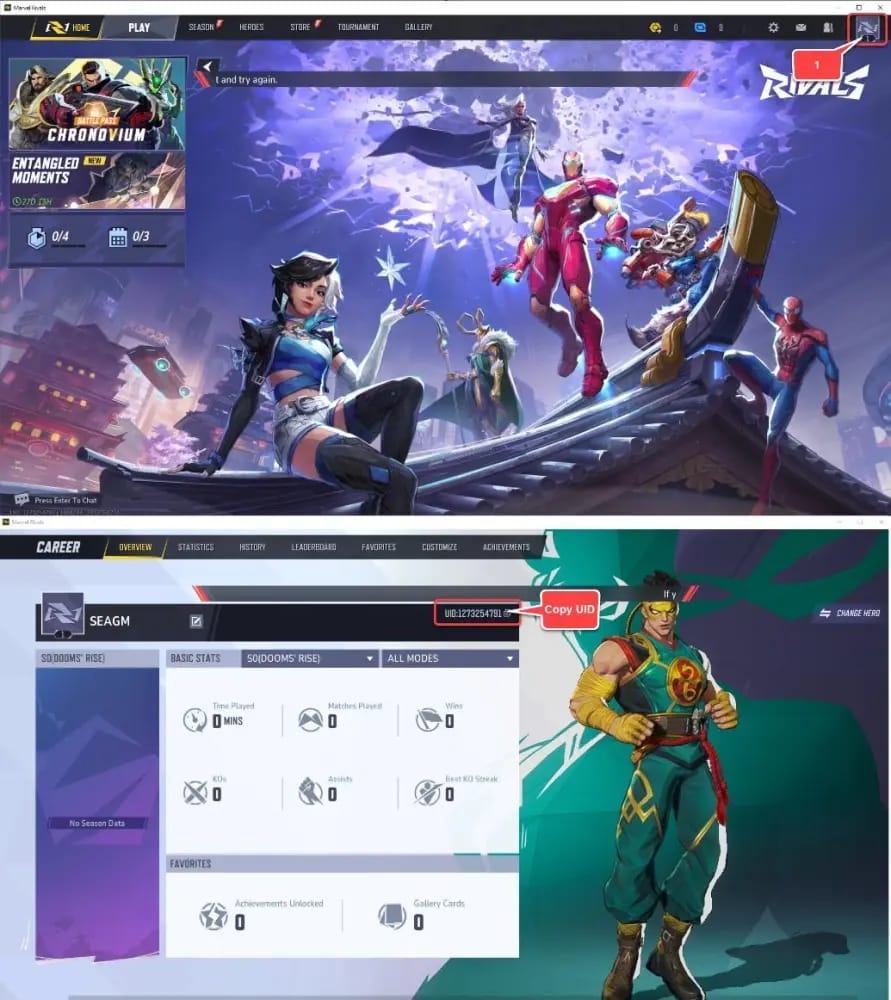
So go grab the real one. Per the Eneba support article, you log in, tap the Avatar icon top-right of the main screen, and there it sits. Copy it. There's a second spot worth knowing too: Rivalsmeta points out the same number lives at the bottom-left of the screen and on your Career Overview page. Three doors, one permanent number behind all of them.
| Where to find it |
Location |
When to use |
| Avatar icon |
Top-right, main screen |
Primary, fastest |
| Screen edge |
Bottom-left |
Quick glance mid-session |
| Career Overview |
Profile page |
Detailed verification |
Source: Eneba support + Rivalsmeta (2026)
Now line that number up, digit by digit, against the UID on your email confirmation. That's the whole diagnostic, honestly. Identical? Then you didn't send money to a stranger. What you've got is delivery latency, and I'll explain why in a second. One digit off and you've got a real misdirect, in which case skip down to recovery.
This is where folks slip. UIDs are long, and a swapped or dropped digit reads as basically correct at a glance. Don't eyeball it. Read it in pairs, slow, or dump both into a notes app and let the mismatch jump out at you. It's the step that makes everyone nervous the first time, and it's also the step that quietly dissolves the worry for most people.
Why your Units look gone when nothing is actually lost
Three dull explanations cover almost every "where's my top-up" report, and not one of them involves money lost to the void.
Delivery delay and client sync. Third-party delivery usually lands 3-5 minutes after you pay, per the LootBar top-up guide. "Usually" isn't a guarantee, though. Sync hiccups, and the currency can be sitting server-side while your client still shows the stale balance. The fix is boring and it works: close the game all the way and reopen it. A relog forces a fresh balance pull. Plenty of community reports chalk missing currency up to exactly this gap, not a busted transaction.
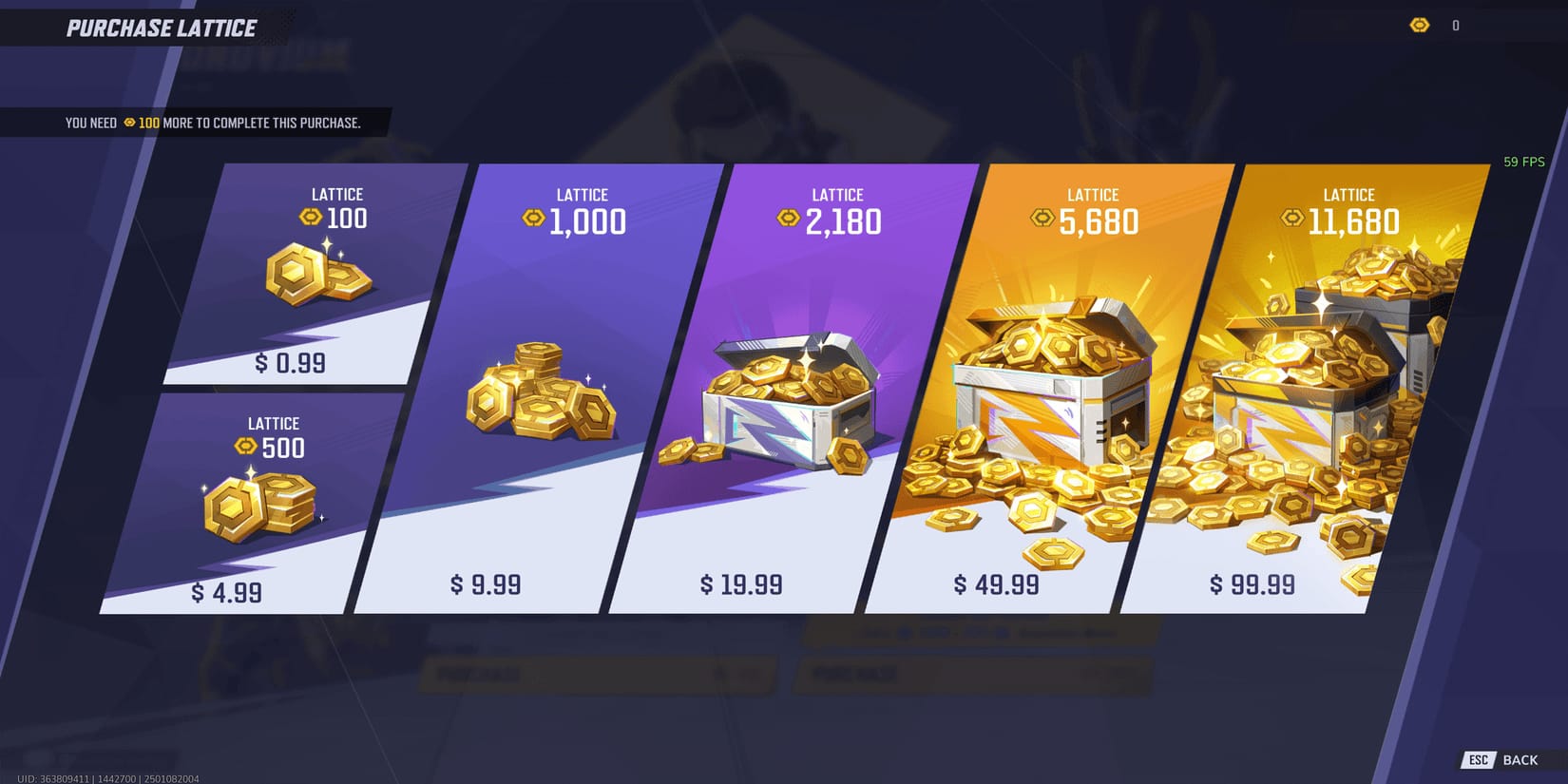
Wrong currency type. This one's the quiet assassin. Marvel Rivals runs two wallets, Lattice (the premium stuff) and Units. Buy one while expecting the other and your "missing" top-up is sitting right there under a different label, looking for all the world like it never showed. A good chunk of "Lattice never credited" complaints are really Units that landed fine, paired with a player who checked the wrong wallet. So look at both balances before you spiral.
Wrong server or platform account. Bounce between a web login and a console session and you can wind up staring at an account you never funded. The currency's exactly where you put it. You're just reading the wrong inbox.
My read, after watching these threads play out for years: if the receipt UID matches your in-game UID, quit troubleshooting and start waiting. Relaunch once, peek at both wallets, confirm the server. That sequence kills the vast majority of these scares without a ticket ever being filed. The ones who skip it are the same ones who fire off a refund request mid-delay and tangle themselves up. More on that landmine in a bit.
When the UID really is wrong: the realistic fix path
The mismatch is real. The receipt shows a UID that simply isn't you. Here's the honest part most write-ups soften: community consensus on r/marvelrivals is that wrong-UID top-ups on third-party sites are generally not recoverable. Not "tricky." Generally not recoverable. Rather you sit with that now than chase a ghost for a week.
"Generally" does leave a crack in the door, mind you, and how you move through it counts for a lot. Speed and proof. That's the game.
First, gather everything before you ping a single support agent:
- The Order ID / transaction ID, on your email receipt and traceable through your payment provider.
- A screenshot of the UID-entry screen if you grabbed one. This is the evidence that wins or sinks the ticket.
- The timestamp of the purchase.
- Payment proof, the charge on your card, wallet, or gateway statement.
- The wrong UID details, the exact bad number that caught the funds.
Second, open the ticket where it belongs. Per the official Marvel Rivals site, support lives in-game under Settings > Account > Customer Support, or through the Discord #game-support bot. Dump the full evidence packet in your opening message. Vague tickets earn slow, copy-paste replies. A complete one with Order ID, receipt screenshot, and payment proof actually gives an agent something to work with.
Third, set your expectations like a grown-up. A community report on a comparable NetEase headache put the first support response somewhere in the 1-7 day range, so this is no same-day rescue. There's no published official policy for wrong-UID payments, meaning every case lands on the agent's discretion. Some get a manual transfer. Plenty get nothing. File this under "bonus if it happens," not "plan."
And don't, please, fire off a premature refund. The advice here is consistent: if your order's still pending, asking for a refund risks a double-resolution mess where the payment completes and gets reversed, dumping two conflicting actions in your lap. Let the order settle into a final state first.
| Order state |
What it means |
What to do |
| Pending |
Still processing |
Wait — do not refund yet |
| Completed |
Credited |
Check both currency wallets |
| Failed |
Error, not charged |
Verify no charge, then retry |
Source: community top-up site documentation (2026)
This distinction should reshape how you buy, and barely any guide draws it cleanly: a wrong-UID disaster is only on the table for one kind of purchase.
The web portal is UID-based. According to NetEase GamesClub, the official site at pay.neteasegames.com makes you punch in your UID by hand, and that manual field is precisely where mistakes breed. You type or paste a number; wrong number, wrong account, money gone to whoever owns it. Third-party sites run the same way, taking a UID and nothing more, so an incorrect entry ships your Lattice straight to a stranger.
Store-wallet purchases are a whole other species. Buy through Steam, PSN, or Xbox and the transaction binds to whatever platform account you're signed into. Community reports confirm there's no manual UID to fumble at all. Can't misdirect what you never typed. One destination, the account already logged in, done.
That's the practical lesson. If you're the buyer who gets twitchy about fat-fingering a long number, or you're topping up half-asleep at 1 a.m., the console or Steam route deletes the single point of failure. The trade is flexibility and often price. Web and third-party channels exist because they're convenient and sharply priced. Go that way and the value's genuine, but the UID responsibility sits squarely on your shoulders. Verify it on the official portal or a reputable channel like Marvel Rivals top up before you pay and the risk drops to near zero.
| Channel |
UID entry |
Misdirect possible? |
If it goes wrong |
| Web / third-party portal |
Manual UID |
Yes |
Support ticket, low odds |
| Steam / PSN / Xbox wallet |
Auto-bound to login |
No |
N/A — can't misdirect |
Source: NetEase GamesClub + r/marvelrivals (2025-2026)
The 10-second habit that makes this whole article irrelevant
Prevention wins so lopsidedly here that I'd say it's the only stretch of this page worth committing to memory. Two rules.
Copy-paste, never type. Hand-entering the UID is the number-one cause of misdirected payments, per third-party top-up guides. A long numeric string typed fast is a transposition error waiting to happen. Lift it straight from your profile, paste it into the payment field, eyeball that the pasted value matches before you hit confirm. Every decent guide converges on the same short list: double-check the UID, copy-paste it, lean toward the official portal or an in-game buy.
Screenshot the entry screen before you pay. This is the highest-payoff habit any Marvel Rivals spender can build, and it costs nothing. The community flag here is blunt: skip the screenshot of the UID-entry screen and you've got no proof for a ticket. Like I said up top, proof is the line between a recoverable case and a dead one. Think of the screenshot as your receipt before the receipt. If things go sideways, you're already holding the strongest evidence an agent could ask for.
Burn the loop into muscle memory: copy UID from Settings, paste, screenshot, pay. Ten seconds, and you never have to read a guide like this one again.
How recoverable a wrong-UID top-up really is, without the sugarcoating
My verdict: assume it's gone, then enjoy the surprise if it isn't. That community read on wrong-UID third-party top-ups being generally unrecoverable isn't gloom for its own sake. It's the realistic baseline, and no published official policy says otherwise. NetEase can sometimes act on a clean, well-documented case, but it's discretionary, slow (that same 1-7 day window), and never promised.
So "just request a refund," the line you'll see parroted everywhere, is mostly wrong for this specific problem. These cases get fixed by a manual transfer or not at all, far more often than by a chargeback, and a premature refund on a pending order only spawns fresh headaches. Spend your energy on the verification you'll do next time instead: the receipt match, the copy-paste, the screenshot. That's where the money actually gets saved.
Frequently Asked Questions
Is the UID case-sensitive or do I need to worry about letters?
It's a numeric account identifier, so casing isn't the threat, digit accuracy is. The real trap is a transposed or dropped number buried in a long string, which is exactly why pasting beats typing. Entering a friend's UID for a gift? Have them send it as copyable text instead of reading the digits aloud.
What if I was double-charged but only one top-up arrived?
Split it into two questions: was that second charge a real completed order, or a pending/failed one that might reverse on its own? Check each transaction's status before you ask for anything. A failed charge often drops off without any refund needed, and poking at a still-pending duplicate can kick off the same double-resolution mess.
Can NetEase transfer currency that landed on a stranger's UID?
Sometimes, at their discretion, case by case, with no published policy guaranteeing it. A documented ticket with Order ID, payment proof, and the wrong UID hands an agent the best shot, but the honest community baseline is that these mostly don't come back. Don't build a plan around it.
My top-up still hasn't shown after 24 hours, what now?
Rule out a currency mismatch first by checking both your Lattice and Units balances, since they're separate wallets that look identical when one's "missing." Then confirm you're on the right server and platform account. If the receipt UID matches yours and the currency's still nowhere, open a ticket with your Order ID. That's a delivery failure, not a wrong-UID case, and it stands on much firmer recovery ground.
How do I find another player's UID to gift them a top-up?
Same three spots for their account too, Avatar icon, bottom-left, or Career Overview, so ask them to screenshot it rather than dictate it. Verifying a gifted top-up's UID matters even more than your own, because you can't peek at their in-game balance afterward to confirm it landed.









Comments