The 4-minute triage that stops you spending twice
Run these in order before you write off the cash. Knock out the boring reasons first, because it usually was a boring reason, before you touch anything you can't take back.
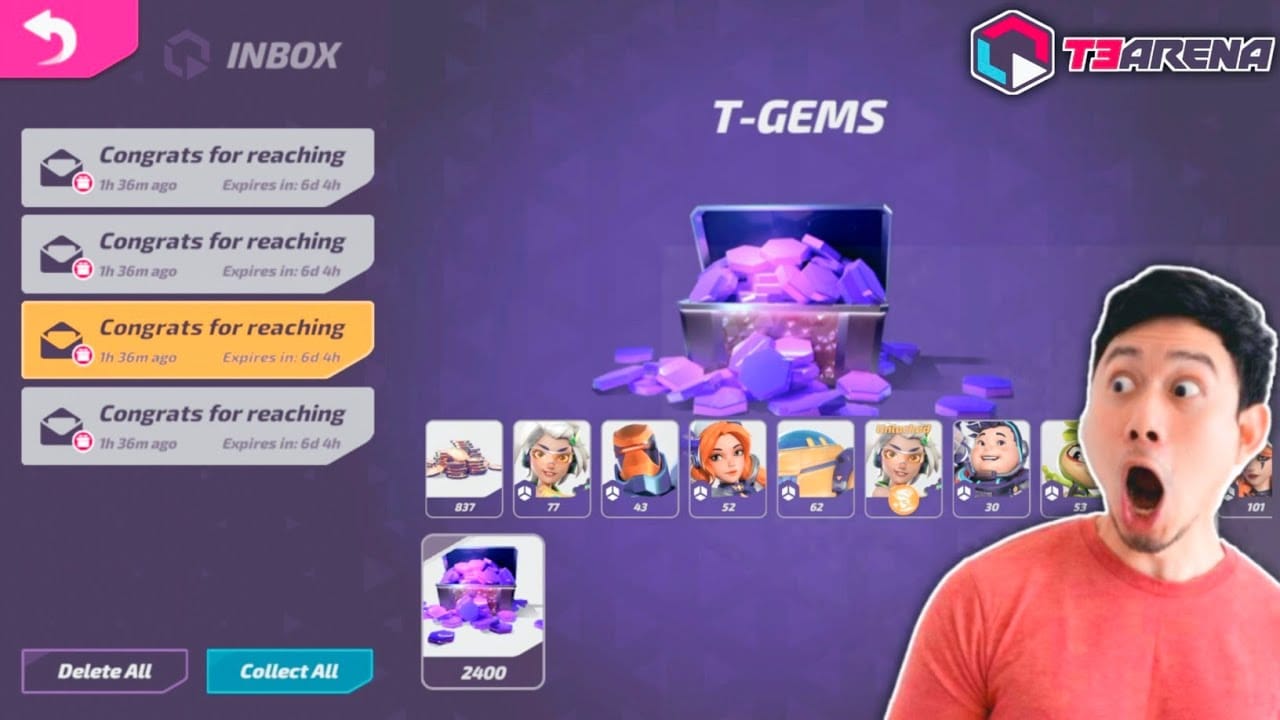
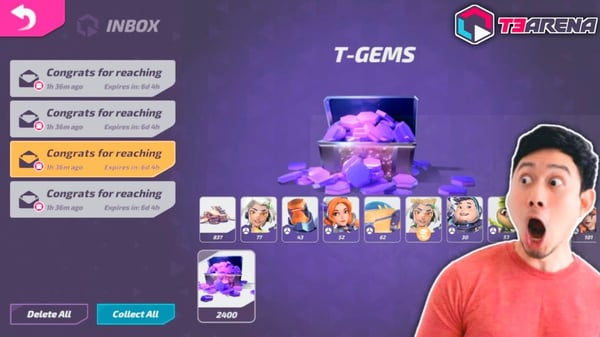
Start with your in-game mail, not the wallet. This trips up so many people. T-Gems and store rewards often drop into your inbox instead of bumping the counter at the top of the screen, so eyeballing the bar tells you nothing. The T3 Arena Wiki lists T-Gems as the currency behind the Premium Pass and store stuff, and the inbox is a known drop point for topped-up gems. Crack the mail open, claim it all, then look again.
Next, force-close and relaunch. Not background it. Kill the app dead and reopen so the client re-syncs with the server. First time my own purchase ghosted me, the gems were already on the account. The client just hadn't pulled the new balance until the restart. That one step settles most of these scares on its own.
Now confirm the charge actually went through. A "pending" line on your bank or card isn't a finished charge. It's an authorization hold that can quietly reverse itself in a few days, no refund ticket required. If the store never finalized the sale, there's nothing to deliver. No completed purchase, no gems. Dig into your Google Play or App Store purchase history for a finalized receipt, not the pending entry in your banking app.
Last, save that Transaction or Order ID this second, while it's still easy to grab. This is the single habit that decides whether the money ever comes home. Support can't verify a purchase it can't trace, and those IDs sink fast once new transactions pile on top. Screenshot it before anything else.
Four clean results (no gems in mail, app restarted, charge confirmed complete, ID saved) and only then are you staring at a real delivery problem worth pushing.
When a paid-for bundle leaves your gem counter flat
One system clears the charge, a different system hands out the gems, and the swap between them is where it all goes sideways. Four causes cover nearly everything.
Server sync lag and maintenance. The payment gateway confirms in a blink. The game server credits you on its own clock. During maintenance or a load spike, that credit just sits in a queue. Threads on r/T3Arena describe gems showing up late rather than never, which lines up with a queue, not theft. One thing worth keeping in mind: developer support for this title has looked thin since around 2022, and players in 2026 threads flagged dropped content updates, so don't assume a live human is babysitting that queue.
Wrong player ID, the one you can't undo. This hits the player-ID top-ups, where you punch in a UID instead of buying through the app store. Gems go to whatever ID you typed. Fat-finger one digit and they land in a stranger's account for keeps, no clawback. Third-party top-up sites hammer this warning constantly because it's the mistake they literally cannot reverse. Wrong ID, gems gone, end of story.
Region or store mismatch. Buy on a store account tied to a different region than your game account and the delivery can stall or misroute. Switched stores lately? Used a gift card from another country? Game region and store region drifting apart? Any of those puts you in the running.
"Pending" wearing a charge's costume. Back to the triage point. A gateway holding your payment in "pending" hasn't paid a soul yet. Reading that state as done and retrying is the most common way players burn double. The first attempt eventually settles, the retry settles too, and now you've coughed up twice for one bundle. A 2026 r/T3Arena case shows the delivery can flub even after payment: a player bought a T-Gem bundle for the battle pass and got first-time top-up rewards without the gems they actually paid for. That's a credit error worth a ticket. But you only catch it because you checked, not because you bought again.
My read, plainly: if you can't confirm a finalized charge, treat it as not-yet-paid and sit tight, not as failed-so-retry.
How long to wait before you call it broken
There's no published delivery SLA for this game's gem credits, so anyone feeding you a precise "gems arrive in X minutes" number is just guessing. What you can lean on is the behavior pattern. Store and player-ID top-ups that work normally credit within minutes of a confirmed payment, and the failures that self-heal usually clear inside the same maintenance or sync cycle.
Here's the cutoff I'd actually use, plus the move at each stage.
| Channel |
Where gems land |
First move if missing |
Escalate when |
| Google Play / App Store (in-app) |
Wallet or in-game mail |
Restart app, check mail, confirm receipt posted |
Charge confirmed complete + nothing after a few hours |
| Player-ID top-up (UID entered) |
In-game mail, tied to entered UID |
Verify the UID on your receipt matches your account; check channel's order tracking |
Channel confirms delivered but account shows nothing |
Source: synthesized from Official Launch FAQs // T3 Arena on TapTap (payment-issue routing) and T3 Arena Wiki delivery notes.
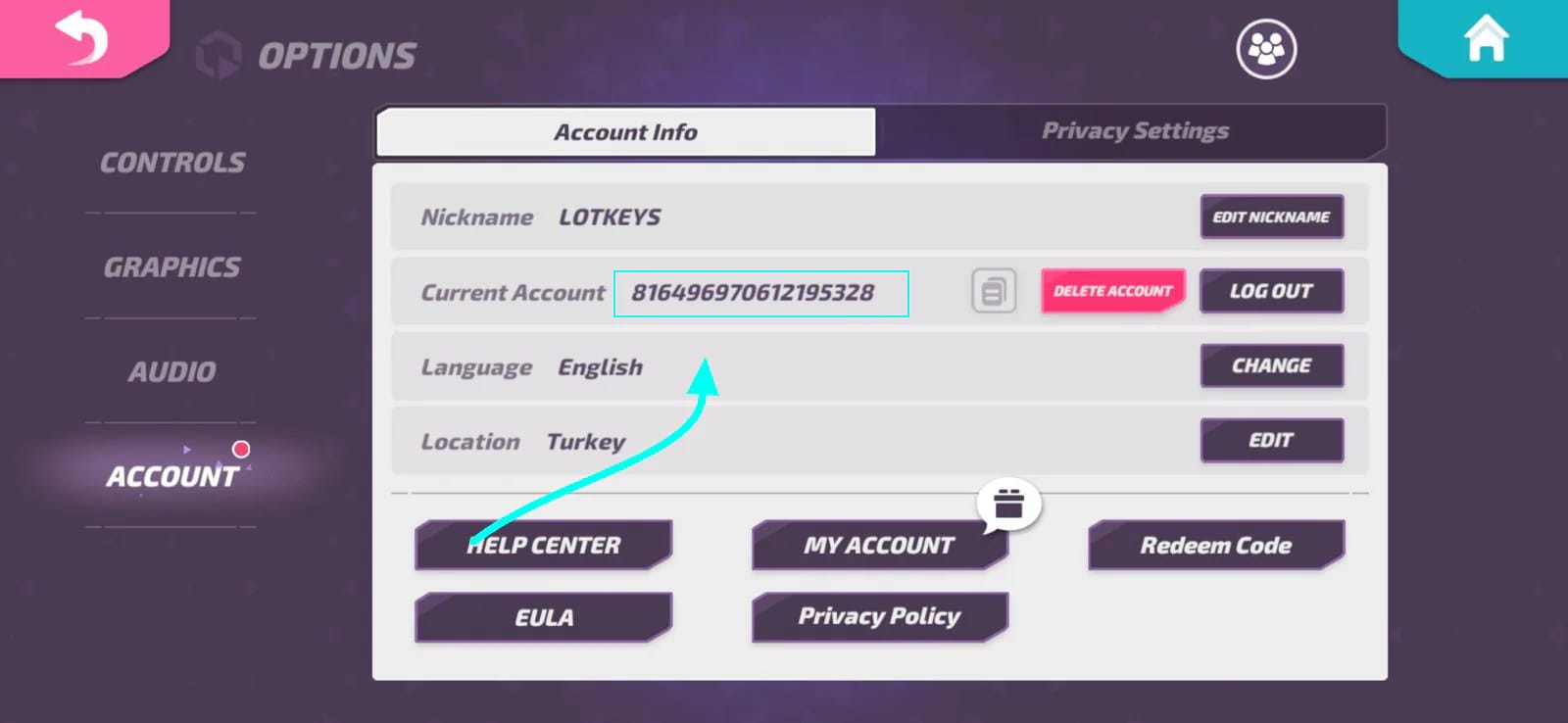
So: minutes is normal, a few hours is the grey zone where a restart still earns its keep, and once a confirmed-complete charge has produced nothing for several hours, you quit waiting and file. Don't sit on it for days praying it lands. But don't go nuclear at the ten-minute mark either, when the sync queue hasn't even cycled once. For payment headaches including top-ups, the TapTap FAQ routes you to the in-game Help Center, reached through Menu → Options → Account → Help Center.
The recovery path that actually claws gems back
Three layers, and you climb to the next one only when the current one fails. Leaping straight to the bottom is the move that costs people their accounts.
Layer 1, in-game restore and support access. Open the in-game customer support flow. The Official T3 Arena Support post points you there via Settings → My Account for issues including missing purchases. For store-bought gems, also hit any "restore purchases" button your platform offers. It re-queries the store for entitlements you've already paid for and can nudge a stalled credit loose.
Layer 2, file a ticket with proof bolted on. A ticket with no evidence waits behind every ticket that has it. At minimum, attach:
- The Transaction ID (App Store) or Order ID (Google Play), your purchase receipt.
- A screenshot of the charge as completed, not pending.
- Your in-game player ID / UID.
- A timestamp of the purchase and a note on which bundle you bought.

The bundle is your leverage. Support can cross-check a documented Transaction ID against their delivery logs in a way they can't do off "I bought gems and they didn't show." No receipt, and verification stalls while your case rots.
Layer 3, platform refund paths. Only when support can't credit the gems. Google Play and Apple each run their own refund flows through purchase history, and player-ID top-up channels handle delivery disputes through their own order support. One caveat I'll say straight: published store refund windows tend to read a touch rosy. Budget for longer than the help page swears, and whatever you do, don't repurchase to "fix" the wait. A refund in motion plus a fresh buy is exactly how you end up bleeding cash on both ends.
For player-ID top-ups specifically, the verification step most guides breeze past: your gems went to the exact UID printed on the order, so check first whether that UID matches your account. If you topped up through a player-ID service like T3 Arena Gems top up and the gems haven't landed, keep the order ID close and read the entered player ID against your own before opening a dispute. Delivery is welded to that ID, which makes the check quick and the fix quicker.
Wrong account, double charge, and the chargeback trap
Two situations sit outside the normal flow, and both punish your worst instinct.
Gems went to the wrong player ID. If the UID on your receipt isn't yours, those gems are on someone else's account and there's no automatic reversal. The system did precisely what you told it to. Your only shot is the top-up channel's support, order ID in hand, explaining the typo. Outcomes swing wildly and nothing's promised, which is the whole reason double-checking the UID before you pay beats every recovery trick after. Read it back digit by digit. A guide for finding your own UID is worth bookmarking ahead of your next top-up.
Double charge. Usually self-inflicted: a "pending" first attempt you wrote off as failed, plus a retry, and both eventually settled. If you genuinely paid twice for one delivery, that's a clean refund case. One completed delivery, two completed charges, both backed by separate Transaction IDs. File it as a billing dispute through the store with both IDs attached. The fix is simple because you kept the receipts.
Now the line I'll plant a flag on. A chargeback is a last resort, never a first move. Firing a chargeback through your bank before you've even cracked open a support ticket is how a missing-gems problem mutates into a banned-account problem. Platform policy across games reads a chargeback as a hostile reversal. It rips money back from the developer no matter who's at fault, and devs routinely answer by locking or banning the account it came from. You can win the $10 and lose the whole account, hero progress and all.
So the order is non-negotiable: in-game support ticket first, store refund flow second, chargeback only if both honestly fail and you've made peace with maybe losing the account anyway. If the money outweighs the account for you, fine. Just walk in knowing the trade instead of getting blindsided by it. For nearly everyone, the gems come back through the right channel and the chargeback was never worth the gamble.
The thread tying all of this together: the receipt and player ID you screenshotted in minute one are what make every downstream step function, and the patience to not repurchase is what keeps you from paying for the same gems twice.
Frequently Asked Questions
Why are my T3 Arena gems not showing after I paid on Android?
Check your in-game mail first, since Android purchases often land there instead of dropping straight into the wallet, then force-close and reopen so the client re-syncs. Also make sure the line on your Google Play account reads as a completed order, not a pending authorization. A pending hold hasn't paid anyone yet and can auto-reverse on its own with no refund needed.
How long should gems take to arrive after a top up?
There's no officially published delivery window, so treat minutes as normal and a few hours as the grey zone where a restart still earns a shot. If a charge you've confirmed as fully completed turns up nothing after several hours, stop waiting and open a support ticket. Don't escalate in the first ten minutes, though, since the server's sync queue may not have cycled yet.
Can I get a refund if my gems never arrived, and how long does it take?
Yes, through the in-game support ticket first and the store's refund flow second. Just know that published refund timelines from app stores tend to run optimistic, so budget for longer than the help page states, and never repurchase to bridge the wait or you risk paying twice while a refund is already moving.
What happens if I entered the wrong player ID on a top-up?
The gems deliver permanently to whatever UID you typed, and there's no automatic clawback. Third-party top-up sites warn about this exact error because it's the one they can't undo. Contact the channel's support with your order ID, but treat recovery as a maybe, not a given. The real fix is reading the UID back digit by digit before you pay.
Will a chargeback get my T3 Arena account banned?
It commonly can. A bank chargeback reverses money from the developer regardless of who was at fault, and developers across the industry routinely lock or ban the account the reversal came from. Always exhaust the in-game ticket and store refund routes first, and reach for a chargeback only as a genuine last resort, knowing you may forfeit the account to win back the gems.








Comments