
Valorant Points Top Up: What Are VP and What Can You Buy?
Valorant Points (VP) serve as the primary premium currency in Riot Games' competitive tactical shooter, Valorant. Players use VP to acquire high-tier cosmetic items, personalize their weapon loadouts, and gain access to seasonal progression tracks without altering competitive gameplay mechanics.
When you top up Valorant Points, your account balance updates directly, allowing you to purchase:
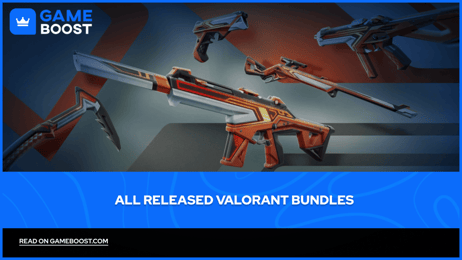
- Featured Skin Bundles: Limited-time thematic collections that include multiple weapon skins, gun buddies, player cards, sprays, and melee weapons.
- Individual Weapon Skins: Rotating daily store offers featuring Select, Deluxe, Premium, Exclusive, and Ultra Edition weapon skins.
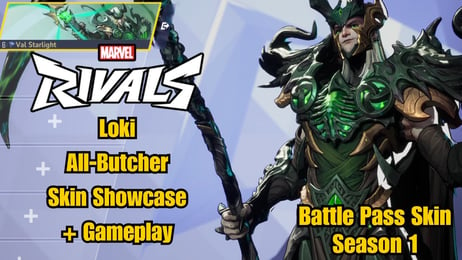
- Act Battle Passes: Premium seasonal access passes that provide exclusive progression rewards, weapon skins, Radianite Points, and cosmetics.
- Battle Pass Tier Skips: Instant level unlocks for players who want to accelerate their Battle Pass rewards before the Act ends.
- Radianite Points (RP): In-game upgrade currency purchased directly with VP to evolve weapon animations, visual effects (VFX), audio cues, and skin color variants.
- Night Market Offers: Periodic personalized discount stores providing random weapon skins at reduced VP costs.
VGTopup provides direct, automated VP recharges straight to your Riot account using only your public player identifier.
How to Top Up Valorant Points on VGTopup Using Your UID
Recharging your VP balance on VGTopup requires zero account login sharing. The entire transaction is completed using your Riot ID.
Step-by-Step Top-Up Guide
- Select your desired Valorant Points denomination from the product catalog.
- Enter your complete Riot ID and Tagline (format:
Username#Tag) in the UID input field. - Verify that your server region matches your Riot account registration to prevent delivery delays.
- Choose your preferred payment option from the live checkout menu.
- Complete the payment to initiate direct delivery to your Valorant account.
- Launch or restart your Valorant game client to view your updated VP balance in the upper-right corner of the main menu.
How to Locate Your Riot UID and Tagline
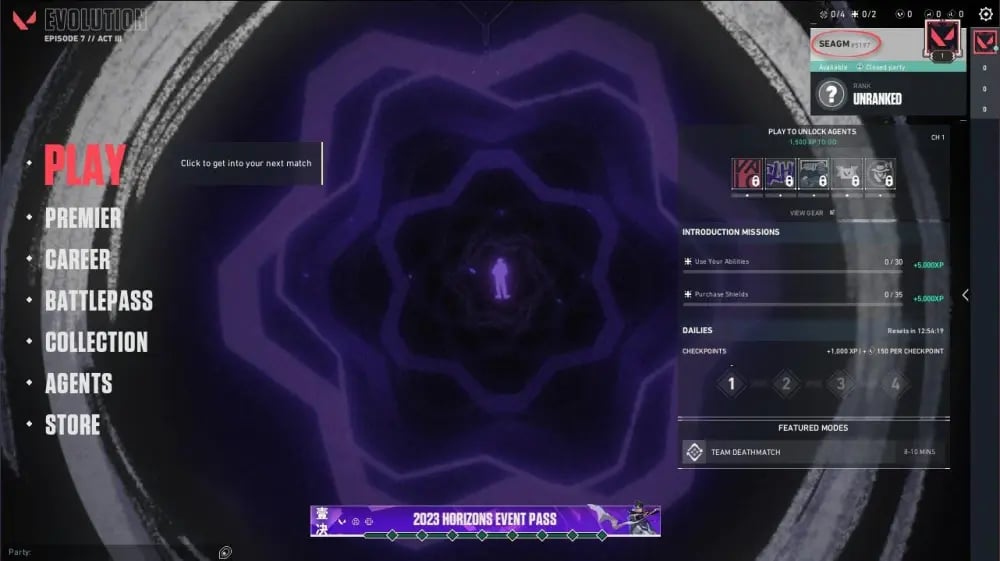
Your Riot UID consists of your in-game display name followed by a hash mark and a unique tagline identifier.
- Open the Riot Client or launch Valorant on your PC.
- Hover your mouse over your profile name on the friends list or view your profile tab in the lobby.
- Identify your full identifier displayed as
YourName#TAG(for example,ViperMain#NA1orJett#1234). - Copy or type both parts accurately into the checkout field on VGTopup.
Understanding Valorant Server Regions and VP Compatibility
Riot Games operates distinct server shards worldwide to ensure optimal network performance and competitive balance. Because player accounts and store catalogs are bound to specific regional clusters, you must ensure your Riot account region matches the selected product denomination.
Common Regional Clusters
- North America (NA): Includes United States, Canada, and parts of the Caribbean.
- Europe (EU): Covers Western Europe, Eastern Europe, Turkey, and CIS countries.
- Asia-Pacific (AP): Covers Southeast Asia, Oceania, and Japan.
- Korea (KR): Dedicated regional shard with local identification requirements.
- Latin America (LATAM) & Brazil (BR): Sharded specifically for regional routing and payment support.
Region Lock Guidelines
Valorant Points are strictly region-locked. A top-up intended for an EU account cannot be credited to an NA or AP account. If you are unsure of your account region, log in to your official Riot Account Management portal online and inspect the Country / Region section under your personal details before placing an order.
Valorant Points (VP) vs Radianite Points (RP): Key Differences
Valorant operates on a dual-currency system. Understanding the functional differences between VP and RP prevents misspent funds and helps you budget your cosmetic progression.
| Feature | Valorant Points (VP) | Radianite Points (RP) |
|---|---|---|
| Primary Source | Direct purchase on VGTopup | Earned via Battle Pass or converted with VP |
| Main Function | Buying skins, bundles, and Act Battle Passes | Upgrading VFX, audio finishers, and skin variants |
| Direct Cash Purchase | Yes, available across standard pack sizes | No direct checkout; converted in-game via VP |
| Account Transferability | Non-transferable; bound to Riot ID | Non-transferable; bound to Riot ID |
| Store Applicability | Daily store, Night Market, Bundles | Weapon upgrade menu only |
VP is required to acquire the base skin. Once you own an upgradeable skin (such as Prime, Reaver, or Kuronami), you spend Radianite Points to unlock custom reload animations, muzzle flashes, death animations, and color variations.
Unlocking Weapon Skins, Bundles, and the Act Battle Pass with VP
Managing your Valorant Points efficiently allows you to maximize cosmetic value across every competitive Act.
Act Battle Pass Strategy
The standard Act Battle Pass costs 1,000 VP. Purchasing the premium pass unlocks 50 tiers of rewards, including exclusive weapon skins, player cards, titles, gun buddies, and up to 160 Radianite Points. Earning RP through the Battle Pass is substantially more cost-effective than converting raw VP directly into RP inside the store.
Featured Bundles and Store Rotations
Skin bundles rotate periodically in the featured section. Bundles typically range from 5,100 VP to 9,900+ VP depending on skin tier (Select, Deluxe, Premium, Exclusive, Ultra). Purchasing a complete bundle provides free melee weapons, player cards, and gun buddies that would otherwise cost individual VP if bought separately.
Night Market Preparation
Tax, payment fees and eligible coupons are calculated at checkout.
Safe and Instant VP Recharge: Why Choose VGTopup
Securing your account while buying in-game currency is critical. VGTopup eliminates the risks associated with third-party digital marketplaces.
1. No Password or Account Sharing Required
VGTopup uses official Riot ID routing. You never need to supply your Riot password, email login, or two-factor authentication codes. Your login credentials stay completely secure on your personal device.
2. Protection Against Account Penalties
Peer-to-peer (P2P) credential sharing and unofficial logins violate Riot Games' terms of service and can lead to permanent account suspensions or chargeback bans. UID-only top-ups ensure your account remains in full compliance.
3. Transparent Live Pricing
Prices and available denominations are displayed directly on the live checkout selector. What you see is what you pay, with no hidden platform processing surcharges.
4. Dedicated 24/7 Support
If you experience any delay in receiving your balance or have questions about server matching, VGTopup customer support is available 24/7 to resolve your inquiry with your order transaction ID.
Troubleshooting Delayed VP Balance Updates
If your VP balance does not reflect immediately after completing your order, follow these troubleshooting steps:
- Restart the Game Client: Completely exit Valorant and the Riot Client, then launch the game again to refresh account balance tokens.
- Check Server Match: Confirm that the Riot ID and Tagline entered during checkout matches your active client profile.
- Verify Transaction Status: Check your VGTopup order management dashboard to confirm the payment has fully cleared.
- Contact Customer Support: If the currency has not appeared after restarting, provide your order number and full Riot ID to the 24/7 VGTopup support team for instant verification.
Frequently Asked Questions About Valorant VP Top Up
How much does 1000 VP cost in 2026?
Valorant Points pricing varies slightly depending on your regional currency and local tax regulations. You can check the live, real-time prices for 1,000 VP and other pack denominations directly on the VGTopup product selection table before proceeding to checkout.
How do I top up Valorant Points using my Riot UID?
Select the VP package you need on VGTopup, input your Riot ID along with the tagline (for example: Player#1234) in the UID box, choose your payment method, and complete the order. The points are delivered directly to your account without logging in.
Are Valorant Points region-locked to specific servers?
Yes. Valorant Points are region-locked to the server shard where your Riot account was registered (such as North America, Europe, Asia-Pacific, or Latin America). Make sure to select the product that matches your Riot account region.
What is the difference between Valorant Points (VP) and Radianite Points (RP)?
Valorant Points (VP) are the premium currency used to purchase skins, bundles, and the Act Battle Pass from the store. Radianite Points (RP) are utility points used to unlock skin visual effects, reload animations, and alternate colorways.
How many Valorant Points do I need to unlock the Battle Pass?
The premium Act Battle Pass in Valorant costs 1,000 VP. Buying the pass gives you access to all 50 reward tiers and bonus epilogue tiers as you earn XP through daily and weekly missions.
Do I need to share my Riot Games password to buy VP on VGTopup?
No. VGTopup only requires your public Riot ID and Tagline. You should never share your account password, email verification codes, or two-factor authentication details with anyone.
Select Denomination
Tax, payment fees and eligible coupons are calculated at checkout.
| Package | Price |
|---|---|
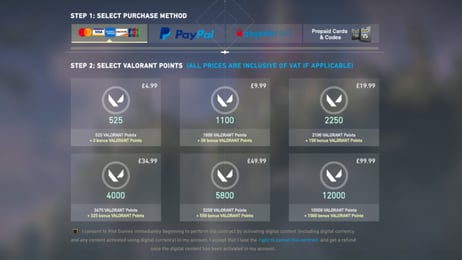
| 475 Valorant Points | USD 2.66 |
| 1000 Valorant Points | USD 9.42 |
| 2050 Valorant Points | USD 10.66 |
| 3650 Valorant Points | USD 18.51 |
| 5350 Valorant Points | USD 26.60 |
| 11000 Valorant Points | USD 52.29 |