Scenario 1: get the UID, then buy, and not the other way around
Sequence matters here, and most rushed tutorials flip it by marching you to the store first. Don't buy a thing until the UID is sitting in front of you.
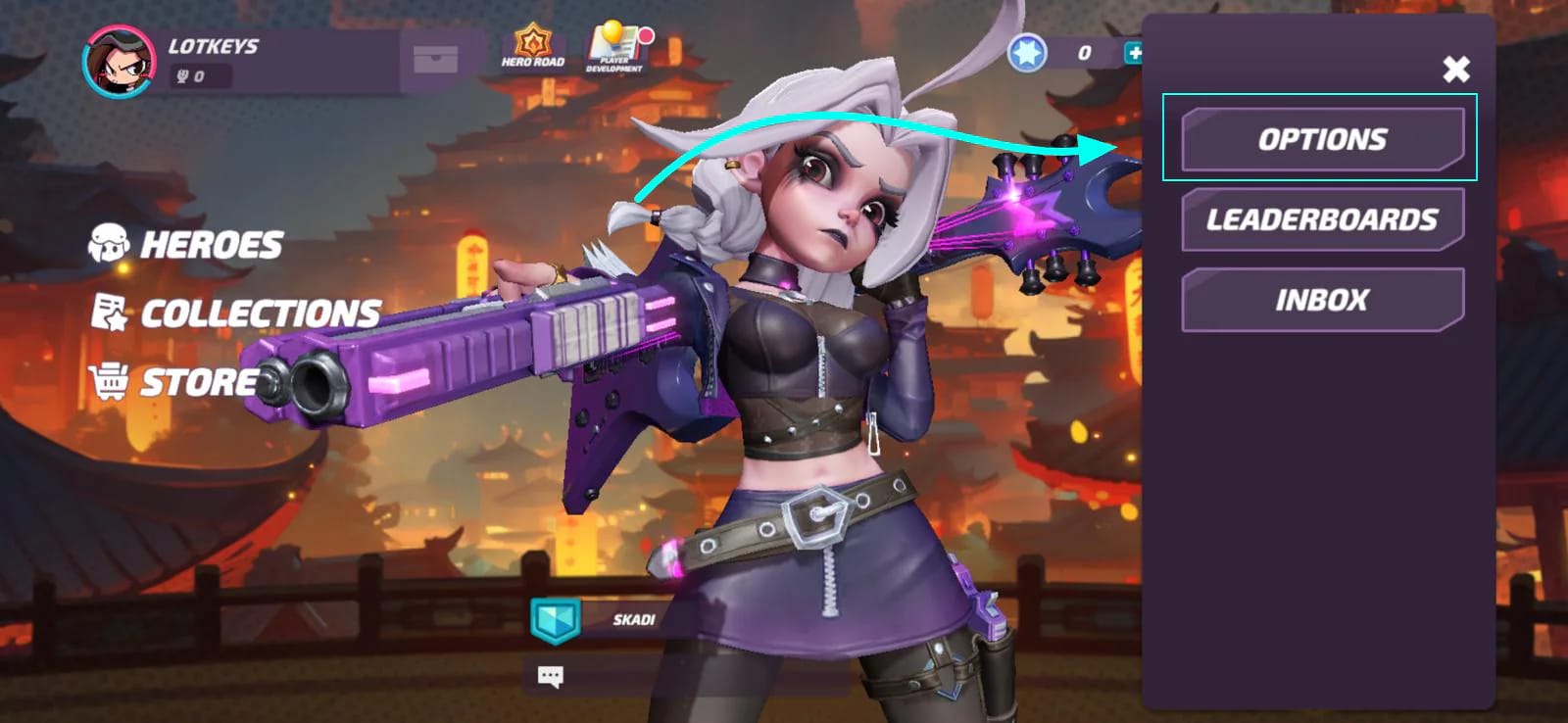
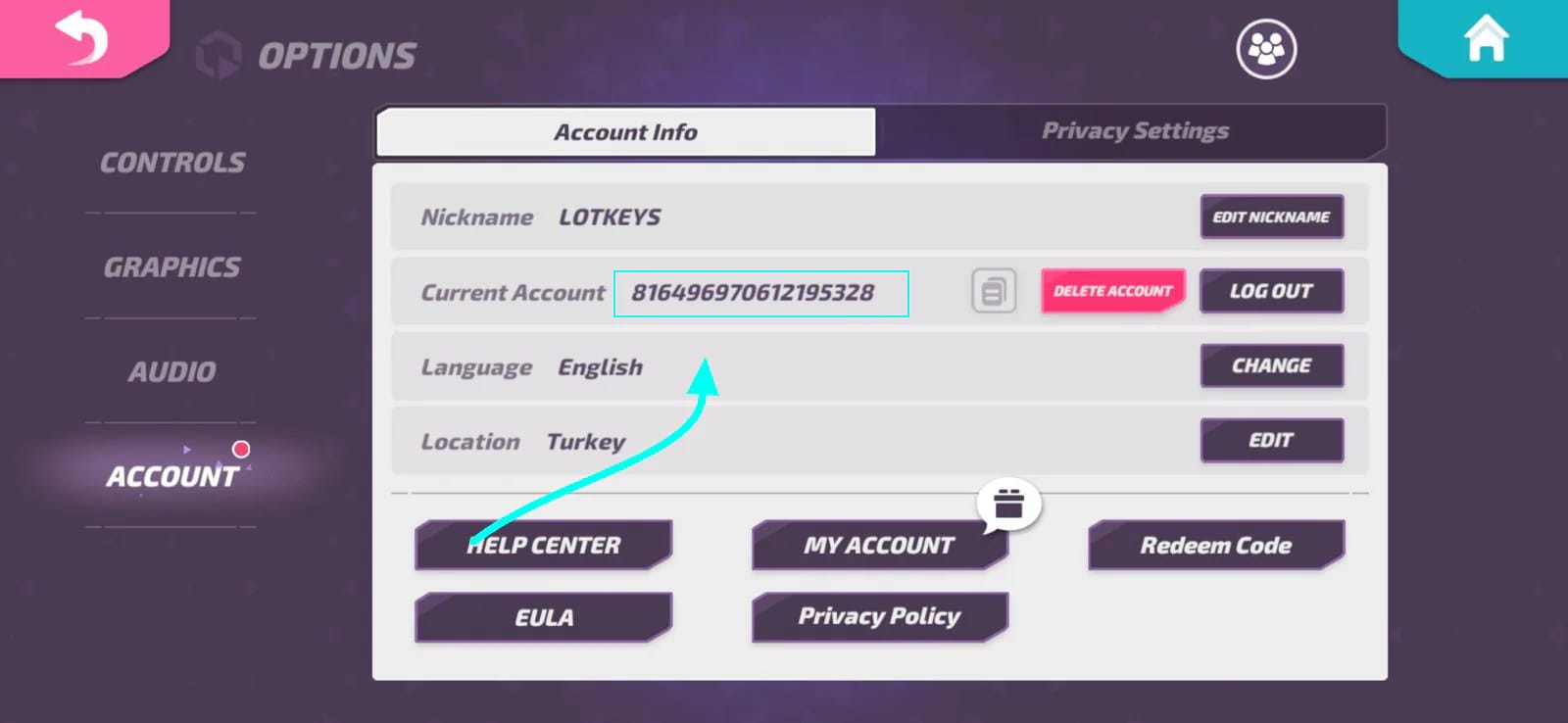
Locating it is easy once you accept it isn't the nickname. Per the official T3 Arena X account, your User ID lives under Options → Account and shows up as a long run of digits used for rewards. Community walkthroughs take a slightly different road to the same number: tap the avatar top-left, hit "user," and the Player ID appears, according to SEAGM T3 Arena Top Up. Both routes land on one identifier. I lean on the official path for being current, and the avatar path for matching what you'll actually see on screen.
Now the snag that trips folks. The UID is a long string, sometimes pure numbers, sometimes alphanumeric (the sort that looks like a2711ae7-…), and it has nothing to do with the nickname or username, per MooGold's T3 Arena guide. That gap matters. The checkout reads the UID in place of a login, which is exactly why no password ever shows up.
Run it clean and this scenario passes, no drama. The asterisk: "clean" assumes the UID you're holding is the right one on the right server. That assumption is exactly where the next two scenarios fall apart.
Scenario 2: when nicknames collide and gems wander off to a stranger
Nicknames aren't unique, and nothing stops two players from running the same one, so a nickname-based "gift" is a coin flip you didn't know you were making. The UID is the only value that maps to one account and one account only.
That's why every documented route feeds the UID as the target and never the display name. SEAGM spells it out: pick the pack, enter the friend's UID as the "Current Account," pay, and delivery routes there with no login. The nickname never touches the transaction. If you've spent years gifting people in games by searching their name and picking from a list, drop that reflex here. Gifting T Gems is UID-addressed, end of story.
A cleaner way to sort what's actually safe to hand over:
| Identifier |
What it is |
Safe to share for a top-up? |
| UID / Player ID |
The unique, login-free string that addresses exactly one account |
Yes — this is the only thing the checkout needs |
| Nickname / username |
A display name that can repeat across players |
No — not because it's risky, but because it doesn't uniquely identify the account |
| Login / password |
Account credentials |
Never — UID-based top-up makes this completely unnecessary |
Source: SEAGM T3 Arena Top Up (2026); MooGold T3 Arena Guide (2026)
The lesson is plain. The risky shortcut isn't "share your UID," it's "share your login so I can top up for you." Because the gems route off the UID alone, no credentials change hands, which a Lootbar primer on game top-ups frames as safer-by-design than account sharing. If a friend offers their password to make things "easier," wave it off. You don't need it, and you really shouldn't be holding it.
Scenario 3: the region tag that buries a perfectly correct UID
This is the breakage the quick guides skip wholesale, and it's the one that actually throws people. You can have a flawless UID, every character dead-on, and the gift still fails because the server or region tag didn't line up.
A checkout note on Kinguin's T3 Arena listing warns that ignoring the server or region tag can sink a top-up even with a correct ID. G2G's flow keeps the same discipline: verify the UID on the final confirmation screen and match region/server where it applies, with global flagged on the listings. So verification isn't a single look. It's two: the right string and the right server.
Region mismatch earns more worry than typos, honestly. A typo usually throws an obvious error or a "UID not found" wall, while a region mismatch can look perfectly fine right up until delivery quietly never arrives. A wrong digit fails loud. A wrong region fails silent, and the silent ones cost you.
Before paying, walk this:
| Step |
What to confirm |
Common error it prevents |
| 1. Get the UID |
It's the Player ID string, not the nickname |
Gifting to a wrong/duplicate name |
| 2. Match the server |
The region/server tag matches your friend's account |
A correct UID that still fails to deliver |
| 3. Confirm at checkout |
The UID on the final screen is character-for-character right |
Paying into a typo |
| 4. Keep the receipt |
Screenshot the order confirmation |
No proof if delivery stalls |
Source: G2G T3 Arena Top Up (2026); Kinguin T3 Arena (2026); top-up site checkout notes (2026)
Scenario 4: copy-paste versus hand-typed, head to head
A from-memory UID against a pasted one isn't close. Pasting wins going away, and the reason is hidden lookalike characters, not sloppiness.
UIDs are stuffed with twins: zero against a capital O, a one against a lowercase L. A BuyUcoin guide on UID checkout errors flags this exactly. Typing from memory invites lookalike slips, so the move is to copy-paste or work off a screenshot. What makes it nasty is that a 0 swapped for an O can yield a string that reads right to your eye, maybe even clears a format check, then ships your gems somewhere they're never coming back from.
So treat the share step itself as the real guardrail. Ask your friend to screenshot the UID straight off their profile (avatar → user) and fire it over Discord or chat. BitTopUp's instructions recommend precisely that, and to keep passwords out of it. From a screenshot you can lift the string or, worst case, check it digit by digit against what's on screen. There's just no upside to typing the thing.
This scenario only passes when the UID never gets re-keyed by hand. The second a human retypes a 30-character alphanumeric string, you've handed back the very error you were dodging.
Scenario 5: the order's placed and the UID was wrong
Recovery is the bleakest result in the whole run, so let's be honest about it. A wrong-UID top-up is very likely gone. There's no published T3 Arena refund policy for this exact case, and by analogy with other UID-based titles plus broad community consensus, wrong-UID top-ups don't get refunded. That's the pattern documented across Genshin-style examples and general top-up advice. Treat any win here as a fluke, not a plan.
Which is why prevention carries the whole load. Still, if you've already paid, this is the sequence that gives you the only leverage left:
- Move fast. If the order hasn't finished processing, that thin window is your one realistic shot to flag it. Listings describe delivery in minutes, so it's a narrow gap.
- Have your proof on hand. This is the receipt's whole job. Toss the confirmation and you've got nothing to dispute with, per general top-up support notes. The screenshot of that final screen is the foundation of whatever case you can build.
- Ping the platform's support, not the game. The transaction lived on the top-up channel, so the dispute belongs there, confirmation attached.
The honest framing: those three steps are low-odds damage control, and the only reason they exist is that step 4 in Scenario 3 (keep the receipt) got skipped. The receipt sits there useless until the moment it's the one thing you've got.
Confirming the gems actually showed up
Delivery is quick but not always instant-in-wallet, and that gap nudges people into false panic. After paying, check the in-game balance or the in-game mail. FunPay's top-up descriptions note that sites claim delivery in minutes, yet gifted currency and any bonuses can land in mail rather than dropping straight into the wallet. If the T Gems aren't in the balance right away, crack open the mailbox before assuming something broke.
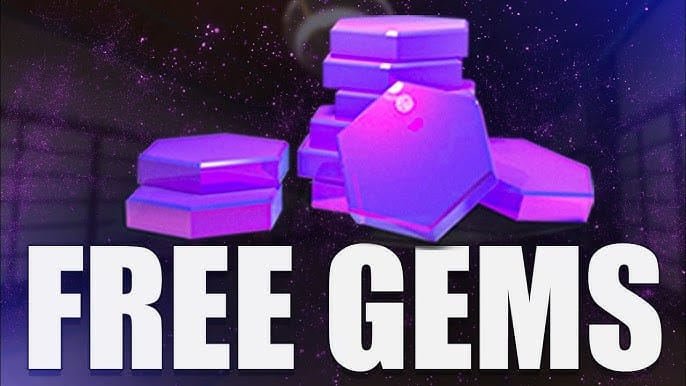
For a sense of what you're handing over: T Gems are the premium currency behind heroes, passes, and skins, per the T3 Arena Wiki. Pack sizes documented on third-party global listings as of 2026 come in 80, 275, and 960 T Gems. For scale, the free season pass coughs up roughly 40 gems per a T3 Arena App Store review, so even the smallest paid pack roughly doubles what a free-track player nets across an entire season. That's a fair slice of why gifting a friend a pack reads as a real gesture and not a token one.
The recommendation matrix
| If you're… |
Do this |
Skip / avoid |
| Gifting for the first time |
Get a UID screenshot, match the server, paste-confirm at checkout |
Searching by nickname; typing the UID by hand |
| Worried about security |
Use UID only; it needs no login |
Accepting or asking for a password |
| Buying a quick small gift |
Confirm region even on the 80-gem pack |
Assuming a correct UID alone guarantees delivery |
| Already placed a wrong order |
Act before processing finishes, bring the confirmation screenshot |
Expecting a refund as the default outcome |
Source: SEAGM (2026); G2G (2026); Kinguin (2026); BuyUcoin (2026)
Cleared the UID and server checks and just want the simplest entry point? Disclosure: this article is published by VGTopup, where you can top up T3 Arena Gems by entering your friend's UID directly with no login. The same UID-and-confirmation discipline above still applies, so verify the string on that final screen before you pay.
My closing call is short: the UID-and-region check is the entire job, and the receipt is your only insurance. Nail those two and gifting really is low-risk. So don't paste a UID you haven't matched to a server, and don't pay until the final screen reads right. That's it.
Frequently Asked Questions
Does the top-up need my friend's password or login?
No, and refuse if it's offered. The whole flow is UID-addressed, so the gems route off the Player ID alone with no credentials changing hands (per SEAGM's documented flow). Holding a friend's password buys you nothing for gifting and stacks risk on both of you.
What if my friend's nickname matches someone else's?
Doesn't matter, because the checkout never reads the nickname. Two players can wear the same display name, but the UID resolves to exactly one account, which is the whole reason every documented flow enters the UID instead. If all you've got is the nickname, you don't yet have what you need. Ask for the Player ID string.
The gems aren't in the wallet, did it fail?
Check the in-game mail before you spiral. Sites describe delivery in minutes, but gifted currency and bonuses can land in the mailbox instead of dropping into the balance, per FunPay's descriptions. Give it a few, open mail first, and only treat it as broken if both balance and mail stay empty past the stated window.
Is the server region really a separate check from the UID?
Yes, and it's the breakage most guides ignore. A character-perfect UID can still fail to deliver when the region/server tag doesn't match, per Kinguin's checkout notes. Match the server where the listing asks (plenty list as global). Think of verification as two passes: right string, right server.
Can I get a refund if the gems went to the wrong UID?
Assume no. There's no published T3 Arena policy for this case, and by analogy with other UID-based games, wrong-UID top-ups generally aren't refundable. Your only real leverage is speed plus the order-confirmation screenshot, which is exactly why hanging onto that receipt isn't optional.








Comments