Where the "Windward Voyage" name actually comes from
Okay so Windward Voyage is real. Just not here. It's a Kingshot thing, a passive 5-to-7-day voyage event where you fire ships off on roughly 8-hour runs, scoop up compasses, and merge chests toward milestones at 1, 5, 20, 60, 120, 200, and 350 voyages, per Lootbar (Mar 2026) and a handful of other Kingshot guides floating around. None of that maps onto Where Winds Meet. Different beast entirely, a martial-arts open-world action RPG built around combat events, not an idle strategy sim with shipping routes.
Why does this keep getting crossed up? Simple search-engine bleed. "Windward Voyage" is a sturdy, evergreen Kingshot keyword, and the second players staple "Where Winds Meet" onto it, the engines fuse the two because both names lean nautical and both games push live events. Run the 2026 searches across the official pages, the Where Winds Meet Wiki, and the gaming press and you'll find zero Windward Voyage entries for this game. Type the exact phrase combos in and you keep getting bounced to Kingshot or stuff that's got nothing to do with either.
Bottom line before you map out a farming route or fatten your wallet: no reward track, no event shop, no currency called Windward Voyage tokens waiting in Where Winds Meet. I'm not hedging. That's just what the sources cough up.
What Where Winds Meet actually runs instead
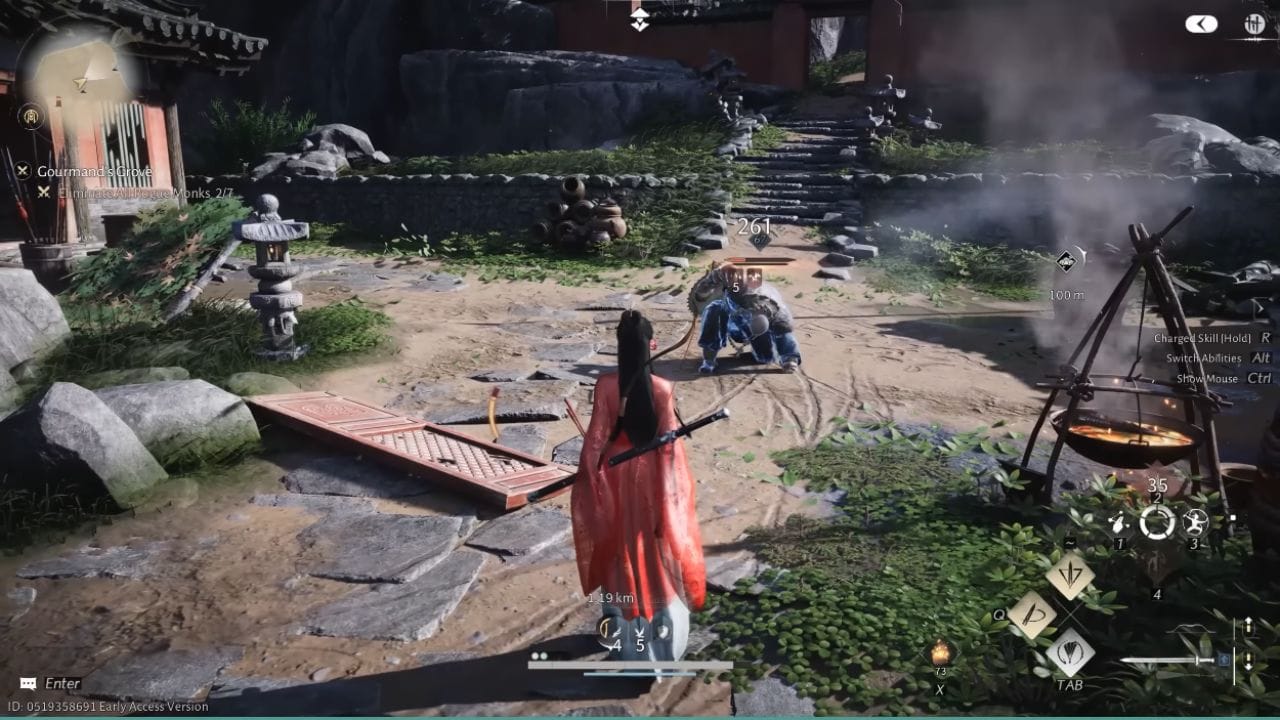
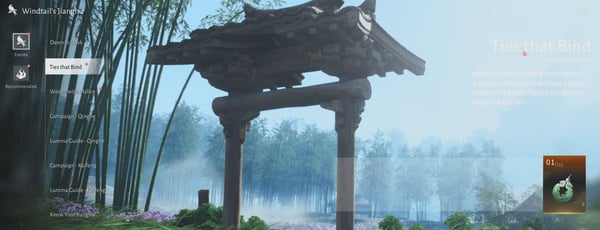
So what's the game actually cycling through? Its own rotation of limited events, and the live one worth clocking is Dawn to Dusk, which sat at 24 days remaining as of May 2026 with daily-claim mechanics, going by a community event-tracking video on YouTube. Honestly, that's probably what the Windward Voyage crowd is half-remembering. A time-boxed window, daily login or task claims, rewards that evaporate the second the clock zeroes out.
If the game's event design is new to you, here's the rhythm to lock in: most of these events gate progress through daily claims and time windows, not raw spending. You log in, you claim, you knock out a couple tasks, the rewards stack up. Sidebar, I had a friend swear the wuxia parkour was the best part of this game and honestly he's not wrong. Anyway, the point stands. Missing days stings way worse than under-spending, because a skipped claim is usually gone for good. That's the genuinely portable lesson buried in all those "fastest way to farm event points" and "daily point cap explained" questions, the cap and the calendar set your pace here, not your credit card.
Any future "Windward Voyage" listing for this game? I'd file it under unconfirmed until it lands in actual patch notes or the in-game tab. Reruns and renamed events happen. Right now, though, nothing official backs it.
The top-up system that the search traffic is really circling
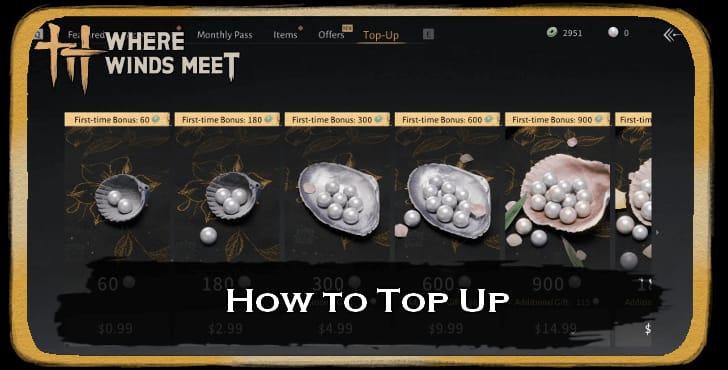
What most of these searches are quietly chasing is whether topping up for an event is worth it. And there's real sourced math on that. It's just bolted to the game's actual currency, not some made-up event shop.
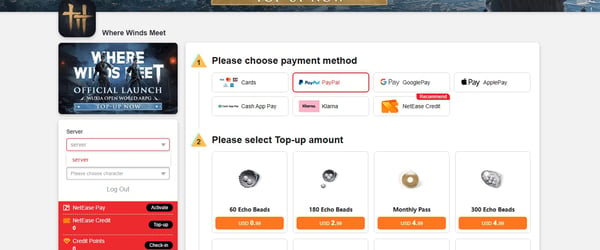
Top-ups here run on Echo Beads, and the standout is the first-time bonus. According to BitTopup, your first crack at the $0.99 pack hands you up to a 100% bonus, 60 Echo Beads plus 60 bonus Echo Jades. That doubling only triggers once per tier, on the first buy, which means how you sequence your purchases matters way more than the sticker price ever will.
| Top-up consideration |
What the sources show |
| Currency unit |
Echo Beads (premium top-up currency) |
| First-time bonus |
Up to 100% on the $0.99 pack: 60 Beads + 60 bonus Jades |
| Bonus frequency |
First purchase per tier only — not repeatable |
| Live event style |
Daily-claim, time-boxed (e.g. Dawn to Dusk) |
Source: BitTopup Where Winds Meet First Top-Up Guide (Dec 2025); community event tracking (2026).
The practical read on that table: if you're spending at all, the first-recharge bonus is the single highest-value moment in the whole flow. Work through your first-purchase tiers on purpose so you grab every doubling before you ever pay full freight on a chunkier pack. Line the small first-buy tiers up against one big recharge and the gap pops out at you, the doubled small packs stretch noticeably further per dollar than dumping cash into a big top-up and waving the bonuses goodbye.
For most folks reading this, though? The honest call is you don't need to top up for a Where Winds Meet event, period. Live events lean on daily claims, and there's no Windward Voyage to spend toward anyway. Treat a top-up as a thing you do when you genuinely want a cosmetic or want to pocket that first-recharge bonus. Not as a shortcut for an event that flat-out isn't here.
If you do eventually decide a limited cosmetic's worth grabbing, Where Winds Meet Top Up recharge is one clean way to handle it before a timer slams shut. Disclosure, that's a third-party route, and the only reason to use it is if you've already made up your mind on the item. The neutral takeaway holds either way: snag the first-purchase doubling first, and quit paying for speed the game's cap mechanics won't actually hand you.
The traps that cost real players money on event currency
Even with no Windward Voyage in sight, the regret patterns players keep describing around limited events port straight over to this game, and they're worth flagging because they eat currency you can't claw back:
- Ghosting the first event days. Daily-claim events front-load their value, and a missed claim usually can't be salvaged. With a Dawn to Dusk style window, the day-one player out-earns the latecomer by the full stack of skipped days. Not a percentage. The whole missed pile.
- Letting event currency rot. Time-boxed events love to zero out their currency at close. Burn it all before the buzzer, anything left over is just gone.
- Topping up expecting a faster finish. When daily claims gate the thing, cash doesn't budge the core track an inch. Paying for speed there is the classic misfire.
- Wasting the first-recharge bonus on the wrong tier. That up-to-100% doubling fires once per tier. Blow it carelessly on a pack you didn't need and you've spent the system's best value on filler.
The thread running through all of it: in this game's event design, discipline beats spending. Show up daily, dump currency before it expires, claim the first-purchase bonus on purpose. That combo runs circles around any "buy my way to the finish line" instinct.
Who should actually spend, and who shouldn't
The right move splits pretty cleanly by player type, and not one of these calls needs a fictional event to be useful:

- F2P (zero spend): Skip top-up completely. The live events are claim-driven, so daily login discipline gets you the gameplay rewards. No Windward Voyage to lock you out, and nothing here is spend-gated in a way that punishes you for staying free.
- Low-spender (~$5): The only spend I'd actually defend is grabbing the first-recharge bonus, since that per-tier doubling is genuinely the best dollar-for-Beads moment going. Bank it once, then take a beat before anything else.
- Time-poor mid-spender chasing cosmetics: If a limited outfit you actually love turns up in a real, confirmed event, spending to grab it before it rotates out is fair, because you want the look, not because it speeds anything up. Check it won't obviously rerun first. If it's likely coming back, there's no urgency tax worth eating.
My read across all three: nobody needs to pay to "complete Windward Voyage in Where Winds Meet," because the event isn't here to complete. Spend on the first-recharge bonus or a cosmetic you've decided you adore. Every other reason to crack open your wallet for this falls apart the moment you glance at the official event tab.
Frequently Asked Questions
Is Windward Voyage in Where Winds Meet at all?
Nope. Run the 2026 searches across official pages, the Where Winds Meet Wiki, and gaming media and you turn up nothing. Windward Voyage is a Kingshot event (passive ship voyages, chest merging, milestones at 1/5/20/60/120/200/350 voyages), per Lootbar. The name bleeds into Where Winds Meet searches because both games run live events, but there's no reward track, shop, or currency for it on this side.
What live event should I look at in Where Winds Meet instead?
Dawn to Dusk was the active one, sitting at 24 days remaining as of May 2026 with daily claims, going by community event tracking. It follows the usual shape, a time-boxed window where logging in and clearing daily tasks stacks up rewards. Treat the daily claim, not your spending, as the thing actually gating your progress.
How does the Where Winds Meet first top-up bonus work?
Your first purchase on the $0.99 pack hands you up to a 100% bonus, 60 Echo Beads plus 60 bonus Echo Jades, per BitTopup (Dec 2025). The catch most people whiff on: that doubling only fires once per tier, on the first buy. Sequence those first purchases so you catch every available doubling before paying full rate on any bigger pack.
Should I top up to complete a Where Winds Meet event faster?
Not for completion. The live events are daily-claim and time-boxed, so the calendar and the claim cap set your pace, not your wallet, and cash can't recover a missed day. The only top-up worth making is pocketing the first-recharge bonus or buying a specific limited cosmetic you genuinely want before its window shuts.
Will Windward Voyage ever come to Where Winds Meet?
Nothing official backs it. Renamed or imported events aren't impossible, but until it shows up in real patch notes or the in-game event tab, treat any "Windward Voyage in Where Winds Meet" listing as unconfirmed and don't pre-load currency for it.







Comments