Lead with the in-game log and you'll lose the refund
In a money dispute, My Transactions is your weakest evidence. And it's the first thing everybody screenshots, because it's the easiest page to reach. The trouble is what's missing. Per Roblox Support's "Where are my Robux" page, it logs Robux in and out, the items, the dates, the transaction type. No dollar figure. No order ID.
Those two fields are the whole game for a refund. A receipt Support can act on has to show the Order Number, Billing Address, Roblox Product, and Purchase Amount. Roblox even names the trap directly: treating My Transactions as proof is a dead end, because it lacks the money amount and order ID a dispute needs.
Line the two up side by side and the gap jumps out. One says "1,000 Robux on March 4." The other says "$9.99, order GPA-1234, billed to this card." Only the second one is a financial document. Use the in-game log to budget and to confirm what you bought. Use the platform receipt to prove you paid.
Your receipt sits in two places — here's the map
Roblox splits the record on purpose, because Roblox didn't always charge your card. Buy through an app store and that store is the biller. The charge might never land in your Roblox history at all. It has to be matched against Apple, Google, or Microsoft instead. Know which record holds which data and you skip a maddening loop.
| Record |
Where it lives |
What it actually contains |
| My Transactions |
roblox.com → Robux balance → My Transactions |
Robux in/out, item name, date, transaction type — no money amount, no order ID |
| Apple receipt |
support.apple.com (purchase history) |
Order number, amount, Roblox product |
| Google Play receipt |
play.google.com/store/account/orderhistory |
Transaction date, Roblox charge, amount |
| Microsoft/Xbox receipt |
account.microsoft.com/billing/orders |
Order history, invoices |
| Roblox email |
Inbox search for the Roblox / platform sender |
Confirmation with order details |
Source: Roblox Support How to find your purchase receipts (2026); Roblox Support Where are my Robux (2026)
One thing the table can't show: how you paid decides where the proof hides. Gift card redemptions appear as Robux additions under the Currency Purchases filter. A credit or debit card buy shows up in platform billing. So if you redeemed a gift card and went hunting through your bank statement, you'll come up empty. That record sits inside Roblox, not your card history.
Desktop browser: three clicks and the filters nobody touches
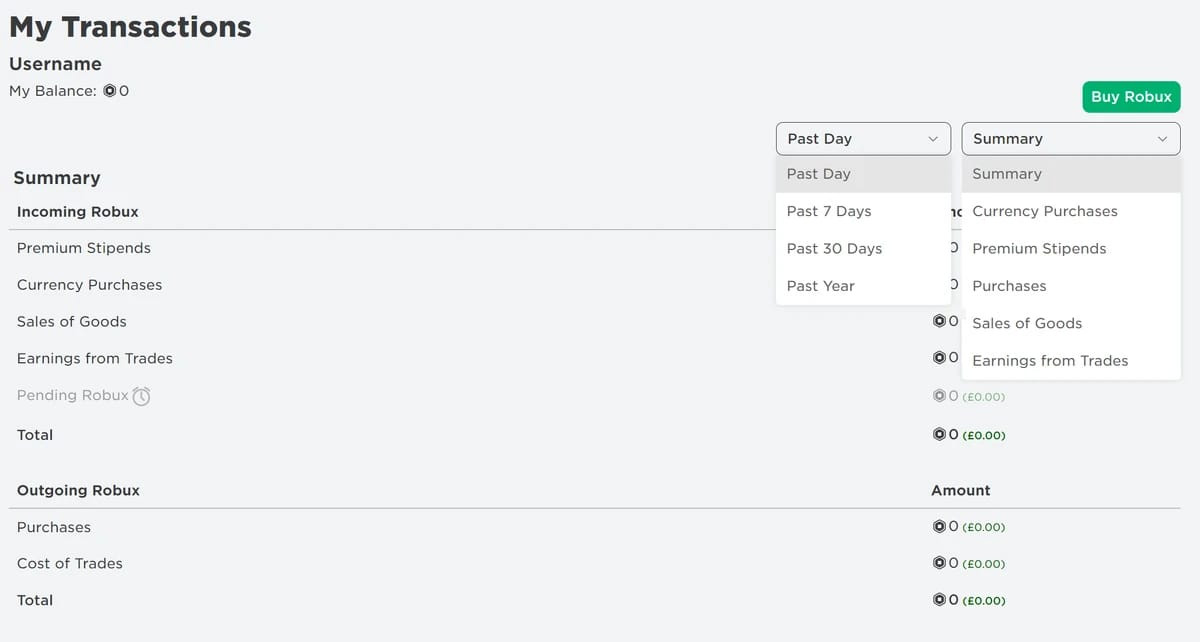
Log in to roblox.com. Click the Robux icon top right, then click the amount itself. My Transactions loads with filters for Summary, Currency Purchases, Premium Stipends, and Purchases. Want item and pass buys with their dates and Robux totals? Pick the Purchases filter.
That filter row is the bit almost nobody clicks. Most people land on Summary and scroll through a wall of mixed activity. Currency Purchases narrows it to your top-ups. Purchases narrows it to your spends. That's the difference between hunting and finding.
| Filter |
Shows |
Detail |
| Summary |
Robux in/out overview |
Time period selectable |
| Currency Purchases |
Robux spending history |
Dates, amounts |
| Premium Stipends |
Monthly Premium allowance |
Robux credits |
| Purchases |
Item and pass buys |
Virtual items, dates |
Source: Roblox Support Where are my Robux (2026)
Mobile: the money receipt isn't in the Roblox app at all
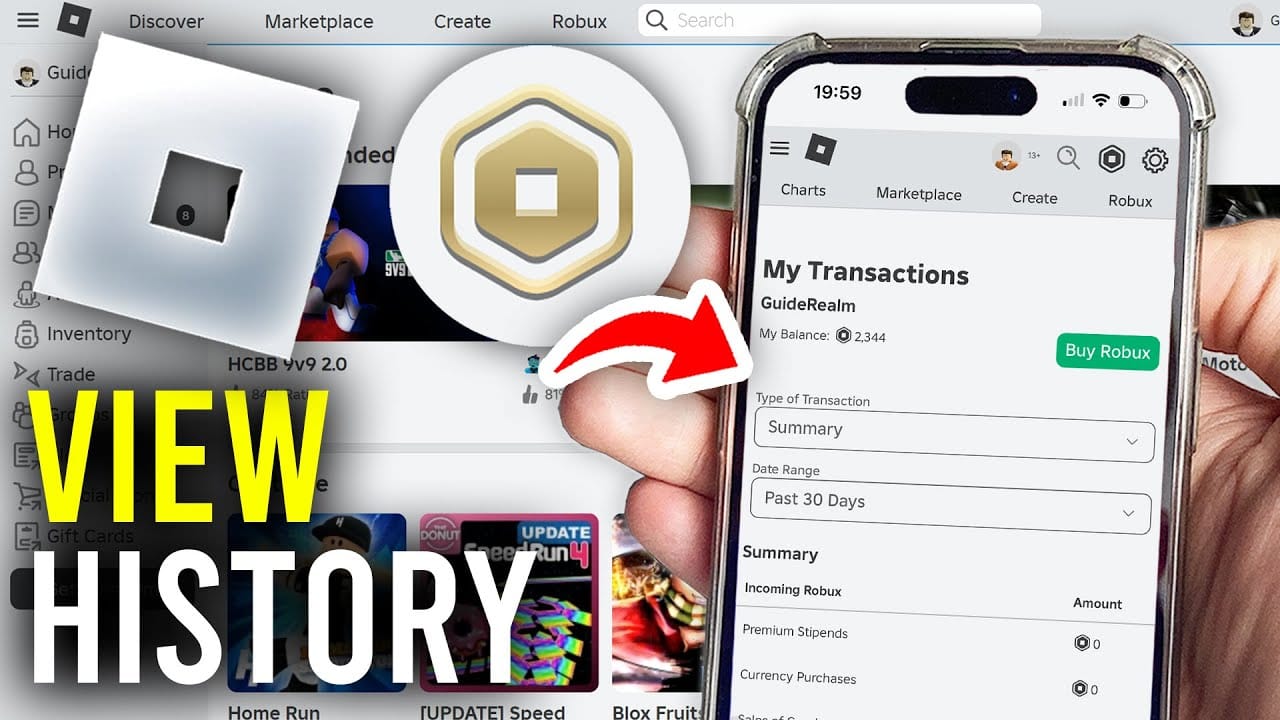
Phone buyers get the rawest deal, and most guides skate right past it. The Roblox app won't hand you a money receipt. None. To even open My Transactions on a phone, you fire up a browser to roblox.com, choose to stay in the browser instead of the app, log in, and reach the same page desktop users get, per a YouTube walkthrough on viewing Roblox purchase history.
The dollar receipt? That's at the store that billed you. On iOS, it's in your Apple account at support.apple.com, where Roblox shows up with its order number, amount, and product. On Android, head to play.google.com/store/account/orderhistory, and you have to be signed into the exact Google account that paid. That detail wrecks shared-device households. From the wrong account, the charge is invisible.
Buy on mobile, skip saving the email, and you've booby-trapped future-you. The same story keeps surfacing in community threads: mobile buyers who can't pull in-app proof months later because they never kept the email. So screenshot the order the second it goes through. Ten seconds today against an unwinnable search next quarter.
Xbox and console buyers route through Microsoft
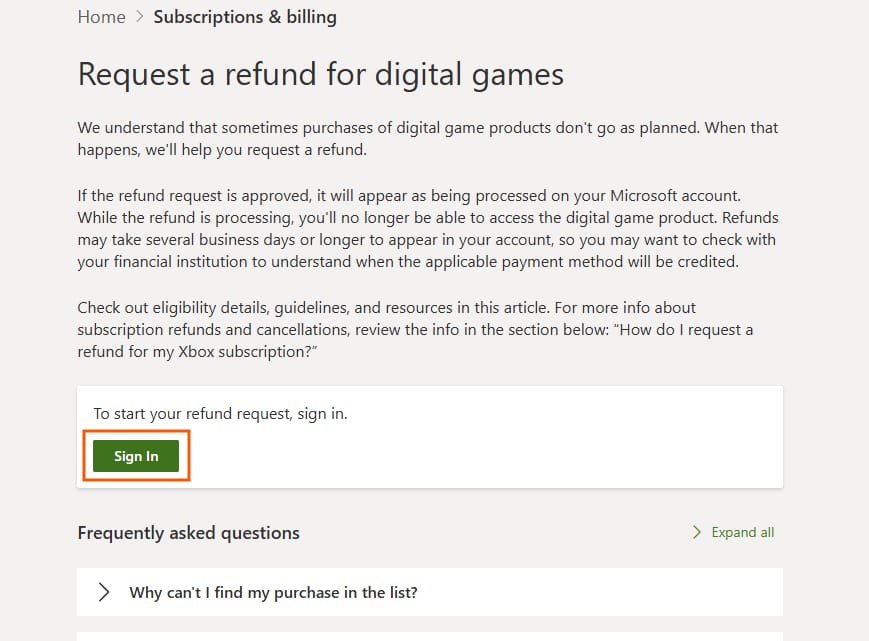
Console buys go through Microsoft billing, not Roblox. Sign in at account.microsoft.com/billing/orders or support.xbox.com to grab your Roblox order history and invoices. The order number sitting there is the reference Support will ask for. The in-game log won't have it.
The email receipt is the shortcut nobody mentions
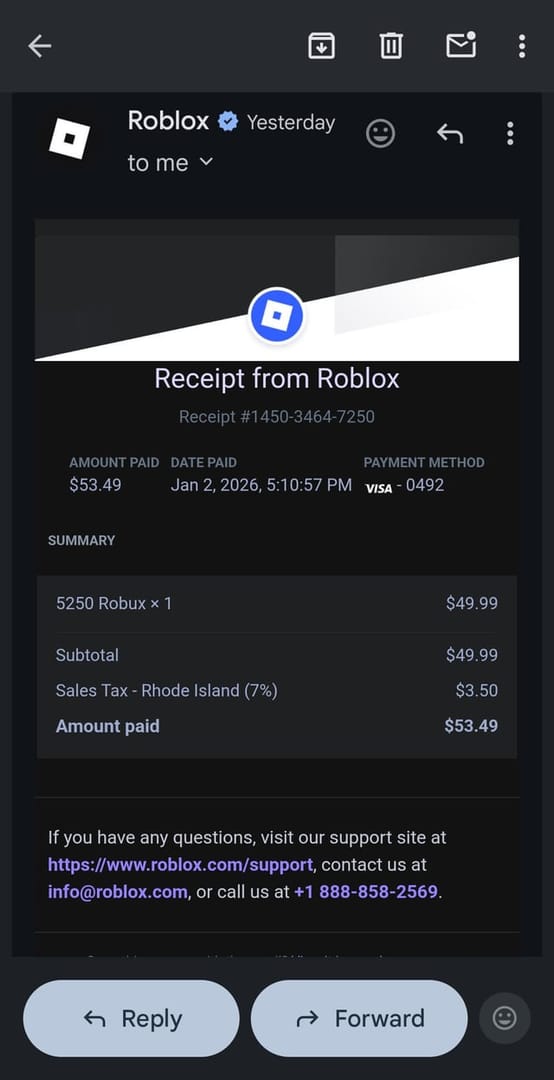
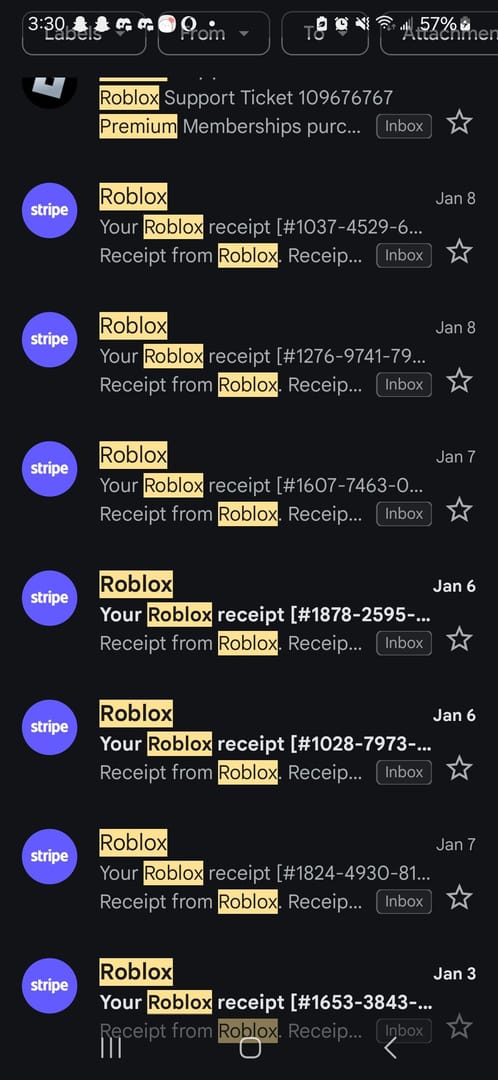
Searching your inbox usually beats clicking through any of these pages, and write-ups skip it constantly. Roblox confirmation emails, plus the platform confirmations from Apple, Google, or Microsoft, surface fast: search your inbox for the Roblox or platform sender alongside words like Robux, order number, or purchase confirmation.
It works because those emails ship from a steady sender, so one search pulls your whole purchase trail in order, no clicking through four billing portals. When I need to reconstruct what I spent across a stretch of weeks, I start in the inbox, not the site. If no email shows, check spam and confirm the address on your account, then fall back to the platform order page. That page is the system of record whether or not the email survived.
Pulling the transaction ID Roblox Support will accept
Need a formal receipt or transaction ID? You download it from the platform order history page, not from Roblox, then contact Support with the order details on screen. This is where the two-record split gets real. Support can't conjure the order number for a platform-billed purchase, because Roblox never issued it. The biller did.
And here's what catches people: a purchase made through Apple or Google gets refunded by that platform, not Roblox. Nothing you do on the in-game log triggers that refund. So if your charge ran through an app store, the order ID on the Apple, Google, or Microsoft receipt is the one document the whole case hangs on. Pull it first. Everything else is supporting paper.
A clean refund-readiness kit looks like this:
- The platform receipt — order number, amount, billing address (from your App Store / Google Play / Microsoft order history)
- The confirmation email — backs up date and product, found by inbox sender search
- The My Transactions entry — shows the Robux hit your account, fine as secondary context, useless as financial proof
Attach the first one to the dispute. The third is the one to stop leading with.
Missing charge? Suspect sync before fraud
When a purchase won't show, the cause is almost always dull, not sinister. Two explanations cover the bulk of cases: platform sync lag, and looking on the wrong account.
A buy can be absent from Roblox history simply because an app store billed it and it still needs matching against the Apple, Google, or Microsoft record. That's not a vanished transaction. It's a transaction sitting in the other ledger. Before you cry duplicate charge or fraud, check the platform order page for the exact card or account, and make sure you're logged into the Roblox account that actually paid. Families running multiple kids and shared logins manufacture this confusion all the time.
Cross-check both ledgers, and if the charge genuinely lives in billing but nowhere in Roblox, that's your cue to escalate, platform order number in hand. For an unauthorized or disputed charge, Roblox runs a dedicated process, and the platform receipt is what moves it. Who to hit first (Roblox Support, the platform, or your bank) depends on who billed you. If an app store charged the card, the platform's refund channel is usually the faster, more direct road, since they own the transaction.
Parents: switch on notifications before the surprise charge lands
The smart time to set up oversight is before a shock charge, not after. Roblox's spend notifications and parental controls let you alert on purchases and watch a child's account activity, per Roblox Support's Unauthorized Charges and Refund Requests guidance. Flip them on upfront and the whole history-hunt becomes unnecessary.
For a parent of a minor, the practical setup runs like this: turn on spend notifications, then watch the child's spending through linked parental controls plus the platform billing histories. That last piece matters, because the same two-record logic governs kids' accounts. The in-game log shows what the Robux went toward. The App Store or Google Play history shows the money and the order ID. If a teen bought on their own phone, the receipt lives in their app store account, which is why platform-level visibility beats leaning on the Roblox page alone.
So flip on per-purchase alerts on day one and you never have to play detective later. The shock charge turns into a real-time ping instead of an end-of-month riddle.
Which record to trust, in a sentence
For confirming what you bought and tracking Robux flow, My Transactions is quick and good enough. For proving you paid (refunds, chargebacks, unauthorized-charge disputes), the platform billing receipt with its order number is the only document that survives, because it's the only one carrying the money amount and order ID. Cross-check both, keep the email, and screenshot mobile orders the instant they complete. The habit costs seconds and saves you the one dispute where records decide everything.
Planning your next top-up? Whatever channel you use, whether a platform store or a service like Roblox top up, keep the confirmation email and you'll always have a clean receipt ready. Disclosure: that's a third-party option, and the receipt discipline holds no matter where you buy.
Frequently Asked Questions
Does Roblox send a receipt email after buying Robux?
Yes, and it's often the quickest record to dig up. A confirmation lands from the Roblox or platform sender (Apple, Google, Microsoft), and searching your inbox for that sender plus a word like Robux or order number pulls your whole purchase trail at once. Not in your inbox? Check spam and verify the email on your account before deciding it never sent.
Why is my Roblox purchase not showing in history?
Almost always sync lag or the wrong account, not fraud. A buy billed through an app store may not surface in your Roblox log at all and has to be matched against the Apple, Google, or Microsoft record. Confirm you're signed into the account that paid, then check the platform order page for the exact card before you escalate.
How can a parent see their child's Roblox purchases?
Through linked parental controls plus the platform billing history, per Roblox Support's unauthorized-charges guidance. The Roblox side shows what the Robux went toward. The App Store or Google Play account that paid shows the money and the order ID. If the child bought on their own device, that store's order history holds the dollar receipt, so turn on spend notifications first and you're alerted in real time.
Is the in-game My Transactions page enough proof for a refund?
No. It lacks the money amount and order ID a dispute needs, something Roblox flags outright as a pitfall. It confirms what you bought and that Robux landed, but the platform receipt carrying the Order Number, Billing Address, Roblox Product, and Purchase Amount is what Support and chargeback channels actually act on.
Where do I find my Roblox order history on mobile?
The Roblox app won't give you a money receipt. For the in-game log, open roblox.com in a phone browser, continue in the browser, log in, and reach My Transactions the same way desktop does. For the dollar receipt, go to your Apple purchase history (iOS) or play.google.com/store/account/orderhistory (Android), signed into the account that made the buy.










Comments