"Already used" is a diagnosis, not a tombstone
That one message bundles together at least four separate problems, and each has its own fix. Treating them all as "expired" is exactly how a free-to-play player burns an evening chasing nothing.
Codes here are one-time use. Once a redemption goes through, that exact string is spent (the same wording haunts mobile-game players everywhere, see a Reddit Hunt: Showdown discussion where people hit the identical message). But "one-time" comes in two flavors, and the difference matters:
- Globally single-use codes — one redemption, total, for the whole playerbase. These are the ones farmed out of comment sections that go dead minutes after posting.
- Per-account single-use codes — claimable by lots of players, but only once apiece. Launch and event codes the publisher hands out wide.
Nobody bothers explaining that second category. If "already used" shows on a broad event code, the likely villain isn't a quicker stranger. It's that your own account already grabbed it, maybe weeks back, maybe through a mail you never even opened. The code isn't drained across the server. It's drained for you specifically.
So the first question, always: which kind am I holding? A code lifted off some random YouTube comment is almost certainly the global type and almost certainly gone. A code from the official Facebook page or Discord is the per-account type, and "used" probably means go check your own claim history before anything else.
Here's the cheat sheet I keep in my head:
| Error you see |
What it usually means |
The actual fix |
| Already used |
Single-use code spent (globally OR by your account) |
Check your own claim history first; if global, it's gone |
| Invalid |
Typo, trailing whitespace, or case mismatch |
Re-type by hand, no copy-paste |
| Expired |
Validity window closed |
Nothing — move on |
| Region locked / silent fail |
Wrong server shard |
Switch to your correct region portal |
That breakdown pulls from the redemption-error patterns in a Hoyoverse support article plus the community redeem walkthroughs floating around YouTube (2025). Notice how "region locked" rarely earns its own honest error string. That's the trap waiting in the next section.
The region mismatch nobody warns you about
This thing launched as a Southeast Asia title under VNG Singapore on September 25, 2025 (per the official Facebook launch post), and that one fact decides which redemption URL you should even be touching. Codes route through region-specific paths. Community guides point at giftcode.vnggames.com/all/redeem/A11, or the Philippines path /ph/redeem/A11 for the SEA server, per YouTube redeem walkthroughs.
The mean part? A code meant for one region will often just quietly flop on the wrong shard instead of telling you "this is a SEA code, you're on the wrong server." The official page has flagged that SEA codes don't work on non-SEA servers, and global codes can choke on the SEA shard if they weren't distributed there. You read that silent flop as "already used" or "invalid" and blame the code. The code's fine. You knocked on the wrong door.
My honest read, after watching this happen over and over: region-shard mismatch kills more dead-on-arrival redemptions than genuinely expired codes do. "Expired" is the answer everybody jumps to, and it's the one that's wrong most often.
Confirm your region before you touch the redemption field
Quick order of operations that saves the headache:
- Know your server. SEA-published game. If you registered through a SEA storefront or the global SEA build, that's your shard. Verify which build you actually downloaded.
- Match the portal path to your region. Use the URL tied to your server, not whichever link a random code-list video happened to grab.
- Bind your account first. Web redemption here works off your game-account login binding, not a manually typed UID. The official page confirmed you don't need a UID for the web redeem; you authenticate by binding instead. No proper binding, the portal can't deliver, and that's that.
Step three is the highest-leverage fix and the one people breeze right past. No link, no reward, and the error won't read "your account isn't bound." It'll just look like the code died.
Whitespace and capital letters kill more codes than the publisher does
Copy-paste is the enemy. Tap-and-hold to copy a code off a Facebook post or a video description and you'll regularly snag a trailing space or a line break alongside it. That invisible junk gets submitted, the portal rejects the mangled string, and out comes "invalid," which people then misread as "already used."
The whitespace trap is one of the quietest, most common failures running through redeem threads and video comments. Codes are case-sensitive too. Enter them exactly as published, no helpful auto-capitalization, no swapping a lowercase L for a capital I. Hoyoverse's documentation on this same error class lays out the rule for similar titles: type the code precisely, mind the trailing spaces and case.
So my standing advice, the single thing that's resolved more "invalid" errors than anything else I've watched people fight: type the code by hand. Slowly. Don't paste. Feels primitive, sure, but re-typing scrubs the phantom whitespace and forces your eyes across every character. A code that reads "invalid" on paste and "accepted" on manual entry was never the publisher's fault.
Few input habits worth burning in:
- Trim leading and trailing spaces if you absolutely must paste. Tap into the field, check the cursor at both ends.
- Watch
0 vs O, 1 vs l vs I. Distribution images aren't always crisp.
- Don't break the code into "tidy" chunks with spaces. One continuous string.
When the code is genuinely gone
Sometimes the dull answer is just the right one. A publicly shared, globally single-use code got snapped up by someone faster, and it's spent. No clever rescue exists.
First-come is brutal on farmed codes. A code dropped into a comment section, or scraped onto some aggregator list, is racing thousands of other readers, and the instant that lone global redemption fires, the string is dead for everybody else. There's no verifier for this title that lets you pre-check a code. Community habit is to test on a fresh account or cross-reference recent official posts, since no "is this code live" lookup tool exists.
Now let me be blunt about wasted hours. Players file support tickets to "recover" one-time codes someone else already claimed. The rule across redemption platforms doesn't bend: if a single-use code was already redeemed by another account, you can't reclaim it. Support only matters when you purchased the code and can prove ownership, per a Google Play support thread. A free code you grabbed off a video isn't yours to get back. It was first-come, you weren't first. That's the whole story.
How to confirm you're stuck here and stop spinning:
- The code came from a public, non-official source (comment, aggregator, screenshot reshare).
- You've already cleared region mismatch and whitespace.
- Testing the same source's other codes also fails.
All three true? The code's depleted. Close the tab. Official channels are the only dependable supply anyway. The Facebook page and the official Discord (the support server linked off the official page) are where live codes actually come from, and chasing third-hand lists is a losing game by design.
So is your code actually dead?
Probably not, and that's the whole point. The honest ranking of likely causes, most to least common from what I've watched get reported: input whitespace, then region-shard mismatch, then your own prior claim, then genuine global depletion, and only rarely an actual expiry or a server-side bug. Everyone starts at "it's bugged" or "it expired," the two least likely answers on the board.
One more practical reason to lean on the web portal over hunting for some in-game menu: web redemption is the confirmed primary method here. No reliable in-game redeem menu has surfaced across the guides, and the web flow tends to throw clearer rejection messages than a buried settings entry would. When you're debugging, you want the channel that tells you the most, even if it stays vague on region.
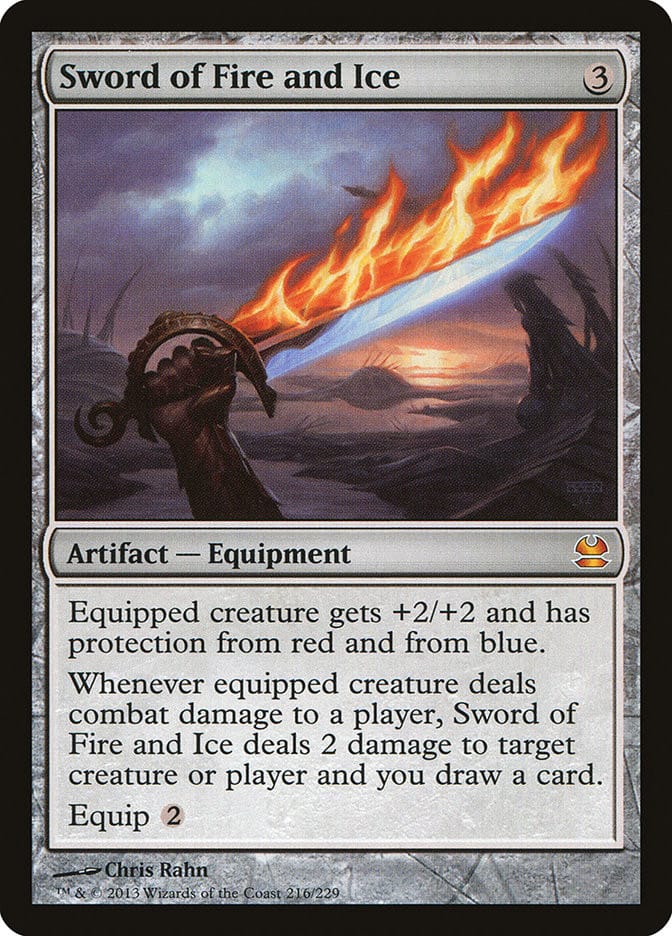
If you've topped up or claimed rewards through the official VNG portal before, you already know the binding-first rhythm. For players also weighing where to grab in-game currency alongside their codes, comparing the official store against options like Sword of Fire and Ice Cash Coupons recharge is a separate value call from redemption. Just keep your account properly bound before either, since both ride on it. (Disclosure: that's a third-party top-up option, not a code source.)
So here's my F2P-friendly call, stated plain: verify region, type the code by hand, confirm your account is bound, then decide a code's dead. Do those three and the "already used" panic sorts itself out way more often than the "expired codes" tier lists would have you think.
Frequently Asked Questions
Why does my Sword of Fire and Ice gift code say already used when I never redeemed it?
Usually you're on the wrong server region, or it's a broad per-account event code your account quietly claimed already. Check your in-game mail and redemption history first. If it's a code scraped from a public comment, it was likely globally single-use and somebody beat you to it, which the portal reports as "used" rather than "taken by another player."
Can I use the same gift code on two Sword of Fire and Ice accounts?
Depends entirely on the code type. Per-account codes, typically the official event and launch ones, can be redeemed once on each account, so yes, your second account claims its own fresh copy. Globally single-use codes can't: one redemption across all players, total, and after that it's spent everywhere.
How do I check my account region in Sword of Fire and Ice?
There's no flashy region badge. It's tied to which build you installed and how your account is bound. Since this is a SEA-published title (VNG Singapore, launched on that September date), confirm whether you downloaded the SEA or global SEA build, then use the matching regional redemption path instead of whatever URL some random code video used. Mismatched regions fail without a peep.
Do Sword of Fire and Ice codes expire, and how do I tell expiry from "already used"?
They do have validity windows, but expiry and "already used" are different errors with different fixes. An expired code is genuinely shut. Nothing recovers it. An "already used" message points at a spent single-use redemption or a region/input issue. If you've cleared whitespace and the wrong shard and it still fails, then assume expired or depleted and move on.
Almost never for a free code you grabbed off a public list. If someone claimed a single-use code first, support can't pull it back for you. The lone exception is a code you actually purchased and can prove you own. In that narrow case, reaching out through the official Discord support channel with your proof makes sense. Otherwise you're spending time on a recovery that simply isn't possible.









Comments