First, prove the money actually moved — pending isn't paid
Most people skip the one step that matters. A "deducted" notification doesn't always mean a finished charge. Store-side payment systems drop a pending authorization that can look exactly like a real deduction in your banking app, then quietly back itself out. Per the Google Play Help Thread and the community reports around it, that reversal window usually runs 24–48 hours. Retry inside it and you risk the pending hold and a fresh charge landing together.
So step one is detective work, not technical work. Open the payment source, whether that's Google Play order history, Apple's purchase history, or your bank statement, and hunt for the literal word "pending" against a settled line. If it reads pending, VIP didn't activate because the payment hasn't truly posted. Nothing's broken. The system's just slow.
While you're poking around in there, lift your transaction ID (or order number). It lives in Chamet's wallet or transaction history, and it's mirrored on the store receipt. Screenshot it right now, ahead of everything else. Having that ID ready is the single biggest accelerator down the line. It's the gap between a clean fix and a week of "please provide more details" replies.
A quick cheat-sheet for reading what's in front of you:
| If you see… |
Then it means… |
Do this |
| "Pending" in store/bank |
Charge not settled |
Wait 24–48h, no retry |
| Settled charge, no VIP |
Sync delay (most common) |
Relog + Restore Purchases |
| No charge at all |
Payment never went through |
Safe to recharge once |
| Charge + diamonds gone, no VIP |
Deducted-not-credited |
File ticket with ID |
That bottom row is the genuinely ugly one. Everything stacked above it tends to sort itself out.
Why a "successful" recharge still leaves your VIP missing

A recharge can clear on the payment side and still fail to flip your VIP, and the causes fall into three piles that each want a different answer.
Sync delay between the payment gateway and Chamet's VIP system. This is the lion's share of cases. The processor confirms, but Chamet's account-side grant trails behind. That lag tends to sit around half an hour, per Bittopup's tracking. While it drags, your badge is gone and your perks dead, and it feels like a flat-out failure. It isn't.
Auto-renew billing rejection. Wholly different beast, and here's where I'll plant my flag: auto-renew failures are usually a billing-side problem at Google or Apple, not a Chamet bug. An expired card, a region mismatch, a thin balance, a declined recurring charge, any of those means the subscription never billed. No diamonds-deducted mystery exists because nothing got charged. The renewal just bounced.
App version and cache conflicts. Sometimes the grant lands server-side but your app is parroting stale data. A corrupted local cache or an outdated build keeps painting the old expired state. The account knows you're VIP; the screen didn't get the memo. This is exactly why one quiet behavior is worth memorizing: VIP status syncs to your account, not your device. Log the same Chamet account into another phone, or do a fresh relog, and you might find it was live the entire time.
Why hammer the distinction? Because the manual path and the auto-renew path need opposite repairs. Complaints compiled on Sikayetvar describe precisely this split. A manual VIP recharge that stalls usually wants Restore Purchases, while an auto-renew failure usually wants you to update your payment method at the store. Reach for the wrong one and you'll just chase your tail.
The six-step fix that won't charge you twice
Run these in order. The order is the point. It's sequenced so you burn through every free, zero-risk fix before touching anything that could cost you.
-
Wait 15–30 minutes. Seriously. Set a timer. The sync delay clears on its own in most cases, and doing nothing is statistically your strongest opening move, given that 60% restart-fix and 90% self-resolve-in-30-min picture from the same dataset.
-
Force-quit and relog. Close the app completely, reopen, sign back into the same account. That re-pulls your account state from the server and wipes the stale-display problem. A plain restart fixes a big chunk of these on its own.
-
Tap Restore Purchases. The quiet hero of this whole list. Restore Purchases re-validates your subscription and purchase receipts against the store, and it can re-trigger a stalled VIP grant that froze between payment and activation. For manual recharges especially, this is the move per the Google Play thread's troubleshooting order.
-
Clear the app cache, then update. Clearing cache untangles more VIP-display bugs than a full reinstall does, and it's a lot safer. On Android: app settings → storage → clear cache (not data). Then check the store for a pending update; an outdated build can misread your status.
-
Check VIP expiry and transaction history directly. Open your Chamet profile or wallet, confirm the expiry date, verify the recharge shows in history. If the transaction's logged but VIP still reads expired, that's your proof the grant failed, and your green light for step six.
-
Only now, contact support, transaction ID attached. Still missing after roughly an hour with the charge genuinely settled? Stop self-troubleshooting and file one ticket.
Notice what's absent from that list: retrying the recharge, and reinstalling the app. Retrying is the number-one cause of double charges. Per VGTopup's guidance, retrying before the first payment posts is exactly how people pay twice. And reinstalling is a trap, which I'll get to.
The reinstall warning earns its own beat, because so many guides shove it to the front. Reinstalling can wipe the local receipt context that Restore Purchases leans on, per the same Google Play thread. So the "nuclear option" everyone instinctively grabs can torch the very data that would've fixed you for free. Clear cache instead. Every time, clear cache instead.
Recovering deducted diamonds and filing a ticket that actually works
If you've landed in that bottom-row scenario, charge settled, diamonds vanished, VIP not granted, that's a real deducted-not-credited case, and you claw it back by handing your transaction ID to Chamet support. The mechanism's plain: they match your ID against their billing logs and manually credit what's owed.

But evidence-first discipline is what saves you days here. One transaction ID screenshot beats ten follow-up messages. Lead with proof, not a story. Send, in a single ticket:
- The transaction ID / order number
- A screenshot of the receipt from your store or Chamet wallet
- The date, time, and amount of the charge
- Your account ID and the VIP tier you were renewing
- A one-line note: "Charged [amount] on [date], diamonds/VIP not credited."
Two urges to fight. First, don't open multiple tickets. The complaint records are blunt that stacking tickets slows resolution, because your case fractures across agents who each restart triage from scratch. One clean, evidence-loaded ticket outruns five frantic ones. Second, don't demand a Chamet refund while a store-side authorization is still pending. You'd be asking Chamet to return money it may not have received.
Now the part nobody wants: resolution can crawl. The Sikayetvar record describes deducted-not-credited cases dragging past a week with no response in the worst stretches. That's the realistic floor for a truly stuck case. The upside, and the reason I keep pushing wait-and-restore, is that the overwhelming majority of "failures" never reach support, because they sort themselves out in that first half hour.
One honest reframe: aim for restoration, not a cash refund. Restoring VIP or crediting diamonds is far quicker and likelier than getting money back, because it's a billing-log match rather than a payment reversal. Walk in expecting cash and you'll stew. Walk in wanting VIP restored and you'll usually get it.
Google Play vs Apple: the two renewal paths most guides merge
Auto-renew failures live almost entirely at the store level, and recovery forks by platform. Merging the two, which most write-ups do, is why folks apply Android fixes to iPhone problems and get nowhere.
On Google Play (Android): a renewal that died on billing routes to Google Play → Subscriptions → select Chamet → update payment method, per the Google Play support thread. Fix the card or balance and Google usually retries the charge automatically. If your statement flags a pending authorization, hand it that 24–48h window before assuming anything cracked.
On Apple (iOS): manage it in App Store → your name → Subscriptions, where you can update payment or re-confirm the renewal. The flow community subscription posts point to is the standard Apple path: same logic, different doorway. Apple's own purchase-history and "report a problem" tools are also where iOS refunds get filed, not inside Chamet.
The triage rule I'd tattoo somewhere: an auto-renew failure gets fixed at the store first; a manual recharge failure gets fixed in Chamet first. Get the fork right and you skip most of the wasted effort I keep watching in these threads.
Stopping the next failed renewal before it happens
Prevention here mostly means knocking out two failure points: a shaky payment method, and leaning too hard on auto-renew.
Keep the card current and your region settings lined up with whatever account actually pays, since region mismatches quietly strangle recurring billing. Keep the app updated so cache-conflict display bugs stop masquerading as failures. And glance at your VIP expiry a day or two before it lapses instead of the second it dies, so you've got runway to fix a declined renewal without scrambling.
My actual read, after wading through more of these failure reports than is healthy: auto-renew is overrated the moment your payment method gets at all flaky. It hands your VIP continuity to a recurring charge you never watch, and when it bounces, the only alert you get is losing your badge. A deliberate manual renewal, where you pick the moment, confirm the charge cleared, and verify VIP flipped, deletes the entire auto-renew rejection category from your life. Small convenience traded for a lot of control.
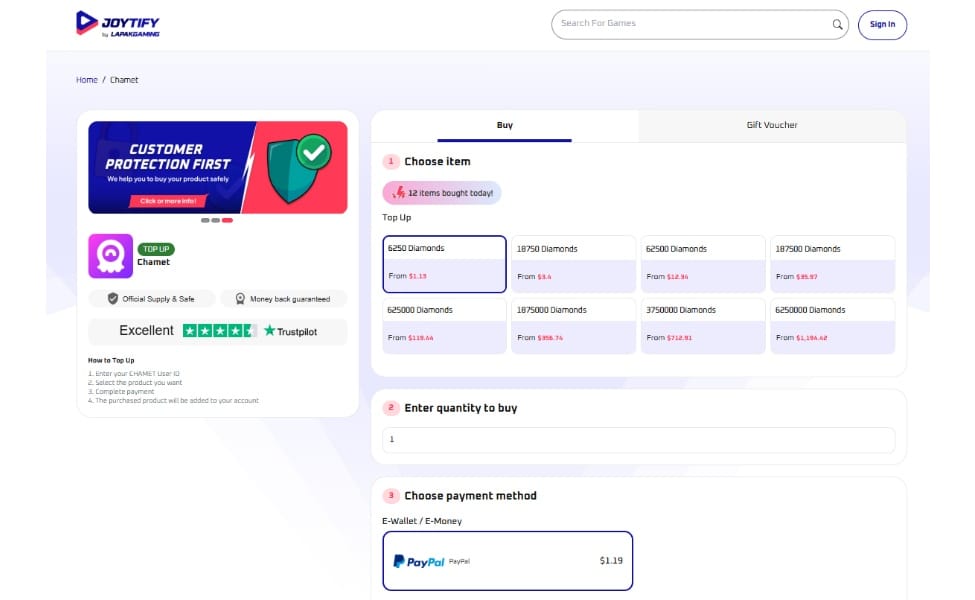
That's also where a clean, traceable top-up route pays for itself. A controlled manual transaction sidesteps the in-app renewal glitch entirely, because you're not waiting on a stalled recurring grant. For the record, this piece is published by VGTopup, so weigh that accordingly. The underlying point holds regardless of channel. If auto-renew keeps biting, you can handle Chamet Diamonds recharge manually for a single-transaction record you can actually screenshot when something goes sideways. The value isn't the brand. It's that one explicit, traceable charge is far easier to triage than a silent auto-bill that failed in the dark.
If you take one line out of all this: patience plus Restore Purchases beats re-purchasing, every single time. Most of what looks like lost money is a sync delay wearing a scary costume.
Frequently Asked Questions
Why did my Chamet VIP fail to renew after I paid?
Usually it's a sync delay between the payment gateway and Chamet's VIP system. The charge cleared but the grant hasn't posted, typically inside about 30 minutes per Bittopup's tracking. The other common culprit is an auto-renew billing rejection at Google or Apple, where the recurring charge declined and nothing actually went through. Figure out which camp you're in before you touch anything.
Will retrying the recharge double charge me?
Yes, and it's the most common way people end up paying twice. If your first payment is still showing pending, a retry can shove both through. Pending store authorizations can take 24–48 hours to reverse, so never retry inside that window. Wait, verify, then decide whether to tap buy.
How long does Chamet take to restore a failed VIP renewal?
If it's a sync delay, usually under half an hour on its own. If it's a genuine deducted-not-credited case routed through support, brace yourself. Community complaint records on Sikayetvar describe some cases pushing past a week with no reply. Leading with your transaction ID and receipt in one ticket is the biggest lever you've got to speed things up.
Does relogging fix Chamet VIP not showing?
Often, yes, because VIP status syncs to your account rather than your specific device. A full relog re-pulls account state from the server and can clear a stale local display still flashing "expired." If a relog doesn't crack it, Restore Purchases is next, since it re-validates your receipts and can re-trigger a stuck grant.
Can I get a refund if my Chamet VIP renewal failed?
You can ask, but restoration is far likelier and much faster than a cash refund, because it's a billing-log match rather than a payment reversal. For auto-renew charges, refund requests actually go through Google Play or Apple, not Chamet directly. And don't demand a Chamet refund while a store authorization is still pending; you might be asking them to return money they never received.
How do I check my Chamet VIP expiry date?
Open your Chamet profile and look in the VIP or wallet section, where both your expiry date and recharge history sit. Checking a day or two before VIP lapses, instead of the moment it dies, gives you room to fix a declined payment calmly rather than scrambling once the badge is already gone.





Comments