Why the username does nothing and the UID does everything
The thing that actually routes Frost Stars to an account is the UID. Not the display name. Two players can be running around with identical usernames, the same alliance tag, even the same avatar art, and it doesn't matter (the UID is unique, and the store reads that and only that to find the mailbox the Stars drop into). Per the WOS Official Store, the UID auto-links the account, so there's no server picker to fight on the official flow and no login credentials anywhere in the gifting process.
That last bit deserves a flag, because it's exactly where well-meaning friends overshare. If somebody tells you they need your Google/Apple/Facebook login to "send you Stars," walk away from that idea. It's unnecessary, and the UID alone gets it done. Folks over on r/whiteoutsurvival land in the same place: the official store and the mainstream resellers all top up off the Player ID, no passwords in the loop.
So the whole safety question shrinks down to one habit. Getting the correct UID, intact, from your friend's screen onto the payment page.
Works when you treat the UID as the single source of truth. Falls apart when you go by username, alliance, or "eh, they're the only one on my server with that handle."
Play 1: grab the UID by screenshot, never by ear
Cleanest path here is making your friend do thirty seconds of work for you, in a way that yanks human error out of the equation.
- Friend opens Whiteout Survival and taps their avatar, top-left corner.
- The UID shows up right under the username.
- They screenshot it (or copy it, if their profile screen hands them a copyable ID).
- They send you that screenshot.
- You zoom in, read the digits straight off the image, or paste the copied string.
That's the official locate-the-UID sequence. The reason I'm so stubborn about the screenshot: digits get scrambled the second they're spoken on voice chat or retyped from memory. A 7 morphs into a 1, a 0 turns into an 8, and congratulations, you've just funded a complete stranger. One of the documented failure modes in the BitTopup 2026 guide is precisely that (assuming a username or a number relayed out loud is good enough instead of an exact UID), which drops the top-up on the wrong account.
First time a friend tried handing me their ID over a loud Discord call, I caught myself reading back a number that didn't square with their screenshot. That mismatch is the whole reason I stopped accepting a UID by ear. Zoom and confirm beats brand-shopping every single time.
Works when the UID arrives as an image or a paste-able string. Falls apart when it's dictated, typed from memory, or yanked out of a blurry crop you can't actually read.
Play 2: finish the purchase without ever touching their login
Once you're holding a verified UID, the transaction itself is short. On the official route, per the store's own instructions:
- Go to store.centurygames.com/wos.
- Enter your friend's User ID.
- Pick your Frost Star pack.
- Pay.
- Stars land in your friend's in-game mail.
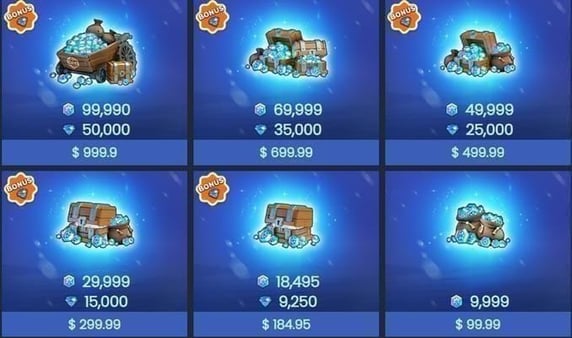
No server dropdown to wrestle, no credentials, no "log in as them." Pricing's clean too. 1 Frost Star equals 1 cent USD on the official store, so the entry pack is 999 Frost Stars for $9.99, scaling up in a straight line from there.
| Pack Price (USD) |
Frost Stars |
Notes |
| $9.99 |
999 |
Base pack |
| $19.99 |
1,999 |
Mid pack |
| $49.99 |
4,999 |
Larger pack |
| $99.99 |
9,999 |
High value |
Source: WOS Official Store (2026)
One thing worth knowing before you treat this as an event-stacking move. Per the Official Facebook announcement, Frost Star purchases do not count toward in-game top-up events or gem-pack benefits. So if your friend's grinding a spend-milestone event, gifting Stars won't budge that bar. Most "how to gift" pages skip that quiet detail, and it's kept me from assuming a gift would double-dip on an event reward it never qualified for.
Resellers are there as an alternative (SEAGM, BitTopup and the rest all accept gifting by UID too, per the same Reddit thread), and they'll occasionally run discounts, with delivery often showing up 5–20 minutes after payment according to the TopUpLive and SEAGM 2026 guides. Disclosure: this piece is published by VGTopup, which is itself a top-up platform that delivers off your friend's UID with no login sharing. Whichever lane you take, the discipline's identical. The UID on the confirmation screen has to match the screenshot before you commit. If you want to line up a UID-only gifting flow against the official store side by side, you can top up Whiteout Survival Frost Stars and verify the number on the confirmation screen before paying.
Works when you've already locked the UID and you're just choosing a tier. Falls apart when you blow past the confirmation screen on autopilot.
Play 3: a wrong UID isn't a glitch, it's a successful delivery
A wrong UID doesn't error out. It succeeds, just at delivering to the wrong person. Nearly every guide glosses over this.
The store routes Stars to whatever valid account that number points at. Type a UID that's off by one digit but still belongs to a real player, and the Stars settle cleanly into their mailbox. No warning, no bounce-back, nothing. Multiple reseller policies and community reports compiled on r/whiteoutsurvival and in the BitTopup guide describe exactly this: wrong UID, currency goes to a stranger, non-refund risk attached. There's a heavily-read r/whiteoutsurvival thread titled around being "scammed for $10" that, read closely, is usually a self-inflicted wrong-recipient top-up and not an actual scam.
Recovery's possible but narrow. Per a reseller-policy example circulating in the Whiteout Survival community on Facebook, clawing Stars back from a wrong-UID send depends on contacting support immediately with your full order details, and even then it's no sure thing. For the official channel, if a top-up flops or doesn't credit, the documented path is to restart the game first, then reach customer support in-game or by email at contact_wos@centurygame.com. That same email is your only lever if you misfire.
So treat non-refundability as the thing that makes verification mandatory rather than optional. The vendor isn't your risk. Your copy-paste accuracy is.
Works when the UID's verified before payment. Falls apart when you're banking on support to undo a delivered transaction (that's a coin flip on a good day).
There's a ton of forum hand-wringing about "picking the right server" or "wrong state number." Let me split the genuine risks from the imagined ones, because they're nowhere near equal.
| Wrong input |
What actually happens |
Recoverable? |
| Wrong UID (valid number, different player) |
Stars delivered to a stranger's mailbox |
Rarely — only if you contact support immediately with order details |
| Server/state mis-eyeballed |
Usually harmless. UID auto-links the account, no manual server pick required |
N/A — delivery typically still succeeds |
| Digit typo (invalid UID) |
Best case: store can't find the account; worst case: it matches another real player |
Sometimes, same immediate-support path |
Sources: WOS Official Store (2026); community reports via r/whiteoutsurvival and BitTopup (2026)
My contrarian read: server panic is mostly misplaced energy. Nothing in the official flow says you have to select a server manually (the UID suffices, and a correct UID effectively links the account's server for you). So even if you misread the state number off your friend's profile, delivery still tends to land right because the UID's doing all the routing.
Doesn't mean ignore the server field altogether. When it's shown, eyeballing it costs nothing and now and then catches a rare mismatch. Cheap insurance. But the digit you should genuinely fixate on is the UID, not the state number. The real risk here isn't the platform and it isn't the server. It's copy-pasting a UID off a blurry screenshot.
The pre-purchase checklist that prevents almost every misfire
Run this every single time. Under a minute, and it's the line between a clean gift and a support ticket.
- Verify the exact UID via screenshot. Image or copy-paste only, never dictated. (Synthesized from the official locate-UID steps and reseller checklists, 2026.)
- Confirm your friend's logged into the correct character. Frost Stars are non-transferable between characters on the same account per the Official Facebook announcement, going only to whoever's logged in at purchase time. If your friend juggles alts, make sure they're sitting on the one that should get the Stars.
- Double-check the pack selection before you pay so you're not buying the wrong tier.
- Re-read the UID on the confirmation screen. Skipping this final screen is one of the most documented causes of wrong-UID errors, per the BitTopup 2026 guide. Match it character-for-character against the screenshot.
- Then pay.
The whole list is a verification habit, not a vendor choice. Most failed top-ups are user typos and not platform faults, which means switching channels won't fix a sloppy process, while a careful process makes nearly any legitimate channel safe.
How I'd actually gift Frost Stars and sleep fine afterward
My read after weighing all of it: for gifting, the official store is the safest default precisely because it strips out everything that can go sideways except the UID (no login, no server dropdown, delivery straight to mail). Resellers are perfectly fine for chasing a discount and they often deliver quicker (that 5–20 minute window the trade-press guides cite), but they don't move the one rule that matters. Verify the UID strictly, every time, on whatever channel you land on.
When I'm sending Stars to a close friend, I ask for a screenshot, zoom in, paste, re-check on the confirmation page. That's the whole ritual. The mail confirmation is my proof it landed, so the fastest way to know gifted Stars reached the right account is to have your friend check their in-game mail the second you pay. No mail in a couple of minutes? Restart the game before assuming anything's broken, because delivery can lag.
The one position I'll plant a flag on: never accept, and never hand over, a password to make a top-up happen. It was never needed, it never will be, and the moment somebody insists on it, you're solving a problem that doesn't exist while inventing a real one.
Frequently Asked Questions
Does the server really matter when I top up Frost Stars?
For most accounts, no. The UID auto-links the account and there's no manual server selection on the official flow, so delivery routes off the UID alone. Glance at the server field if it's displayed, sure, as a sanity check, but the digit that decides success is the UID, not the state number.
Can I get Frost Stars back if I sent them to the wrong UID?
Sometimes, and only if you move fast. A wrong-UID send delivers to a real stranger's mailbox and carries a non-refund risk, but recovery's possible if you contact support immediately with full order details (for the official channel that's an in-game ticket or contact_wos@centurygame.com). Treat it as a long shot, not a safety net.
Do I need my friend's password to top up their Frost Stars?
Never. The UID is the only thing required, and official store plus resellers alike gift via Player ID with zero login credentials. Anyone asking for your password to "send" you currency is either confused or shady, and sharing it only risks your account security for absolutely no benefit.
How long do gifted Frost Stars take to show up?
On resellers, often 5–20 minutes after payment per 2026 trade-press guides. The official store delivers via in-game mail and can lag a touch. If they're not there, restart the game first, then check mail again before pinging support, because most "missing" Stars are just delayed or sitting unopened in the mailbox.
What if my friend has multiple characters, will the Stars go to the right one?
Only to whichever character's logged in at the moment of purchase. Frost Stars don't transfer between characters on the same account, per the official announcement, so have your friend log into the exact character that should receive them before you pay, then confirm via that character's mail.








Comments