
LivU Coins Top Up: Direct In-App Balance
Getting a LivU Coins top up allows you to maintain uninterrupted video conversations and engage with creators and friends across the globe. Coins serve as the direct digital currency on the LivU platform, powering real-time video connections, custom chat matching, and interactive features.
When you top up on VGTopup, the process is handled directly through your account UID. You do not need to share login credentials, passwords, or link external social accounts. Simply select your desired package, submit your numeric LivU UID, and the coins are credited straight to your in-app wallet balance.
What Are LivU Coins and In-App Uses
LivU Coins are the core utility token used across the LivU video chat ecosystem. Having an active coin balance unlocks several essential communication and interactive features:
- Random Video Matching: Connect instantly with users worldwide through video matching filters.
- Direct 1-on-1 Video Calls: Initiate and extend direct video calls with specific friends or preferred profiles without sudden call cutoffs.
- Gender and Regional Filters: Apply custom search criteria to match with people from specific countries or target preferences.
- Virtual Gifts: Send animated stickers, roses, luxury items, and special visual effects during live calls to support broadcasters and show appreciation.
- Profile Highlighting: Gain higher visibility in discovery feeds to meet new people faster.
Running out of coins during an active video session can abruptly end a conversation. Keeping your wallet funded ensures continuous connection time whenever you use the app.
How to Find Your LivU UID in the App
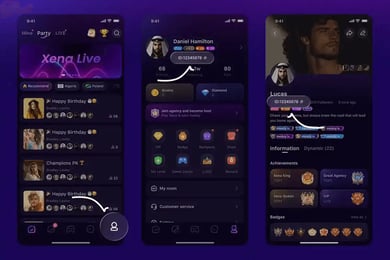
To ensure your coins reach your account without delay, you must provide your exact numeric User ID (UID). Finding your UID takes only a few seconds inside the LivU mobile interface:
- Open the LivU app on your iOS or Android device.
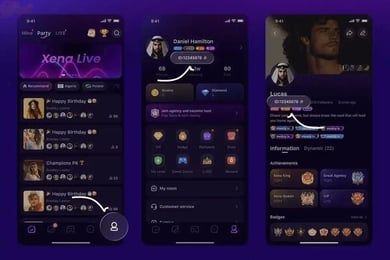
- Tap the Profile icon located at the bottom-right corner of the main screen.
- Look directly beneath your profile photo and display username.
- Locate the line displaying your User ID (UID), which consists of a series of numbers.
- Tap the copy icon next to the numeric ID or carefully write down the full number string.
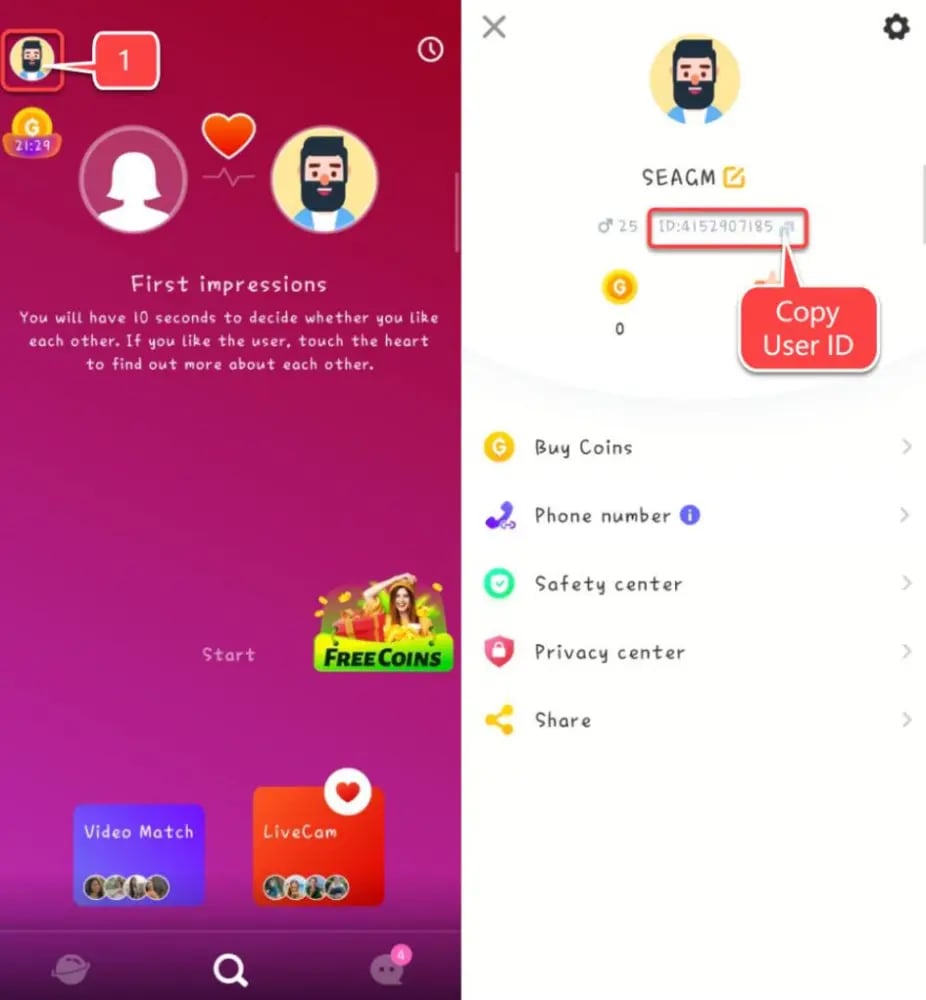
Make sure to paste the copied ID directly into the checkout field on VGTopup to avoid accidental typos.
Step-by-Step Guide to Top Up LivU Coins on VGTopup
Recharging your LivU account balance on VGTopup is straightforward and secure. Follow these steps to complete your order:
- Select Your Package: Browse the available LivU Coin packages above and choose the denomination that fits your usage needs.
- Enter Your LivU UID: Input your numeric account ID in the UID field. Double-check the number to ensure accuracy.
- Proceed to Checkout: Review the selected coin quantity and proceed to the payment step.
- Select Payment Option: Choose from the available local or international payment methods presented on the checkout page.
- Complete the Transaction: Follow the on-screen instructions to finalize your payment securely.
- Verify Balance: Open or refresh your LivU app. Head to your profile wallet to view your updated coin balance.
LivU Coin Packages and Denominations in 2026
Different communication goals require different coin quantities. Whether you want to test out regional filters for a few calls or maintain a large reserve for extended conversations, multiple denominations are available. Current pricing and active package options are displayed live on the checkout menu above.
| Package Category | Typical In-App Use Cases | Delivery Method |
|---|---|---|
| Starter Packages | Short video calls, basic gender filters, introductory gifts | Direct UID Top-Up |
| Medium Packages | Regular 1-on-1 conversations, animated stickers, multi-region search | Direct UID Top-Up |
| Large Packages | Extended call sessions, high-tier virtual gifts, heavy daily usage | Direct UID Top-Up |
| Bulk Packages | Dedicated broadcasters, power users, long-term coin reserves | Direct UID Top-Up |
All package orders process through the same direct UID delivery pipeline, crediting the selected quantity directly into your LivU wallet.
Account Safety: Passwordless UID Recharges
Account security is critical when purchasing digital currencies online. VGTopup operates on a strict passwordless fulfillment model for all LivU coin recharges.
- No Passwords Required: You never need to provide your LivU password, email credentials, or phone verification codes.
- Zero Account Access: Top-ups occur via the public numeric UID only, meaning nobody gains access to your personal messages, contacts, or account settings.
- Protected Payment Processing: All payment workflows are processed through verified, secure payment gateways with modern encryption standards.
- No Third-Party Binding: You do not need to bind your LivU account to unverified external apps to receive your balance.
This UID-only system protects your profile from unauthorized logins, phishing attempts, and account lockouts.
Troubleshooting Delivery Issues and Common UID Errors
While most recharges process smoothly, occasional technical delays or user input errors can occur. Use this protocol to resolve potential issues quickly:
- Coins Not Showing Immediately: Close the LivU app completely from your device's background app manager and reopen it. This forces the app to re-sync with the central server and refresh your wallet balance.
- Entered the Wrong UID: If you realize you entered an incorrect UID during checkout, contact VGTopup customer support right away with your order number. If the order has not yet been processed by the system, support may assist in updating the target ID. Once an order is fully processed and delivered to an existing third-party UID, the transfer cannot be reversed.
- Pending Payment Status: If your transaction shows as pending, allow a few moments for the payment gateway to confirm the settlement. Check your bank or payment provider statement to verify that the funds were cleared.
- Order Tracking: Keep your VGTopup order receipt and transaction ID handy whenever contacting customer support for expedited assistance.
Frequently Asked Questions About LivU Coins
What is a LivU UID and where can I find it?
A LivU UID is your unique numeric User Identification number assigned to your profile upon registration. You can locate it by tapping the Profile tab in the bottom-right corner of the LivU application; your UID is displayed directly beneath your profile picture and username.
Do I need to provide my LivU account password to top up coins?
No. Recharging LivU Coins on VGTopup requires only your numeric UID. You should never share your account password, Facebook login, Google login, or SMS verification codes with anyone.
How long does it take for LivU Coins to reflect in my account?
Once your payment is confirmed at checkout, the system processes the top-up directly to your UID. In most cases, the coins reflect in your in-app wallet shortly after transaction approval. Refreshing or restarting the LivU app will update your balance display.
What can I purchase with LivU Coins inside the app?
LivU Coins are used to pay for 1-on-1 direct video calls, random video matching, applying country and gender search filters, and sending animated virtual gifts to other users during live video interactions.
What should I do if I entered the wrong LivU UID during checkout?
Check your order status immediately. If the transaction has not yet been fulfilled, contact VGTopup customer support with your order number and the correct UID. If the coins have already been delivered to the entered UID, the transaction is finalized on the network and cannot be refunded or transferred.
Can I recharge LivU Coins for a friend using their UID?
Yes. Because the top-up process only requires a numeric UID, you can purchase coins for friends or family by entering their LivU UID in the player ID field at checkout.
Select Denomination
Tax, payment fees and eligible coupons are calculated at checkout.
| Package | Price |
|---|---|
| 650 LivU Coins | USD 3.35 |
| 1250 LivU Coins | USD 6.05 |
| 1800 LivU Coins | USD 8.45 |
| 3500 LivU Coins | USD 14.83 |
| 7000 LivU Coins | USD 29.65 |
| 15000 LivU Coins | USD 63.63 |
| 35000 LivU Coins | USD 148.72 |