
How to Complete a YoYo Coins Top Up Online Using Your UID
Getting coins for your favorite social voice chat rooms is straightforward and takes only a few moments. VGTopup processes your order directly to your account using only your User ID (UID), ensuring you can get back to chatting, gifting, and playing without delay.
Follow these simple steps to recharge your balance:
- Select Your Coin Denomination: Browse the available coin packages on this page. Choose the exact quantity of YoYo Coins you wish to add to your account. Current prices and active promotions are shown live on the checkout panel.
- Enter Your YoYo UID: Input your numerical User ID into the required field. Make sure to double-check this number against your in-app profile to prevent sending coins to another profile.
- Choose Your Preferred Payment Method: Select your preferred payment option from our secure checkout gateway.
- Finalize Checkout: Complete the transaction. Once payment is confirmed, your order is submitted automatically to the delivery queue.
- Check Your In-App Balance: Open the YoYo app on your smartphone, refresh your wallet or profile screen, and confirm your updated coin total.
| Recharge Step | Action Required | Details |
|---|---|---|
| 1. Select Package | Choose coin amount | Review live prices on the product page |
| 2. Input UID | Enter numerical ID | Copied directly from your YoYo app profile |
| 3. Payment | Complete transaction | Secure, verified payment processing |
| 4. Verification | Open YoYo app | Coins credit directly to your account balance |
Where to Find Your YoYo User ID (UID) in the App
To ensure your recharge reaches your specific account, you need to provide your exact YoYo UID. Your UID is a permanent, unique numerical identifier assigned to your profile when you register.
Follow this simple guide to locate your UID:
- Open the YoYo app on your iOS or Android device.
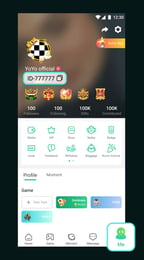
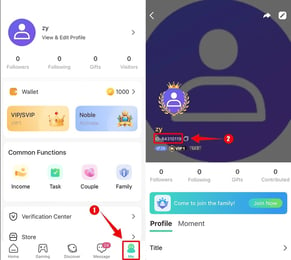
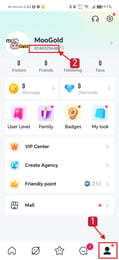
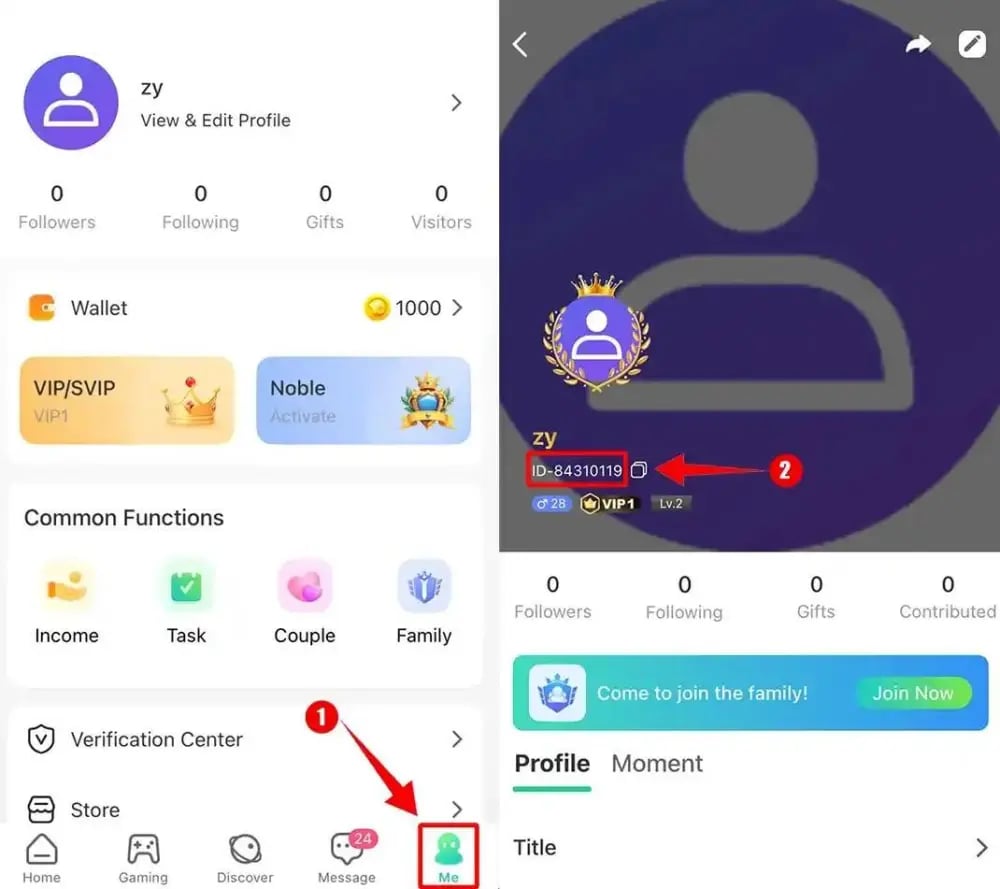
- Tap the Profile or Me icon located in the bottom navigation bar on the far right.
- Look directly below your profile picture and nickname at the top of the screen.
- You will see a label marked ID: followed by a unique string of numbers.
- Tap the copy icon next to the number or write it down carefully to paste into the VGTopup order field.
Always verify your UID before submitting your order. Copying and pasting the number directly from the app is the best way to prevent typing mistakes.
Safe YoYo Recharge: Why Password-Free UID Delivery Matters
Account security is critical when purchasing virtual currency online. Unlike older top-up methods that required users to hand over their account login credentials or social login passwords, VGTopup uses direct UID delivery.
Here is why password-free recharge is the safest method:
- Zero Password Sharing: You never need to expose your account password, email login, or linked social media access.
- No Risk of Account Takeover: Because no third party gains access to your login credentials, your personal chat history, friend lists, and account settings remain completely secure.
- No Verification Code Requests: Legitimate UID top-up systems never ask for one-time SMS passwords (OTPs) or two-factor authentication codes.
- Direct Server Credit: The coins are transferred straight into your profile through direct system routing, keeping your account safe from unauthorized changes.
Keep your account details private. If anyone claiming to represent a store asks for your password or verification code, do not share it. On VGTopup, your numerical UID is all that is required.
Supported Platforms: Topping Up YoYo on iOS and Android
YoYo operates across both mobile ecosystems, and coin crediting works identically on both major platforms. Whether you use an iPhone, an iPad, or an Android phone or tablet, your UID is tied to your central YoYo account.
Key platform compatibility details include:
- Cross-Platform Wallet: Coins added to your UID are available immediately whether you open the app on Android or iOS.
- Unified Account Balance: If you switch between devices or change phones in 2026, your coin balance remains attached to your YoYo profile.
- No OS Restrictions: You do not need to specify whether your device runs Android or iOS during checkout. Entering your correct numerical UID ensures your balance updates regardless of your operating system.
What Are YoYo Coins Used For: Voice Rooms, Virtual Gifts, and Games
YoYo Coins serve as the primary currency within the YoYo voice chat and social community. Having an active coin balance allows you to participate fully in audio rooms, support room creators, and access interactive features.
Here are the main ways you can use your YoYo Coins:
- Sending Animated Virtual Gifts: Show appreciation to room hosts, performers, and friends by sending animated gifts during live voice streams. Gifts range from small tokens to extravagant room-wide animations that display across the entire audio room.
- Unlocking Special Entrance Effects and Badges: Stand out when entering popular voice rooms. Certain VIP statuses, vehicle entrance effects, and chat frames can be unlocked or activated using coins.
- Participating in Voice Room Games: Many interactive voice rooms feature mini-games such as Ludo, lucky draws, and party games where coins are used to join the fun with other room participants.
- Upgrading Creator Levels: Gifting coins helps room hosts climb community leaderboards, unlock higher-tier room privileges, and increase their popularity rankings inside the app.
Troubleshooting Delivery: What to Do If Your YoYo Coins Are Delayed
Most top-up orders on VGTopup are processed immediately after payment confirmation. However, if your coin balance has not updated within a few minutes, follow these troubleshooting steps:
- Restart the YoYo App: Fully close the YoYo app from your phone's app switcher, wait ten seconds, and relaunch it. This forces the app to refresh its connection with the server and sync your balance.
- Check Your Order Confirmation: Review the order receipt sent to your email or view your order history on VGTopup. Double-check that the UID you entered matches your current in-app ID.
- Verify Payment Status: Ensure that your payment went through successfully and that your bank or payment provider did not place the transaction on hold.
- Contact VGTopup Customer Support: If your payment is complete and your UID was entered correctly, reach out to our customer support team with your order number. Our team can check the transaction status and ensure your coins reach your profile promptly.
Frequently Asked Questions About YoYo Coins Recharge
How do I find my YoYo UID for topping up coins?
Open the YoYo app, tap the profile icon on the bottom right of the home screen, and check the ID number displayed right beneath your username and profile picture. Tap the copy icon next to it to paste it directly into the VGTopup order field.
Do I need to share my YoYo account password to recharge coins?
No. You never need to provide your password, login email, or phone verification codes. VGTopup only requires your numerical UID to deliver coins directly to your balance.
How long does it take for YoYo Coins to arrive after checkout?
Once your payment is verified, coin delivery is processed automatically. Coins typically reflect in your in-app wallet within moments of completing your order. If there is a brief network delay, restarting the YoYo app will refresh your balance.
What can I use YoYo Coins for in the YoYo voice chat app?
YoYo Coins can be used to send animated gifts to room hosts, purchase unique entrance animations and chat bubbles, participate in interactive voice room mini-games like Ludo, and support your favorite community creators.
What should I do if I entered the wrong YoYo UID during purchase?
Because digital currency orders are processed immediately to the provided UID, transfers cannot be reversed once completed. Always double-check your UID before payment. If you realize an error before the order completes, contact VGTopup support immediately with your order reference.
Can I recharge YoYo Coins for both iOS and Android accounts?
Yes. YoYo accounts use a unified profile system. Topping up with your UID adds coins to your profile regardless of whether you access the YoYo app on Apple iOS or Google Android devices.
Select Denomination
Tax, payment fees and eligible coupons are calculated at checkout.
| Package | Price |
|---|---|
| 5,000 Yoyo Coins | USD 3.59 |
| 14,000 Yoyo Coins | USD 10.06 |
| 40,000 Yoyo Coins | USD 28.74 |
| 160,000 Yoyo Coins | USD 114.96 |
| 320,000 Yoyo Coins | USD 229.91 |