The first hour: refresh, re-login, restore
Before drafting a single furious sentence, run three checks in order. They clear the bulk of "missing coins" reports because most of them are sync hiccups, not vanished money.
- Force-close and reopen the app, then pull to refresh your wallet. Coin balances are usually read from a cached value at launch. A cold restart re-queries the live figure.
- Log out and back in. That forces the client to re-sync against the server-side ledger, which is where your actual balance lives. The number on screen is only a reflection of it.
- Use "Restore Purchases." The most overlooked fix going. Restore re-validates your past transactions against the store receipt and can trigger a re-credit before you've even opened a ticket. On both iOS and Android, store-backed purchases carry a receipt the app can re-read, and if the credit call dropped mid-handshake, restore frequently finishes the job.
That third step is the quiet hero. People skip it because it sounds like something you'd only use to re-download old content, but for a consumable currency that failed to deliver, it's often the whole fix.
Normal delay vs. real failure

Here's the model that spares you most of the premature flailing. Coin crediting is eventually-consistent, not real-time. Your payment, the gateway confirmation, and the in-game grant are three separate events, and they don't always fire in the same second. A short queue between them is ordinary. It isn't your money evaporating.
| Payment route |
Typical credit window |
When to treat it as a real failure |
| Card / direct gateway |
Seconds to a few minutes |
No coins after ~30 min with a confirmed charge |
| Google Play / App Store |
Usually under a minute, occasionally longer under load |
No coins after ~1 hour, store shows "completed" |
| Wallet / bank-transfer style |
Can take longer to clear |
No coins after several hours, payment shows "success" |
Those are industry-typical ranges for app-store and gateway crediting, not a published Yoyo Coins SLA, so treat them as a sanity check and nothing firmer. The principle holds either way: if you're inside the window, waiting is the action.
Why a successful charge still leaves you coin-less
A charge clearing and coins arriving are two different transactions, stitched together by a payment gateway. Snap that stitch and you land in exactly the mess you're sitting in now. Three causes cover almost the whole field.
Server sync lag and queued transactions. During events, patches, or peak hours, the credit queue backs up. Your payment confirms instantly because the store handles that bit, but the in-game grant waits its turn. This is the classic "money deducted, coins not received" case that sorts itself out, and the one where an early refund request actively works against you.
Wrong account ID or region mismatch, the silent failure. This is the cause most guides never bother with, and honestly it's the nastiest of the three. Top up against a UID that differs from your active login by a single character, or through a region-mismatched store account, and the coins did credit. They just landed on an account that, at a glance, looks all but identical. Nothing is "lost." The platform did exactly what you asked. Which is why I keep banging on about checking the account ID before paying: it heads off the one failure support genuinely struggles to undo, because from the system's side, nothing went wrong at all.
Gateway timeout and a stuck "pending" status. A payment reading "pending" or "processing" hasn't finished. And the trap is this: a pending charge can flip to success hours later and credit your coins after all. Panic-refund a pending transaction and you can void coins that were on their way, leaving you with a reversed payment and no currency. Read the status before you act on it.
The status itself tells you what to do:
- Pending / processing → wait. Don't refund. Re-check in a few hours.
- Failed → no coins are coming; if you were also charged, that's a refund case, not a credit case.
- Success / completed, no coins → this is your ticket scenario. Now you gather proof.
The proof that actually gets a ticket approved

Tickets don't resolve because you're cross. They resolve because you've handed an agent enough to find your transaction in their ledger inside a minute. What decides it is the transaction ID plus a timestamp, far more than the temperature of your message. A seething paragraph with no order number stalls. A calm note with a clean ID and a screenshot moves.
Gather all of it before you contact anyone:
| Evidence |
Where to find it |
Why support needs it |
| Transaction / order ID |
Store purchase history (Google Play "Order history" / Apple "Report a Problem" receipt), or the gateway confirmation email |
The primary key that locates your exact payment in their system |
| Payment receipt |
Store email confirmation or in-app order record |
Proves the charge cleared and the amount |
| Timestamp |
On the receipt and the charge line |
Lets support match the credit-queue event to your payment |
| Balance screenshot |
Your in-game wallet, showing the missing amount |
Demonstrates the coins aren't there, with your visible UID |
| Account ID / UID |
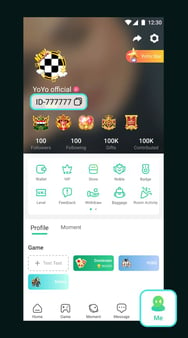
Profile / settings screen |
Confirms which account should receive the credit, this is what catches wrong-UID cases |
The screenshot rule that earns its keep: the transaction ID and the timestamp have to be legible in the image. A blurry wallet shot with no order reference is the single biggest reason missing-coin tickets sit untouched for days. If your store history shows the order number, capture that too, not just your empty balance.
A small mercy you can do for future-you: keep every top-up receipt. No proof, no recovery. That's not a maxim, it's just how ledgers behave.
The recovery order that protects your account
Once you're past the sync window with a confirmed charge and no coins, escalate in this sequence. The ordering is deliberate, running from lowest account-risk to highest.
1. Open a support ticket, properly. Lead with the transaction ID and timestamp on the first line, attach the receipt and the UID-visible balance screenshot, and state it plainly: charged on [date/time], order [ID], coins not credited to UID [your ID]. One message, all the evidence, no saga. Then give it the published response window before you nudge. Carpet-bombing the queue with duplicate tickets pushes you down the priority list, not up.
2. Platform store refund (Google Play / App Store). If support stays silent or confirms the purchase can't be credited, the store-side refund is your safer escalation. Google Play handles refund requests through your order history and "Report a problem"; the App Store routes through "Report a Problem" on the receipt. Both carry defined eligibility windows that narrow the longer you dither, which is exactly why you don't burn days re-sending tickets. These are first-party, policy-backed channels, built for precisely this when a consumable genuinely never arrived.
3. Bank dispute / chargeback, last resort, and I do mean last. A chargeback for digital goods often triggers an account suspension rather than a tidy refund, because the publisher reads a reversed payment as a broken trust relationship and locks the account to stem further loss. You may "win" the dispute and lose the account, coins, progress, the lot. Reach for this only when both support and the store have failed you and you've made peace with possibly being done with the account. Rushing it first is the worst opening move on the board. It can freeze an account a two-line ticket would have quietly topped up.
| Recovery path |
Speed |
Success odds for un-credited coins |
Account risk |
| Support ticket |
Moderate (within their response window) |
High when proof is clean |
Lowest |
| Google Play / App Store refund |
Fast within the eligibility window |
High for genuine non-delivery |
Low |
| Bank chargeback |
Slow |
Recovers money, rarely the coins |
Highest — suspension likely |
The column that ought to change your behaviour is the last one. A store refund and a chargeback both get your money back. Only one of them imperils the account you were trying to spend on.
Charged twice, or only half the coins arrived
Double billing reads like catastrophe and rarely is. A duplicate charge usually means the first attempt timed out, you retried, and both eventually cleared. Don't assume it auto-reverses. Practice varies, and a duplicate sometimes wants a manual claim rather than a silent system reversal. So treat it as its own case: pull both transaction IDs, screenshot both charge lines, and tell support outright that two identical orders posted for the same item, asking for one to be reversed. Same discipline for partial credit. Bought a bundle and only some coins landed? Screenshot the bundle's expected amount against your actual balance and quote the order ID. Partial-credit cases turn on showing the gap, not just asserting it.
If both charges credited and you've ended up with double the coins, the honest read is that the publisher may reconcile and reclaim the surplus later. Quietly spending a duplicate grant you suspect is an error can muddy a future ticket.
Stopping the failure before it happens
The most effective fix is the one that pre-empts the wrong-UID and timeout cases entirely.
- Verify your account ID before you pay, every single time. Open your profile, read the UID, confirm the top-up screen shows that exact string. This one habit kills the silent-misroute failure that support can't easily walk back.
- Don't retry on a "pending" status. Wait for it to settle to failed or success before paying again. That's how the double-charge case is born.
- Top up on a stable connection, off-peak when you can. Most timeouts are network-side, and most queue lag is event-driven.
- Pick a top-up route that confirms the account before charging. Anything that surfaces and verifies your UID at checkout strips out the most expensive variable.
On that last point, a bit of transparency: this piece is published by VGTopup, a third-party top-up service, so weigh it accordingly. The channel-neutral takeaway is that the failures above huddle around two things: paying into the wrong UID, and acting on a payment status before it's settled. A route that confirms your account ID before taking payment, whether that's a Yoyo Coins top up through a verified service or the official store with your UID double-checked, closes the gap responsible for the most unrecoverable losses. The verification matters more than the brand on the label.
Frequently Asked Questions
How long should I actually wait before I escalate?
Give a confirmed charge at least 30 minutes for direct gateway payments and up to an hour for store purchases under load before calling it a real failure. A "pending" status I'd grant several hours, since it can flip to success on its own. Escalate before the queue clears and you'll usually earn a "please wait" reply that costs you priority. Don't sit on it past your store's refund window either, mind.
What's the difference between a transaction ID and an order number?
For your purposes they do the same job: the unique key that locates your payment. The store-side order number (Google Play "Order history" or your Apple receipt) is what most agents search first, while a gateway "transaction ID" shows up on the bank or email confirmation. Quote whichever you have, and if you can grab both, do, since a mismatch between them sometimes is the clue that explains a stuck credit.
Will a chargeback get my Yoyo Coins account banned?
It's a real risk, not a certainty, but for digital goods publishers routinely suspend accounts tied to reversed payments to cap their exposure. Which is why a chargeback sits dead last in the order above. You can recover the money and still forfeit the account, progress and all. Exhaust the support ticket and the store refund first; dispute with your bank only once you've genuinely accepted walking away from the account.
I gave the wrong UID and the coins went to another account, can support move them?
This is the hardest case to repair, because from the system's side nothing failed: the coins credited exactly where you sent them. Whether they can be shifted hinges entirely on the publisher's policy, and plenty won't move currency between accounts at all. Your best shot is a ticket carrying both UIDs, the receipt, and the timestamp. The real lesson is verifying the ID before the next payment, because prevention beats any recovery going here.
Do double charges refund automatically, or do I have to claim?
Don't bank on automatic reversal. Handling varies, and a duplicate often needs a manual claim. Pull both transaction IDs, screenshot both charge lines, and ask support to reverse exactly one while leaving the credited order untouched. If both charges actually delivered coins, expect the possibility of reconciliation rather than treating the extra as a freebie.








Comments