When coins are showing but the gift still bounces
Almost every guide skips this, and it's the single most common reason a gift won't fire. SuperLive keeps the wallet you gift from separate from the raw Coins you buy. A recharge lands in your Coins balance first, then feeds gifting, per TikTok recharge mechanics (2026). You can be staring at a healthy number and still cop a "too low" error because the app's reading the other pocket.
Here's what threw me: this isn't a billing failure at all. People treat the "gift balance too low" message like a money bug and start hammering the buy button, which is exactly how a wallet-confusion problem turns into an actual money problem (Scenario 4 covers that). The fix is almost dull. Top up your coins, confirm the Coins total ticked up, then send. If the gift screen still reads low, back out to your profile, re-open the stream, let the balance catch up.
If you keep one line from this whole piece, keep this: check the Coins total before you panic-buy. The error almost never means you're broke. It means you're reading the wrong meter.
The under-a-minute in-app refill, fast but you pay for the speed
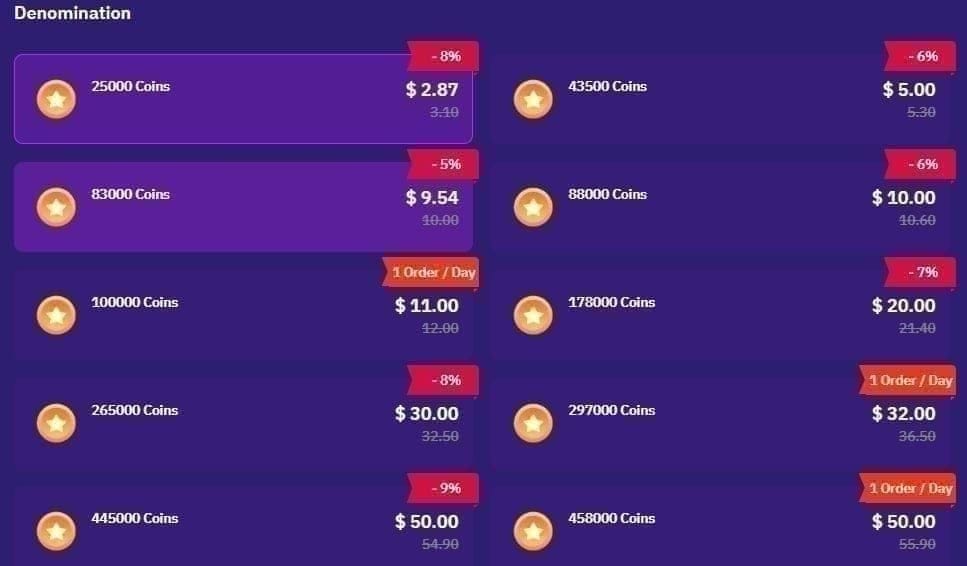
Stream's live, you need coins this second. The in-app route wins flat-out on speed. Open SuperLive, tap the profile icon bottom right, scroll to Purchase Coins, pick a package, hook up a card or Google or Apple payment, confirm. Under a minute, per the official in-app flow shown in a 2025 YouTube walkthrough. Delivery hits the instant billing clears.
What I hadn't clocked until I laid the prices next to each other: the in-app tiers are clean but pricey. Per Adapty paywall data, the published packs run 120 Coins at $0.99, 600 at $4.99, 1,200 at $9.99, 2,400 at $19.99, and 6,000 at $49.99. That mid-tier works out to about $0.0083 a coin, per BitTopup (Apr 2026). Call it the convenience tax. You're handing over the app-store premium for the luxury of not leaving the broadcast.
For a tiny once-in-a-while gift, that premium's fine and I'd pay it without a second thought. The 120-coin pack exists for exactly the viewer who lobs one gift a month; routing that through a website to claw back a few cents is wasted motion. The trap is defaulting to in-app for everything, which is what the next scenario drags into the light.
| Package (Coins) |
In-App Price |
Third-Party Price |
Per-Coin (Third-Party) |
| 120 |
$0.99 |
N/A |
N/A |
| 605 |
~$5.25 |
$5.10–$5.50 |
~$0.0085 |
| 3,125 |
~$26.25 |
$22.66–$27.50 |
$0.0073–$0.0084 |
| 43,000 |
N/A |
$299–$340 |
$0.0070–$0.0079 |
Source: BitTopup & Enjoygm aggregated data (2026)
The SuperLive ID top-up is where the savings actually live
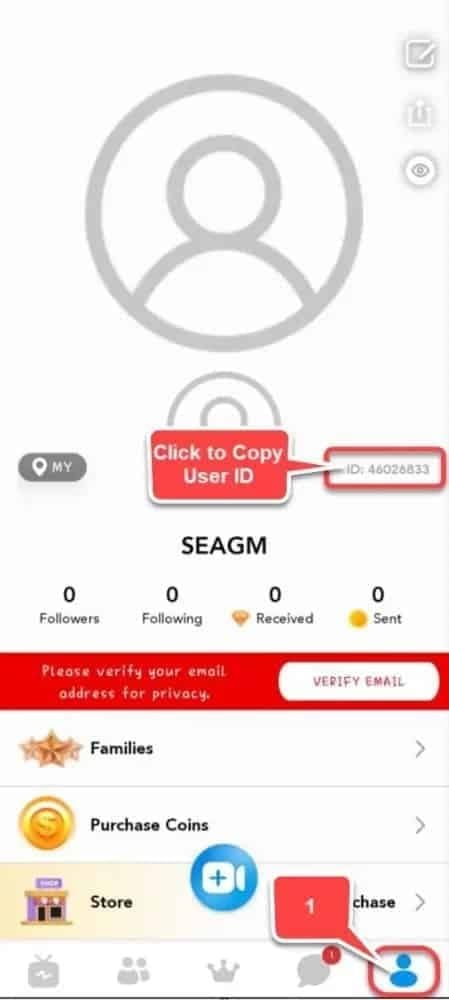
Buy the same coins through your SuperLive ID on a web platform and the convenience tax just vanishes. The steps: grab your 7–10 digit UID off your profile page, drop it into the top-up site, choose a package, pay by PayPal or card or wallet, coins arrive instantly, per Enjoygm. No app-store cut sitting in the middle. That's the whole reason it costs less.
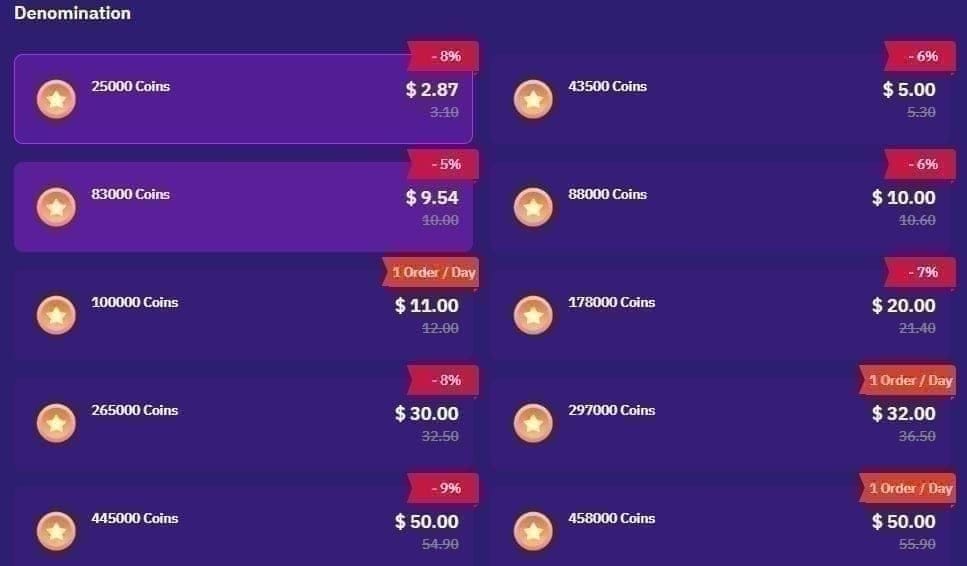
How much less honestly caught me off guard. The same source lists 10,000 Coins at $1.45 against a $1.99 in-app reference, 50,000 at $7.25, and 200,000 at $29, a flat 27% off the in-app sticker. The gap holds on the heavy bundles too: 43,000 Coins around $299–$340, or $0.0070–$0.0079 per coin, per BitTopup, which lands near 28% under the in-app mid-tier rate. Seeing the two stores stacked side by side is what finally broke my habit of thumbing the profile screen out of reflex.
The non-negotiable here is the UID. Fat-finger it and the coins drop into a stranger's account with no way back, per the same BitTopup guide. Copy-paste it. Never retype from memory. That one bit of discipline is the difference between a clean web top-up and a self-inflicted mess.
So who should make the jump? It sorts cleanly by how much you spend:
- Casual viewer — small in-app packs for one-off gifts; the savings on a $0.99 buy don't justify the extra steps, per Adapty.
- Regular supporter — the 10k–50k web packs are the sweet spot; at 27% off, frequent gifting stacks up the savings quick, per Enjoygm.
- Big spender — the 43k+ bundles at ~$0.007/coin via ID top-up are the lowest per-coin rate published anywhere, per BitTopup.
Disclosure: VGTopup, which runs this article, is one of these ID-based platforms, so weigh that accordingly. The advice holds regardless of where you land, though: past a tiny refill, compare the per-coin price before you choose. The channel matters less than running the numbers.
When the payment hangs, fails, or quietly declines
This one taught me the most, mostly because the failure usually isn't on SuperLive. The frequent offender is a region or currency mismatch. Pay with a US method on a Philippines-region account, say, and you get a silent decline, per community consensus documented in Reddit threads on SuperLive recharge issues (2026). The app looks busted. The payment rail's just rejecting a geography clash you can't even see.
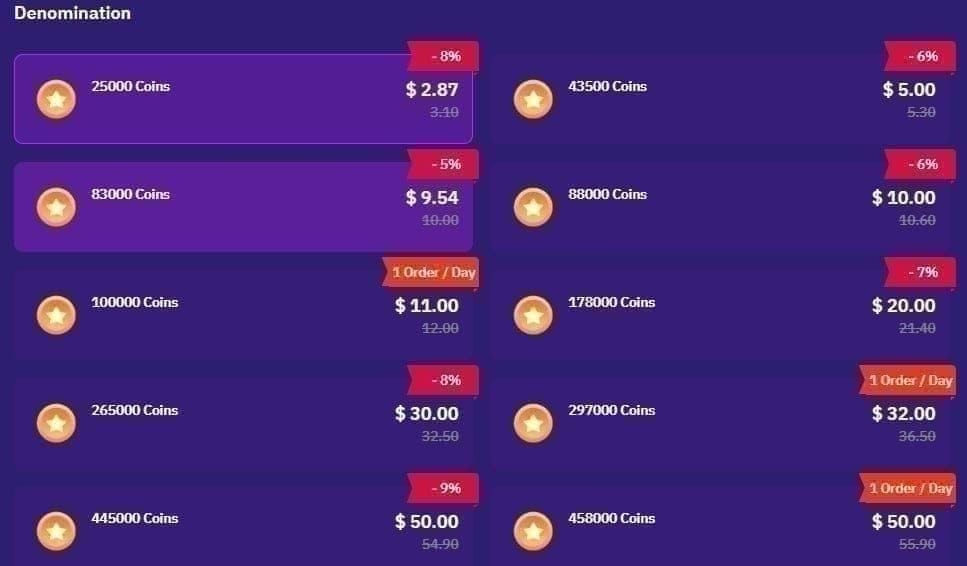
Three states, three moves:
- Delivered — Coins balance updated, receipt issued. You're done. Send the gift.
- Pending — payment authorized but not confirmed. Don't retry. Hammering a pending top-up too fast risks a double-charge, per documented app complaints on Sikayetvar (2025). Wait for the confirmation or the auto-reversal.
- Failed — declined outright, no charge. Swap payment method or check that your payment region matches your account region before going again.
The double-charge is the costly trap. I've watched people in complaint threads pay twice for one package purely because the spinner sat too long and they tapped buy again. If a charge is pending, give the rail time to settle (minutes, not seconds) and check your bank or store purchase history before you assume nothing fired.
For mid-stream urgency, this is also why I treat "instant" with a raised eyebrow. Web and ID top-ups credit instantly on payment, and in-app credits the moment billing succeeds, per multiple top-up listings (2026). But "instant" assumes the payment actually clears. A declined card isn't instant, it's nothing. The lesson I keep relearning across patches: top up before the stream, not during it. A small cushion in your Coins balance kills the panic-spend trap stone dead.
Matching the package to the gift you'll actually send
Right-sizing the buy is the quiet money-saver nobody frames properly. The worst value isn't any one package. It's the habit of buying the smallest pack again and again. Every micro-refill keeps you parked on the priciest per-coin tier, when one correctly-sized purchase would've covered the same gifting at a better rate.
Two reference points anchor the call. On the value end, the large web bundles bottom out around $0.0070 per coin, per BitTopup. On the convenience end, in-app mid-tiers sit near $0.0083. The spread is real money once you're gifting with any regularity.
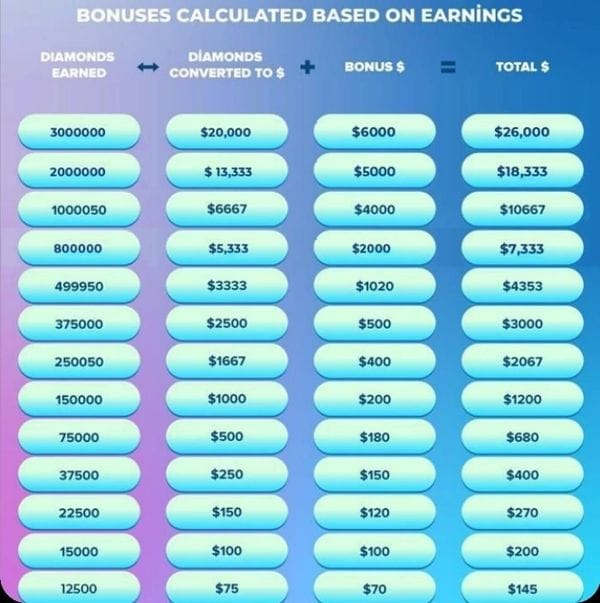
There's a detail worth knowing if you've ever wondered where your gifts actually end up: hosts pocket roughly 50% of a gift's value as Diamonds/Beans, with a withdrawal threshold around 3,000 Diamonds (~$20), per BitTopup. Won't change what you pay, but it reframes the economy. Your coins aren't a 1:1 handoff to the streamer.
My working rule after enough cycles: ballpark the gifts you'll realistically send over the next few weeks, then buy one package that covers it at the best per-coin rate you can reach. Grab a first-purchase bonus once, sure. After that, tune out the bonus theater and compare per-coin cost. That's the number that actually shifts your spend.
How the methods stack up
| Factor |
In-App Recharge |
Web / SuperLive ID |
| Speed |
Instant on billing |
Instant on payment |
| Per-coin cost |
~$0.0083 mid-tier |
$0.0070–$0.0079 large bundles |
| Savings vs in-app |
Baseline |
~27–28% off (per Enjoygm / BitTopup) |
| Main risk |
Convenience premium |
Wrong UID sends coins astray |
| Best for |
Tiny one-off gifts |
Regular & large top-ups |
Source: Adapty (2026); Enjoygm (2026); BitTopup (Apr 2026)
So where does it land? In-app for the under-a-minute emergency on small amounts, ID-based web top-up for everything else. The app itself, sitting at 10M+ downloads and a 4.5-star rating across 220K reviews, per Google Play, isn't the problem. The reflex billing habit is. Quit reflexively tapping the profile screen, confirm which wallet the app's reading, copy your UID exactly, never retry a pending charge. Do those four and you'll spend less and fail less over the long haul.
Frequently Asked Questions
Why is my SuperLive gift balance too low even after I bought coins?
Because the recharge drops into your Coins balance first, while the gift screen might be reading the separate gifting wallet, per TikTok recharge mechanics (2026). If the two numbers don't sync after a purchase, exit and re-enter the live stream to force a refresh. The coins are almost always sitting there, just not yet showing on the gift meter.
Is web or ID-based top-up actually safe compared to buying in-app?
It's safe as long as you treat the UID as the field that matters. The real exposure isn't the platform, it's a mistyped 7–10 digit ID firing coins into the wrong account with no recovery, per BitTopup. Copy-paste your UID, confirm it matches your profile, then pay. Region-matched payment methods matter too, since mismatches set off silent declines.
How long do SuperLive Coins take to arrive?
Both routes are effectively immediate. Web and ID top-ups credit instantly on payment, in-app credits on successful billing, per multiple listings (2026). The caveat that bites: "instant" assumes the charge clears. A pending or region-declined payment hands you nothing, so for a time-critical gift, top up with a buffer before the stream rather than mid-broadcast.
What do I do if my coins didn't arrive but I was charged?
Check the transaction state before you do anything. If it's pending, don't retry, since fast retries on a pending charge risk a double-charge, per documented complaints on Sikayetvar (2025). Confirm in your bank or store purchase history first. If the charge cleared but coins never landed, hang onto the receipt as proof and escalate to support with the timestamp and UID.
Does the cheapest way to buy SuperLive Coins change by region?
Pricing's quoted in USD across global top-up sites, but the payment options shift around. US, India, Philippines and Indonesia get local wallets and PayPal routing, per Enjoygm (2026). The per-coin price doesn't swing much by market; what changes is which payment method clears cleanly, so use one that matches your account region to dodge declines.










Comments