The first five minutes: act, don't re-buy
Most missing-coin scares die right here, long before any ticket gets written. Four steps, in this order:
- Close and reopen the app, then re-login. Your coin balance is a server-synced number, and a stale session keeps showing you yesterday's figure. A clean re-login pulls a fresh value straight from the server.
- Confirm you're on the same account you paid from. This catches the single most under-reported failure of the bunch (we'll get there).
- Check whether the charge actually settled, not just whether your bank pinged you a notification.
- Wait 5 to 15 minutes before lifting a finger toward anything else.
That waiting window isn't padding. Third-party top-ups land in roughly 10 seconds to 5 minutes, per Bittopup's 2026 price guide, while in-app purchases route through Google or Apple billing and can trail the SuperLive server's sync. The money leaving your account and the coins arriving are two separate events on two separate systems. Usually they're seconds apart. Sometimes they aren't.
The urge to open a ticket the second coins are late is human, but it's often slower than just giving it an hour. A pending charge under 24 hours is almost never gone for good.
Why the money left but the coins didn't
Three mechanisms explain nearly every "money deducted, no coins" report, and knowing which one you're facing changes your next move entirely.
Gateway settling vs server sync. Your payment travels through Google Play Billing or Apple's App Store before SuperLive's servers register the credit. The usual culprit behind missing coins is precisely this gap, with the gateway clearing ahead of the server sync, per the Enjoygm top-up guide (2025). The charge clears your bank; the credit instruction reaches SuperLive a moment later. Coins show up when the two finally reconcile.
Authorization holds wearing the costume of a real charge. This is the mechanic almost no troubleshooting page bothers to explain, and it's behind a huge chunk of false alarms. When you tap buy, the processor frequently drops a temporary authorization hold onto your account: a pending line that looks identical to a settled charge in most banking apps. Same amount. Same merchant name. Same timestamp. But a hold isn't money taken, it's money reserved. If the purchase never completes, the hold simply expires and the amount comes back. So "my money was deducted" is very often "my money was held," and those two things behave nothing alike. Before you mourn a pending line as a real loss, check whether it's posted to your statement or still parked in pending.
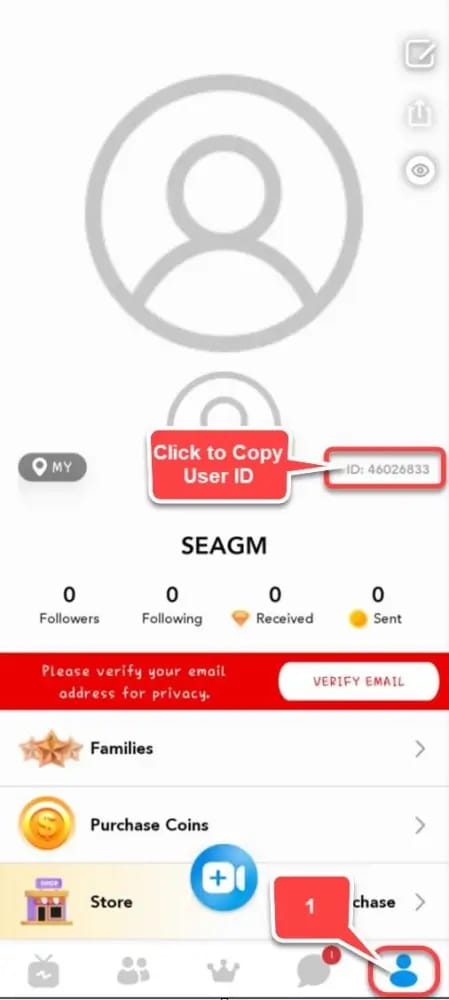
Wrong account or region mismatch. Log into SuperLive through a secondary social login (a different Google, Apple, or Facebook than your usual one) and your coins may have landed on that other profile. They're sitting exactly where the system filed them, just not where your eyes are. Verify that the UID on the account you paid from matches the one you're staring at. A surprising number of "lost" coins are alive and well on a parallel login.
One more quirk worth filing away: Google Play emails you an order receipt even for purchases that ultimately fail. So a receipt in your inbox doesn't prove the coins belong to you. It proves an attempt happened. Don't let that email shove you into a second purchase.
The proof support will actually ask for
Tickets close at wildly different speeds depending on whether you show up with evidence or empty-handed. Pull everything below together before you write, because each item answers a specific question support has to verify.
| Proof item |
Where to find it |
Why support needs it |
| Order ID / Transaction ID |
Google Play order history, App Store purchase history, or the confirmation email |
Lets support locate the exact transaction in their billing records |
| Account UID |
In-app profile / settings |
Confirms which account should receive the credit |
| Receipt screenshot |
Bank/card app, Google Play, or App Store |
Proves the charge settled (not just a pending hold) |
| In-app recharge history |
SuperLive wallet / coin history log |
Shows whether the server logged the purchase at all |
| Coin balance screenshot |
In-app wallet |
Establishes the shortfall after the purchase |
Source: SuperLive TOS and multiple guides (2026)
The Order ID is the one people skip, and skipping it is exactly what costs them days. Real user reports describe grinding through long back-and-forth exchanges, and in one documented case, days of total silence, per a Sikayetvar complaint from December 2025. A ticket that opens with "I paid but didn't get coins, here's my Order ID, UID, receipt, and timestamp" hands the agent everything they need on the first reply. A ticket without it becomes a scavenger hunt: they ask, you dig, they ask again. Front-load the proof and that whole loop disappears.
Raising a ticket that gets resolved fast
SuperLive's published support route is email. Write to help@superlivellc.com (support@superlivellc.com is also listed). Both addresses appear on the SuperLive Google Play listing and in the Terms of Service. The Terms also lay out the refund path directly. SuperLive LLC (Terms of Service, 2026): "To submit a refund request, you can reach help@superlivellc.com."
Keep the email tight. Subject line naming the issue, then Order ID, UID, payment method, amount, timestamp, and your screenshots attached. State plainly that the charge settled and the coins didn't arrive. No essay. Agents triage structured tickets faster.
Where you go first, though, hinges on how you paid:
- Google Play: You can request a refund in-app within 48 hours of purchase, or contact the developer directly, per Google Play support. For a missing-coins case that's really just a delay, going to the developer (SuperLive) is the right opening move, since a refund would undo a credit that may still be settling.
- App Store / Apple Pay: Use reportaproblem.apple.com to request a refund, per Apple Support. Same logic: reach SuperLive before reversing anything.
- Card or wallet: Check your statement to confirm settlement, contact the developer, and only loop in your card issuer once that path is genuinely exhausted.
The sequence matters more than it looks. App store and developer routes exist to fix exactly this, and sprinting straight to your bank skips the only people who can actually credit your coins.
Realistic timelines, and the moment to actually worry
Here's the spread by channel, plus what "too long" honestly means.
| Payment path |
Typical credit time |
When to escalate |
| Third-party top-up (UID only) |
~10 seconds to 5 minutes |
After 5 minutes with no coins, contact support with the transaction ID |
| Google Play in-app |
Minutes, occasionally longer during sync lag |
After ~24 hours with a settled charge |
| App Store in-app |
Minutes, occasionally longer during sync lag |
After ~24 hours with a settled charge |
| Card / wallet via gateway |
Minutes once settled; settlement itself can lag |
After ~24 hours; check for an authorization hold first |
Source: Bittopup (2026), Google Play support (2026), Apple Support (2026)
Third-party platforms post the tightest figures: a 98–99.9% same-session success rate with delivery inside that 10-second-to-5-minute window, using only your UID with no login credentials changing hands. Their guidance leaves no wiggle room. If nothing arrives after 5 minutes, contact support with your transaction ID instead of re-buying.
In-app store purchases come with no published crediting SLA from SuperLive, so treat 24 hours as the practical patience threshold for a settled charge. Still showing pending and unposted? That's most likely an authorization hold doing its quiet thing, and those clear on their own. In my read, anything under a day with proof in hand is a wait, not an emergency.
Double charges, refunds, and when to escalate
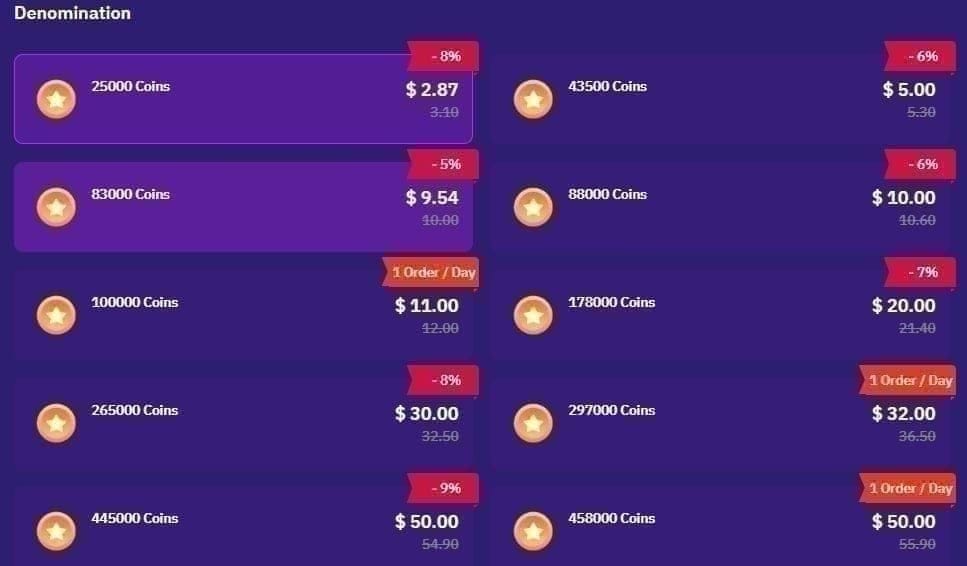
The most expensive blunder in this whole mess is repurchasing while a charge is still pending. Facebook group reports spell out the result: buy again before the first charge settles and you get hit twice, two amounts gone, often for a single coin pack you never received cleanly. Patience genuinely costs less than that second tap.
So when do you wait, and when do you ask for the money back? Treat it as a decision, not a flinch.
| Scenario |
Best action |
Why |
| Charge pending under 24h, coins missing |
Wait, gather proof |
Almost always a settling delay; a refund now collides with a credit in flight |
| Charge settled 24h+, coins still missing |
Ticket with full proof, then app-store refund if no fix |
Past the patience window; you have grounds |
| Two charges, one (or no) coin pack |
Ticket immediately with both Order IDs |
Document the duplicate before requesting reversal of one |
| Pending hold, never posted |
Wait it out |
Holds expire on their own; nothing was taken |
Filing for a refund too early is a real trap. Submit the request before a still-settling credit lands and you complicate the whole resolution, because you wind up arguing for the reversal of a transaction that's about to succeed, per general payment-resolution patterns in user reports (2025–2026). A bank chargeback should be your very last resort. Community consensus across Reddit and Facebook through 2025–2026 warns that filing one can trigger account issues, so wear out the app store and developer paths first.
If your ticket goes dark, and the Sikayetvar case proves that happens, escalate by replying to the same thread to keep one continuous record, trying the alternate support address, and routing through your platform's refund channel inside its window. That 48-hour Google Play clock is real and it doesn't forgive. Hold onto every Order ID and screenshot. An escalation backed by a paper trail moves; one backed by "I'm sure I paid" stalls.
The fastest reliable path, ranked
Cut the noise and the optimal order is short: re-login and check the correct account, confirm the charge truly settled versus a hold, wait the brief sync window, then (only if it's still missing) open one well-documented ticket with the app-store refund route standing by as backup. At no point in that chain do you re-buy.
The reassurance hiding under all of this: missing coins are overwhelmingly a delay-and-settlement story, not a scam. The Terms of Service say coins credit automatically once a purchase completes, and the genuine-failure path is an automatic reversal, usually within a few business days. The people who escape fastest aren't the panic-buyers or the chargeback-filers. They're the ones who screenshot the receipt and Order ID and ride out a sub-24-hour pending charge.
There's a prevention angle too. A meaningful slice of in-app failures trace back to that gateway-versus-sync mismatch and to mistyped UIDs. Buying through a verified channel that credits on UID alone sidesteps a good chunk of the store-sync friction. If you'd rather dodge the in-app gateway dance next time, you can recharge SuperLive Coins through a transparent third-party option (disclosure: that's a top-up platform, not a SuperLive page). Whichever route you pick, double-check the UID before you confirm. That one field manufactures more "missing coins" than any server ever has.
Frequently Asked Questions
Why do my SuperLive coins say pending but my money's already gone?
You're most likely looking at an authorization hold rather than a settled charge. The two are twins in most banking apps but they behave like opposites. A hold reserves the amount and expires on its own if the purchase never completes, handing the money back. Check your actual statement to see whether the charge is posted or still pending before you write it off as lost.
What if my coins credited to a different account than the one I'm using?
This happens when you sign in through a secondary social login (a different Google, Apple, or Facebook than your normal one). The coins aren't lost, they're parked on that other profile, exactly where the system credited them. Match the UID on the account you paid from against the one you're checking. The balance is usually waiting on the parallel login.
For third-party top-ups, reach out with your transaction ID if coins haven't shown after 5 minutes, per Bittopup's 2026 guidance. For in-app Google Play or App Store purchases there's no published crediting SLA, so give a settled charge up to roughly 24 hours before escalating. Anything still appearing as an unposted hold is something you just wait out.
I was double charged on SuperLive — what now?
Don't fire off a blind reversal. Open a ticket right away with both Order IDs and screenshots showing the duplicate charge and your coin balance, so support sees exactly what unfolded. Repurchasing during a pending charge is the documented cause of most double charges (per Facebook group reports), so flag whether that second charge was a re-buy when you write in.
Is filing a bank chargeback a good way to recover missing coins?
Treat it as the genuine last resort. Community consensus on Reddit and Facebook through 2025–2026 warns that a chargeback can trigger account issues on SuperLive. Exhaust the developer route (help@superlivellc.com with full proof) and your app store's refund window first. Google Play allows in-app refund requests within 48 hours, per Google Play support, and that's the cleaner path.











Comments