Coins and Pool Cash aren't the same wallet — buy the right one
Two separate currencies sit in your account, and they don't talk to each other. Coins are the bread and butter: you stake them in matches, blow them on cues, crack open boxes. Pool Cash is the premium stuff, reserved for the pricier unlocks and entries, per Miniclip's own currency descriptions (2026). Two balances, zero crossover. I've watched new players drop money on Pool Cash figuring it'd bankroll their match stakes, then glance up and find their Coins bar exactly where they left it.
If the plan is "grind more 1-on-1s and play nicer tables," Coins are the answer. Pool Cash starts mattering once you're hunting Legendary Cue boxes and the specific premium tiers. Day-one buyer? Default to Coins unless the thing you're eyeing is locked behind Cash.
You can grind both for free, too. Daily rewards, Spin & Win, the odd ad payout dribble out small Coin amounts, per community guides and Miniclip's in-game descriptions (2026). They won't bankroll a real table habit, but they're exactly why a stubborn free-to-play player can skip topping up for ages. Paying is about speed, not survival.
The two routes that are actually safe
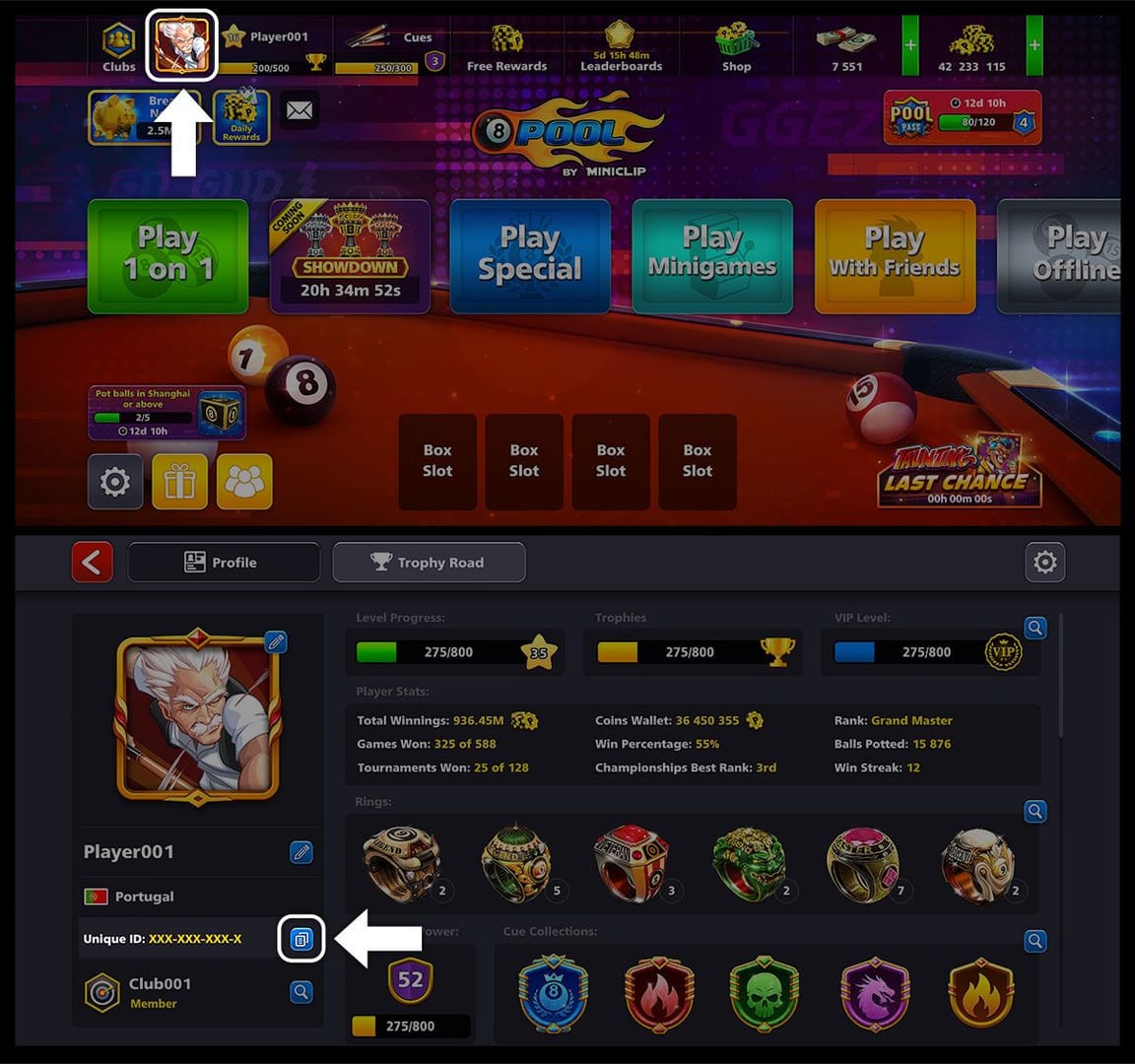
Two flavors of safe top-up exist, and honestly they're closer cousins than the internet would have you believe.
Route one: the official in-app or webshop purchase. Straight through Google Play, the App Store, or the 8ballpool.com webshop. Miniclip says it plainly: official in-app purchases via Google Play / App Store or the webshop are the only routes it backs, per Miniclip Support. And the webshop hides a perk most people miss. Loyalty Points only accrue on webshop buys, not in-game ones (2025). So if you're paying official prices regardless, the webshop quietly hands you more for the same dollar.
Route two: a Unique ID top-up through a reputable platform. You punch in your public Unique ID, pay, and the coins drop onto whatever account that ID belongs to. Codashop, an official Miniclip partner, runs precisely this flow and delivers right after payment via your Unique ID, no account login needed (2026). That "no login" bit is the entire safety case, and I'll circle back to it.
The one line that separates safe from sorry: a legitimate Unique ID top-up never asks for your password. Your Unique ID is public. It's not a key to anything. Whoever's sending coins only needs to know where to drop them, not how to get into your account. The instant a "seller" wants your login, you're not buying coins anymore. You're handing over the account.
| If a seller asks for… |
Then… |
| Only your public Unique ID |
Normal — that's all a real top-up needs |
| Your account password / login |
Stop. No legitimate top-up requires this |
| To "log in for you" to deliver |
Walk away — delivery routes by ID, not session |
| Up-front payment to an unknown personal wallet with no order page |
Treat as a red flag |
Source: Miniclip Support (2023) / Codashop (2026)
This is where I split from the "only ever buy in-app" gospel you'll find copy-pasted across a hundred guides. Safe advice, sure, but lazy. A Unique ID top-up that touches only your public ID is no more dangerous to your login than the in-app store, because it never lays eyes on your login in the first place. The threat was never the channel. It was password-sharing and unlinked accounts. Screen for those.
Where the price gap actually comes from
Prices aren't uniform across channels, and the spread is real cash. On the official store, a Stash of Coins runs 1.08M coins for $7.99 and a Heap of Coins runs 2.44M coins for $29.99, per the 8 Ball Pool Shop (2026). Codashop, by contrast, advertises up to 35% savings on official coins and cash against the in-app price for the same products. Same sanctioned ecosystem, lower number, mostly because in-app buys eat platform store fees that webshop and partner flows duck.
That double-digit gap between the in-app figure and the partner figure for an identical coin amount is what makes you sit up, and it's entirely above-board since the partner carries Miniclip's blessing. Third-party UID marketplaces dive lower still, some Z2U listings claiming roughly 30% cheaper than rivals (2026). But those drag the ban-risk caveat along under official policy, which is a wholly different bargain.
Now the price-per-coin division the easy guides skip, because "buy the big pack" is wrong about as often as it's right:
- Stash of Coins: 1.08M ÷ $7.99 ≈ 135,000 coins per dollar
- Heap of Coins: 2.44M ÷ $29.99 ≈ 81,000 coins per dollar
Look at that twice. On these official listings, the dinky $7.99 pack hands you more coins per dollar than the $29.99 one. The "best offer" badge the store slaps on Stash of Coins isn't fluff this time. The numbers actually back it up. Bigger packs can pull ahead when they bundle VIP or Loyalty perks, and the webshop's Vault tier carries exclusive bonuses, per the shop listing (2026). Still, don't reach for the pricey pack on instinct. Divide first. For most newcomers dipping a toe, the cheaper tier is both safer and a better cost-per-coin, which is an unusually tidy win.
Your first top-up, done in order
Here's the sequence I'd walk a friend through on their very first buy. Order matters. The order is the whole point.
-
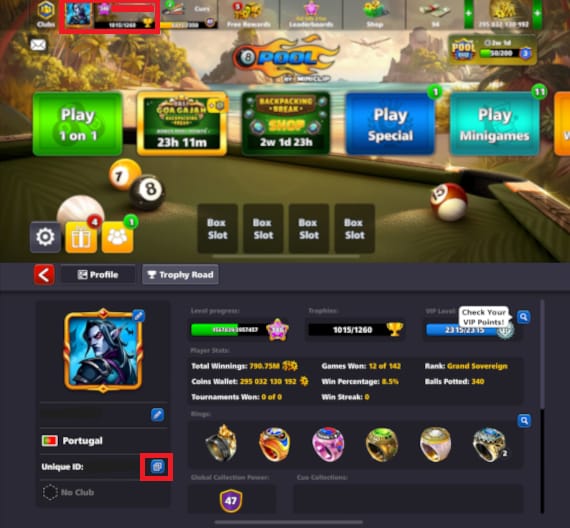
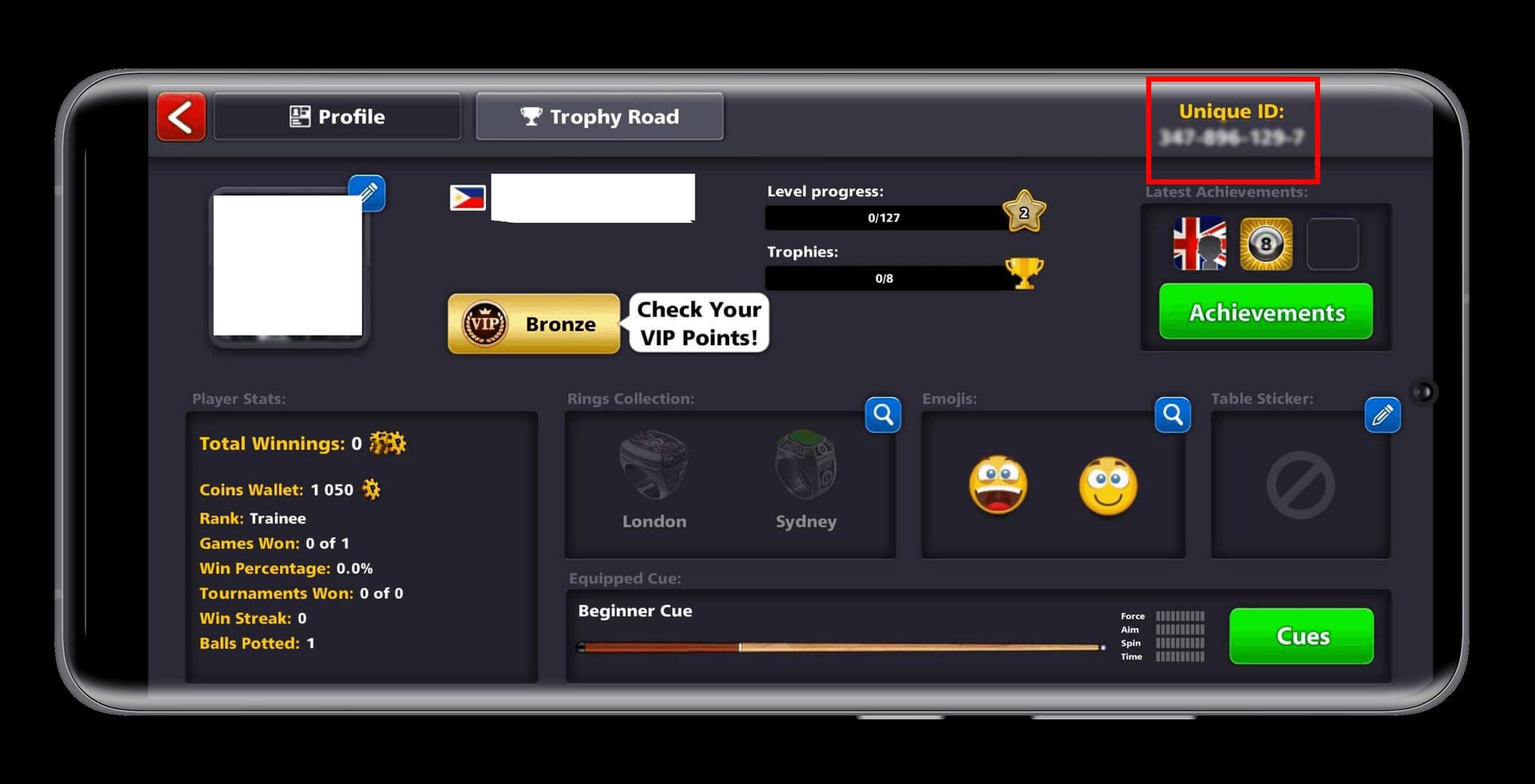
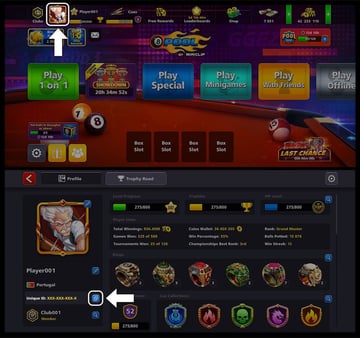
Find your Unique ID. Tap your avatar in the top-left, then read the top-right of the profile screen, per Miniclip Support. Copy it down exactly. This is the public address your coins route to.
-
Link your account first. Connect to Miniclip ID, Facebook, Google or Apple before a single cent leaves your hand. Miniclip recommends linking ahead of any purchase so a device change doesn't wipe your progress (2026). This is the step beginners blow past, then regret.
-
Pick your route and pack. Official in-app/webshop, or a Unique ID top-up. Do the per-coin division above before you commit.
-
Pay, and only enter the public ID. On a Unique ID flow you supply the ID and pay. No password should ever come up. Codashop's flow, for one, wants the ID alone.
-
Verify delivery. Coins ought to land within minutes. Official and partner deliveries are instant; third-party UID listings claim delivery inside an hour, per Kinguin (2026). And "claim" is carrying a lot of weight in that sentence.
The mechanic that quietly bites people: coins land on whatever account is tied to the Unique ID, no matter which phone you're holding. So check the ID, not the device. Top up to a fat-fingered or unverified ID and the coins vanish into a stranger's account with zero chance of clawing them back. Read the digits twice. Every single time.
The two real ways first-timers lose money
Not bans. Bans grab the headline. These two empty your wallet.
Pitfall one — paying before linking. Buy coins into an unlinked guest account, then lose or wipe the device, and the progress can be gone for good. That's why step two outranks step four. The coins were never the problem. The account cradling them just vanished. Linking is cheaper insurance than any pack discount you'll ever find.
Pitfall two — sharing your password. A "seller" insisting they need your login to deliver is describing a robbery. Miniclip doesn't mince words: third-party sellers can mean suspension or a permanent ban with no recovery (2023). A widely-read r/8BallPool thread (2026) tells the same story, buyers from sketchy coin sellers getting permabanned roughly a month down the line. Spot the through-line in those horror stories. It's password-sharing and shady coin-injection outfits, not the simple act of routing coins to a public ID.
A clean scam filter, ranked by how hard each should slam the brakes:
- Asks for your password / login → hard no, every time
- No visible order page or receipt → no
- Payment only to an anonymous personal wallet → no
- Promises that beat official partner pricing by an implausible margin with vague delivery → treat with suspicion
The point worth chewing on: buying coins doesn't, on its own, get you banned. Cracked APKs, hacks, and coin-injection services do. Miniclip's warning is aimed at illegitimate sellers and methods, not at paying players. A clean Unique ID top-up touching only your public ID isn't the thing that policy was written to catch.
What "cheap" means depends on where you live
Region rewrites the answer. Codashop operates across multiple markets with local payment methods and local-currency pricing that swings by country, per Codashop's regional sites (2026). A pack that gleams in US dollars reads differently the moment it's converted into rupees, reais, or pesos at your local checkout. And app-store pricing tiers aren't consistent across the US, UK/EU, India, Brazil, and the Philippines either. There's no single published 2026 cross-region price table pinning every market to the cent, so the honest move is to go local. Open your own country's store, read the price in your own currency, then run the division yourself. Don't take a screenshot from some US guide as gospel for your checkout.
For the low-spenders especially, the player making one small test buy just to see if any of this is worth the bother, start with the cheapest best-per-coin pack in your local currency. Webshop if it's open to you, so Loyalty Points stack. You lose next to nothing testing the flow once, and you'll learn whether the convenience earns its keep before you sink anything heavier into it.
When the coins don't show up
Official and partner deliveries are immediate by design (2026), so a missing balance almost always traces to something fixable rather than theft. Work this list before you spiral:
- Confirm the Unique ID you paid into matches your account's ID exactly. This is the number-one culprit, coins gone to a near-identical but wrong ID.
- Force-close and reopen the app, and make sure you're logged into the linked account, not a stray guest session.
- Check your store receipt (Google Play / App Store order history) to confirm the charge actually went through.
- Give partner deliveries a few minutes during peak load before you escalate.
If money left your account and coins never showed through an official or partner route, you've got a receipt and a paper trail, which means it's recoverable through proper support channels. If it happened through a no-receipt, password-hungry "seller," there's no trail and, per Miniclip's policy, no recovery. That gap is the entire argument for staying inside legitimate routes.
The safest first buy, in one breath
Link the account, find your public Unique ID, buy through the official store/webshop or a Unique-ID-only top-up, never cough up a password, and divide coins by dollars instead of grabbing the pack the store has highlighted. On the official listings above, that division currently favors the smaller pack, a rare case where cheaper also happens to be better value.
If you'd sooner dodge in-app store fees, a transparent option worth weighing is a 8 Ball Pool top up via VGTopup, which asks for your public Unique ID alone and never your password, exactly the safety property that counts most here. (Disclosure: VGTopup publishes this guide; the neutral advice above holds whether or not you use it, so compare local pricing and run the per-coin numbers regardless.)
My read, having weighed all of it: the channel matters far less than people make out. Your two real jobs are linking before you pay and treating your password like the credential it actually is. Get those right and topping up is genuinely low-stakes.
Frequently Asked Questions
Is it actually safe to buy 8 Ball Pool coins online?
Through official in-app, the webshop, or a Unique-ID-only partner like Codashop, yes. Those route coins to your public ID without ever brushing your login, per Miniclip Support (2023) and Codashop (2026). The unsafe version is any seller fishing for your password or running coin-injection tricks. Safety tracks the method, not the act of buying.
Can I really get banned just for topping up?
Not for legitimately buying coins. Bans cluster around cracked APKs, hacks, and shady coin-injection sellers. Miniclip warns those can mean permanent loss, and r/8BallPool (2026) reports buyers from such sellers getting banned about a month later. A clean Unique ID top-up using only your public ID isn't what that policy is hunting.
Do I have to link my account before buying coins?
You should, and it outweighs whichever pack you settle on. Miniclip recommends linking to Miniclip ID, Facebook, Google or Apple before any purchase so a lost or swapped device doesn't erase your progress (2026). Coins bought into an unlinked guest account can be unrecoverable if that device disappears, the quiet disaster that snags first-timers.
Why didn't my coins arrive after I paid?
Most often the Unique ID you paid into doesn't precisely match your account's ID, since coins route by ID regardless of device. Confirm the digits, reopen the app on the linked account, and check your store receipt to confirm the charge cleared. Official and partner deliveries are immediate (2026), so a genuine gap usually has a fixable cause, provided you bought through a route that hands you a receipt.
Which coin pack is the best value for a beginner?
Divide price by coins, don't trust the sticker. On current official listings, the $7.99 Stash of Coins (1.08M) gives you roughly 135,000 coins per dollar against about 81,000 for the $29.99 Heap, per the 8 Ball Pool Shop (2026). The cheaper pack wins outright unless a bigger tier's VIP/Loyalty bonuses tip the scale. Check your local currency first, since regional pricing shifts the whole comparison.









Comments