Scenario 1: the single-account reorder, timed against a fresh buy
What threw me wasn't that reordering won on speed. It was where the seconds vanish. They don't live in the payment step at all. They live in never typing your player ID a second time. Fresh purchases make you re-enter the account identifier, pick the server again, choose the pack tier, then pay. Pulling from a past record fills those first three in for you, so you're confirming rather than constructing.
Repeating a top-up through your previous orders "is fastest by using same checkout route and pulling previous order details," even if it's "not true one-click reorder," per VGTopup blog. That gap between "pre-filled fast lane" and "one button" matters more than it reads. Folks who show up expecting a magic buy again tile feel a little let down. Folks who get that it's a head start on the form walk away happy.
Here's the tap-and-time picture, drawn straight from the documented flow:
| Step |
Fresh order |
Reorder from history |
| Locate pack / past order |
Browse catalog |
Open order history, tap entry |
| Enter player ID |
Manual type |
Pre-filled |
| Enter / pick server ID |
Manual select |
Pre-filled (re-verify) |
| Re-select pack tier |
Manual |
Pre-filled (re-verify) |
| Payment |
Enter/confirm |
Confirm saved method |
| Approx. total |
Full entry, ~1+ min |
Confirm-only, well under a minute |
Source: reorder flow per VGTopup blog (Apr 2026)
My read is plain. If you run one account and grab the same pack month after month, the reorder lane should be your default. Re-typing your ID by hand buys you nothing. The only work left is a five-second look at the pack and the server, and that look is not optional, for reasons Scenario 3 makes uncomfortably obvious. Default to the reorder, but never skip that glance.
Scenario 2: where the Gold Blocks actually land — and why people swear it failed
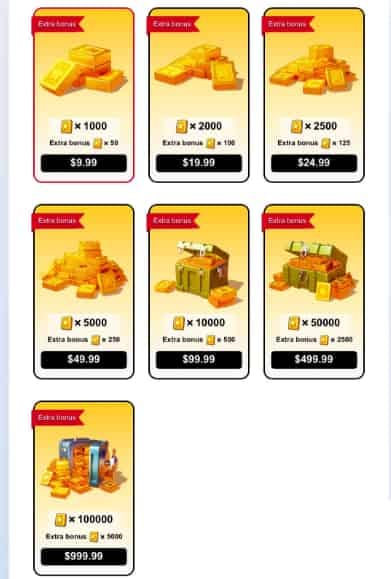
This is the result I'll defend the loudest, because nearly every guide breezes past it: after a clean reorder, your balance sometimes doesn't tick up right away, and the gut reaction is to assume the purchase died. It almost never did. The currency is parked in your in-game mail.
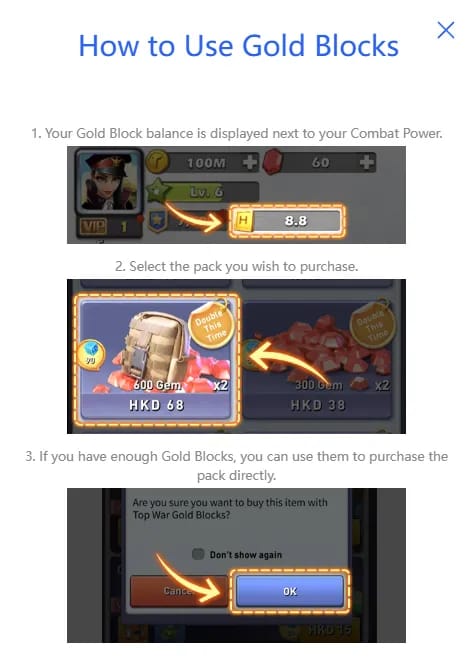
Through the official channel, Gold Blocks are "sent immediately to the character after successful purchase," per the TopWar Pay site. Route through a third-party reorder instead and delivery is "typically immediate on official site or via in-game mail on third-party," which means the blocks show up as a message you have to claim rather than landing in your wallet directly. Calling a reorder a failure while the Gold Blocks sit quietly in mail is a logged, frequent mix-up (per community top-up guides compiled by TopUpLive).
So before you fire round two or open a frantic ticket, do this: pop your in-game mailbox and claim. That one reflex kills the most common false alarm in the entire process. Those "top war gold blocks not received" searches? Way more often an unclaimed-mail problem than a money one.
What got me was the contrast. The official store promises instant-to-balance, while the everyday reorder reality slides in a mail step. Both are real. They're just different pipes. Knowing which pipe carried your purchase is the whole difference between staying calm and starting a support thread you didn't need.
Scenario 3: the server-ID trap that only bites multi-account players
Reordering snapped in one and only one place: switching accounts first. The saved record helpfully drops in your last server ID, which goes stale the second you've jumped to a different account or migrated since that purchase. Sending a reorder to the wrong server after an account swap is a known stumble (per community discussions on r/TopWarBattleGame around top-up reliability). The very convenience that hands single-account players a free minute is the same convenience that ships a cross-server player's Gold Blocks to a character they've left behind.
The mechanic to lock into your head: order history pre-fills the server ID, which makes it perfectly accurate for someone who never moves and a genuine hazard for anyone who does. One account, one server? The pre-fill's a gift. Bouncing between accounts? Treat that pre-filled server field as a suspect, not a shortcut.
And I'll plant a flag here. Checking the server ID before every reorder heads off most "it went to the wrong place" tickets. Five seconds, that's the price. A misrouted delivery costs you a support round-trip and, on a bad day, blocks you've basically gifted to a dormant character. That trade isn't remotely fair.
For the three player types this hits differently:
- Single-account casual: the pre-fill holds up; confirm and carry on.
- Frequent mid-spender (same account): reordering is your ally, since reusing the player ID and payment method "saves time on repeated $100+ packs," per VGTopup blog. Still eyeball the pack. Leave the server alone.
- Cross-server / multi-account: re-check the server ID every single time. The pre-fill is handing you yesterday's account, not the one you're on now.
Scenario 4: firing two identical orders fast, and the value trap underneath
Two things buckled when I leaned hard on speed. First: two matching orders within a couple of minutes can trip a verification hold, a bit of friction that feels like a flop but is really the system shielding you from a double charge. Don't answer a held order by resubmitting. That's exactly how a hold turns into a true duplicate. Wait. Check your email receipt. Check in-game mail. Then, and only then, try again.
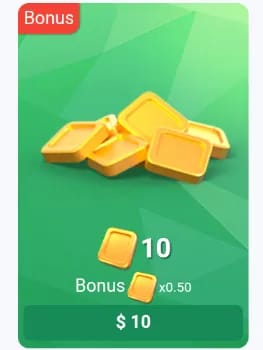
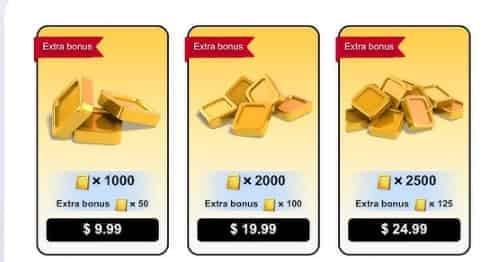
The second one runs against the grain a little. Order history brings back whatever pack you grabbed last time, even if a better-value tier exists today. Across the standard tiers every pack carries the same 5% bonus, so cost per block sits roughly flat by design:
| Pack |
Price (EUR) |
Gold Blocks |
Bonus |
| Small |
5 |
5 + 0.25 |
5% |
| Medium |
10 |
10 + 0.50 |
5% |
| Large |
30 |
30 + 1.50 |
5% |
Source: Top Heroes Gold Blocks site (2026)
That flat shape is good news for repeat buyers, since reusing an old pack rarely stings you on raw block-per-euro. Where it bites is bundled value. A monthly card plus a privilege card comes recommended ahead of the bigger Gold Blocks packs, because those compound daily Gems and VIP Points (per the Packsify Top War guide, May 2026). If your repeat button keeps you blasting big one-off block packs while ignoring those compounding subscriptions, the convenience is quietly draining value no cost-per-block chart can reveal.
The broader upgrade backdrop is worth a quick mention too. The Official Top-Up Center got a major overhaul on June 27, 2025: a fresh interface, more currencies, and a 5% extra Gold Blocks bonus on every purchase (per Top War's Facebook post). That bonus now lives baked into the tiers up top, which is why a pack reordered from before that overhaul and a fresh one today settle at the same effective rate. The bonus rides the purchase, not the order date.
Scenario 5: pricing reality — is paying for the speed worth it at all
Reorder speed only earns its keep if the price underneath is sane, so I stacked the lane against its rivals. Third-party pricing really does dip below platform billing in documented cases. A $99.99 Gold Brick package slides to roughly $85 with discounts, coming in "15-25% cheaper than other platforms," per the Lootbar Last War top-up guide (Nov 2025). Spread a year of the same monthly pack out and that same source puts Apple billing near $1,296 against about $1,020 on a discount third-party channel. A few hundred bucks, same blocks.
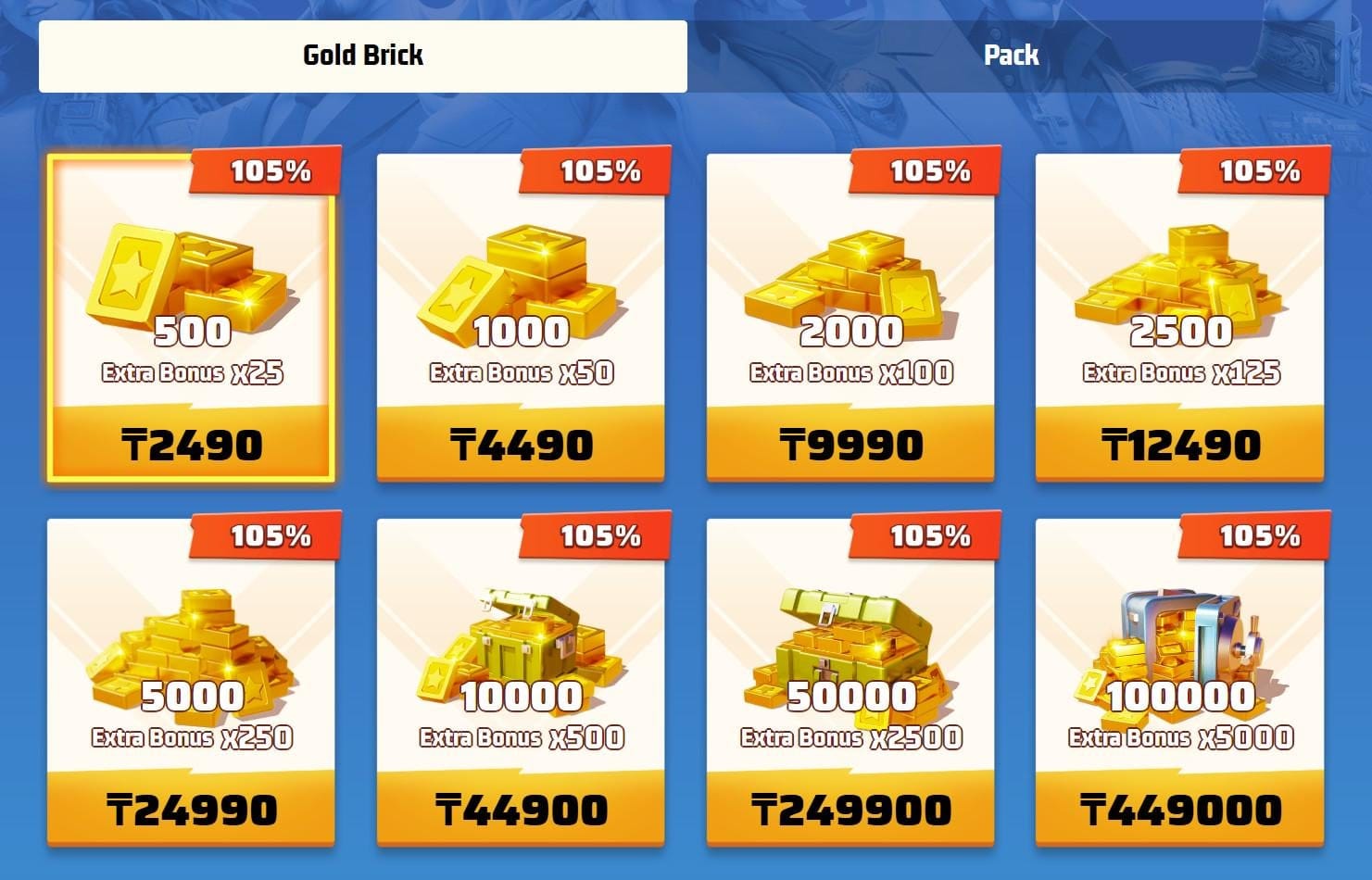
I won't dress that gap up as the full picture. The mail-delivery step and the odd verification hold are what you pay in friction for it. But for a frequent mid-spender repeating $100+ packs, the pairing of a lower per-pack price and a confirm-only reorder is the strongest argument for leaning on history at all. Speed by itself is a party trick. Speed sitting on a real price gap is a habit worth keeping.
A disclosure, since you should have it: this piece runs on VGTopup, which is itself a third-party top-up channel. So take my "third-party can be cheaper" line with that in mind and price-check against the official center before you commit. If your last Gold Blocks order is sitting there ready to go, you can repeat it from your order history in seconds. Just run that same server-and-pack glance first.
The recommendation matrix
Everything from all five tests, folded into who-does-what:
| Player profile |
Reorder from history? |
The one thing to check |
| Single-account, same pack monthly |
Yes — default to it |
Pack tier still your best fit |
| Cross-server / multi-account |
Yes, but cautiously |
Server ID on every reorder |
| Frequent mid-spender ($100+ packs) |
Strongly yes |
Whether a sub gives better value first |
| Just got a "not received" scare |
Don't re-buy |
In-game mail before anything else |
| Tempted to fire two orders fast |
Slow down |
Wait out any verification hold |
One thread ties all five together. The reorder lane is the right tool for nearly everyone, and its single way to fail is treating "fast" as permission to "skip the check." The pre-fill does your typing. It does not do your verifying. Keep the five-second glance, claim from in-game mail, hang onto your email receipts as your quickest route to support, and the convenience pays off with none of the regret.
Frequently Asked Questions
Why didn't my repeated Gold Blocks order arrive in my balance?
Odds are it did arrive, just in your in-game mailbox rather than your balance. Third-party reorders tend to deliver by in-game mail instead of dropping straight to your account, and writing the order off as failed while the blocks wait in mail is a logged, common mix-up (per TopUpLive's compiled guidance). Claim that mail before you re-buy or open a ticket.
Is it safe to save my player ID for faster reorders?
Reusing a stored player ID and payment method is the whole reason the confirm-only reorder moves so fast (per VGTopup blog, Apr 2026). The actual risk isn't the saved ID. It's the saved server ID auto-filling the wrong account after you've switched. Treat the ID as convenience and the server field as something to double-check.
What happens if I submit two identical orders within a few minutes?
You might catch a verification hold, which is a deliberate bit of friction, not a failure. Don't resubmit in response; that's how a protective hold becomes a real double charge. Check your email receipt and in-game mail first, then re-attempt only if nothing showed up.
Does reordering ever lock me into a worse-value pack?
It can pin you to an older pack choice, though raw cost-per-block barely shifts since every tier carries the same 5% bonus (per Top Heroes store listing, 2026). The real leak is skipping the compounding subscriptions. A monthly plus privilege card is recommended ahead of big block packs (per Packsify, May 2026), and a blind repeat never puts that option in front of you.
Can I reorder Top War Gold Blocks on mobile?
Yes. The reorder path is the same pull-up-the-past-order, confirm-the-pre-filled-details flow on mobile as on desktop, since it reuses your existing checkout route instead of rebuilding the order (per VGTopup blog). Same caution applies, too: a smaller screen makes it easier to skim past a wrong server ID, so confirm that field on purpose before you pay.










Comments