What the error is actually telling you
The wording is generic on purpose. Apple fires "Purchase Cannot Be Completed" at a whole family of unrelated faults, which is precisely why so many guides spin out: they pin one symptom to one cause. The real triggers split into two buckets. Device-side (your phone, your Apple ID, your settings) and server-side (FGO's purchase backend choking during maintenance).
Reports through 2025–2026, scattered across Reddit and Apple's own discussion boards, keep surfacing four device-side offenders. An invalid or expired payment method. An Apple ID mismatch, where you've signed into a different account than the one holding the funds or the original purchase region. Screen Time content restrictions quietly killing in-app purchases. And a region mismatch baked into the App Store account itself.
Server-side is the quieter beast. FGO's iOS purchase pipeline can drop during maintenance, and when it does, every account slams the same wall no matter the device. The publisher's confirmed it outright before. A FateGO_USA maintenance post spelled out the resolution plainly, that the "issue resolved and Saint Quartz purchase can be conducted as usual." When the failure lives on their end, nothing you do moves it. You wait.
So before you poke a single setting, ask yourself one thing: can you buy in any other app right now? Grab a $0.99 anything in another game or off the App Store. If that clears, the problem is FGO-specific or sitting on the server. If it also dies, your Apple account is the culprit, and that's where the next section earns its keep.
When it's safe to retry — and when it absolutely isn't
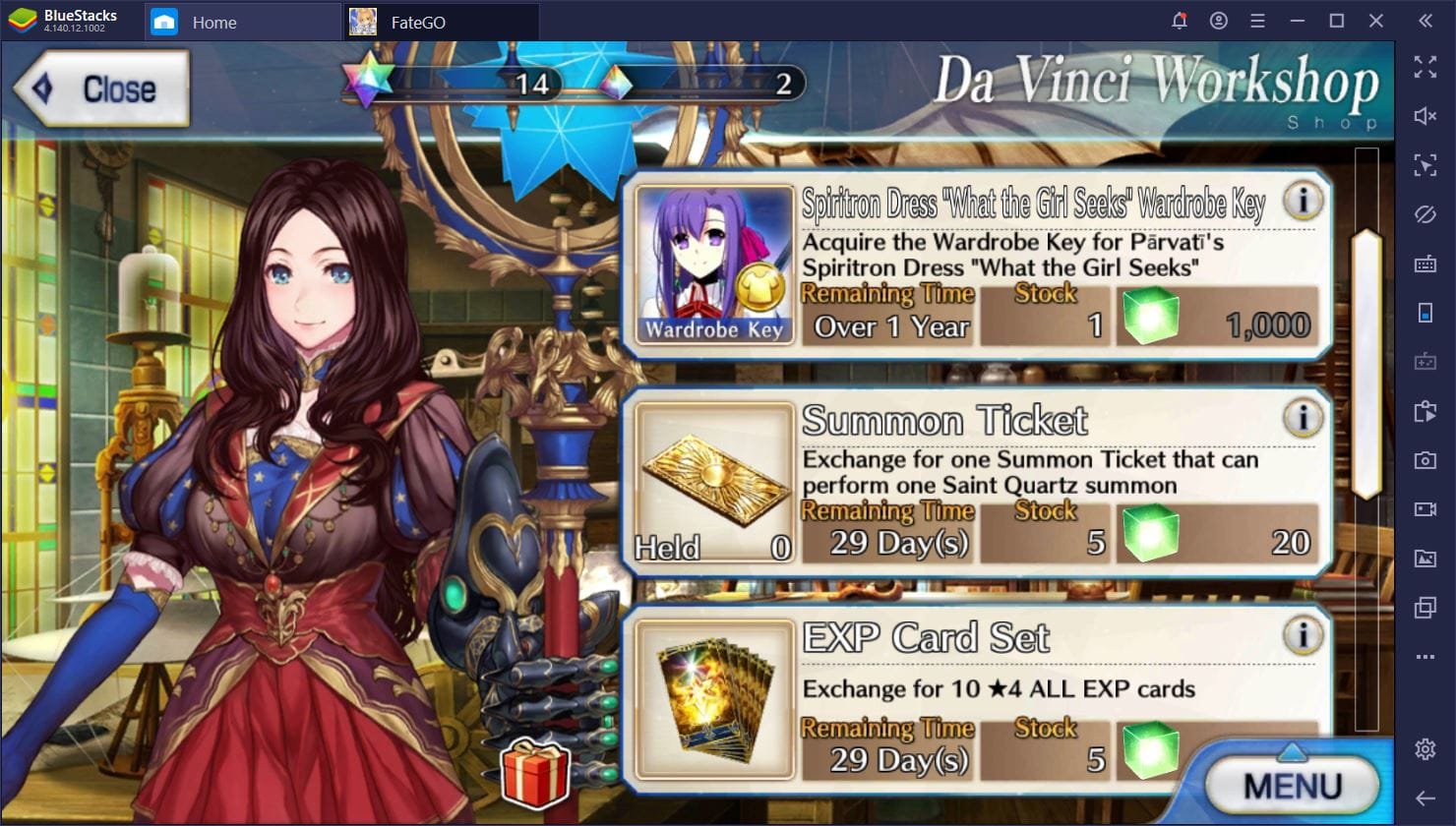
Retry once. Exactly once. Then stop. The priciest blunder here isn't losing quartz, it's hammering that button. Player reports across iOS and FGO threads through 2025–2026 describe retry-spam kicking off duplicate authorizations, where Apple stacks two or more pending charges against the same pack.
Now the mechanic that defuses most of the dread: Apple runs a pending authorization model. A failed or stuck buy frequently surfaces as a pending charge that never actually settled, and pending authorizations that don't complete tend to fall off by themselves. That "ghost charge" glaring at you on your statement after a botched purchase? Usually a hold, not a withdrawal. Don't reflexively bang out a refund request. I'll get to why that's a trap.
The five checks to run before you retry even once
Test purchase in another app also flopped? Then chew through this list top to bottom. It's ranked by how often each one cracks the problem, pulled from the documented Apple-side causes.
- Payment method. Settings → your name → Payment & Shipping. An expired card, a mangled billing address, or a declined method is the single most common cause. Update or re-add the card.
- Apple ID sanity check. Sign out of the App Store, sign back in. Confirm you're on the same Apple ID that holds your funds, and if you transferred your FGO account, the same region as the original purchases.
- Screen Time / Content & Privacy Restrictions. The silent assassin. Settings → Screen Time → Content & Privacy Restrictions → iTunes & App Store Purchases. If "In-app Purchases" reads Don't Allow, you get the generic "cannot be completed" line with zero explanation. Apple Support and a stack of YouTube walkthroughs confirm both Screen Time and Family Sharing block IAPs this exact way. On a kid's account or a shared device, this is your answer far more often than instinct suggests.
- Family Sharing approval. If the device sits in a Family Sharing group with "Ask to Buy" switched on, the purchase is parked waiting on an organizer's nod, not actually failing.
- Network and App Store connectivity. Flip airplane mode, swap Wi-Fi for cellular (or back), and check the App Store itself loads. A buy frozen on "verifying" forever is usually a connectivity stall, not a payment rejection.
Run all five before you declare the payment dead. Order genuinely matters too. I've watched people refund-request a charge, swap cards, and reinstall the whole app when the real villain was a Screen Time toggle a family member flipped two weeks earlier.
Restore Purchases: what it fixes, and the thing nobody clarifies
Restore Purchases sits inside FGO's store section. Open the shop, hunt for the Restore option, sign in with the same Apple ID that made the original purchase, per Apple's standard restore flow. Tap it after any failed or interrupted checkout.
Now the clarification that murders a thousand pointless re-taps, the bit troubleshooting threads keep burying: Restore Purchases does not recover consumed Saint Quartz. Apple Support is flat-out explicit that consumable in-app purchases (and quartz is a consumable) can't be restored. Restore only re-grants non-consumable entitlements. So if you bought quartz, the buy cleared, and then you spent it, Restore does precisely nothing. Tap it a hundred times, same result.
What Restore does mend: a purchase that charged but never credited because the app fumbled the transaction handshake. In that exact spot, Restore re-pulls the receipt and hands over the quartz. That's the whole reason it exists, and it's why "I lost my quartz" posts skew far more toward uncredited-but-recoverable than genuinely gone.
| Recovery method |
What it recovers |
Typical timeline |
When to use it |
| Restore Purchases (in-game) |
Uncredited quartz from a completed-but-undelivered purchase |
Instant |
First, after any failed/interrupted checkout |
| Apple refund (reportaproblem.apple.com) |
A genuine erroneous charge |
Standard Apple support process (not publicly fixed) |
A real double-charge, or a settled charge with no quartz and Restore failed |
| FGO support (support@fate-go.us) |
Charged-but-not-credited where the receipt proves payment |
Variable; depends on ticket queue |
When you have an Apple receipt but Restore won't deliver |
Source: Apple Support (2026); r/FGO Account Recovery Guide (2026)
The decision rule is clean. Charged, no quartz, never spent a thing? Restore first. Restore whiffs but you've got a receipt? Carry the receipt to support. A clear duplicate charge? That's the lone Apple refund branch, though read the pending-authorization caveat below before you file anything.
Why the web shop should be your first move, not your last resort
Most guides shove the web shop down at the bottom as a Hail Mary. Backwards. The web shop skips the App Store checkout completely, it's processed apart from Apple and credits the same bound account, which means it works even while the iOS purchase pipeline is dead for maintenance. If your error is the server-side kind, this is frequently the only channel that'll actually take your cash and drop quartz in your lap right now.
There's a value angle too, though it's region-dependent and I'd rather be straight about how thin the sourced numbers run. On the JP server, the web shop knocks roughly a 5% discount off Saint Quartz packs versus in-app, per a 2026–2026 community guide making the rounds on r/grandorder and YouTube. For a JP player topping off mid-banner, that's free quartz for the price of opening a browser. The snag: the JP web shop wants a Japanese Apple ID/payment setup, which most NA players simply don't have.
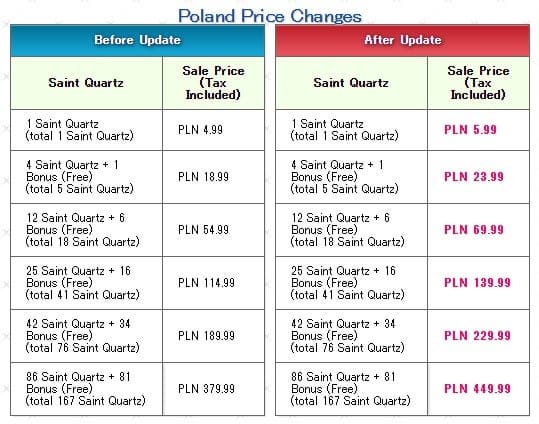
NA tells a different story. The in-app packs are the listed baseline, and I've turned up no sourced NA web-shop discount the way JP has one. Here's the current NA in-app ladder:
| Pack Size |
Price (USD) |
Effective $/SQ |
| 1 SQ |
$0.99 |
~$0.99 |
| 5 SQ |
$3.99 |
~$0.80 |
| 18 SQ |
$11.99 |
~$0.67 |
| 41 SQ |
$23.99 |
~$0.59 |
| 76 SQ |
$39.99 |
~$0.53 |
| 167 SQ |
$79.99 |
~$0.48 |
Source: Fate/Grand Order (English) App Store page (2026). The $/SQ column is computed from those listed prices.
It's the usual mobile-currency curve. The $79.99 pack at roughly $0.48 per quartz runs about half the per-unit cost of the $0.99 single. If you're spending regardless, the bottom of the ladder is where the value pools. The top three rows are a surcharge on small wallets.
A transparency note, since I'm naming channels: VGTopup publishes this article, and it offers a Fate/Grand Order top up route as one option when the in-app flow keeps face-planting. Treat it the way you'd treat any third-party channel. Confirm it credits your bound account, and weigh it against the official web shop and the in-app prices above before you commit. The neutral point holds either way: the cheapest per-quartz path is the big pack, and the most reliable path during an App Store outage is whatever channel isn't the App Store.
Is the web shop safe?
For the official FGO web shop, the honest read is yes for the JP service, where it's a settled first-party channel. It credits the same account binding your game already uses. The nagging fear in community threads is account safety, and the thing to lock into your head is that the web shop never asks you to hand over your login the way a shady reseller would. An official first-party shop processes the payment and credits your bound account. The actual risk vector isn't the web shop idea at all, it's region/Apple ID mismatch, which is up next.
Charged but no Saint Quartz? The recovery path that actually works
Before you do one other thing, screenshot the Apple receipt. This shaves the most off resolution time, and it's exactly the step panicked players skip. Settings → your name → Media & Purchases → View Account → Purchase History, or just grab the email receipt Apple fires off. That screenshot is your proof for every path downstream.
Then triage by what the receipt actually shows:
- No receipt, no charge on your statement. You weren't charged. The error was a failed handshake, nothing more. Tap Restore once; if no quartz lands, you simply never completed a purchase. Buy again clean.
- A pending hold, no settled charge. The most common "ghost charge." Sit on it. Pending authorizations that never settle drop off on their own, and firing an Apple refund at a charge that was about to auto-reverse just stamps a messy, contested record on your account for nothing.
- A settled charge, no quartz, nothing spent. Restore Purchases first. If it delivers, you're done. If Restore craps out, march your receipt screenshot to FGO support at support@fate-go.us, per the r/FGO Account Recovery Guide. They can hand over quartz a stuck transaction never managed to.
- A genuine duplicate settled charge. The one true Apple-refund scenario. File through reportaproblem.apple.com. Apple runs refunds through its standard support flow; the exact timeline isn't published, so don't sit there expecting an instant reversal.
My read, after watching how these shake out: most "I lost my quartz" five-alarm emergencies are uncredited-but-recoverable, patched by Restore in seconds, not refund cases at all. Apple's portal is generally the quicker, sturdier route for a real billing dispute than camping in an in-game ticket queue. But it's the wrong wrench for a pending hold or an uncredited-but-completed purchase. Match the tool to the precise receipt state.
The transferred-account trap that causes permanent failure
If you transferred your FGO account (bound it, moved devices, came back from a hiatus) and your purchases now flop every single time with nothing fixing it, check your Apple ID region against the original purchase region. Player reports describe a returning veteran on a transferred account smashing into permanent checkout failure purely because the Apple ID region no longer lined up with where the account first bought. The App Store pins purchase eligibility to account region. A mismatch there isn't a glitch you retry past, it's a wall.
This one stays underreported because it only bites a narrow crowd, returning players and cross-region transfers. But when it's the cause, no quantity of card-swapping or reinstalling does a thing. You're realigning the Apple ID region (and swallowing the friction Apple slaps on region changes) or routing the purchase through a channel that doesn't gate on App Store region.
Does updating the app fix it?
Sometimes. Just not for the reason folks assume. An update doesn't "patch" your payment method or your Screen Time toggle. Where an update genuinely earns its place is when a build shipped a checkout bug the new version squashes, or when the update merely forces a fresh login that clears a stale Apple ID session. So it's not pure placebo, but it's no targeted cure either. I'd update only after the five checks and a Restore attempt, never as the first lever. Updating mid-banner to chase a payment bug, then twiddling thumbs through the download, has cost more than one player their rate-up window.
How I'd actually play each failure
Three fast reads by player type, because the right call genuinely shifts:
- F2P buying a single limited bundle. If the error strikes and won't clear inside two minutes, abandon the purchase for that session. Don't gamble on a double charge over one bundle. Lean on event and login quartz; the bundle's coming back.
- Mid-spender against a banner deadline. Here's where the web shop pays its rent. If the in-app flow keeps dying and the rate-up clock's ticking, quit wrestling the App Store and head to the official web shop (or another channel that credits your bound account) and buy there. Speed trounces a marginal price gap when a Servant's about to vanish.
- Returning veteran on a transferred account. Check region first, ahead of any other troubleshooting. If it's a region mismatch, every other step is wasted motion.
Frequently Asked Questions
Why does FGO say purchase cannot be completed on my iPhone?
It's a catch-all Apple line covering several unrelated faults, most often an expired payment method, an Apple ID region mismatch, or Screen Time's In-App Purchases parked on "Don't Allow," per Apple Support and 2025–2026 community reports. It can also be server-side during FGO maintenance, in which case nothing on your device moves it and you just wait for the all-clear.
I paid for Saint Quartz but didn't receive them — what now?
Screenshot the Apple receipt first, then tap Restore Purchases in FGO's shop. Restore re-delivers quartz from a completed-but-undelivered purchase. If Restore does zip but your receipt proves a settled charge, email support@fate-go.us with that screenshot, per the r/FGO Account Recovery Guide. That beats a blind refund request.
Does Restore Purchases recover quartz I already spent?
No. Apple Support is explicit that consumables like Saint Quartz can't be restored; Restore only re-grants non-consumable entitlements. If you bought quartz, it credited, and you summoned it away, Restore is the wrong tool however many times you tap it. That case simply isn't recoverable through Restore.
Should I request an Apple refund or wait it out?
Wait if it's a pending hold with no settled charge. Those authorizations usually auto-reverse, and refunding a charge that was about to drop off just litters your account with a contested record. Only file at reportaproblem.apple.com for a genuine duplicate or a settled charge with no quartz that Restore couldn't crack.
Is the FGO web shop cheaper than buying in the app?
On the JP service, yes. Community guides on r/grandorder and YouTube cite roughly a 5% web-shop discount on quartz packs versus in-app (2026–2026), though it needs a Japanese Apple ID setup. For NA, the listed App Store packs are the baseline and I've found no sourced NA web-shop discount; the real NA value lever is buying the bigger packs, where the $79.99 / 167 SQ tier runs about half the per-quartz cost of the single, per App Store pricing.











Comments