Scenario 1: the F2P claim-only run
Funny thing about this patch: the most valuable piece isn't a reward at all. It's the speed-up fix. After the update, speed-ups no longer get wasted, per the ldshop.gg breakdown, which kills the old headache of slapping a 24-hour boost onto a timer with 20 minutes left and torching the difference. For an F2P account where every minute of construction acceleration is rationed like rent money, that's a quiet efficiency win that keeps paying out across every build queue for as long as your base exists.
And that's the real F2P story this cycle. There's no limited launch event track gated behind this version in any official notes I could confirm, so the usual "grind the timed event before it dies" pressure just isn't here. The one free Gold Brick drop floating around the wider calendar is the 100k-registration milestone. Community guide How to Get Free Gold Bricks pegs it at 2,000 free Gold Bricks claimable through the Last War ID store, though I'd treat tier-five community figures as directional and double-check the exact amount in-game before banking on it.
So my read for zero-spenders: claim the milestone Bricks if your in-game store shows them, then stop. Nothing here demands a sprint. The patch hands you efficiency rather than charging you stamina to chase it.
Scenario 2: the low-spender and the +5% recharge question
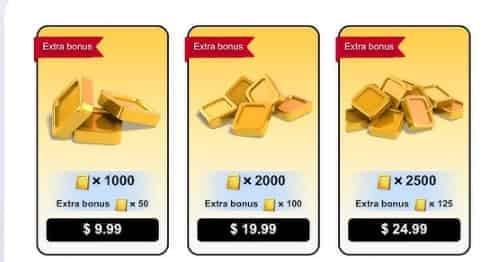
This is the lone spend decision the patch manufactures, and it leans gently your way. Recharging Gold Bricks through the official website grants +5% extra Gold Bricks plus a 30-day Gold Brick Radiance Avatar Frame, per Last War:Survival Game Facebook. That promo was still live as of March 22, meaning if you were already going to drop your monthly pass-tier top-up, routing it through this window is free money on top, not a reason to spend you didn't have before.
What surprised me: for a low-spender, the cosmetic frame is the sweeter half of the deal, not the 5%. On a small top-up, five percent barely registers. The 30-day frame, though, is a flex you'd never otherwise pay for, and it rides along at no extra cost. So the play isn't "buy more to claw back 5%." It's "if your $5-10 monthly habit was happening regardless, funnel it through the bonus window and pocket the frame."
The pitfall to dodge is well documented. Buying Gold Bricks on the launch day of a promotion can mean missing later, cheaper regional or site deals, per the Last War Gold Bricks Guide. A +5% web bonus is harmless. Treating it as a deadline that bullies you into a bigger purchase than your budget allows is the exact FOMO lever that overpays.
Scenario 3: the mid-spender hunting for a "patch pack"
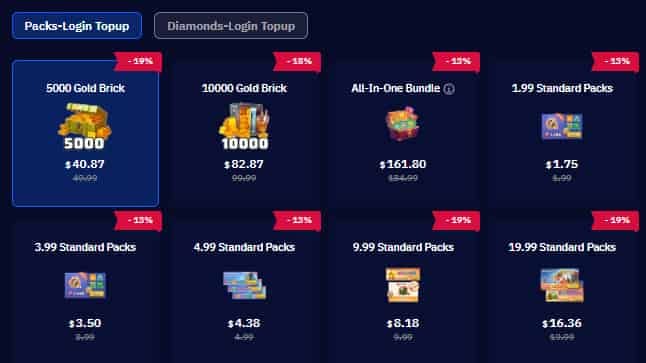
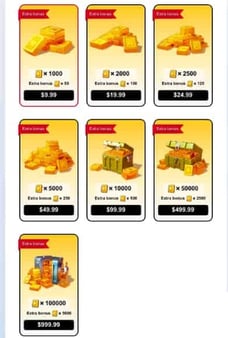
There isn't one. That's the finding that matters. No version-specific launch value pack shows up anywhere in the verifiable 3/19 notes. The monetization picture this cycle is the standard Gold Brick economy, where 10,000 Gold Bricks carry an official price of $99.99, per the ldshop.gg breakdown. That's the top of the ladder, and nothing in this patch nudges what those Bricks fetch.
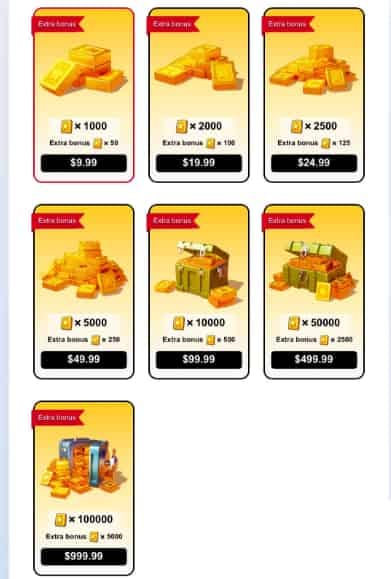
For a mid-spender, the smart call is patience. When a patch ships zero exclusive, time-boxed packs, there's no premium for buying "now" over "next month." Launch-day packs across this genre have a habit of resurfacing cheaper or folding into later bundles, so early hype buys tend to carry a surcharge you'll resent when the same contents return at a markdown. With no such pack even on the menu here, the sharpest mid-spend move is staying liquid and letting the +5% web bonus trim a sliver off whatever you'd already planned.
If a value pack honestly suits your account and your monthly budget, the only thing that counts is buying it at a clean, transparent rate. As a disclosure, Top War Gold Bricks recharge is one channel for topping up at a clear price. But watch the order of operations. The pack decision comes first and has to stand on its own legs. The channel is a footnote, never the trigger.
| Spend tier |
The one move this patch |
What to skip |
| F2P |
Claim milestone Gold Bricks if shown; bank speed-ups (no longer wasted) |
Any purchase — nothing is time-gated |
| Low-spender ($5-10/mo) |
Route your usual top-up through the +5% web window for the bonus + frame |
Upsizing the buy just to "maximize" 5% |
| Mid-spender (~$30/mo) |
Stay liquid; no exclusive 3/19 pack exists to justify a rush |
Day-one impulse buys on a non-existent FOMO clock |
| Returning veteran |
Re-learn the smoother drone-upgrade flow before re-investing |
Rebuilding a squad over balance changes that aren't here |
Source: ldshop.gg blog (2026); Last War:Survival Game Facebook (2026).
Scenario 4: the returning veteran checking catch-up value
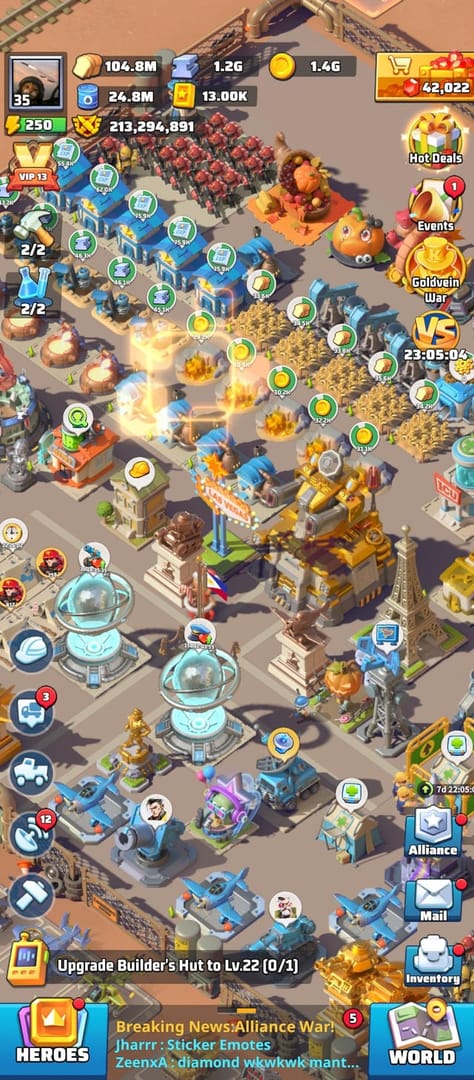
Historically, a QoL drop rewards the people coming back more than the people grinding daily, and I figured this one would follow suit. It half-delivers, just not how the framing implies. The genuine wins for a returner are operational, not reward-based. Drone upgrades run smoother after the update, per the ldshop.gg breakdown, which matters most to someone relearning the squad-support system after a long gap. The PC launcher and loading screen got optimized too, so climbing back onto a desktop client meets less friction than it used to.
What I didn't see coming: the patch quietly took something away that returners lean on. Alliance Record retention dropped from 90 days to 30 days. If you've been gone longer than a month, the alliance activity history you'd usually scan to figure out who's still kicking and which events slipped past is simply erased. That's a real downgrade aimed squarely at the catch-up use case, and not one recap I've come across bothers to mention it.
So the veteran verdict is mixed in an honest way. The daily-play surfaces feel cleaner, but for context you'll want to lean on your alliance leadership rather than the now-stunted record log.
Scenario 5: the "update won't load" panic case

Smallest download you'll fret over all year, and that fact is basically the whole answer. The 3/19 release, game version 1.0.335, weighs in around 48 MB, per the listing on APKMirror, with server maintenance running roughly 10 minutes. A patch this light and a maintenance this brief means a stuck update is almost never the patch's doing.
Three quick checks if it stalls:
- Wait out the maintenance. That ~10-minute window means if you tapped update right as the servers dipped, the "can't connect" error sorts itself within minutes. No reinstall needed.
- Confirm the version. If your client isn't reading 1.0.335, the download came up short. Clear the partial and re-pull the small package instead of force-launching the old build.
- On PC, relaunch. Since the launcher and loading screen got reworked this version, one restart of the client after the patch lets the fresh launch flow take over cleanly.
And there's no big asset bundle here to corrupt mid-download, which is the usual villain behind real install failures. A sub-50 MB patch flops far less often than the 1-2 GB content drops players have been trained to dread.
No hero balance changed in 3/19, so don't re-roll your squad
Here's the stance I'll plant a flag on: the "did 3/19 touch hero balance" question has a tidy answer, and it's no. The update is QoL-focused with no major hero or squad balance changes reported, per the ldshop.gg breakdown. No new pull-worthy hero, no Tank/Air/Missile reshuffle, nothing that earns a re-roll of your core lineup or a spend chasing some "buffed" unit.
Why does this matter? Because minor patches in this genre drag in a predictable wave of "the new hero is broken" energy that's marketing froth, not data. When the notes themselves say nothing changed, any meta shift you feel is placebo. Rebuilding a squad, burning forge materials, hero shards, and gear over tuning that doesn't exist in this version is the priciest blunder on the table this cycle. And it's one you'd inflict entirely on yourself.
One real wrinkle worth filing away: even in patches that do ship balance tweaks, some changes only bite specific server-age brackets, so meta impact swings with how old your server is. Keep that mechanic in your back pocket for the next content patch. For 3/19, though, there's simply nothing to react to.
Grind hard or coast? Coast, and bank your patience
Coast. This is a "log in, claim, keep playing like normal" patch, and the strongest competitive move is restraint. With no time-boxed event track to expire, no exclusive pack to panic over, and no balance change to chase, the commanders who come out ahead are the ones who refuse to manufacture urgency. Stockpiling currency and Bricks for a future patch that actually ships rush-reward events or a real new hero beats spending into a sleepy QoL cycle.
The underrated winner is exactly the stuff guides breeze past: speed-ups that no longer evaporate, a cleaner drone-upgrade path, a PC client that boots faster. Those improve your day-to-day more than any pack could this month, and they're permanent. A launch-day impulse buy is a one-time receipt you'll be second-guessing by next week.
Frequently Asked Questions
Is there a new event I'll miss if I don't log in on 3/19?
No verifiable patch-specific event track is tied to this version, so there's no expiring reward clock unique to 3/19. The one free drop on the wider calendar, those 2,000 Gold Bricks for the 100k-registration milestone per cpt-hedge.com, lives in the Last War ID store rather than a timed in-game event. Check whether it's showing on your account instead of racing a countdown that doesn't exist.
Does the +5% Gold Brick bonus apply to in-game purchases too?
The +5% extra and the 30-day Radiance Avatar Frame are specifically tied to recharging through the official website, per Last War:Survival Game Facebook (2026), not necessarily the in-app store. If the frame is what you're chasing, the web route is the documented path. An in-app top-up may not carry the same cosmetic, so verify before assuming the two match.
Why did my alliance history disappear after the update?
That's intended, not a bug. Alliance Record retention got cut from 90 days to 30 days in this version, so anything older than a month rolled off the log. Returning players feel this hardest, so screenshot or jot down anything you need to remember before the window shrinks any further.
How long does the 3/19 maintenance and download actually take?
Server maintenance ran about 10 minutes and the patch itself is roughly 48 MB on the 1.0.335 build, per the ldshop.gg breakdown and the APKMirror listing. If you're stuck past the maintenance window, it's almost always a partial download. Re-pull the small package rather than nuking the whole game.
Should I wait to buy Gold Bricks instead of grabbing the bonus now?
For most non-whales, patience wins. Launch-day promo buys can miss later, cheaper site or regional deals, per the topuplive.com guide, so the +5% web bonus is only worth acting on if that top-up was already on your calendar. Don't inflate a purchase to "capture" a 5% bump. That's precisely how the FOMO premium gets its hooks in.










Comments