Scenario 1: charged, but the Premium track is still locked
Money's gone, the pass screen still flashes Free track, and the "obvious" reaction is the trap. No refund. Head to the web shop and run Restore Purchases, per the Failed to Purchase FAQ, which says it plainly: "If you encounter any difficulties while trying to make in-game purchases, don't worry! We've got you covered with an alternative solution."
What surprised me is how often the entitlement is already sitting on the server. It just hasn't rendered client-side yet. The order of ops from the Google Play support thread (March 2026) is tight: confirm the bank actually deducted, relaunch the game, fire Restore Purchases from settings, and only ping support with a receipt if you're genuinely charged-and-empty. Restore re-grants what you own. It doesn't re-charge.
And here's the wrinkle the other guides skip. Restore hands you the pass, but the variants and Gold Fire Borders bundled with the June Dragons season sometimes need a second app restart before they paint. I've watched players restore, see the track flip to Premium, then spiral because the borders aren't there yet and fire off a ticket they never needed. Kill the app one more time before you call anything missing.
| Failure type |
First action |
Typical resolution |
| Charged, no Premium track |
Restart → Restore Purchases |
Often syncs within a short window once the store catches up |
| Failed, no charge |
Re-attempt via web shop after region/balance check |
Immediate once the decline cause is fixed |
| Pending / auth hold |
Wait for the bank hold to drop; do not re-buy |
Drops off on its own; no real charge completed |
Source: MARVEL SNAP Help Center and Google Play support thread (2026).
Scenario 2: it failed and you were never actually charged
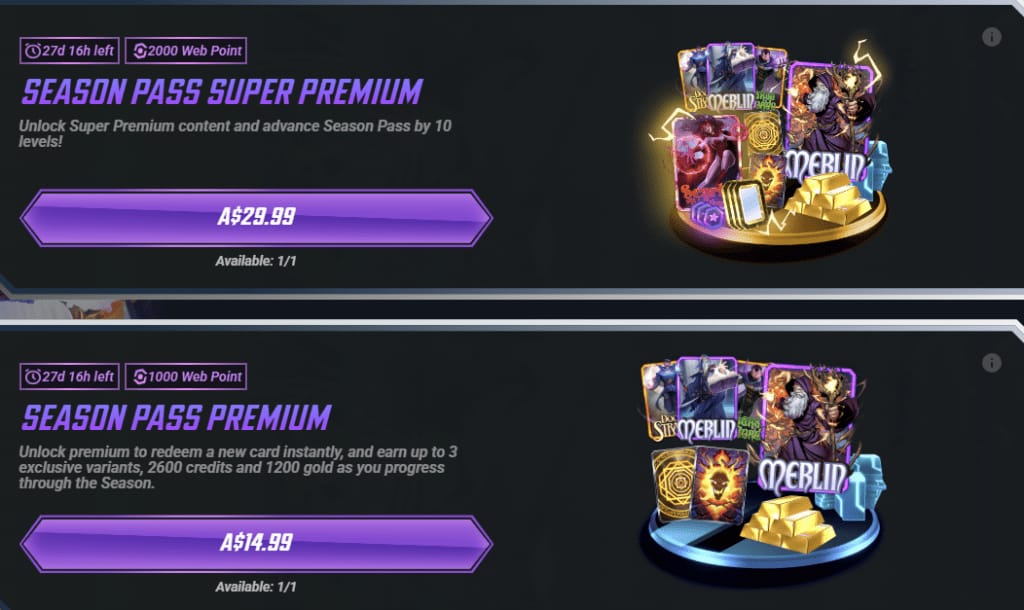
Different story. Nothing to restore, because no entitlement ever spawned. The whole job is figuring out why the payment bounced so the retry sticks. Official and community threads land on the same four culprits: a network hiccup, a region mismatch on the card, store sync lag, and a pending bank authorization, per r/MarvelSnap troubleshooting threads (2026).
The decline reason almost nobody checks is region/currency mismatch between your store account and your game login. It's quiet and it's nasty. The card's valid, the balance is fine, but the regional handshake just refuses. Official guidance says skip region-mismatched cards entirely and let the web shop handle the currency, since US Premium pricing sits around $9.99–$19.99, with the gaps across markets eaten by the shop instead of your card processor.
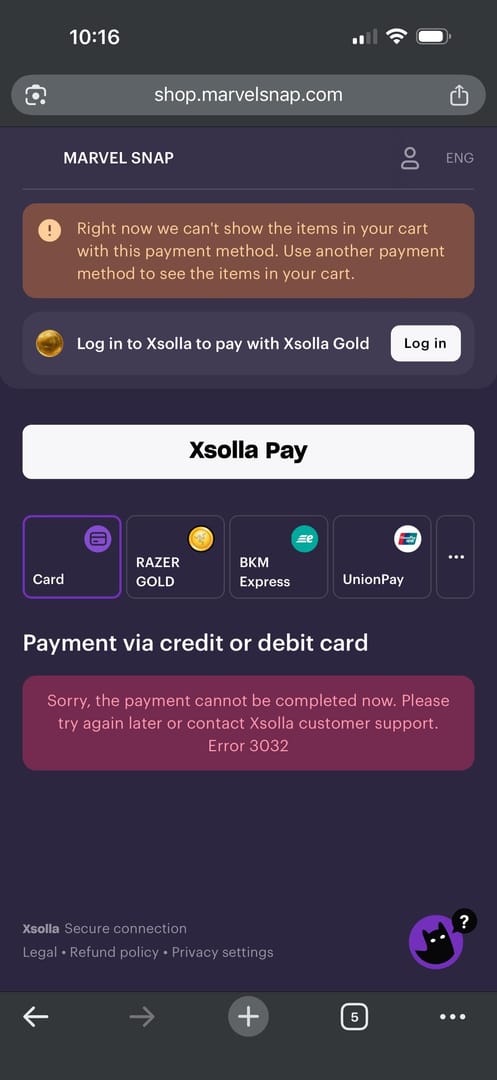
Now the part I didn't expect. The official primary fix for a clean failure isn't "spam retry." It's redirect to shop.marvelsnap.com, confirm you've got enough Gold or a working payment method, and push the buy through there. The web shop dodges the in-app store-sync layer that's behind a big slice of these failures to begin with. Stuck in the loop where the web shop won't log you in? That's a stale client. Update to the newest game version, sign in with Apple or Google, accept the privacy notice, then retry.
One pitfall I'll yell about, because it's how a non-charge turns into real money lost: re-buying mid-hold. The same Google Play thread warns that panic-purchasing while an authorization hold is parked on your statement can trigger a legit double charge. If the bank reads "pending," that's almost always an auth hold, not a finished transaction. Let it drop.
Scenario 3: the purchase hangs, and you're tempted to reinstall
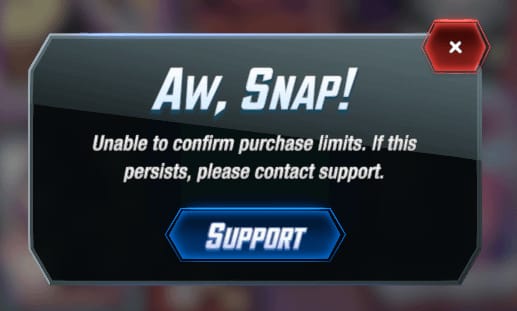
The stuck-on-the-purchase-screen "Aw snap" error is its own animal, and uninstalling mid-transaction is the instinct I'd argue you out of hardest. Reports across r/MarvelSnap (2026) are consistent: a reboot or the web shop alternative kills the hang. Reinstall before you've confirmed status and you risk losing a pending purchase.
But here's the reassuring half, also from r/MarvelSnap consensus: your progress and your buys ride along on your linked Apple or Google account. A reinstall isn't account-suicide. People who deleted the app and relinked got their collection back. The whole game is sequence. Confirm the transaction landed (or didn't) first, never during the hang. Returning-player playbook: link the account, update the app, then Restore Purchases or hit the web shop to pull the Premium track back. Buys carry over on the same platform.
Honestly the strangest thing about this scenario is how boring the real fix is. No secret interaction. No hidden recovery mechanic. The Purchase Not Received FAQ basically shrugs: there's no documented backdoor process, just standard Restore Purchases or a support ticket with your transaction ID. Players digging for some clever workaround burn time the dull steps already covered.
One device-level thing to rule out before you blame the game: spending limits and in-app purchase restrictions can silently block a buy, per general iOS/Android advice in Apple Discussions (2026). If purchases tank for only one person on a shared device, look at the restrictions before anything else.
When you genuinely need a refund: where to file and what it costs you
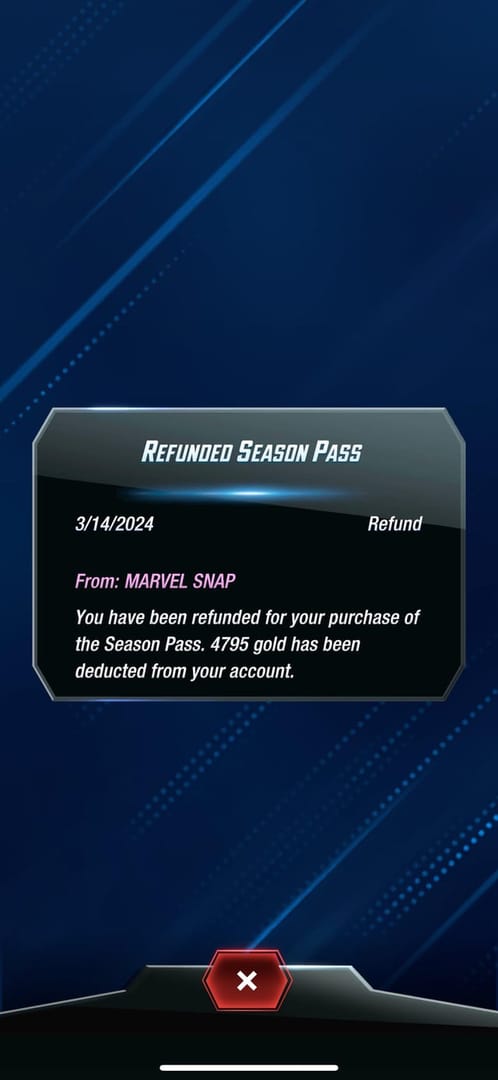
Refunds are the last lever, and the price isn't just your afternoon. It's your account standing. The refund FAQ states it flat: "We want to inform you that refunds for related items are currently not supported," and that long-hold purchase confirmation exists specifically to stop accidents. So recovery runs through the platform, not Second Dinner's refund desk.
For a charge that genuinely never delivered after you've tried a restore, open a ticket at support@marvelsnap.mail.helpshift.com with your transaction ID screenshotted ahead of time. That single prep step cuts the back-and-forth way down. On the platform side, Google Play takes refund requests inside a 48-hour window for some in-app purchases, and non-delivered items usually clear in a few business days.
| Pathway |
Where to file |
Account-risk note |
| In-game (missing item) |
Second Dinner support ticket + transaction ID |
Lowest risk; restores entitlement you own |
| Google Play |
Play refund request (48-hour window for some purchases) |
Refunding a delivered pass can revoke it |
| App Store |
Apple "Report a Problem" |
Same revoke/flag risk on a delivered pass |
Source: MARVEL SNAP Help Center and Google Play refund policy (2026).
My read after running all three: restore-before-refund isn't just neat advice, it's defensive. A refund on a pass that did deliver claws back the cosmetics and the Series 5 pack you paid for and can flag the account on top of it. You lose on both ends.
Buying it safely the next time
Want to dodge all three scenarios at once? Skip the in-app store-sync layer and buy through the official web shop, which the Dragons season announcement pitches as the bonus channel: "Purchase the Premium or Super Premium Season Pass on shop.marvelsnap.com and unlock AWESOME bonuses, including a Series 5 SNAP Pack." Per snap.fan's bundle listing (2026), the web Premium lands in that same ~$9.99–$19.99 band but tends to deliver more because of the extra Series 5 pack. The blind in-app retry hands you none of that.
A pre-purchase checklist that actually stops the repeat:
- Update the client first — the web shop needs the latest version to sync your account; skip it and the reward track hides itself (a known June 2026 issue).
- Match region and card so the store/login currency mismatch never bites.
- Confirm Gold balance ahead of an in-game buy so you're not eating an insufficient-funds decline.
- Never re-buy on a pending hold. Let it clear.
- Screenshot the transaction ID the second a purchase finishes.
The actual danger in this whole topic isn't Marvel Snap's payment plumbing. It's the off-platform "cheap Gold" sellers, which the help center flags as carrying zero official support and a real shot at account loss. For a transparent, in-context option that's actually supported, Marvel Snap top up is one path to Gold. Full disclosure: this piece is published by VGTopup, so weigh that, treat the official web shop as your default, and check regional availability before you buy.
By player type the call shifts a little. F2P and curious first-timers: run the web shop once to test it safely with the bonuses, verify the Premium track unlocked through your collection rewards, and steer clear of in-app until you've got the rhythm. Returning players: relink and Restore Purchases the moment you reinstall. Regular spenders: make the web shop your default to outrun sync failures, and keep your transaction IDs filed.
Frequently Asked Questions
Why is the web store cheaper, and is it legit?
It's the official shop, run through the same publisher, so yes, it's legit. The lower effective cost comes from bundled extras like the Series 5 SNAP Pack and Gold Fire Borders rather than a slashed sticker price, per the Dragons season announcement. Avoiding it "to be safe" just costs you the bonuses.
I restored my purchase but the card variant still isn't showing — is it lost?
Probably not. Restore re-grants entitlements, but cosmetic variants sometimes want a second full app restart before they render. Close the app one more time before you assume anything vanished or open a ticket.
Does a "pending" charge mean I've been double-billed?
Usually no. A pending line is an authorization hold that often falls off without ever completing, per Google Play guidance. The trap is re-buying during that hold, which is what can spawn a genuine second charge. Wait for it to clear.
If I reinstall mid-purchase, do I lose progress and what I bought?
Progress and purchases carry over via your linked Apple or Google account, per r/MarvelSnap consensus. The danger is reinstalling during a hung transaction before you've confirmed status. Verify the buy landed or failed, then reinstall if you still need to.
Can a family member's device settings block my purchase?
Yes. Parental controls and in-app spending limits can quietly block buys, per Apple Discussions advice. If purchases only fail on a shared device, check the device-level purchase restrictions before you start troubleshooting the game.











Comments