Kill the rebuy reflex first
The most expensive mistake here isn't a server bug. You tap "buy" again because it didn't work the first time, and you end up with two charges and one delivery. Per r/MarvelSnap, repurchasing before the first charge processed is the most common self-inflicted double-charge across the missing-Gold threads.
Figure out whether you paid, or whether you're looking at a hold.
A pending charge and a completed charge look nearly identical in your banking app, and they behave differently. A pending line is often an authorization hold, the store reserving funds to confirm your card is valid. Holds often auto-reverse within a few days if the transaction never finalizes. Players on r/MarvelSnap keep flagging the same edge case: refund a hold that was about to drop off on its own, and you can end up net negative when the real charge later posts. So when your charge reads "pending," wait and watch instead of chasing a refund.
If the charge has fully posted (settled, dated, non-reversible) and the Gold still isn't there after a restart, escalate. Until you know which of the two you're holding, you don't have enough to act on.
How long Gold should actually take
Standard in-app purchases land Gold instantly most of the time. The official guidance treats that as the baseline, and the same documentation admits delivery "can delay up to days" in some cases. So an empty counter five minutes after paying proves nothing yet.
Here's the practical read on normal versus action-worthy:
| Purchase type |
Normal arrival |
Escalate when |
| In-app Gold |
Instant, occasionally minutes–hours |
Confirmed charge, still missing after 24–48h + restart |
| Web store Gold |
Instant, but may need a client restart |
>30 minutes after restart |
| Season Pass / Variant |
Instant on the buying account |
Not unlocked after re-login on correct account |
Source: MARVEL SNAP Help Center & Web Shop (2026)
That 30-minute web-store line matters. The MARVEL SNAP Web Shop notes that web purchases sometimes need a client restart before the entitlement reflects in-game. Instant is normal, and a 30-plus-minute gap after restarting is the threshold that should trigger a ticket. The in-app side gives you more room on timing, but per the Help Center, "missing after restart" is the abnormal signal whatever the clock says.
If it's been under an hour and you've got a pending or just-posted charge, do nothing except restart once and check the right account. Patience plus proof resolves more of these than any button you can press.
Confirm the charge before you do anything else
You can't file a useful ticket or make a sane refund decision without knowing the charge went through and grabbing its transaction ID. This is the receipt hunt, and it differs by platform.
On iOS, your purchase history lives under your Apple ID. Check Settings → your name → Media & Purchases, or use reportaproblem.apple.com to see the line item and its transaction reference. Apple's purchase records prove whether money moved.
On Android, the Google Play order confirmation arrives by email and also shows in your Play account's order history. That email is your transaction ID source. Per Google Play Support, in-app purchase records and refund eligibility both route through your Play account, and reinstalling or launching often restores purchases.
For web store buys, the receipt goes to the email tied to your shop login, and the Gold lands in the same game account as your in-app purchases. There's no separate "web wallet." Per the official shop notes, regional payment processing trips people up on web more often than delivery does.
Whichever channel you used: screenshot the receipt now. A dated transaction ID separates a ticket that resolves in a couple of days from one that bounces through templated replies. Make this a standing habit if you spend at all, not just on big bundles. For scale: data mines surfaced May 2026 bundles at $20 for 2,500 Gold each per YouTube bundle guides, and a March 2026 pack at 11,000 Gold for $100. Money worth a screenshot.
The safe recovery sequence
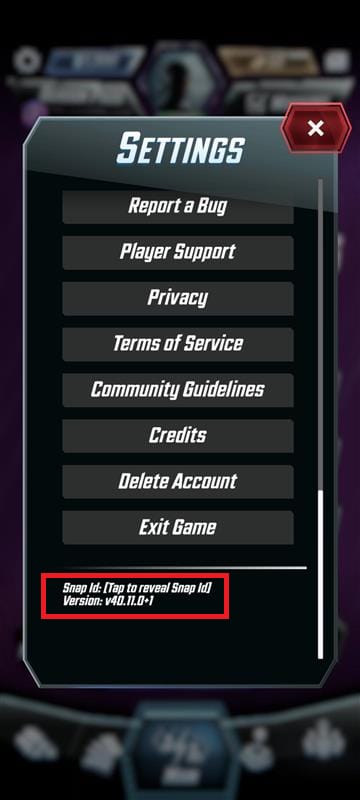
Run these in order. Don't skip to the bottom.
- Restart the app fully. Don't background-minimize. Close and relaunch. A surprising share of "missing" Gold appears the instant the client re-syncs.
- Check your connection, then re-log into your account. The Help Center's first instruction for a deducted-but-missing charge is this: restart and recheck your account and collection.
- Confirm you're on the right linked login. This one quietly burns people. If you normally sign in with Google but launched on a Facebook-linked profile (or the reverse), the Gold may have arrived on an account you're not currently looking at. Players keep surfacing this on r/MarvelSnap: they assume Gold vanished when it credited elsewhere.
- Verify region. Purchases tie to your store account, and a mismatched region or login at purchase time can route delivery somewhere you don't expect, per r/MarvelSnap.
- Try Restore Purchases, with a caveat below.
Most guides blur that caveat. Restore Purchases recovers entitlements like your Season Pass and unlocked Variants, and it does not always restore consumable Gold. Gold is a consumable currency. Once the store grants it, the store can't re-hand it to you the way it re-grants a pass. So if your missing item is the Season Pass track, Restore is your fastest fix. If it's a Gold bundle, Restore probably won't conjure it, and your real path is verifying the account and then filing a support ticket. Players confuse these two and waste hours doing it.
Filing a Second Dinner ticket that actually resolves
Vague tickets get slow, templated answers. Front-loaded tickets get fixed. Proof makes the difference.
Open it in-game: Settings → Player Support. To file something Second Dinner can action without a back-and-forth, attach every one of these:
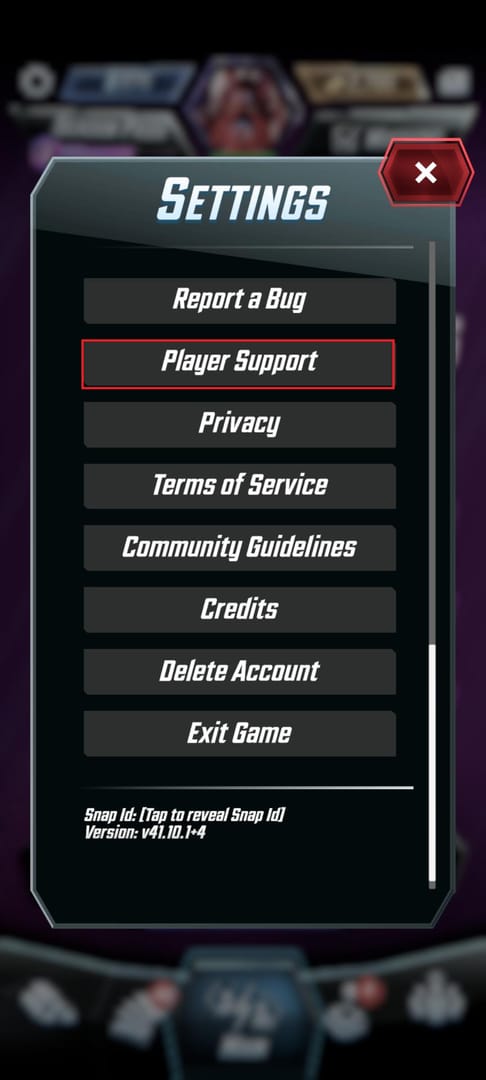
- Your Player ID / Account ID (in the in-game Settings menu, grab it before you start writing)
- The store receipt and transaction ID from the platform you bought on
- A screenshot of the bank/store charge showing it posted (not pending)
- The purchase type and timestamp ("2,500 Gold bundle, [date/time], iOS")
Players across the resolution threads put it bluntly: attach the receipt and transaction ID, or expect delays. The Help Center frames the same flow officially. Verify the charge, then contact support with the documentation.
Set your timing expectations honestly. Players describe 1–2 day delivery delays that resolved via a support ticket as the common pattern, per r/MarvelSnap, with some cases taking a few days longer. That's normal for this kind of billing reconciliation. The official advice (wait 24–48 hours before escalating, since some legitimate deliveries take that long) is the same window worth giving support once your ticket is in. Resist the urge to spam follow-ups. A duplicate ticket won't move you up the queue.
Refund or wait, and why chargebacks are off the table
The decision framework, with the risk level stated plainly because most guides won't:
| Your situation |
Do this |
Risk |
| Charge pending / authorization hold |
Wait, watch for auto-reverse |
Refunding it now = possible net loss |
| Confirmed charge, <24–48h, restart not done |
Restart, re-login, check account |
None |
| Confirmed charge, >48h, ticket filed, no fix |
Request a platform refund |
Low–moderate: may revoke items |
| Tempted to chargeback through your bank |
Don't |
High: possible account ban / negative Gold |
Source: synthesized from MARVEL SNAP Help Center, Apple Support, Google Play & r/MarvelSnap (2026)
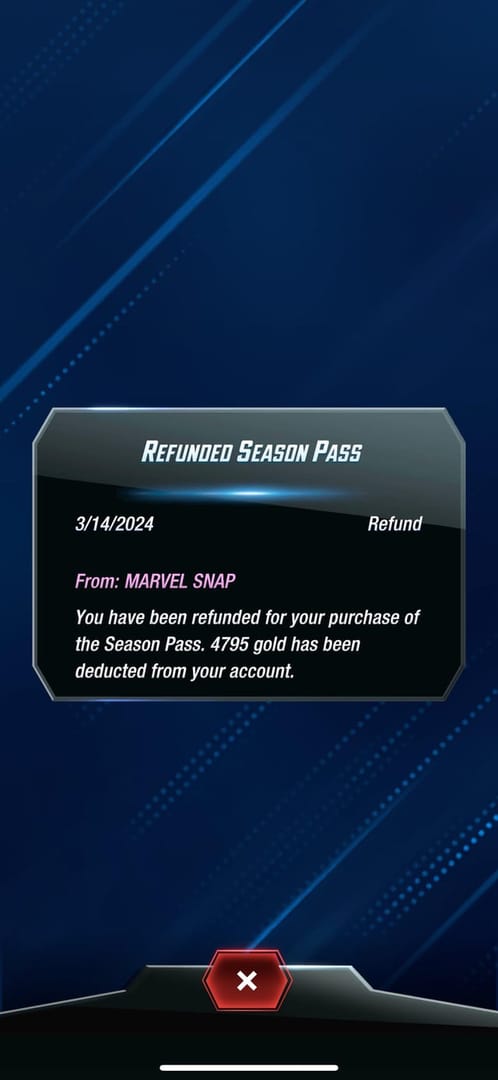
A platform refund is your legitimate escalation once support has failed you. Apple processes refund requests through reportaproblem.apple.com and usually decides in 1–4 days per Apple Support. Google's side runs faster, with in-app purchase refunds often within 48 hours per its support docs. A successful refund can revoke the associated items and may flag your account. So "just refund it" is bad blanket advice. Refund when the Gold never came and support couldn't deliver it, not as a shortcut around a 12-hour delay.
The chargeback is the line you don't cross. Going to your bank to forcibly reverse a game charge can win you the money and lose you the account. Players document chargebacks leading to negative Gold balances or account action under developer policy. You might be technically owed the refund and still get permanently banned from a collection you spent years on. That math almost never works. Refund through the platform if you must, never through your bank.
One more channel note, because habit misleads people here. The web store and in-app purchases need separate troubleshooting even though the Gold lands in the same account. A web-store hiccup is usually a regional payment-processing issue with a client-restart fix. An in-app hiccup is usually a delivery-sync delay. Treat them as one problem and you'll go down the wrong path. Buying through the official web store can run marginally cleaner for support traceability since the receipt chain is straightforward, and if you're weighing where to route future top-ups, a transparent, receipt-traceable channel like a Marvel Snap top up is worth bookmarking. The same rule applies everywhere: confirm any pending charge before you ever repurchase. (Disclosure: VGTopup, a third-party top-up platform, publishes this piece.)
The order of operations I'd actually follow
Staring at missing Gold, I follow a fixed sequence: confirm pending-vs-posted → restart once → check the right linked account and region → grab the receipt and transaction ID → wait out the 24–48h window → file a documented ticket → only then consider a platform refund → never a chargeback. Most of the panic in those Reddit threads is a delivery delay wearing the costume of a lost payment, and a saved receipt plus a little patience clears most cases without anyone touching a refund button.
Two errors cost real money, and you can avoid both: rebuying before you've confirmed the first charge, and reaching for a chargeback when a platform refund or just waiting would have worked. Skip those two, screenshot every receipt going forward, and a missing-Gold scare stays a minor annoyance instead of a banned account.
Frequently Asked Questions
Why didn't my Gold show up after paying in Marvel Snap?
Most often it's a delivery delay rather than a lost payment. Gold is usually instant but can lag, and a full app restart frequently surfaces it. The sneaky cause is the wrong linked login: buy on a Google-linked profile but launch on Facebook (or vice versa), and the Gold arrived correctly on an account you're not currently viewing.
How long does Marvel Snap Gold take to be delivered?
Instant in most in-app cases, though official guidance acknowledges it can stretch to a day or two, and players on r/MarvelSnap describe 1–2 day delays that support tickets resolved. For the web store, give it a client restart. Beyond 30 minutes after that, escalate.
Can a chargeback get my Marvel Snap account banned?
Yes, and that's why you avoid it. Players document chargebacks triggering negative Gold balances or account action under developer policy, so you can win the disputed money and permanently lose the account. Use a platform refund through Apple or Google instead if it ever comes to that.
Does Restore Purchases recover missing Gold?
Usually not for Gold specifically. Restore Purchases recovers entitlements like a Season Pass or Variants, and Gold is a consumable currency that isn't always restorable that way, a distinction most guides skip. If your pass didn't unlock, Restore is your fastest fix. If a Gold bundle is missing, verify your account first, then file a ticket.
Is a pending charge the same as being charged in Marvel Snap?
No. A pending line is often an authorization hold that can auto-reverse within a few days if the transaction never finalizes. Don't refund a hold prematurely. If it was about to drop off and you cancel it while the real charge later posts, you can end up net negative. Wait and watch a pending charge rather than acting on it.
Will I be charged twice if I buy again before the Gold arrives?
Very possibly, and this is the most common self-inflicted error in the missing-Gold threads. If the first charge processed and you rebuy, you get two real deductions and one delivery. Confirm the original charge's status before any repurchase.











Comments