The "find another code" crowd is usually wrong
The grab-a-different-one folks are right exactly once: when a code's genuinely past deadline. These things are event-tied and they don't hang around. They "last from a few days to a month depending on the event," per Pocket Gamer. So if you yanked a code off some listicle nobody's updated since last spring, sure, it's a corpse, and retyping won't raise the dead.
That's the one time they're right. The rest of the time they overreach badly. They label every single failure a dead code, then point you at the next entry on the list, which is exactly the wrong instinct. Most failures are dull and sit entirely on the user's side of the screen: not working "usually means expired or case-sensitive," and you've got to type it precisely as printed. Bitrue is blunter still, pinning the bulk of failures on "expired codes, incorrect capitalization or typing errors" and telling you to recheck your spelling before anything else.
Here's what I've taken from watching the same complaints loop: the loudest "broken code!" screamers are usually one invisible space short of victory. They never look back at what they typed. They just bolt to the next code and smack into the identical wall.
The error string is a diagnosis, not a death certificate
Line each error up against what's really causing it and the "check your input" side wins on points. Every message tells you exactly where to look:
| Error message |
Most likely cause |
First thing to check |
| Invalid code |
Typo, trailing space, or expired window |
Spelling, case, hidden spaces, zero-vs-O |
| Already used |
One-time code claimed before (often by you) |
Your redemption history / other accounts |
| Region error |
Code belongs to a different server (JP/CN/global) |
Match your server region to the code's origin |
| No rewards after success |
Unread in-game mail, not a failed redeem |
In-game mail and Pack inventory after restart |
Source: synthesized from the Pocket Gamer (2026) and Bitrue (2025) troubleshooting guidance.
Three of those four rows aim right back at you or your account. Not the server. The "already used" message especially: people forget they cashed a code in three weeks ago, or they redeemed it on an alt and don't recall. One-time use is the design. Once a code's spent on your account, it's gone, and the game flatly refuses round two. Nothing's broken there. The system's doing precisely what it's meant to.
Typos are the slippery ones, because the code looks correct. A zero pretending to be a capital O. A lowercase l doing a capital I impression. A trailing space your phone keyboard tucked in when you weren't looking. The first time one of mine bounced as invalid I'd have bet money the input was clean, and it was a lone phantom space at the tail end that killed it. Pasting a code with a trailing space on mobile trips invalid errors constantly. Funny part about "convenient" copy-paste: typing a code out by hand, character by character, actually fails less on a phone than pasting does.
Region binding: the part every code list pretends doesn't exist
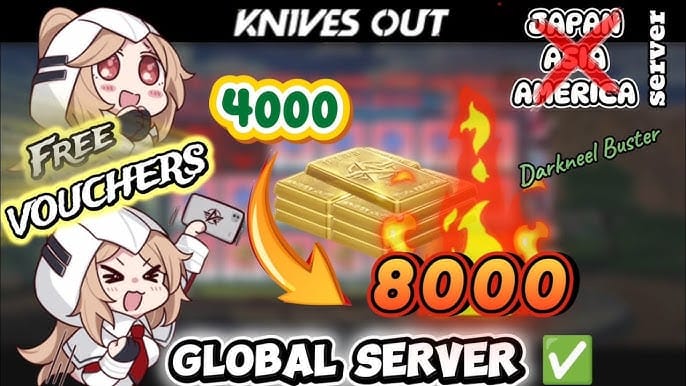
This is the most underexplained reason a perfectly real code spits back an error, and honestly it's why I lose patience with code-list articles that breeze right past it. JP, global, and CN builds don't draw from one shared pool. A code stamped for Japanese servers won't take on a global account. The game spots the mismatch and throws region error, even though the code is live, legitimate, and working great for whoever's on the right server.
The cruel bit: region binding gets locked at account creation, then quietly blocks otherwise-valid codes for the life of the account. You can't flip your region to chase down a JP-only goodie. So when somebody grabs a "Knives Out code" off a source that never says which server it's for, then punches a JP or CN code into a global account, the failure isn't the code's doing and isn't quite yours either. It's a mismatch nobody bothered to flag. Server codes differ, and the code's region has to line up with yours or it bounces.
If you read the error as "broken" and rage-quit the redemption screen, this is the row you skipped clean over. Nail down which server the code was issued for before you tap a single key.
"I redeemed it and got nothing" means open your mail
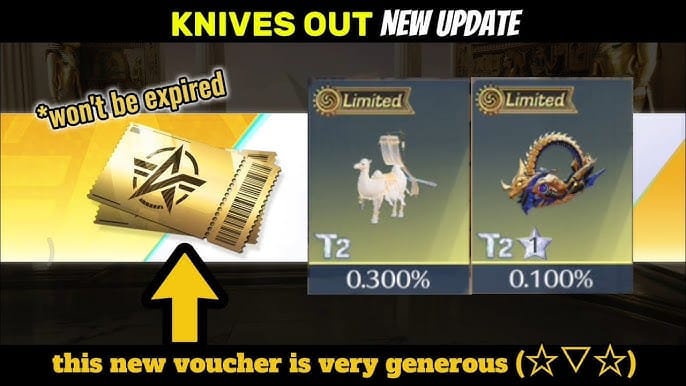
This is where the doubters are dead right and the canned advice is worthless. Every guide tells you to re-enter the code when rewards don't show. That almost never does anything. Most "no rewards" gripes are unread in-game mail, not a redemption that failed.
Prizes don't materialize in your bag on their own. They drop into in-game mail or Pack inventory, and you check after a restart, per Bitrue. So the cure for the "code worked but nothing happened" panic is hardly ever re-redeeming, which can itself slam you into an "already used" wall. It's this: shut the game, fire it back up, open the mailbox. If the reward registered, it's parked there waiting on you.
And there's a trap that quietly eats real rewards: some reward mail comes with its own expiry. Ignore the mailbox long enough and a successfully delivered prize evaporates before you ever pull it from the message. That's not the redemption breaking. That's you letting a delivered gift rot on the shelf. Redeem during a packed event, look away for a couple of weeks, and the "I never got it" post you fire off later is more often than not a wound you gave yourself.
One real edge case deserves a name: a code can read as "used" when an earlier try half-landed before your connection died. The server logged the claim. Your client never caught the confirmation. That's the uncommon flavor of "already used" that isn't just forgetfulness, and it's the one worth a support ticket instead of another retype.
Redeem in this order and most "broken" codes fix themselves

So quit treating failed codes as dead codes. Run a quick pre-check, then redeem through the right channel. This is the sequence that clears the most cases with the least wasted breath:
- Check the source and the freshness first. Trusting stale codes from ancient listicles is the number-one road to invalid errors, on the word of both troubleshooting guides above. A sourced, precise opening move beats five panicked retypes. If the listing's old, the code's the problem and nothing else you do matters.
- Check the input: spelling, case, hidden spaces, zero-vs-O, I-vs-l. Type it by hand instead of pasting on mobile.
- Match the region. Confirm the code's server (global/JP/CN) lines up with your account.
- Then redeem. In-game: open the Menu (bottom left), tap Pack, type the code, hit the yellow Redeem button, per Pocket Gamer. Some builds route it through your avatar top left, then Settings, then a Redemption Code option, per multiple YouTube walkthroughs (2025).
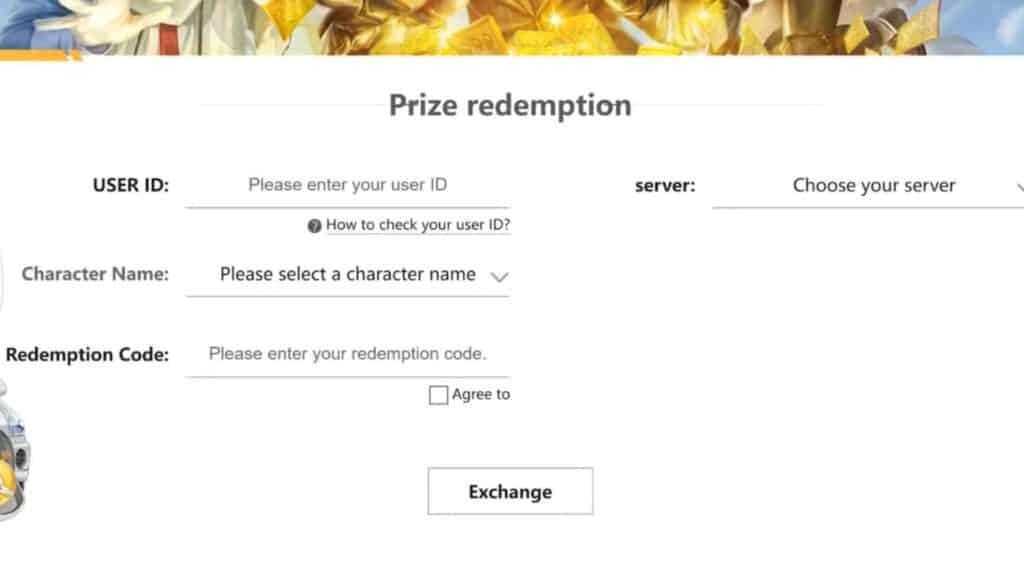
- For web redemption, head to knivesout.jp, punch in your User ID, character name, and server, then the code, and hit Exchange, according to GameRant. Some redemptions need your account bound to a NetEase account or player ID first, per community binding guides, so keep that player ID within reach.
- After it lands, restart and check mail. Don't re-enter.
On the evergreen "are third-party code generators ever for real?" question: no. Not ever. There's no such thing as a legit generator coughing up working redeem codes, and the "free voucher" sites built on that lie are a waste of your afternoon, best case. Real codes come out of events and official announcements with posted deadlines. If you'd sooner just buy in-game currency outright rather than chase event drops, that's a separate and perfectly fair call. To be upfront about it, channels like Knives Out Vouchers recharge exist for exactly that, and the one thing to verify there is the same thing you verify everywhere, that your server region matches before you commit a cent.
Once you've cleared the checklist and a code still flops on the matching server, that's when you file a ticket, and make it one an agent can actually act on. Attach your player ID, your server region, the exact code, the precise error string you got, and the timestamp of the attempt. The half-succeeded-then-dropped scenario is the one a support rep can genuinely repair, because they can read the server-side log you'll never see.
Work through it in that order and most "broken code" reports just melt away. They were typos and region mismatches all along, wearing a server-bug costume.
Frequently Asked Questions
Why does my Knives Out redeem code say already used?
Because it's a one-time code your account already claimed, usually you, weeks back, or on an alt you've forgotten about. One real exception exists: a code can register as "used" when an earlier attempt half-landed before your connection dropped, logging the claim server-side while your client never confirmed it. That specific case earns a support ticket. Garden-variety "already used" errors don't.
Are Knives Out redeem codes case sensitive?
Yes, type them exactly as shown. Pocket Gamer (June 2026) notes that not working "usually means expired or case-sensitive," and capitalization slips rank among the top causes Bitrue documents. Mind the lookalikes too: zero against letter O, lowercase l against capital I. They sail past a quick glance and still fail the redeemer.
Why does my code throw a region error when it's clearly valid?
Because it was cut for a different server. JP, global, and CN builds don't share a code pool, so a Japanese-server code returns region error on a global account even while it works flawlessly for somebody on the matching one. Region binding locks at account creation, and you can't switch it to chase a code, so confirm the code's origin server first, every time.
I redeemed a code but got no rewards, what now?
Restart the game and open your in-game mail before you do anything else. Rewards drop there or into Pack inventory, not straight into your bag, per Bitrue. Skip re-entering the code, that risks an "already used" wall. Check the mail's own expiry while you're in there too: delivered rewards left unread can lapse, which is the actual culprit behind most "I never got it" complaints.
How long do Knives Out codes last before expiring?
Somewhere between a few days and roughly a month, depending on the event, according to Pocket Gamer. That tiny shelf life is precisely why codes lifted from old listicles fail, by the time you stumble onto the article the window's usually slammed shut. Check how fresh the source is before you blame your typing or your server.
How do I file a support ticket that actually gets resolved?
Hand the agent everything they need to read the server log: player ID, server region, the exact code, the precise error message, and the timestamp of your attempt. Vague "my code won't work" tickets just stall out. The half-succeeded-then-disconnected scenario really is fixable on their end, but only if you give them the timestamp and code to trace it.





Comments