Where the failure actually lives: three layers, not one
A busted top-up snaps at exactly one of three points, and mixing them up is exactly why folks reach for the wrong tool. Layer one is Google Play itself (corrupted cache, a stale auth token, an outdated Store build). Layer two is your payment rail (the card, the bank, and the country pinned to your Google account). Layer three is the game server, where a charge that already cleared just hasn't credited yet.
Each one leaves a different fingerprint. Play-layer faults throw a code at checkout before any cash moves. Payment-layer faults hand you "card declined" or "couldn't complete your purchase." And the server-layer ones? Those are the heart-stoppers. Money vanishes, no Crystals show up. That case is hardly ever theft. It's timing, and I'll circle back to it.
The most under-explained culprit hides in layer two. Google routes in-app payments by the country set on your Google account, not your SIM, your IP, or where you're standing. When that account country and your payment method disagree, you get a "Couldn't complete your purchase" wall, per a widely-referenced Google Play Community thread (2026). People read "card declined," blame the bank, and lose a day on hold. The actual fix is a toggle in settings.
Decode the code before you touch anything
Got an error code at checkout? Read it before you change a single thing. Declined-payment codes (the OR-CCSEH family and cousins) sit in layer two, meaning your card, verification, or region. Connection and server codes (the DF-DFERH family) live in layer one, meaning Play Services or your network. Swap your card to patch a Play Services hiccup, or wipe cache to fix a region mismatch, and you'll cycle through five fixes when one would've closed it.
The fast-fix checklist that clears most failures
Work top to bottom. They're sorted by how often they actually solve it against how little time they cost. Cheapest, highest payoff first.
1. Clear the Google Play Store cache. Settings > Apps > Google Play Store > Storage > Clear Cache, per Google Play Help. Thirty seconds, no sign-out, nothing lost. This one alone clears a shocking number of checkout hangs.
2. Clear Google Play Services data. Settings > Apps > Google Play Services > Storage > Clear Data. Here's the bit most guides skip: wiping Play Services data signs you out of absolutely nothing. It just forces a fresh payment token. Stale-auth declines (where Play swears your session's fine but the payment backend disagrees) die right here. That's why I'd run it before even thinking about a reinstall. The same official docs treat it as a routine payment fix, not a last resort.
3. Update the game and the Store. Bring both Honkai Impact 3 and the Play Store current through the Store, which is what HoYoverse Support (2025) recommends for purchase errors. An outdated Store build can choke on a payment flow that a newer one waves right through.
4. Re-add or update your card. Google Play > Profile > Payments & subscriptions > add or update card, per the same Google docs. An expired card, or one carrying a stale verification status, reads as "declined" even with cash sitting right there.
5. Check your Play balance priority. Google Play spends your balance before your card or gift card. That's the documented spend order. If a partial gift-card balance can't cover the pack and your fallback card has its own gremlin, the whole buy faceplants in a way that mimics a card decline. Know which instrument is actually getting hit.
6. Fix region, date/time, and VPN conflicts. Confirm the Google account country matches the payment method. Flip your device date and time to automatic, because a wrong clock genuinely breaks payment processing, per multiple community fix guides on YouTube (2026). Kill any VPN or Private DNS, then restart, as a StackOverflow user report (2026) documents for country-check errors.
One word on that VPN line, since it swings both ways. A VPN helps a top-up only when it lines your apparent region up with your Google account country, and it wrecks one the second it doesn't. Failing payment? Off is the safe default, not on. A region-shifting VPN humming in the background while you troubleshoot is one of the sneakier ways to keep a payment broken for an hour and never figure out why.
Money deducted, no Crystals: the recovery path most guides mislabel
This is the scenario that sets off the panic, and the panic is usually wasted. When money leaves but no Crystals arrive, you're nearly always staring at a pending transaction, not a con.
HoYoverse Support (2025) spells it out: if money got deducted but Crystals never credited, wait up to 48 hours for that pending charge to clear, or hit support with your transaction ID. The official guidance even points at the quietest fix going. Per the HoYoverse Support article, "If your purchase hasn't arrived yet, you may need to manually activate it in-game."
So here's the order:
- Open the game, hit Restore Purchase or re-enter the shop on the same account. A pending charge often drops in right here, no ticket needed. This is the step folks skip while sprinting toward "I got scammed."
- Give the full window. Server-side delays with Google Play happen constantly, and the credit often lands on its own inside that stretch.
- Only then escalate. Ping in-game customer service with your transaction ID.
And the trap worth saying out loud: don't dispute with your bank before that 48-hour pending state clears. HoYoverse warns that chargebacking a transaction that's merely pending can wreck your account. You'd claw back a charge that was about to credit cleanly and leave yourself in a worse hole. I've watched enough threads where a panic bank dispute did more damage than the original delay to call the wait non-negotiable. It feels like theft. It's almost always just the clock.
Google Play error codes mapped to the Honkai fix
A code's whole value is that it tells you which layer to swing at. Here's the working map, pulled from Google's own payment docs against the Honkai-specific break points.
| Error pattern |
Most likely layer |
What it actually means |
First fix to try |
| OR-CCSEH-10 and declined-payment codes |
Payment / card |
Card verification or region mismatch between account & payment method |
Re-add card; confirm Google account country matches the card (per Google Play Community, 2026) |
| DF-DFERH-01 and connection codes |
Play Services / network |
Stale auth token or broken connection to Google's payment backend |
Clear Play Services data; disable VPN/Private DNS; restart (per Google Play Help, 2026 & StackOverflow, 2026) |
| "Couldn't complete your purchase" |
Payment / region |
Country set on Google account ≠ payment method country |
Align account region; remove region-shifting VPN |
| Charge succeeded, no Crystals |
Game server |
Transaction pending server-side |
Restore Purchase in-game; wait up to 48h; then support with transaction ID (per HoYoverse Support, 2025) |
| Card "declined with funds" |
Payment / verification |
Almost never your bank's balance — a verification or region flag |
Re-verify card; check account country before calling the bank |
Source: Google Play Help (2026); HoYoverse Support (2025); Google Play Community (2026); StackOverflow (2026).
That "declined with funds" row deserves a spot on the inside of every player's eyelids. The reflex says the bank is blocking a game charge. Way more often it's a region or verification flag, and no amount of phone-tag with your bank will budge it.
Two myths that cost players the most time
Reinstalling the game rarely fixes a payment failure. A declined top-up breaks in Play Services or your payment rail, not in the Honkai client. Pulling down a multi-gigabyte game to repair a payment token is the slowest move on the board, and the broad consensus across Reddit and Hoyolab troubleshooting threads (2026) is that it burns time when the real trouble's parked in Play Services. Clear Play Services data first. Thirty seconds against thirty minutes.
Spam-retrying a declined purchase makes it worse. Hammering "Buy" on a declined card can trip a fraud block, per Google Play Community reports (2026), turning a soft, recoverable decline into a hard hold that locks the card down tighter. If a buy fails, fix the cause, then try once. Retry-spamming is how a fixable snag becomes a frozen card.
Claiming a refund and reaching the right support desk
If a charge genuinely failed and the cash is gone, there are two separate channels, and which one you want depends on the layer.
For a Google Play–side charge (money taken, purchase never delivered, pending window already passed), file through the Play Store: Payments & subscriptions > Report a problem > pick the top-up or balance issue, a route laid out in community refund guides (Facebook group guide, 2025). Pending and refund processing on Google's end typically runs 3–5 business days, per timeframes in Google's support documentation cited across 2025–2026 threads. No instant reversal, and that's normal, not a stuck process.
For a purchase that left your account but never credited in-game, the desk you want is HoYoverse, not Google. Reach in-game customer service with your transaction ID / order number. That ID is the single best thing you can hand support, since it lets them find and manually push a stuck credit. No ID, slow fix.
The clean escalation: Restore Purchase, then the 48-hour wait, then in-game support with that transaction ID, and only for a flat-out failed-and-charged Google transaction, a Play Store refund request. Run them in that sequence and you'll rarely touch the last step.
A backup route is not optional if you chase limited banners
The strategic angle most troubleshooting pages skip clean past: a broken Google Play day shouldn't be able to lock you out of a limited-time supply pack. The move is having a verified backup top-up route lined up before the banner deadline, not frantically hunting one at 11 p.m. while a pack ticks toward expiry.
The official HoYoverse top-up center is the first fallback, and the community leans on it for a reason. Across Reddit's r/honkaiimpact3 and Hoyolab (2026), the recurring read is that the official center runs often cheaper and more reliable than Google Play for HI3, because it skips the whole Play stack and all those layer-one failures we've been diagnosing. That's the core of the long-running Google-Play-vs-official-center debate too. Play wins on convenience but stumbles often, while the center sees fewer failures and better pricing. When Play breaks, the center takes it.
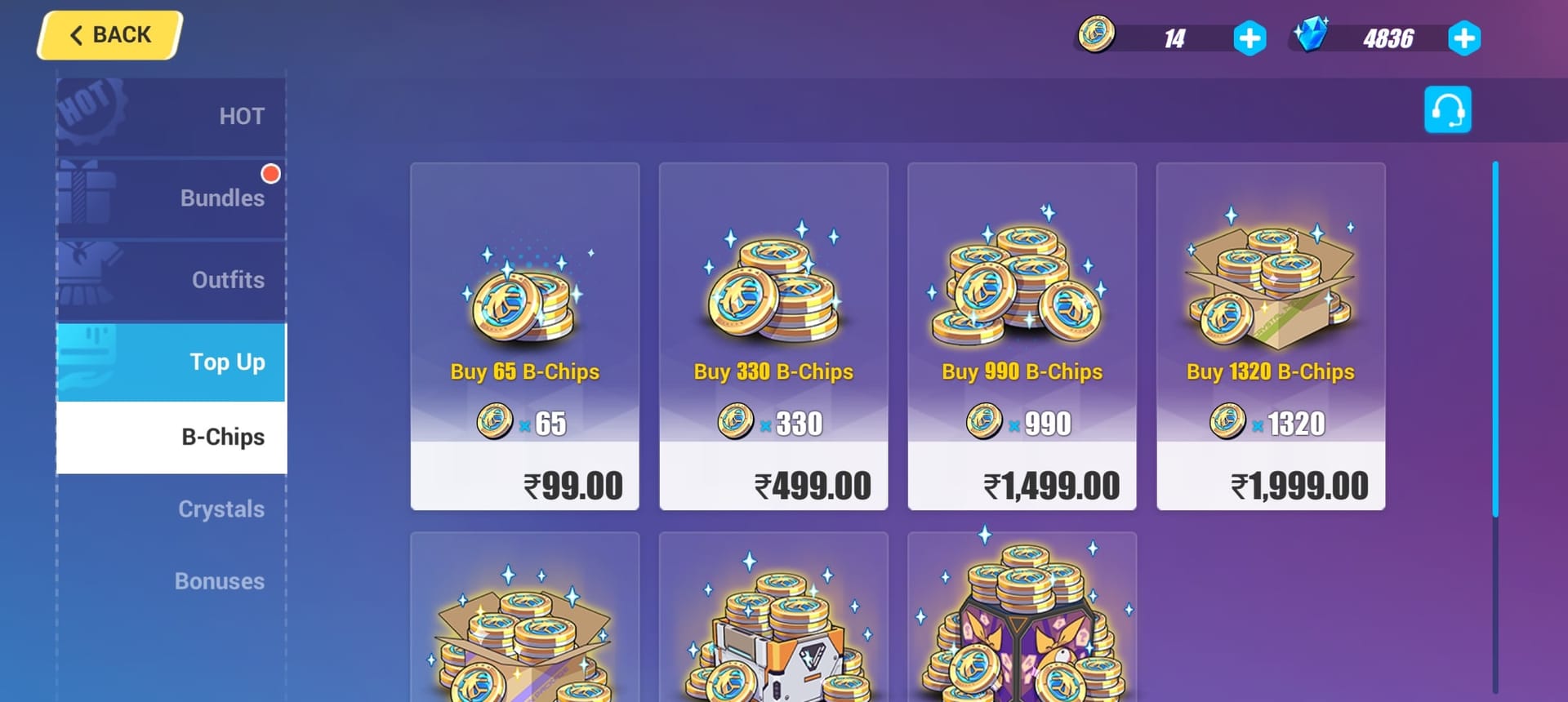
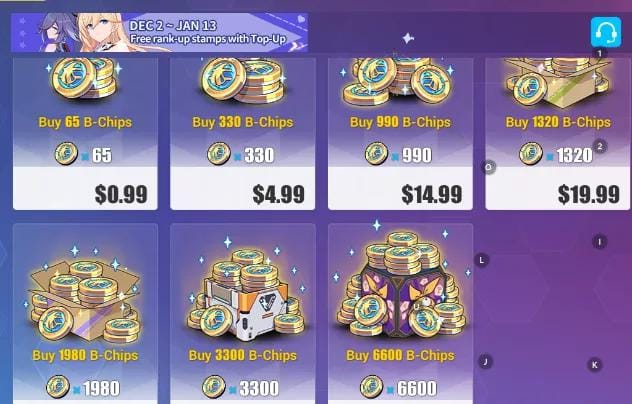
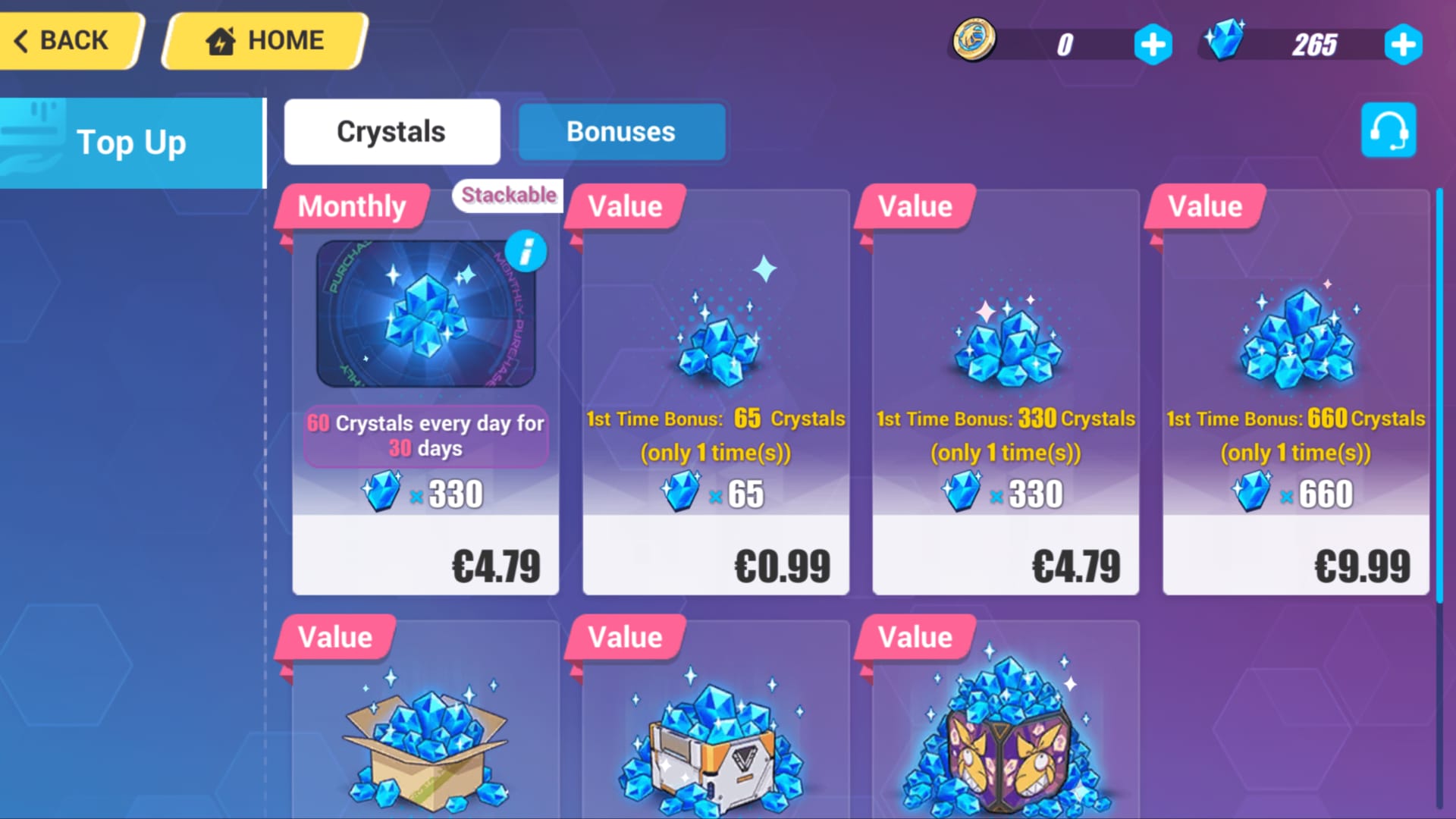
For some context on what you're buying: B-Chip packs start at 65 for €0.99 and climb to 6,600 for €99.99, per the Honkai Impact 3 Wiki. The single best-value buy for anybody is the first-purchase Crystal bonus, which doubles your base Crystals: 330 paid becomes 660, 1,320 becomes 2,640. Same wiki data is why I'd never blow the first-purchase doubler on the tiniest tier. The bonus scales with the pack, so that doubler is worth the most on a pack you'd have bought anyway.
Disclosure: this piece runs on VGTopup, which is itself one such backup route, so weigh that how you like. The neutral takeaway holds regardless of where you buy: keep one verified channel ready, and a Google Play outage never costs you a banner. Want an option with zero account-region juggling lined up in advance? The official center and third-party routes like Honkai Impact 3 Crystals & B-Chips Top Up recharge both dodge the Play Services stack that's behind most of these failures.
The fix order that saves the most time
If you remember nothing else, lock in the sequence, because the real cost of these failures isn't the money. It's the hour you torch running fixes out of order.
- Read the error code. It names the layer. Thirty seconds just spared you four wrong fixes.
- Clear Play Services data, then Play Store cache. Highest payoff, lowest cost, no sign-out. Do this before reinstalling crosses your mind.
- Confirm Google account country = card country, VPN off, clock on auto. The mismatch nobody checks.
- Update game + Store, re-add card, try once. Never spam-retry.
- If charged but not credited: Restore Purchase, wait up to 48 hours, then support with the transaction ID. Don't dispute with the bank inside that window.
- Keep a verified backup route ready so a Play outage never blocks a limited pack.
Reinstalling isn't on this list on purpose. By the time you'd reach for it, the actual fix is almost always already behind you.
Frequently Asked Questions
Why does Google Play say my card was declined when it has funds?
That "declined with funds" message rarely has anything to do with your balance. It's usually a region or verification mismatch flagged at Google's payment layer, not a bank block. Google routes the charge by your Google account country, so a card from a different country than your account setting gets refused even when it's fully loaded. Check that the account country matches the card before you call your bank, which the Google Play Community pattern (2026) confirms as a leading cause.
How long should I wait before assuming my Honkai top-up money is gone?
Up to 48 hours for the pending transaction to clear, per HoYoverse Support (2025). And trigger Restore Purchase in-game first, since that often pulls the credit through right away. If you went the Google refund route instead, Google's own pending and refund processing typically runs 3–5 business days. Filing a bank dispute before that 48-hour window closes risks account issues, so the wait genuinely matters.
Does a VPN help or hurt a failed Honkai Impact 3 top-up?
Depends entirely on whether the VPN's region lines up with your Google account country. It only helps if it matches that account region. The instant it doesn't, it quietly breaks the payment, per StackOverflow reports (2026). When a top-up is actively failing, the safe move is killing the VPN and any Private DNS, then restarting, not flipping through servers hoping one sticks.
Can I top up Honkai Impact 3 without Google Play at all?
Yes. The official HoYoverse top-up center is the main alternative when Google Play keeps failing, and across r/honkaiimpact3 and Hoyolab (2026) it's regularly reported as both cheaper and more reliable for HI3 than Play. Because these routes never touch Play Services, they skip most of the cache, token, and region faults that cause Android top-up failures in the first place. Have one verified before a banner deadline.
Will reinstalling Honkai Impact 3 fix my payment error?
Almost never, and it's the slowest thing you can throw at the problem. Payment failures live in Play Services or your card's region/verification status, not in the game client. The multi-thread consensus on Reddit and Hoyolab (2026) is that reinstalling first wastes time when the fault's in Play Services. Clear Play Services data instead. It forces a fresh payment token in seconds without signing you out of a thing.









Comments