The case for buying big and early
Most recharge guides preach the same thing: grab the largest pack your wallet tolerates, load it way ahead of the event, ignore the clock. The logic holds up in places. The top tier really is the cheapest per coin. The 680,000-coin pack runs roughly $0.000134 per coin through resellers, per BitTopup, the strongest published unit rate I've clocked this cycle. Set that against a small starter buy, 67,500 coins for $7.64 as of February 2026 (per Enjoygm), about $0.000113 per coin, and the gap tightens. Loading once and being done has obvious appeal.
| Pack Size |
Price (USD) |
Effective cost/coin |
| 67,500 |
$7.64 |
~$0.000113 |
| 680,000 |
~$91 (best-value est.) |
~$0.000134 |
Source: Enjoygm / BitTopup (2026)
The early-load half of this advice? Airtight. Pre-loading coins a week or two before the deadline sidesteps processing delays, and it's the one rule I'd carve into a first-timer's forearm. Payments through PayPal, bank, or crypto on third-party sites post in minutes (Enjoygm 2026). But "minutes" isn't "instantly," and minutes are exactly what murder buzzer plays.
So early gets my full endorsement. It's the big part where I peel off.
Why the timing camp pushes back
Grabbing the largest pack "just to be safe" is usually the wrong call, and the mechanic behind that is one most guides won't touch. Coins don't trade into PK points at parity. They land in the Bean system at roughly 50% of face value once you turn them into gifts and points, according to BitTopup's Spring Event guide. That single conversion should reshape your whole sense of what "enough" means. A 680,000-coin stockpile isn't 680,000 points of pressure on the board. It's a slice of that, and pouring the lot into one round well past the gap you actually needed is cash on fire.
Better habit: read the bracket. Spring Event 2026 PK battles tier off from 500 up to 20,000 coins, and the round's gap tells you what to spend, not the pack's headline rate. Host sitting 3,000 coins up with two minutes on the clock? You don't reach for a 680k bundle. Send a timed gift that clears the gap with room to spare.
There's a second, sharper point in the timing camp's favor. PK points often lock at the timer's final second. A gift fired at 0:01 might never register at all, thanks to processing lag (BitTopup Apr 2026). The "dump everything at the buzzer for the dramatic finish" tactic isn't bravery. It's a coin flip you bankrolled with real money.
Finding your ID and the route that actually delivers
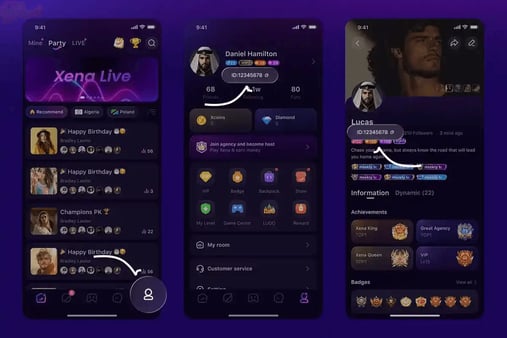
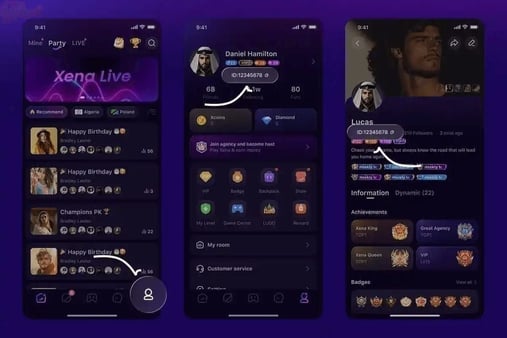
You need the correct identifier before any of the rest matters, and this is where more top-ups die than at any other step. Only the numeric UID works. Punch in your Show ID by mistake and the transaction fails on every third-party route, a warning echoed across Codashop, Enjoygm, and BitTopup alike.
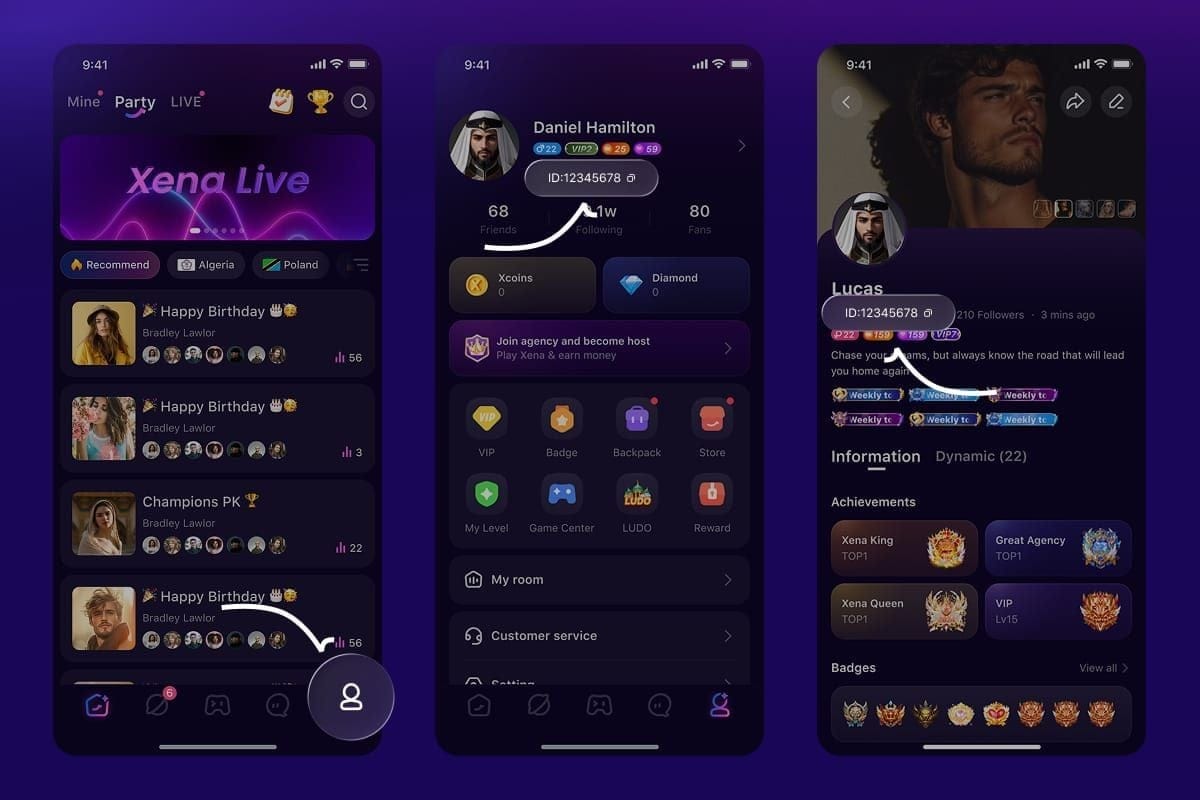
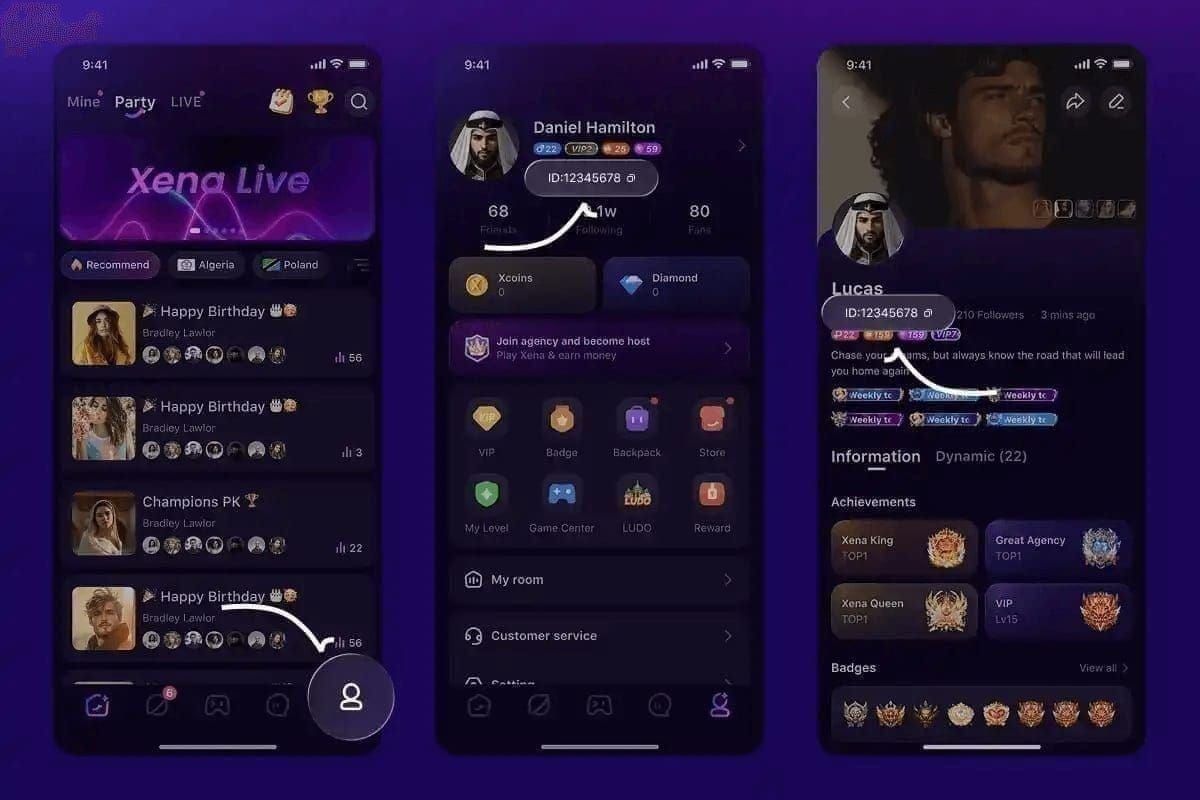
Locating it: open Xena Live, tap ME at the bottom right, then Personal Information, and read the numeric UID (5 to 20 digits) sitting under your username, per the Codashop listing. Copy that. Not the display handle.
After that the external flow is mechanical. Pick a pack, paste the UID, pay, and coins drop into your wallet within minutes. One quiet perk of going by UID rather than signing into anything: you never surrender account credentials. Topping up by ID through a verified service beats handing a login to some "helper" in chat, the kind of shortcut that ends in a hijacked account instead of a PK win. If you'd rather skip App Store delays mid-crunch, you can top up Xena Live Coins through VGTopup using only your UID. Disclosure, VGTopup publishes this piece, so weigh that accordingly, but the neutral point holds regardless: ID-based top-up wins over credential-sharing, every time.
The clock miscalculation that quietly drains spenders
The priciest blunder in this whole process isn't the wrong pack. It's misreading the clock. PK windows close on the host's regional time, not your own. A supporter in Manila planning around a "midnight" cutoff can land hours off if the host streams from another zone, and by the time the penny drops, the bracket's already sealed.
The Spring Event runs late March into April, with bonus PK windows and multipliers announced only 24 to 48 hours ahead. Those windows hold the real value: PK gift multipliers swing 3x to 5x during bonus periods. Top up before the announced window cracks open, then gift inside it. That's how you ride the multiplier without scrambling on a two-day heads-up.
Miss it completely and here's the upside, your coins don't evaporate. Topping up after the April PK closes leaves your balance untouched, but the event-specific multipliers and brackets are gone. A late top-up isn't wasted money then, just wasted timing. The coins keep their worth for the next event. They simply won't budge this leaderboard.
How much to actually buy, by who you are
The right figure genuinely shifts by spend level, so don't let a blanket "buy big" line shove you into a bracket where you don't belong.
- First-time beginner: Lean on the free event rewards first, confirm your UID resolves with a tiny test purchase, and only top up inside a multiplier window. Don't fund a PK until you've proven the ID and felt out how gifting works.
- Casual supporter: A single 67,500-coin top-up via third-party lands you VIP entry without bleeding cash. That's the pack I'd reach for first if I just wanted to back a host I like without making it a budget item.
- Heavy supporter chasing a win: The 680,000+ bundle, loaded a week or two early, is the play for genuine PK dominance and VIP standing. But even here, size to the gap. A starting bundle of 67,500 to 202,500 coins is enough to hit VIP for most new spenders. The top tier isn't required to clear that bar.
One mechanic worth pocketing before you push hard: reaching VIP 3–4 ahead of a PK delivers a roughly 20% visibility boost that feeds into gift scoring, per the April 2026 guide. That lift can do more for your standing than an extra pack of coins would, which is exactly why "buy more" so often trails "position smarter."
Where the evidence actually points
Top up early, size to the leaderboard gap, gift inside the multiplier window with a cushion before the timer locks. The big-pack camp nails two things: the largest tier is the best unit rate, and pre-loading days ahead is non-negotiable. It's dead wrong on the part that actually costs people PKs. Volume doesn't win rounds. Timing and positioning do. That 50% Bean conversion and the last-second point-lock are the twin mechanics quietly punishing the "buy big, dump late" strategy, and neither one surfaces in most walkthroughs.
A note on bonuses, since they trip up disciplined spenders too. Chasing recharge-bonus stacks specifically for PK gifting can backfire, because promo coins may sit in a separate sub-balance that some gift actions don't pull from the way base coins do. Read bonus coins as a nice trim to your overall cost-per-coin, not as guaranteed PK ammunition.
My read after sitting through a full event cycle: the buzzer-beater fantasy is the single biggest source of "I lost the PK" regret out there. Fund early, gift with a cushion, and let the gap decide the number, not your adrenaline.
Frequently Asked Questions
How many Xena Live Coins do I need to win a PK battle?
No fixed number exists. It rides entirely on the round's leaderboard gap, and PK brackets this event span 500 to 20,000 coins per BitTopup's April tracking. Keep in mind coins convert to points at about 50% face value in the Bean system, so size your buy to clear the gap after that haircut, with a cushion left over.
Why didn't my coins show up in my wallet after top-up?
Most often it's a Show ID typed in where the numeric UID belonged, which fails the transaction across every third-party route. Recheck the 5 to 20 digit UID under your username in Personal Information. Legit payments post within minutes (Enjoygm 2026); if nothing lands, the ID is the first suspect to verify.
When exactly do the April PK battles end?
The Spring Event runs late March through April, but each PK window shuts on the host's regional time, not yours, a deadline miscalculation that snags out-of-zone supporters constantly. Bonus windows get announced only 24 to 48 hours ahead, so confirm the host's local timer rather than assuming it lines up with your clock.
Do recharge bonuses apply to PK gifting?
Not always the way you'd want. Promo and bonus coins can drop into a separate sub-balance that some gift actions handle differently from base coins, so don't bank on bonus stacks as reliable PK ammunition. Best to treat them as a cut to your overall cost-per-coin, not extra firepower for a particular round.
Is it safe to top up at the last minute?
It's the riskiest possible moment for it. Final-second top-ups risk missing the point-lock as the timer hits zero, since payment processing isn't instant, and BitTopup flags this outright. Load coins a week or two early instead, and if you're topping up during a crunch, always do it by UID rather than sharing any login.









Comments