What RC buys, and why payment number one is the one to plan around
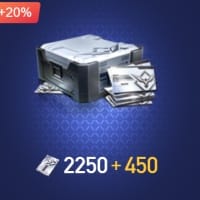
Undawn RC is the premium currency for the high-end store stock, the gear silver and grind won't hand you, per SEAGM (2026). Picture it sitting on top of the free economy: cosmetics, premium bundles, the items walled behind real cash instead of playtime.
Most newcomers skate right past this: bonus RC is baked into the pack tiers, and it climbs. Look at the published reseller pricing and the bonus isn't a flat cap, it widens as the pack widens. A 50 RC pack carries 5 bonus RC. A 250 RC pack carries 30. A 500 RC pack carries 70 (per Eneba's NA listings, 2026). Work the ratio: the biggest of those three hands back roughly 14% extra versus 10% on the smallest. Tiny gap at this tier, sure. But it signals the rule that bites hard on any account-wide one-time bonus. A larger qualifying buy stacks more bonus RC, because the bonus is figured off the spend, not dropped per transaction.
My read after squinting at those three rows: if your account has a one-time first-recharge bonus attached (and Midasbuy does reference bonus-point mechanics on first recharge, per Midasbuy, 2026), torching it on a 50-RC starter to "test the pipes" is a false economy. The multiplier doesn't refill. You spend it once, at whatever size you happened to grab. Build that first payment around the tier you genuinely want, not the cheapest button glowing on the screen.
The walkthrough I'd hand a day-one player
This is the order that's spared me the two slip-ups that actually drain money, wrong ID and wrong region. Neither one is fraud.
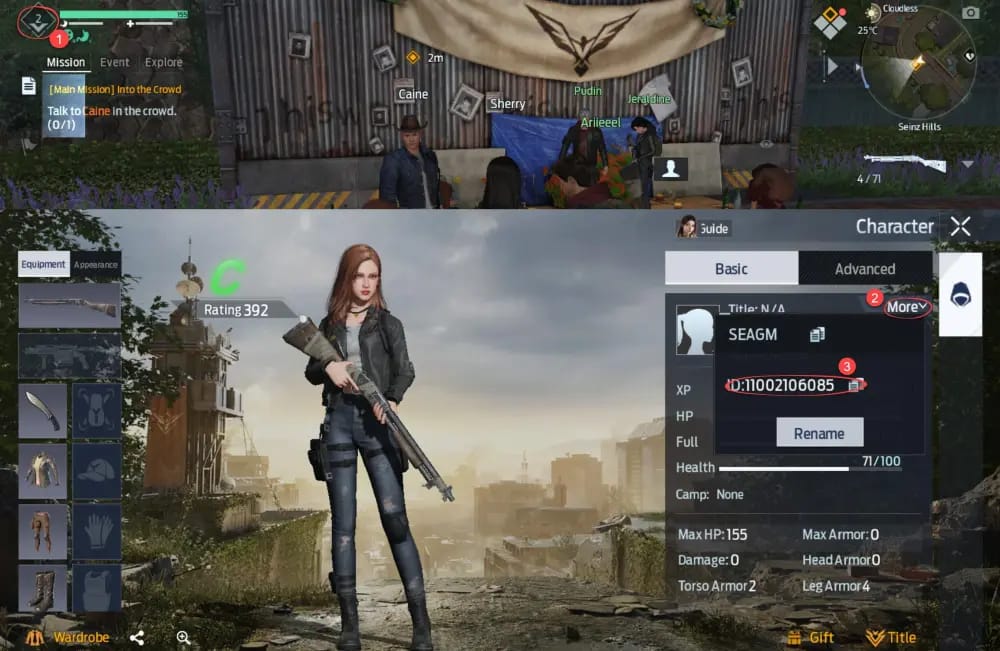
Find your Player ID before you so much as glance at a payment page. Your UID is the account identifier the top-up binds to, and it's the single most important field your fingers will touch. SEAGM's flow opens by asking for that Undawn Player ID, then the RC amount, then payment, then confirm. On the official side, Midasbuy lets you select or fill in the Player ID, choose your RC, pick a card, confirm. Spot what both share: they want your ID, never your account password. Hang onto that. It's the spine of the safety check coming up.
Decide between buying in-game and the web center. In-app through standard store IAP is the smoothest road. The web Top-Up Center, Midasbuy in the US region, is the alternative, and it's every bit as safe as buying in-app once you've confirmed the domain is official. The perk people rarely mention: a web center binds RC to your UID, not your live session, so a web top-up can land even while you're not logged into a game session. It's writing to the account, not to the screen in front of you.
Confirm your server region. This is the quiet account-killer. Undawn ships in separate regional builds, US storefronts on one path, Malaysia pricing on another, and a distinct Garena-published Undawn across parts of Southeast Asia (per retailer listings, 2026). Choose wrong and the system can shunt your RC to a different account snapshot under the same ID space. No fraud, no error popup. The money simply lands somewhere you can't see it. I verify region the same way I check I'm in the right Steam account before buying a key. Every time, zero exceptions.
What "safe" actually means at the payment screen
Forget the padlock icon and the "instant delivery" badge. The cleanest test is one question. Does this source ask for my UID, or my login?
A legitimate top-up, official or vetted reseller, needs only your Player ID and your money. It writes RC to an account it never has to enter. The second a page wants you to log into your Undawn or Level Infinite account on their site to "deliver" RC, you're not buying currency, you're handing over the keys. Level Infinite publishes Undawn and runs Level Infinite Pass for account linking (per Level Infinite, 2026), so your credentials live in that official login flow and nowhere else.
| Signal |
Safe source |
Walk away |
| What it asks for |
Player ID / UID only |
Your account password or login |
| Delivery binding |
To your UID |
"We'll log in and add it for you" |
| Domain |
Confirmed official top-up URL |
Lookalike domain, no UID field |
| Payment |
Standard card / wallet gateway |
Untraceable transfer only |
Source: Synthesized from Midasbuy and SEAGM top-up flows (2026) [tier5/tier2]
On payment methods, the official center takes the ordinary stuff: credit, debit, prepaid cards. That's reassuring on its own. Real gateways mean a real paper trail and a dispute lane if things go sideways. A "source" that only accepts irreversible transfers is telling you flat out that it doesn't want either.
Full disclosure: this guide ships under VGTopup, itself a third-party top-up option, so weigh the reasoning on its merits, not on my say-so. The honest version of the third-party question reads like this. Vetted portals that ask for your UID and never your password are legitimate. The "official only" line you'll find copy-pasted across every forum is lazy oversimplification. What divides a safe reseller from a dangerous one isn't the third-party part. It's whether the thing reaches for your login.
Getting real value out of your first buy
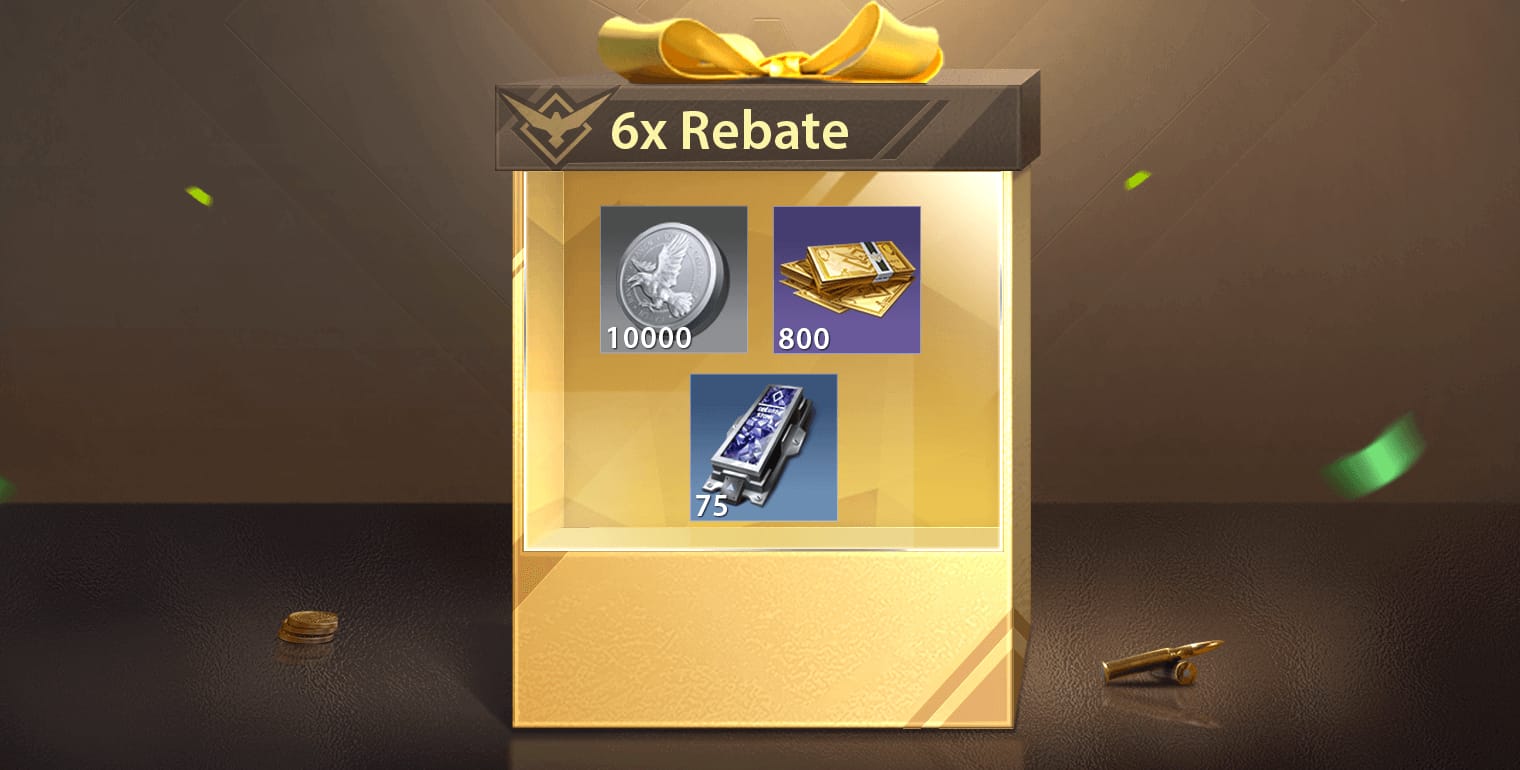
Here's the package arithmetic laid bare so you can re-run it yourself.
| Pack |
RC + Bonus |
Price |
Total RC |
Bonus rate |
| Small (NA) |
50 + 5 |
$0.97 |
55 |
~10% |
| Medium (NA) |
250 + 30 |
$4.99 |
280 |
~12% |
| Large (NA) |
500 + 70 |
$9.80 |
570 |
~14% |
| Small (MY) |
180 + 23 |
RM 9.70 |
203 |
~13% |
Source: Eneba NA and DearPlayers MY listings (2026) [tier5]
Two things leap off the table. The bonus rate rises with pack size, so even before any account-wide first-recharge bonus enters the room, the larger pack already returns more RC per dollar. And regional pricing genuinely splits: US tiers on one scale, Malaysia on another in ringgit, Southeast Asia's Garena edition on a separate track entirely. If you hold a legitimate regional account, the cheapest real RC for you might not be the US storefront at all.
Which tier to grab first? For anyone already certain they'll spend past pocket change, the largest pack you're comfortable with is the right opening buy, precisely because the one-time bonus and the tier-scaling bonus compound on a single bigger transaction and never come back. For a genuinely F2P-curious player who might never spend again, it flips. The smallest pack is a fine, low-risk way to confirm your UID and region resolve right before you commit a cent of real money. Those are the two clean profiles. The wrong answer is the muddy middle, a mid-spender splitting hairs over $0.97 while leaving the multiplier sitting on the table.
For the low-spender planning exactly one bonus-optimized purchase, hunt specifically for the first-recharge bonus on the official center and size that single buy to it. One note for the comparison shoppers: if you'd rather route the purchase through a verified reseller, Undawn RC Top Up recharge works off your Player ID alone, no login, no password, which is exactly the UID-not-credentials test the safe sources clear.
When the RC doesn't show up
Most "top-up failed" panic isn't fraud at all. It traces back to a wrong UID or the wrong region, which I'd rank as the number-one cause of "lost" RC well ahead of any payment hiccup. The recovery flow is short.
Start by checking the exact Player ID and server region you entered against your in-game account. A wrong ID or region can route RC to a completely different account, a warning that's standard across top-up sites (per Midasbuy and SEAGM guidance, 2026). If they match and RC still hasn't surfaced, give the web-center route a beat. Because it binds to your UID rather than your session, a brief lag before it shows in-game is normal, and logging fully out and back in usually forces the refresh. Hang onto your transaction receipt and order ID. That paper trail off a real payment gateway is what a support ticket runs on. Then file through the official support channel with your UID, the order ID, and the pack you bought. A card-based payment hands you a dispute path the irreversible-transfer "deals" never could.
What I wouldn't do is instantly assume you've been scammed and re-buy somewhere else. If you used your UID and a real gateway, the RC is almost certainly bound to some account snapshot under your ID, and the fix is verification, not a second charge.
What I'd change about my own first buy
Knowing what I know now, I'd quit treating that first purchase like a trial run. The one-time bonus mechanics don't reward timidity, they reward a deliberate, correctly-sized single buy. I'd lock UID and region first on a free check, never mid-checkout. And I'd judge every source by the one question that actually predicts safety. Does it want my Player ID, or my password? Get those three right and "topping up safely" stops being a worry and turns into a thirty-second habit.
Frequently Asked Questions
How do I find my Undawn Player ID for top up?
Your Player ID (UID) sits in your in-game profile. It's the account-identifier number, not your display name, and it's the first field every legitimate top-up asks for. Copy it exactly, because a single swapped digit is the most common reason RC "disappears." The system happily delivers to whatever valid ID you type, per standard top-up-site warnings (2026).
Can I top up Undawn RC without logging in?
Through a web Top-Up Center, often yes. It binds RC to your UID rather than your live session (per Midasbuy's UID-based flow, 2026), which is why a web purchase can credit even while you're logged out. What you should never do is enter your account password on a top-up site itself. UID yes, login no. That's the entire safety line.
Is it safe to top up Undawn RC with a third party?
Vetted third-party portals that ask only for your Player ID are legitimate. SEAGM, Eneba, and similar sites get used constantly precisely because in-app options can be limited, per multiple retailer descriptions (2026). The danger isn't "third-party" as a category. It's any source, reseller or not, that wants your login credentials or only accepts irreversible payment.
How much does Undawn RC cost in USD?
On third-party NA listings in 2026, a 50 RC + 5 bonus pack runs about $0.97, 250 RC + 30 bonus about $4.99, and 500 RC + 70 bonus about $9.80 (per Eneba NA). Larger tiers carry a higher bonus rate, so price-per-RC actually improves the higher you go. Worth knowing before you default to the cheapest pack.
Why did my Undawn RC top up not arrive?
Almost always a wrong UID or wrong server region, not fraud. Those route RC to a different account snapshot silently (per Midasbuy and SEAGM, 2026). Re-verify both, log out and back in to force a refresh, and if it's still missing, file an official support ticket with your order ID and receipt instead of re-buying somewhere new.










Comments