"There's one best Rita build" — busted
There isn't. Treating Rita as one character is trap number one. The Rita Rossweisse valkyrie spans suits with genuinely different elements and roles, which means "best stigmata for Rita" has at least three correct answers depending on what's in your roster.
Here's the spread that matters most in 2026:
| Battlesuit |
Element / Role |
Release |
Signature Weapon |
| Miss Espionage |
IMG Lightning DPS |
v8.6 (2026) |
Codename: Top Mission |
| Argent Knight: Artemis |
Ice / freeze DPS |
2019 |
Skadi of Thrymheim |
| Umbral Rose |
Physical / Umbra |
2019 |
Path to Acheron - Kindred |
Source: Honkai Impact 3 Wiki and Version 8.6
Miss Espionage is the headliner, an S-rank IMG Lightning scythe DPS that dropped in v8.6 on 31 Dec 2025, per marisaimpact.com and HoyoLab. Artemis and Umbral Rose are the veterans, and the cheap, battle-tested ones. The error I keep watching players make: they read a 2026 tier list, spot "Rita: A-tier," and assume it points at whichever suit they happened to pull. It almost never does.
Before you burn a single crystal, the real question isn't "how do I build Rita." It's "which Rita am I building, and does my actual team want that element?"
Is Rita actually a DPS? Depends entirely on the suit

Call Rita a pure carry and you're half-right on a good day. The community's been split on this for years, and the truthful answer threads the needle between the suits.
Miss Espionage? Unambiguous DPS, and a sharp one for IMG content. Her kit pivots around the Stellar Surplus and Stellar Outburst states, and her weapon skill fills a Poise meter that gates those states. Her leader bonus is vicious in the right roster: +40% Lightning DMG, +10% Total DMG, and enemies eat +25% more Total DMG, according to the Honkai Impact 3 Wiki. She also counters IMG enemies through seed-transfer plus a low-HP instakill, per marisaimpact.com. Niche, but devastating where it lands.
Artemis reads the opposite way. People frame her as an ice DPS who freezes, but her genuine modern value is pinning enemies with Hypothermia stacks for slow and fat charge-attack windows, per a long-running r/honkaiimpact3 teams thread. Functionally she's a freeze enabler far more than a damage-board chaser, and that's the slice most tier lists shortchange.
My read after pricing all three: Rita's overrated as a solo carry and underrated as a freeze enabler. If your account leans on crowd-control comps, an Artemis built for lockdown earns her slot more reliably than a half-geared DPS suit ever could.
"You need her signature weapon to make Rita work" — busted for most accounts

The single priciest myth in this whole topic, and it's busted for anyone outside the leaderboard chase. Nobody's claiming Skadi of Thrymheim, Path to Acheron - Kindred, or Codename: Top Mission are bad weapons. They're real upgrades. The only question is whether they're mandatory, and for clearing non-leaderboard content, they aren't.
The mechanic that keeps budget Rita alive: a tidy 2-piece stigmata combo built around the carrying bonus can beat a mismatched "full signature" set on an under-invested account. Sets gate their strongest effects behind specific piece counts, so a clean 2-piece you can actually afford often outperforms a 3-piece where one slot's running the wrong stat. Chasing the entire signature spread before you grasp which two pieces carry the set is how players end up with an expensive, incoherent build.
There's a second timing edge freeze teams should know. Hypothermia and freeze lockdown can stretch enemy control windows slightly past what the tooltips imply. Sequence Rita's application before your main DPS commits, and you widen the safe-burst window instead of overlapping it. That timing, not raw weapon tier, is what makes budget Artemis feel buttery in Abyss.
For F2P, the Reddit and HoyoLab consensus is blunt: prioritize daily login and event crystals, and skip the weapon banner entirely until your stigmata core's locked. I'd take it one step further. Banking pulls for the stigmata set first is the highest-value call a low-spender makes here.
Stigmata before the pri-arm — reversing a documented regret

Flip the standard advice. Pulling Rita's signature weapon before the stigmata core is one of the most common crystal misallocations in the game, and it surfaces as a recurring regret across community threads on r/houkai3rd. Weapon-first leaves you holding an incomplete build that loses to a finished budget setup.
Both camps are legit, so here's the honest split. Side A: plenty of HoyoLab Elysian Realm guides push the signature weapon first for full DPS uptime. Side B: Reddit consensus backs the stigmata core first for budget viability. Where the community lands, and where I land for anyone not whaling, is stigmata first.
The reason comes down to floor against ceiling. A complete stigmata core lifts your floor: the suit works, rotations close, content clears. A signature weapon without that core raises a ceiling you can't even reach, because the build underneath is broken. Same pity either way. You just want the half that makes Rita playable before the half that makes her optimal.
One exception. If you're going all-in on Miss Espionage as a Lightning IMG carry and you already hold a clean stigmata core, the weapon's contribution to her Stellar states is big enough to justify the chase. For Artemis and Umbral Rose on a budget? Core first, no exceptions.
Invest in Artemis, not whatever you happened to pull
Newer account deciding where the heavy crystal investment goes? The default answer is Argent Knight: Artemis. Not whichever suit landed in your pulls. Deepening an older suit when a more relevant one exists, or sinking pity into a niche physical-DPS Umbral Rose build the current meta rarely calls for, are both documented traps.
The per-profile breakdown, because the optimal move genuinely shifts by spend level:
- F2P (zero spend): Gear Artemis with budget stigmata substitutions and lean on her freeze enabling. Skip every weapon banner until a core's done. She clears the content that matters without a single signature pull.
- Low-spender (light monthly top-up): Same Artemis-first priority, except a monthly card's crystals make finishing her stigmata core realistic inside a banner or two. Still skip the pri-arm unless the core's already wrapped.
- Mid-spender: Now Miss Espionage becomes a real consideration if you run IMG-heavy content or want a modern Lightning DPS. She pairs with Senadina, per a Reddit tier discussion, and her leader bonus rewards a committed Lightning core.
- Veteran / returning player: You likely already own Artemis or Umbral Rose. Re-gearing an existing suit with current stigmata logic beats pulling a new one. The cheapest power gain is fixing a stale build, not buying another.
Is Miss Espionage worth pulling for a newer player topping up crystals? Per that same tier thread, yes if you specifically need a meta Lightning IMG slot. Otherwise the crystals do more work finishing Artemis. Pure physical-DPS Rita stays a niche pick I'd steer beginners away from completely.
What a fully-geared Rita actually costs in crystals
Price it before you commit, because the sticker number stings. Every S-rank battlesuit banner runs the same economy, and the worst case is steep.
| Pull Type |
Cost (Crystals) |
Pity |
| Single Pull |
280 |
90 for S-rank guarantee |
| 10-Pull |
2,800 |
— |
| Outfit Single |
240 after free |
— |
Source: Honkai Impact 3rd Pity Calculator
A single pull runs 280 Crystals, a 10-pull 2,800, and hard pity for an S-rank guarantee sits at 90 pulls. Worst case, that's the 25,200 figure from the top per guaranteed battlesuit. Now stack the trap into view: a "full" build means the suit, plus its signature weapon banner, plus a stigmata set. Run each of those to worst-case pity and you're at a brutal multiple of that number. Which is precisely why sequencing decides everything. You rarely want all three to pity, and the order you chase them in determines whether a half-finished pull is playable or wasted.
The budget path costs dramatically less because it ditches the weapon banner outright and leans on stigmata substitutions plus event crystals. Finishing a stigmata core and stopping is a fraction of the all-in total, and it clears the same Abyss and Memorial Arena tiers most players actually live in.
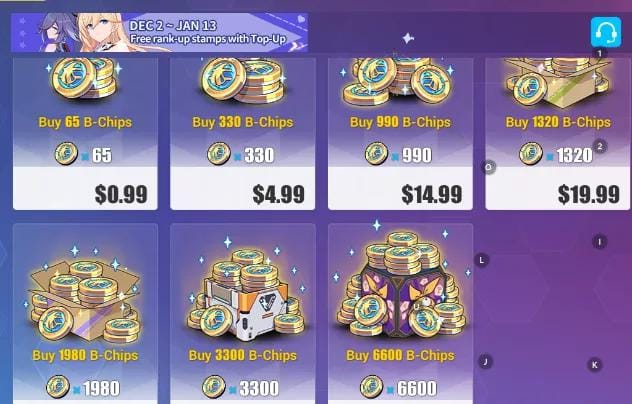
If you've worked the cost and decided Rita's stigmata or weapon pulls are worth it for your account, Honkai Impact 3 Crystals & B-Chips Top Up recharge is one straightforward way to fund the pulls when you're ready. For F2P, I'd still bank event crystals first.
Where the build pays off across game modes
A Rita build only "works" when the mode rewards what she does. That lens, not a raw stat sheet, should call your investment.
Take Elysian Realm. v8.6 added Miss Espionage with dedicated support paths, the Astral Ring Charging and Stellar Outburst builds, per a HoyoLab ER guide. Building Espionage at all? ER is where her Stellar-state kit finally gets room to breathe.
Memorial Arena and Abyss are a different story. Here Artemis's freeze enabling is the quietly valuable role. Crowd-control teams care less about her personal damage and far more about how long she keeps enemies pinned, which is exactly where that tooltip-beating freeze window pays. Her documented teams slot her beside supports like Sushang and Kira, per the r/honkaiimpact3 teams thread.
And the element-synergy edge worth exploiting: Rita's ice can crack open a follow-up burst window for a main DPS instead of fighting it for damage. Freeze, then let your carry commit into the locked enemy. You're spending her control as setup, not racing it for the kill. That sequencing separates a Rita who "does some damage" from one who multiplies the rest of the squad.
Frequently Asked Questions
Is Argent Knight: Artemis still worth the crystals in 2026?
For non-whales, yes. She's the Rita suit I default to investing in. Her ice freeze role, applying Hypothermia for slow and heavy charge damage per community guides, keeps her relevant in CC-dependent Abyss and Memorial Arena comps even without her signature Skadi of Thrymheim. The catch: she earns her keep as a freeze enabler, so she shines in lockdown teams and disappoints if you want a solo damage-board slot.
Can Rita work without her signature gear?
On any suit, yes for non-leaderboard content. A clean 2-piece stigmata combo built around the carrying bonus often beats a mismatched fuller set on an under-invested account, since sets gate their best effects behind specific piece counts. The honest caveat is uptime. Budget Rita closes rotations a touch slower, which matters for tight time-attack scoring but not for clearing.
Does Miss Espionage pair with anyone specific?
She slots with Senadina and rewards a committed Lightning core, per a Reddit tier discussion, thanks to a leader bonus stacking +40% Lightning DMG with a +25% enemy damage-taken debuff per the official wiki. One eligibility quirk people whiff on: that leader bonus only fires when she's actually your team leader. Run her off-lead and the team-wide debuff vanishes entirely.
How many crystals should I budget before starting a Rita banner?
Plan around the worst case, never the average. Hard pity is 90 pulls, 25,200 Crystals, for one S-rank guarantee per the Honkai Impact 3rd Pity Calculator, and the full suit-plus-weapon-plus-stigmata dream multiplies it. For a budget Artemis core that clears real content, you can stop well short by skipping the weapon banner and leaning on event crystals.
Is physical-DPS Rita worth building for a new player?
I'd skip it. Pure physical-DPS Rita is a niche pick the current meta rarely calls for, and crystals dropped there do far more work finishing a freeze-support Artemis core. New accounts get more clears per crystal from an enabler that fits crowd-control teams than from a damage suit needing heavy investment just to stay competitive.










Comments