Coins vs. Gold — get this straight before you spend a cent
The costliest first-timer slip isn't the store you pick. It's the currency. StarMaker runs two of them. Coins is the premium currency you actually buy for gifts and unlocks. Gold is the reward tier tied to VIP status and events. They don't convert into each other. Buying Coins when you wanted a Gold-gated perk is a documented first-time misfire, per a 2026 BitTopup F2P guide, and no refund saves you from it, because the transaction itself cleared fine.
So before any store page loads, check what the feature you want actually charges. A gift menu or unlock screen quoting a Coin price means you need Coins. Gold you mostly grind out by playing. First time I lined the two up, I figured one wallet topped off the other. It doesn't. That exact assumption is what talks somebody into a 1,200-Coin pack they never needed.
Read the in-app price tag on the precise thing you're after and you're fine. Buy on vibes and you'll learn the feature wanted the opposite currency.
Lock the account before money touches it
A hijacked account costs more than every pack you'll ever buy combined, and password-sharing causes almost all of it. Before that first recharge, three moves: a password you use nowhere else, a recovery email you actually control, and whatever extra verification StarMaker offers on your profile. That's the gap between a scam that costs a few bucks and one that walks off with your whole login.
Now the mechanic that should reframe the rest of this: a legit top-up only ever needs your StarMaker user ID, never your password. The user ID is a public-facing tag. Hand it over and a vendor can credit Coins to your account, nothing else. The password unlocks the account itself. Any "fast top-up" service nudging you to log in or share a password is going for the account, not filling it. Community guides through 2025–2026 keep flagging password-sharing with top-up services as a straight line to account loss, and once a stranger holds your credentials, no app-store dispute hands the account back.
Treat the user ID as shareable and the password as untouchable. The second a "recharge page" wants your login, you're done.
Run the in-app purchase, step by step
For a first buy, the official in-app route through Google Play or the App Store is the safest default, and the reason is recourse, not brand warmth: the payment processor holds the money, so a dispute runs through Apple or Google instead of waiting on StarMaker's support queue. In-app purchases qualify for refund under standard store policy, per Google Play and Apple support threads logged across 2020–2026.
The sequence is short:
- Open StarMaker, head to the Coin store inside the app.
- Pick a pack. For a first buy, the smallest (more on that below).
- Confirm through your Google Play or App Store account.
- Authenticate with your store credentials. Your store login, not your StarMaker password.
- Wait for delivery, which on this route is basically instant.
- Save the receipt the store emails you.
That receipt matters more than most people figure. It's your proof of purchase, your refund anchor, the first thing you'll reach for if Coins go missing. Screenshot the in-app confirmation too. Two records, no ambiguity.
Current in-app pricing, per the Apple App Store StarMaker listing, runs 60 Coins for $0.99, 420 for $6.99, 600 for $9.99, 1,200 for $19.99, and 3,000 for $49.99. Look closer: the per-dollar rate barely budges across the ladder.
| Pack |
Coins |
Price (USD) |
Coins per $ |
| Small |
60 |
$0.99 |
60.6 |
| Mid |
420 |
$6.99 |
60.1 |
| Mid+ |
600 |
$9.99 |
60.1 |
| Large |
1,200 |
$19.99 |
60.0 |
Source: Apple App Store StarMaker listing (2026)
So that "buy the biggest bundle for value" line everyone parrots? Dead on the in-app ladder. You're paying roughly 60 Coins to the dollar whether you drop one buck or twenty. The bonus tiers that actually shift the value sit somewhere else, which is the next section.
Authenticate with store credentials and keep the receipt. Skip the receipt and a later dispute gets ugly.
Where ID-only third-party top-up earns its place
Reputable ID-only third-party channels are legitimate, and meaningfully cheaper, because they never ask for a password. This is the bit most "only ever use the app store" guides whiff on: the real safety rule is "never share credentials," not "never leave the app." A channel that credits Coins to your user ID and fires off a receipt in minutes exposes you to no more risk than the public ID every singer you've gifted has already seen.
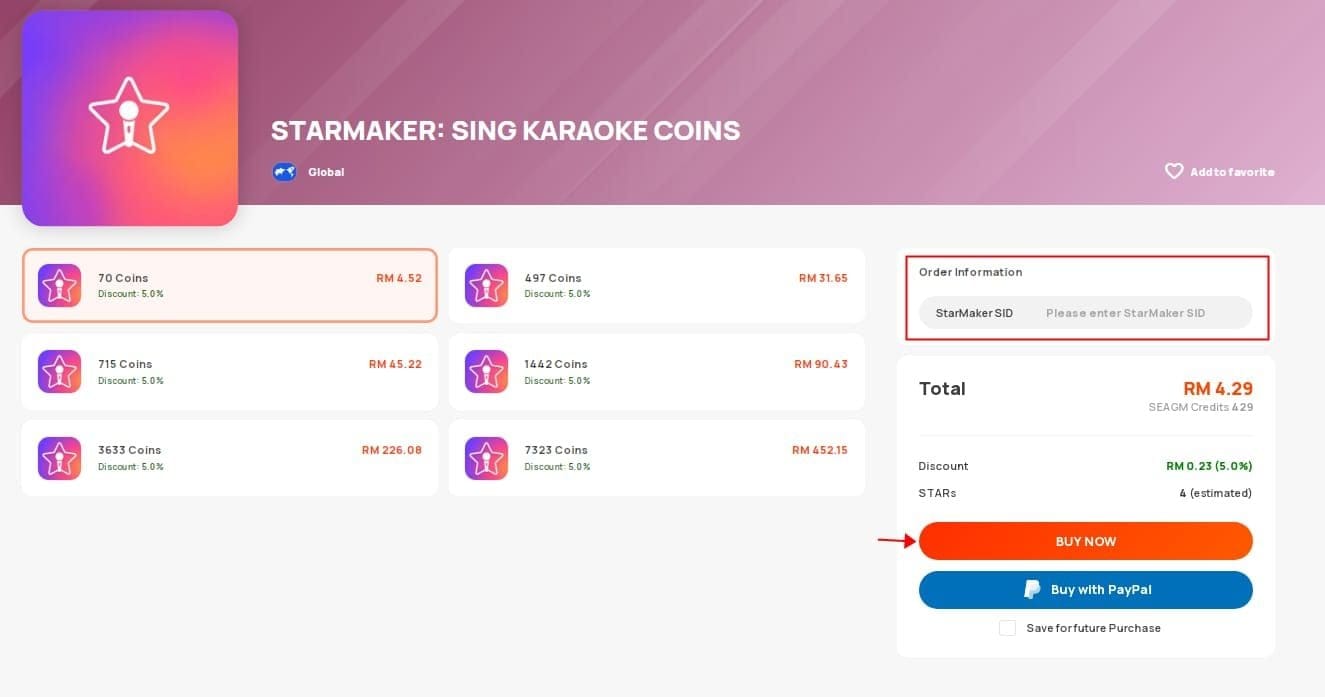
The price gap is real. Codashop, which says it has "partnered with Skywork AI Pte Ltd to offer official StarMaker Coins top ups," lists bonus-loaded packs as of 2026: 602 Coins (420 + 182 bonus), 860 (600 + 260), 1,720 (1,200 + 520), and 4,300 (3,000 + 1,300), where the bonus Coins are the whole point. The flat in-app ladder offers nothing like it. Push further and a $35.99 pack delivering 3,450 Coins lands near 95.8 Coins per dollar, the best-value tier flagged in a 2026 BitTopup breakdown, against the ~60 you get in-app.
Across testing reports, community consensus puts third-party SID top-ups at 18–29% cheaper than in-app with instant or near-instant delivery, per a 2026 patch analysis. Delivery on ID-based channels typically lands inside 3–8 minutes; one platform, Enjoygm, reports 98% of its top-ups credited within minutes. Treat tier-five vendor and community figures as directional, not gospel. They're self-reported. But the direction (cheaper, fast, no password) holds steady across sources.
The disclosure you're owed: this guide is published by VGTopup, itself an ID-only third-party channel. If you'd rather StarMaker Coins Recharge top up by user ID, apply the same test you'd hand any vendor. It should want your ID, never your password, and it should send a receipt. Start small to confirm delivery before you trust it with anything bigger.
So: established, ID-only, receipt issued. That's the green light. "Cheaper" bundled with a login prompt is the red one.
Read the scam by what it asks for, not how it looks
You spot a scam top-up page by one behavior: it asks for something only the real app should ever see. Fake sites clone branding flawlessly. What they can't clone is a legitimate request. Use this split:
| Signal |
Legit channel |
Scam tell |
| What it asks for |
User ID only |
Password / full login |
| Delivery proof |
Receipt within minutes |
"Processing," no receipt |
| "Free coins" hook |
Doesn't exist |
Front and center |
| Payment |
Standard gateway / store |
Off-platform transfer |
Source: synthesized from 2026 community top-up guides
Two patterns deserve names. "StarMaker free coins" offers are bait. No legitimate channel hands out premium currency, so any page leading with free Coins and then asking for a login is hostile by design. Second, the January 8, 2026 patch sharpened ban detection for accounts flagged by coin generators, per a BitTopup summary of that update. Generator tools were never safe; the patch made them flat-out account-ending. ID-only purchases from real vendors took no hit. That same analysis reports zero bans tied to legitimate SID top-ups afterward.
If one rule survives this whole guide in your memory, make it the password rule. Every other red flag is downstream of it.
When the Coins don't arrive
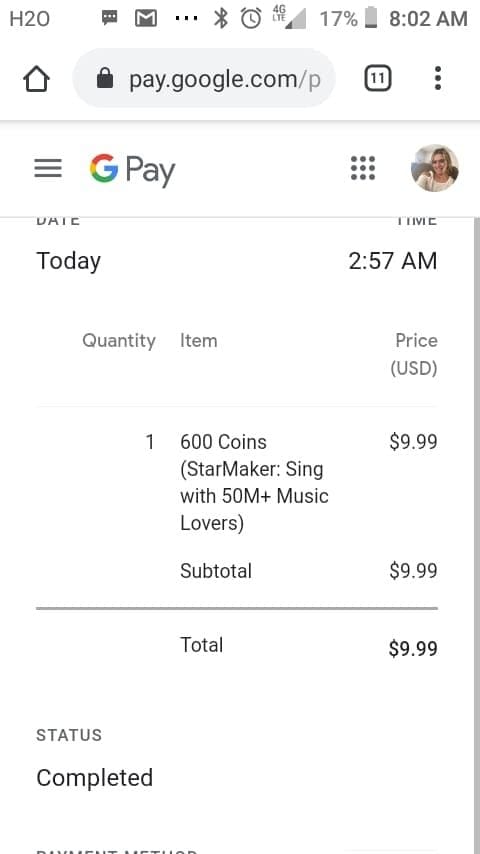
Payment cleared but no Coins? Don't panic-buy a second pack. That's how a delivery hiccup turns into a double charge. Work the sequence:
- Wait the window. In-app is instant, but ID-based channels can take 3–8 minutes. Give it ten before you call it a failure.
- Re-check your user ID. A mistyped ID on a third-party order ships Coins to a stranger, and that's gone for good. Confirm the ID on the receipt matches your profile.
- Pull the receipt. Store-issued or vendor-issued, it's your evidence.
- Contact whoever you paid. ID-based vendors, that's their support. In-app, escalate to the store.
- Open a store refund dispute if support stalls.
That last step is the safety net first-timers don't know they're holding. Since the payment processor holds the money on an in-app buy, a Google Play or App Store dispute can claw the charge back even when in-app support goes silent. One catch worth flagging: refund windows have deadlines. Sit on it for weeks and you can miss the dispute outright. File promptly.
The "payment failed but money deducted" case usually clears itself. A failed transaction typically reverses inside a few business days. Still, keep the bank notification and the failed-payment screenshot in case it sticks, and dispute through the store, never a second purchase attempt.
Keep records and lean on the store dispute. Re-buy out of impatience or let the window lapse, and you're the one holding the bag.
Buy the smallest pack first — for proof, not value
Buy the smallest pack first. Not for value (we've settled that the in-app per-dollar rate is flat) but for information. The $0.99 / 60-Coin pack, or any small equivalent, is a delivery test that costs less than a coffee. Multiple 2026 beginner guides converge on the same call: confirm the channel delivers and the receipt arrives before you trust it with a $35.99 order. Vaulting straight to a large bundle for a marginal bonus, before you know the channel even works, is a widely cited first-time regret.
Spending by profile:
- First-time, scam-anxious beginner: smallest pack, on the channel you can dispute (in-app), purely to verify the pipeline. Scale up only after one clean delivery.
- Casual gifter, small monthly budget: the $3.56–$9.99 range covers light gifting, per Enjoygm and similar 2026 guides. ID-only keeps password risk off the board, and the bonus tiers stretch a budget further than the flat in-app ladder.
Regional pricing genuinely swings. US pricing on third-party channels runs higher than India or Indonesia, per r/Gyftwala threads from 2025, and Indian buyers can pay via UPI on several ID-based platforms while US buyers lean on card or Google Pay. Tempting as that gap looks, don't chase it with a VPN. VPN currency-switching risks a payment block or an account flag, per general 2026 top-up guidance, and a blocked payment with deducted funds is exactly the mess this guide exists to head off. Pay in your real region's currency.
Make the first purchase a deliberate small test. VPN-hop for a discount and you'll trip a payment block instead.
The first-top-up routine I'd actually follow
Stripped down, the safe routine is four moves: secure the account first, sort out whether you need Coins or Gold, buy the smallest pack on a channel you can dispute or an ID-only vendor that never asks for a password, then keep the receipt. The in-app-versus-third-party debate is real but secondary. Both are safe when the channel is official or a verified ID-only vendor, and both turn catastrophic the moment a password changes hands. In-app wins on dispute recourse; reputable ID-only wins on price and bonus Coins. Pick by which one you value more on this first buy. Just don't let "saved a few cents" override "kept the account."
Frequently Asked Questions
Is it safe to top up StarMaker Coins for the first time?
Yes, when you use the official in-app store or a reputable ID-only vendor and never share your password. The risk isn't the currency, it's credential theft. One quiet caveat for first-timers: even a "safe" channel can't recover Coins sent to a mistyped user ID, so double-check the ID before you confirm.
Do I need my StarMaker password to top up?
Never. Legitimate channels credit Coins off your public user ID alone, found under your profile in the Me tab. In-app purchases authenticate with your Google Play or App Store login, which is separate from your StarMaker password. Any top-up page asking for your StarMaker login is a scam.
Can I get a refund if my Coins don't arrive?
For in-app purchases, yes. Google Play and Apple let you dispute undelivered in-app currency under store policy, and since the payment processor holds the funds, the refund doesn't hang on StarMaker's support. The unwritten part: those windows expire. File within days, not weeks, or you forfeit the dispute.
Are third-party StarMaker top-up sites safe?
Reputable ID-only ones are. They ask only for your user ID, issue a receipt within minutes (often 3–8), and community testing reports them 18–29% cheaper than in-app with no bans tied to legitimate orders after the January 2026 patch. The line is the password: a vendor that wants your login is hostile no matter how cheap it looks.
Why didn't I receive my Coins after paying?
Usually timing. ID-based delivery can run a few minutes against instant in-app. If it's been over ten, verify the user ID on your receipt matches your account, then contact whoever you paid. Resist re-buying; a second purchase to "force" delivery is how a delay becomes a double charge.
How much do StarMaker Coins cost to start?
The smallest in-app pack runs about $0.99 for 60 Coins, per the App Store listing, and that's the right first buy. Not for value but to test delivery on the cheap. The flat in-app rate sits near 60 Coins per dollar across tiers; bonus-loaded third-party packs reach roughly 95.8 per dollar at the $35.99 tier, but prove the channel works on a small order before you spend there.











Comments