When the charge clears but the balance doesn't move
Settle one thing first: what happened to your money. The right move forks hard depending on the charge's state, not on whether coins appeared. Three states exist, and people blur them constantly.
A pending charge is an authorization hold. Bank shows a deduction, store says "processing," yet the transaction hasn't settled. And here's the part almost nobody clocks: a pending authorization can drop off without delivering anything, then resurface as a genuine charge hours later. So a balance that looks "gone" may not have actually left your account. A completed charge is a real, settled purchase that should kick off coin delivery. A failed charge means the store turned it down, and whatever deduction you spot is a hold that unwinds on its own, usually inside a few business days.
| Charge status (in store history) |
What it means |
What to do |
| Pending / processing |
Authorization hold, not settled |
Wait — do not repurchase; check again in a few hours |
| Completed / paid |
Real purchase, should deliver |
Restart, re-login, sync; ticket after 48h |
| Failed / declined |
Rejected; hold auto-reverses |
Nothing to recover; don't refile, don't rebuy |
Source: Google Play Help + Miniclip Missing Coins or Bucks (2026 / 2022) [tier2]
The clock you're racing is 48 hours. The 8 Ball Pool Help Center asks you to wait the full 48 after a successful charge before filing. In the wild, most completed buys arrive way quicker, minutes not days, but 48 hours is the line the developer treats as a real missing-coin case. Anything under that, you're still inside the normal sync envelope.
Nail the state first. Once you know you're holding a completed charge and the coins still aren't there, the question flips to where they went. Because odds are they went somewhere.
Coins don't vanish — they land on the wrong identity
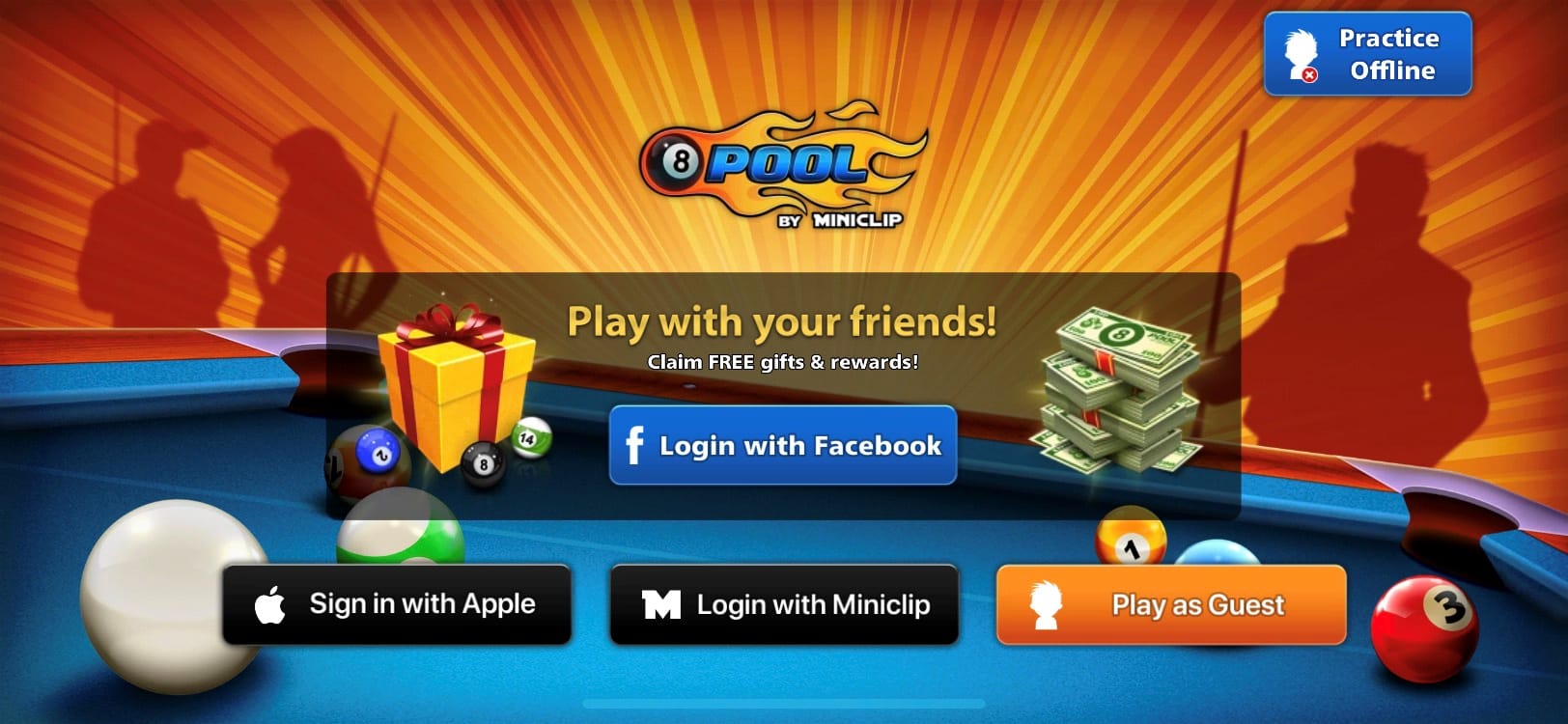
This framing untangles most of these threads, and nearly every quick-fix guide breezes right past it. In the lopsided majority of "paid but no coins" cases, the coins were delivered fine, just to a different account than the one you're glaring at. Nothing evaporated. The purchase routed to a balance you can't currently see.
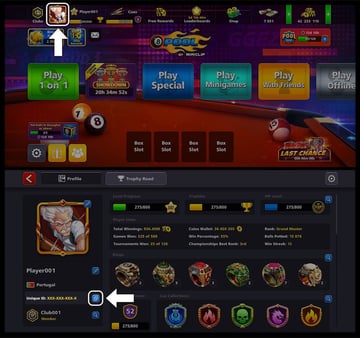
That's the account-identity mismatch, and Miniclip flags it as the number-one cause. Per Miniclip's Missing Coins or Bucks article, a guest-versus-linked profile mismatch is the top reason purchases look missing, and guest accounts shed their progress completely on reinstall. The mechanic driving it: your Unique ID rides with your login, not your device. Switch logins mid-session, or let the app drop you into a guest profile without telling you, and the store cheerfully charges you while crediting the coins to whichever identity was live at checkout.
Which is exactly why the at-risk split carries so much weight:
- Guest / unlinked buyers sit in the danger zone. No Facebook or Miniclip ID attached means zero recovery path on a device switch, and on a reinstall the profile and its coins are flat-out gone, per the same source. Spending real money on an unlinked account? You're one app-clear away from losing it for good.
- Linked buyers (Facebook or Miniclip ID) carry a real net. The same documentation says they recover far better through a plain re-login, and through support if that stalls. Their coins hang on a recoverable identity.
So before touching anything, confirm which profile was logged in when you paid. Match your in-game name and Unique ID against the account you meant to buy on. Mismatch? You found your cause, and the fix is sync and re-login. Not a refund. And definitely not a reinstall, which on a guest account is the single move that turns a recoverable headache into a permanent one.
Identity confirmed, you can run the quick fixes that actually drag coins back into view.
Most missing-coin cases die right here, no support email required, as long as you run them in order and skip the one step the forums keep overselling.
- Restart the app, then the device. A stalled session is the usual reason a completed purchase hasn't refreshed into your balance.
- Log out and back in — to the same linked account. This is the official force-sync. The developer says it plainly: "log off from the game account you are using and log back in," which "refresh[es] the connection to the game server," per Miniclip's guidance. This is the step that clears identity-driven and sync-driven cases.
- Verify the purchase in your store history. Open Google Play or App Store records, confirm the line item reads completed, then copy the transaction/order ID. You'll want it whether you wait or escalate, and it's the one proof that ends the "did this even go through?" doubt.
- Wait out the window if it's still fresh. Completed charge but well inside the 48-hour envelope? Sync may simply not have fired yet.
Now the part that cuts against the grain. Everyone points you at Restore Purchases, and for missing coins it usually does nothing. Restore exists for non-consumable entitlements, stuff you own forever. Pool Coins and Pool Cash are consumable: you spend them, the system tags them consumed, and there's nothing left for Restore to hand back. Community testing on r/8BallPool lands in the same spot. Restore won't return consumable coins and only helps with non-consumables in narrow cases. I'd quit reaching for it. When someone swears "Restore fixed my coins," what fixed them was almost always the re-login riding along with it. The real lever is account sync.
Restarted, re-logged into the right linked account, confirmed a completed charge, waited the window, and the coins are still missing? You've earned a ticket. Send a good one.
Filing a Miniclip ticket that doesn't rot in the queue
A well-built ticket gets resolved; a vague one festers. The whole difference rides on the proof you attach up front, and this is exactly where frustrated players shoot themselves in the foot.
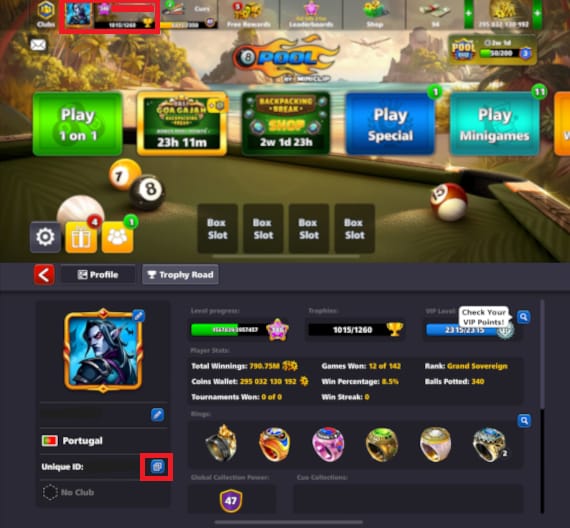
The developer's own instruction leaves no wiggle room. Per the Help Center: "If you don't receive your purchase within 48 hours, please contact our support team here providing your Unique ID and a screenshot of the purchase receipt." That's the backbone of every ticket that lands. Submissions missing the Unique ID or order number get explicitly called out as a source of delay.
Attach all four, every single time:
| Proof item |
Where to find it |
| Unique ID |
In-game profile (tied to your login, not your device) |
| Order / transaction ID |
Google Play or App Store purchase history |
| Receipt screenshot |
Store purchase confirmation / email |
| Email used for the purchase |
Your store account email |
Source: 8 Ball Pool Help Center + Miniclip Missing Coins or Bucks (2026 / 2022) [tier2]
That Unique ID is the piece most people forget, and it's the most important one on the list. It's also the key to the most reassuring trick in this whole mess: support can match a purchase to your account off the store order ID even when the coins landed on a guest profile. That's the lifeline for mismatched buyers. The order ID is the thread tying a wandered purchase back to you, which is the whole reason you copied it earlier.
On response times, be honest with yourself. There's no official SLA, but reports on r/8BallPool describe ticket replies arriving in under three days through the ticket system, a rhythm that's stayed reasonably steady. Send it once, complete, everything attached. Refiling duplicates or pestering the queue tends to drag things out, not speed them up.
The temptation, of course, is to skip all of this and just demand your money back. Sometimes that's the right call. Often it's a trap.
Refund now, or wait for the credit?

My read, and it's the one most threads get backwards: file the Miniclip ticket before you request a store refund. A granted refund can torch your path to in-game compensation, and you can wind up with neither the coins nor a clean credit.
The mechanics make it concrete. A store refund and an in-game coin credit are separate remedies from separate parties, and they don't stack cleanly. Per community reporting on r/8BallPool, requesting a store refund can block Miniclip from crediting the coins, since the developer reasonably won't grant currency for a transaction the store already reversed. So if the coins are your actual goal and not your money back, the refund route can wall you off from the better outcome.
| Path |
Speed |
Typical outcome |
Risk |
| Miniclip ticket (wait for credit) |
Days; under 3 in many reports |
Coins credited directly |
Slower than an instant refund |
| Store refund (Google Play / Apple) |
Faster when granted |
Money back, no coins |
Can void in-game coin credit |
Source: 8 Ball Pool Help Center + Google Play Help + r/8BallPool (2026)
For context on the refund side: Google Play's in-app purchase refund request window runs 48 hours, according to Google Play Help. Apple's process leans discretionary, sorted case by case. So a store refund isn't even a guaranteed escape hatch. It's a request, on a clock, that may or may not get approved, and that may cost you the coin credit if it does.
Pick by what you genuinely want. Coins, and the charge is legit? Wait, and let support credit them. Decided you don't want the purchase at all and you're still inside the window? The store refund is the cleaner exit, just accept you're trading the coins away to take it.
Double charges are a case of their own. If you panicked and rebought, the worst possible move in this whole situation and the exact reason people end up paying twice, don't blindly rush to refund one of them. Per r/8BallPool reporting, the smarter play for double-charged buyers is to ping support with both transaction IDs and let them untangle the duplicate, rather than firing off a snap refund that might foul the credit on the legitimate charge.
Reading this before a purchase ever went sideways? The prevention checklist below is worth more than every recovery step above it.
Lock the door so this never happens again
Everything up to here is reactive. The genuinely valuable move is making yourself un-losable before you spend a cent, and it boils down to a handful of non-negotiables.
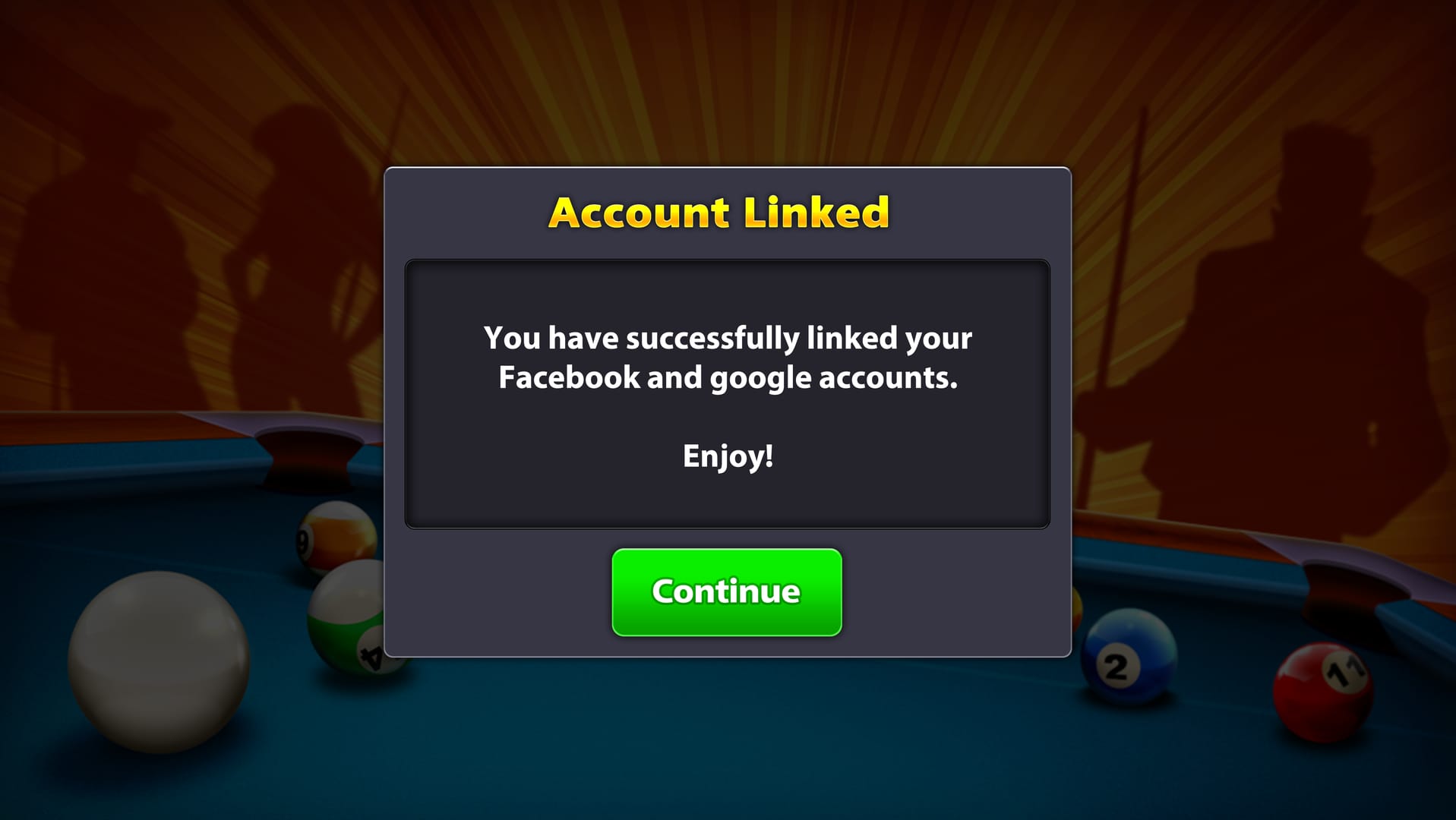
- Link your account before any purchase. A guest account is a trap for anyone paying. Connect to Facebook or a Miniclip ID first, so every coin you buy drops onto a recoverable identity instead of a profile that dies on reinstall.
- Never reinstall to "fix" a guest account. On an unlinked profile, reinstalling permanently shreds the progress and coins, per Miniclip's documentation. Verify identity first; reinstall is the last thing you try, never the first.
- Screenshot every receipt and stash the order ID. Future-you, mid-ticket, will have it all ready to go.
- Confirm the logged-in profile at checkout. Your purchase routes to whoever's active. A two-second glance at your in-game name before tapping "buy" kills the mismatch outright.
Once you're past the mess and topping up again, the only thing that matters is that the coins land on a linked, recoverable account. Buy through whatever channel you trust, on a profile you've already secured. (Disclosure: this guide is published by VGTopup, one option among several for 8 Ball Pool top up; weigh it on your own terms and put the linked-account rule ahead of the storefront.)
Frequently Asked Questions
How long should I actually wait before assuming my coins are gone?
Officially, give it the full 48 hours after a completed charge before treating it as a genuine missing-coin case, per the Help Center. Practically, most legit deliveries land within minutes once the server syncs. So if you're past a couple of hours on a completed (not pending) charge and a re-login hasn't done it, you're probably staring at an identity mismatch rather than a delay, and that's worth digging into before the 48 hours are even up.
Does restoring purchases bring back consumable coins?
For Pool Coins and Pool Cash, no. These are consumable, and Restore Purchases is built for non-consumable items you own forever. Community reports on r/8BallPool back this up: consumable coins don't return through Restore. If it ever looks like it "worked," thank the re-login that happened alongside it. Don't sink time into Restore for missing coins; fix the account sync instead.
What if I already repurchased and got charged twice?
Contact support with both transaction IDs and let them resolve the duplicate, rather than firing off an instant refund. Per r/8BallPool, that's the cleaner route for double-charged players. A hasty refund on one charge can muddy the credit on the legitimate one. Hang onto both order numbers from your store history; that pairing is what lets support separate the two cleanly.
My coins disappeared after reinstalling — can I get them back?
If you were on a linked account (Facebook or Miniclip ID), a re-login should restore both your profile and balance, and support can step in if it doesn't. If you were on a guest account, the reinstall most likely wiped the profile for good. Miniclip's documentation is plain that unlinked accounts lose progress on reinstall. Which is exactly why linking before any purchase is non-negotiable for anyone spending money.
Why does support keep asking for my Unique ID, and where is it?
Your Unique ID lives in your in-game profile and ties to your login, not your device, which is precisely why support needs it to find the right balance, especially when a purchase routed to the wrong profile. Paired with the store order ID, it lets Miniclip match a charge to your account even when the coins landed on a guest session. A ticket without it is the classic reason cases sit untouched for days.









Comments