Why Google Play swallowed your top-up
Most of these aren't broken payments. They're mismatches, and the difference matters. Google Play declines usually trace back to a region gap between your Google account and the game, a card that's expired or got refused, or a Store cache that's gone stale, according to the Google Play Help Center. Players read "transaction failed," decide their bank pulled the plug, then waste an afternoon dialing the wrong department.
The five things that actually break it
Work through the usual suspects before you touch anything:
- Region/currency mismatch — your Google account sits in one country, the game store expects another. It quietly kills the purchase even when your card is flawless, and it's the one folks misdiagnose more than any other.
- Card declined — expired plastic, a wrong billing address, or the bank flagging an odd game-store charge it doesn't recognize.
- Play Store cache corruption — wipe it through Settings > Apps > Google Play Store > Storage > Clear Cache. Free, and it knocks out a shocking number of "won't process" loops.
- Pending verification — authorized but not captured. Not a failure. More on this below, since it's the one that actually costs people money.
- Insufficient Google Play balance — paying off a gift-card balance instead of a card? A shortfall just reads as a vague failure.
Failed, pending, declined: three different animals
This is the distinction that spares you the most grief, so ease off the gas here.
A declined charge never landed. The bank said no, nothing moved. A failed transaction is the app bailing on the purchase flow, which in most cases also means no completed charge. A pending charge is the treacherous middle: the bank shows a hold, the app shows nothing, and every instinct tells you you've paid for crystals you'll never see.
You almost certainly haven't. A pending authorization is a hold, not a capture. To work out which one you're staring at, open your Google Play order history or your bank statement and read the actual wording. An authorization is provisional, a completed charge is final. Treating a hold like real money lost is how people burn hours fretting over nothing.
When it's Google's mess, not yours
Card works fine on other Play purchases, region lines up, cache is clean, and it still dies? Then the break is in the billing pipeline itself, and that's not something you patch from your phone. That's your cue to quit retrying and change lanes. The threads across r/crystalofatlan and the player Facebook groups all settle in the same spot: web checkout is the fallback when Google Play stalls on payment or region snags. Honestly, "fallback" undersells it. For this game the web route dodges so many Google-side decline points that it ought to be the default, not the spare tire.
Walking through PC web checkout, step by step
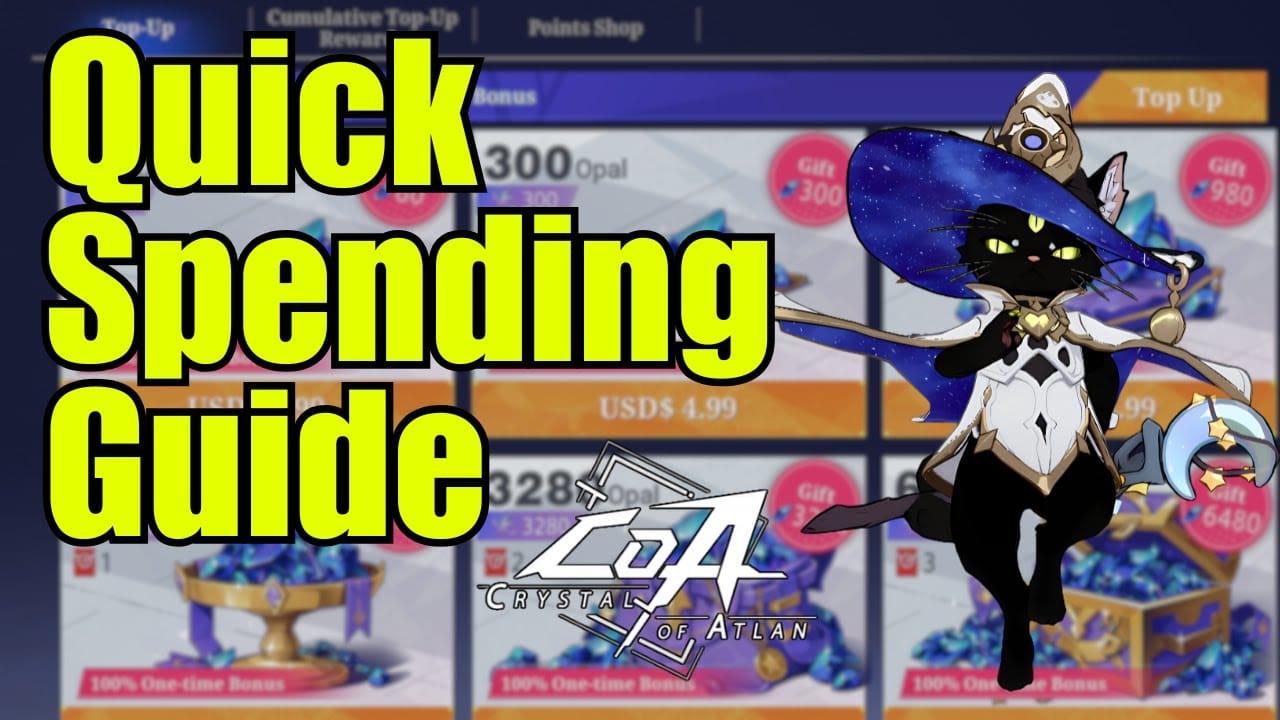
The web store skirts Google Play altogether, which is exactly why it works when the app sulks. The flow's short. Per Pocket Gamer, you hit the official store, sign in with your game account, drop in your Player ID, grab a pack, and pay.
Confirm the real store before you type one character
Check the domain first. The official store moved to https://topup.games.skystone.games/Topup/754024 on May 21, 2026 (per Xsolla's notice), shifting off its old address. Why that relocation matters in practice: bookmarks and aging guide links may still aim at the previous URL, and a dead link is precisely the crack a lookalike phishing page wedges itself into.
So before you punch in a login or a card number, verify you're sitting on the current official domain and not some near-perfect typo of it. That single check is the entire security story. The processor behind the official store is legit. The only real exposure is you keying details into a page dressed up to look official. No real top-up page demands your account password plus your full card plus a one-time code all on the same shaky screen.
Get the server and character ID right, because this is where cash evaporates
Web checkout ships currency to whatever account identifier you enter. Fumble it and the top-up "succeeds," the money's gone, and your crystals are parked on some stranger's account or a dead server. Guides skate right past this.
Two rules:
- Match your server/region down to the letter. Play on an Asia server but pick the wrong region at login, and you can fund an account that isn't the one you open every day.
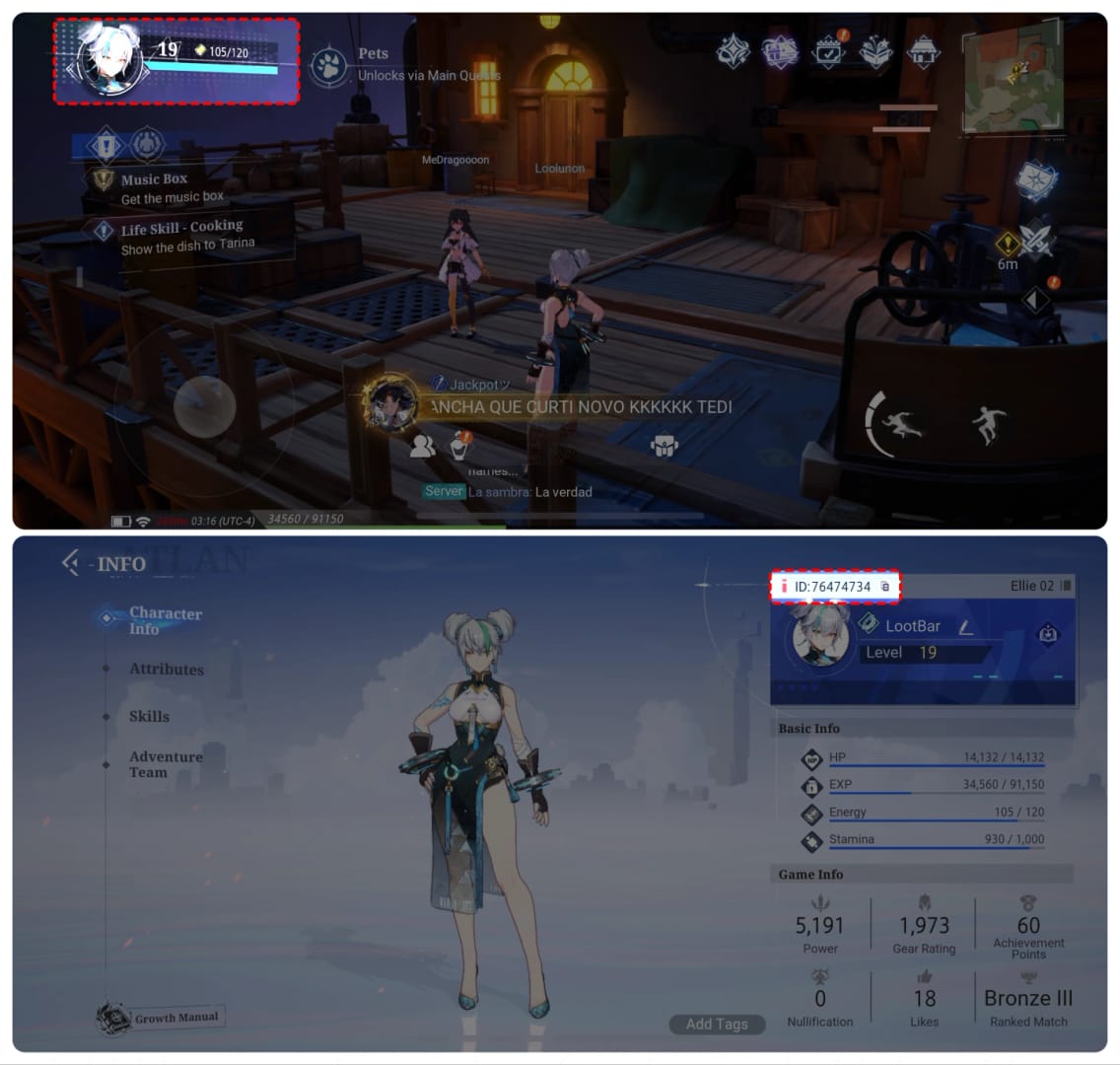
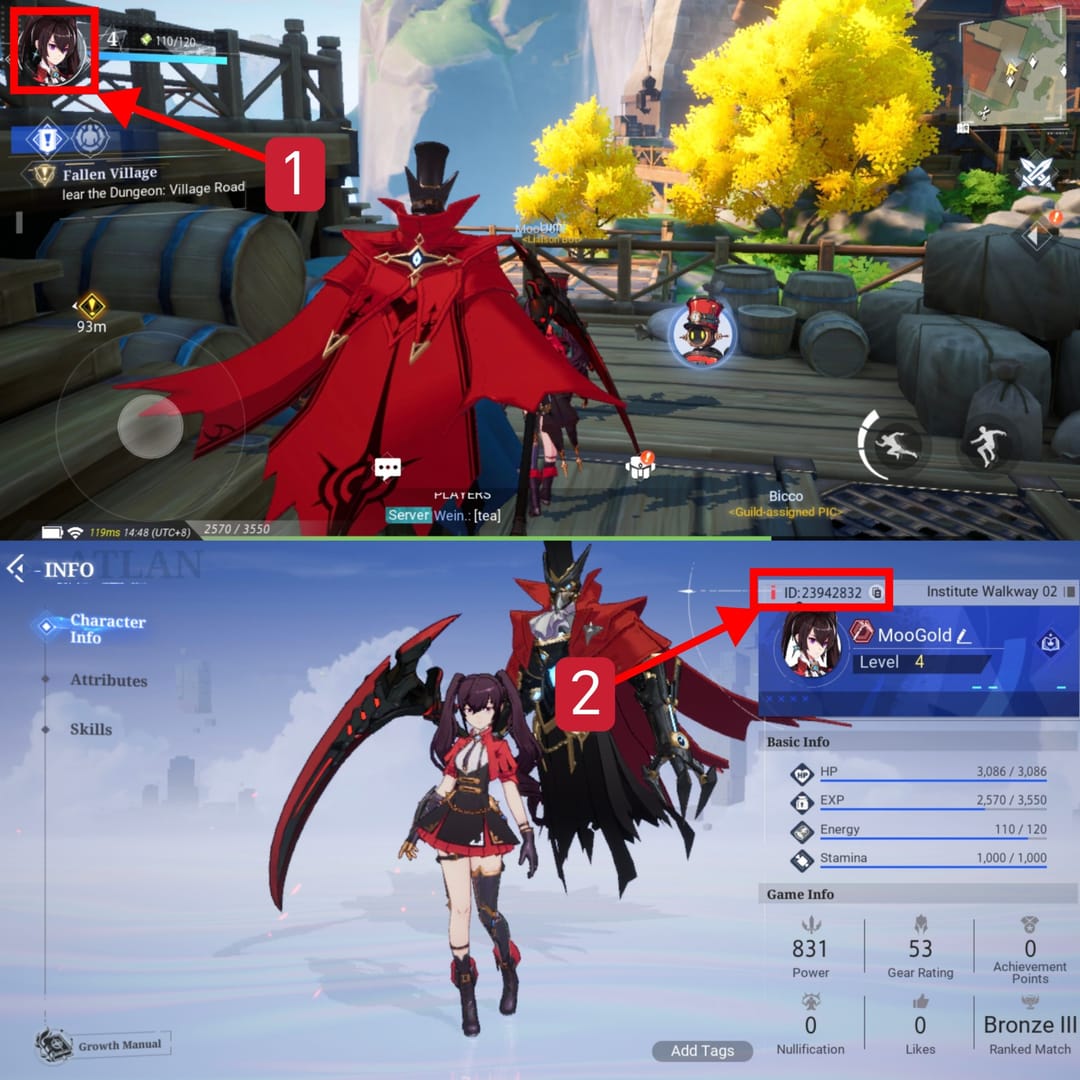
- Copy your Player ID/UID exactly. Lift it out of the game (usually the profile screen), don't retype it from memory. One swapped digit and you've handed yourself a "top-up never arrived" with nobody to blame.
This is the failure no error message ever warns you about, because from the payment system's view, nothing failed at all.
Pick a payment method that won't bounce
The store takes cards and e-wallets (per Pocket Gamer's walkthrough), and that's the whole point. If one card keeps getting kicked back on Google Play, an e-wallet on the web store frequently sails through where the card didn't, since you've yanked Google's billing layer out of the picture. If you're weighing where to wrap up a stuck purchase, you can also run the top-up through a third-party channel like VGTopup using the same character ID and server. Just double-check the destination details before you confirm, same as you would on the official page.
Charged but no crystals? Read this before you spiral
Two separate problems hide under "I paid and got nothing." One's a hold that was never a real charge. The other's an honest missing-delivery case. They need different responses, and blurring them together is how people end up paying twice.
Did the money actually leave?
Check the status, not just the dollar figure. Pull up your Google Play order history alongside your bank statement and read the language: a pending authorization is provisional and usually reverses on its own, while a completed charge is the only one that truly left your account. A pending hold on a busted game purchase commonly auto-voids inside a 1–14 day window without you filing a thing. Exact timing's on your bank, not the game.
If it's pending, wait. Don't retry, don't ring the bank yet. The hold falls off by itself.
If it's completed and the crystals are missing, now you've got a real case, and you escalate with the order ID in hand.
The double-charge trap
Slapping retry on a "failed" purchase the instant it fails is the single biggest source of an actual double charge, and that pattern shows up all over general Google Play user reports across 2025–2026. Here's the mechanism. The first attempt set a pending hold, the screen flashed failure, you retried, the second attempt captured and the first hold also captured before it could void. Congratulations, you bought one pack twice.
The cure is sitting still, not doing more. If you've already double-tapped and now see two charges, odds are good one of them is still a pending hold that'll reverse. Verify the status of each before you ask for anything, because begging Google to refund what was only ever an authorization wastes everyone's afternoon and can gum up a legitimate claim.
Refunds: Google Play versus in-game support
Pick the channel by what genuinely went sideways. They are not interchangeable.
| Situation |
Best route |
Why |
Have ready |
| Completed Google Play charge, want money back |
Google Play refund center |
Google owns the transaction; refund policy and timing are Google's (per Google Play Help Center) |
Order ID, account email |
| Charged, crystals never arrived |
In-game customer support |
The publisher can see the order on your account and credit it directly |
Player ID, server, order/transaction ID |
| Pending hold, no crystals yet |
Neither — wait it out |
Auto-reverses without a request; filing prematurely creates confusion |
Just patience |
Source: Google Play Help Center (2026) and the same support documentation on order verification.
My read, shaped by enough of these to lose count: when crystals genuinely vanish after a completed charge, in-game support usually clears it quicker than a Google refund, because they pull up your order and credit the currency straight back rather than unwinding a payment. The non-negotiable either way is the order ID. Hand it over unprompted. A missing-crystal ticket with no transaction reference is a ticket that just sits there gathering dust.
Web checkout vs in-app: do bonuses and prices line up?
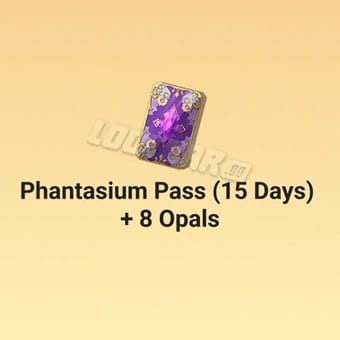
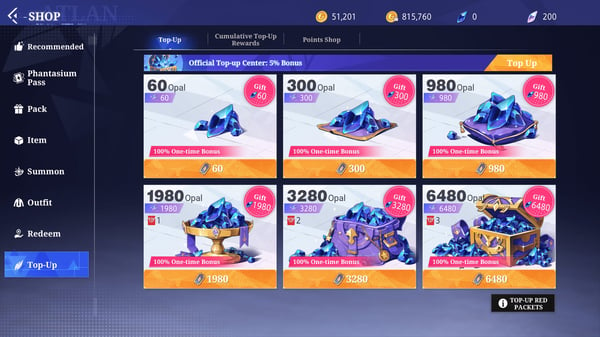
Web's often the better-value lane too, not merely the steadier one. On the web store, 60 Vouchers start at $0.99, frequently with bonuses piled on, per Pocket Gamer's May 2025 pricing, and plenty of folks on r/crystalofatlan say the web vouchers undercut the in-app equivalent. The in-app store swings by region and bakes store fees into the flow.
| Method |
Example price |
What you get |
Notes |
| Google Play in-app |
Varies by region |
Crystals/Opals |
Subject to store fees and the failure points above |
| Web (official store) |
$0.99 for 60 Vouchers |
Vouchers (convert to Opals) |
Often cheaper, bonuses common |
Source: Pocket Gamer and r/crystalofatlan (2025).
The fair caveat: the published pricing here is thin, and bonus structures shuffle around with events and patches, so don't treat any one number as carved in stone. The directional read holds, though. Web tends to match or beat in-app on value while sidestepping the decline points, and that's consistent enough across the official listing and player chatter that I'd lean on it as a working assumption.
On region and currency, the web store's globally available through its official processor, and third-party regional sites surface market-specific discounts, according to SEAGM. Conversion at checkout can tug the final number a little either way, so eyeball the total before confirming if the page's converting your currency on the fly.
Map the failure causes against the fixes and the verdict writes itself: quit treating the web store as the fire escape. For Crystal of Atlan, it's the channel with fewer moving parts that can snap. No Google account region check, no Play balance shortfall, no Store cache rotting in the background, and it routinely costs the same or less.
Where the common advice goes wrong is the knee-jerk "call your bank right now" the second a charge looks dead. That's premature for the most common situation by a mile, which is a pending hold that resolves itself. The disciplined order of operations costs nothing and heads off the two genuinely pricey blunders: verify the status, wait out a pending hold, swing over to web checkout, and escalate with an order ID only on a completed charge. That sequence kills both the panic double charge and the wrong-server top-up.
If I were spinning up a new account this week, I'd bookmark the verified web store, stash my exact Player ID and server somewhere I can copy-paste, and run everything through web from day one. Google Play becomes the backup. That inversion is the one most players never make, and it's the quiet move that erases the whole "top-up failed" headache.
Frequently Asked Questions
Why does my Crystal of Atlan Google Play top-up keep failing even with a working card?
Nine times out of ten it's a region mismatch between your Google account country and the game's expected region. That silently blocks the purchase no matter how valid the card is, per the Google Play Help Center. A card that works on everything else but dies here is pointing at region or a Store cache problem, not your bank. Clear the Play Store cache and shift to web checkout, and you've sidestepped both.
How do I find my character ID for web checkout?
Pull it from inside the game, usually off your profile or account screen, and copy it exactly rather than typing from memory. The web store sends currency to whatever ID you punch in, so one wrong digit can route your top-up to a different account on a different server. Double-check that your server/region selection matches the one you actually play on before you pay.
My payment's been pending for hours. Retry or call my bank?
Neither, not yet. A pending authorization is a hold, not a completed charge, and these usually auto-void inside roughly 1–14 days depending on your bank, per Google support. Retrying is the leading cause of real double charges in 2025–2026 user reports. Sit tight, watch the status flip, and only escalate if it turns into a completed charge with no crystals delivered.
Is the Crystal of Atlan web checkout actually safe to use?
It's safe on the verified official domain. The store moved to its current address on May 21, 2026 per Xsolla's notice, so stale bookmarks aimed at the old URL are the genuine risk. The processor itself is reputable. The one real danger is entering login or card details on a copycat page, so confirm the exact official domain before you type anything sensitive.
I was charged but didn't get crystals — Google refund or in-game support?
If crystals never showed after a completed charge, hit in-game support first with your order ID, Player ID, and server. They can credit the currency directly, which tends to land faster than unwinding the payment through Google. Save the Google Play refund center for when you actually want the money back instead of the missing currency.







Comments