When instant delivery was the pitch and queues were the truth
Early on, when the top-up scene around Crystal of Atlan first found its footing, speed was the whole sales hook. Resellers fought over one figure: how fast vouchers hit your account. SEAGM pushed instant top-up, vouchers in seconds, for Asia accounts in its mid-2026 guide. And that promise wired itself into how players still think today. Pay, blink, done.
Underneath, though, it was always a two-step pipeline, and most guides breeze right past this bit. You're not paying the game directly through a reseller. You pay the platform, the platform credits a top-up account, and only then do the vouchers route to your in-game delivery point. Usually the mailbox. Sometimes a separate claim inbox. TopUpLive and a handful of other sellers spell out this exact flow: vouchers reach the top-up account, then you claim them in-game. Every handoff along that chain is somewhere a "successful payment" can park itself and look, for all the world, like a failure.
So the lesson from those early days still holds: a charge confirmation means your money moved. On its own, it doesn't mean your vouchers finished their trip. Keep that gap in your head, because it's the backbone of everything that follows.
When "instant" quietly slid into "5 to 15 minutes"
The player base grew, and the honest sellers started posting wider windows. That shift tells you something true about server load. Joytify now states delivery can take 5–15 minutes, and it blames game-publisher server delays specifically. Not platform trouble. The game's own backend queuing during busy stretches. LDShop frames its window as within 10 minutes before you'd reach out to support. Both numbers sit well past the old "seconds" line, and honestly that's progress, not backsliding. It's the market owning up to the fact that publisher-side queues are just normal.
Here's the before/after worth leaning on when you're sizing up your own stuck order:
| What moved |
Earlier framing |
Current framing (2026) |
What it means for you |
| Stated delivery speed |
"Instant / seconds" (per SEAGM, Jun 2025) |
"Under 60s for 95%" (KYUBI), "5–15 min" (Joytify), "within 10 min" (LDShop) |
A 12-minute wait is inside spec now, not a failure |
| Named cause of delay |
Rarely stated |
"Game publisher server delays," "queue holds" (per Joytify troubleshooting) |
The hold is usually backend queuing, not your payment |
| First recommended action |
Contact support |
Check transaction status → wait the window → then support (per Joytify, LDShop) |
Patience resolves more cases than tickets do |
Source: SEAGM, Joytify, LDShop, KYUBI top-up pages (2026)
What this stretch laid bare: server maintenance or queue delays on the official publisher servers can hold things up for 5–15 minutes even after your payment goes through, per Joytify's troubleshooting notes. The payment layer and the delivery layer run on separate tracks. Your card got charged, the platform did its part, and the voucher's just sitting in a publisher-side queue, waiting for the game's servers to acknowledge it. Nothing's broken. Nothing's lost. You showed up mid-backlog.
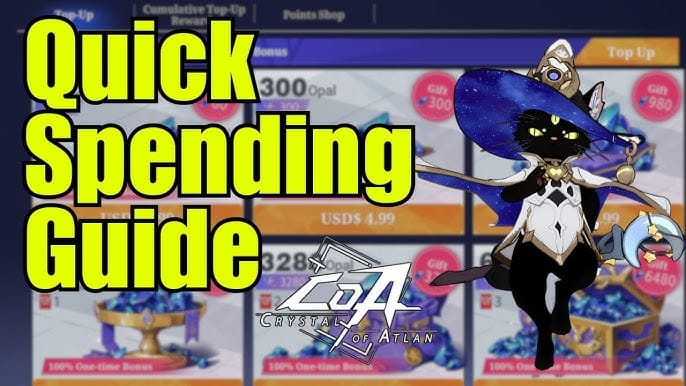
This is where you've got to fight the impulse that creates most of the genuinely ugly outcomes people describe. Buying again before the first order clears is, across nearly every top-up platform's standard 2026 advice, the move that lands you a double charge. The vouchers don't come twice as quick. You get billed twice and then burn a week untangling the knot. Wait the stated window first.
And that waiting habit carries right into the next chapter, because in 2026 the game itself owned up to the delays.
An official anomaly notice reshuffled the diagnostic order
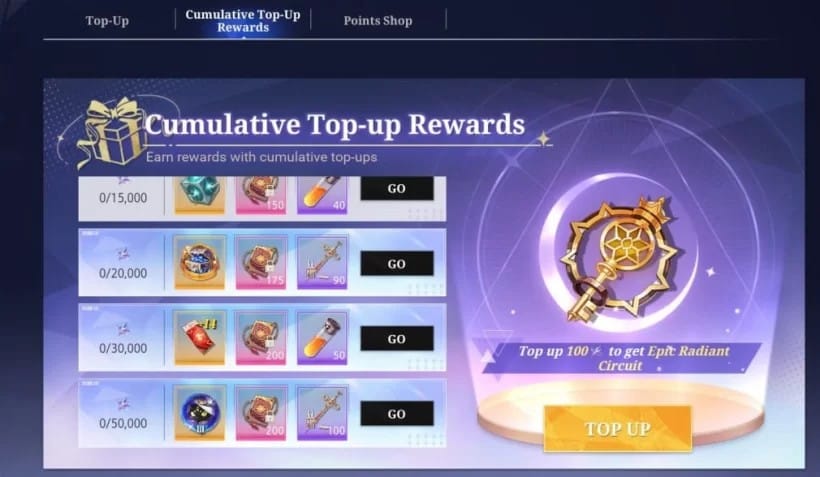
For anyone reading this in 2026, the biggest development is that Crystal of Atlan's own team publicly copped to top-up delivery problems. The official Crystal of Atlan Facebook posted a "Top-up Uncredited Issue Notice" saying that, thanks to an anomaly in the top-up function, some adventurers ran into delays receiving their purchases. That one notice should reshuffle how you respond, because it confirms outright what the seller windows only hinted at: the delay can begin on the game's side, completely outside whatever platform you paid through.
In practical terms, when your vouchers don't show, the cause hierarchy leans hard toward delay and account-targeting errors, not your money evaporating. I'd stake the odds heavily on one of these three before I'd let the word "scam" anywhere near it:
- You're inside a queue or maintenance hold. Harmless, self-resolving, the most common case by far. The publisher-side anomaly from that official notice lives right here.
- The vouchers delivered, but you're looking in the wrong spot. Pending top-ups can park in a separate claim inbox instead of the main mailbox. Skip that inbox and you'll jump straight to a false "non-delivery" conclusion, per multiple seller guides.
- You topped up to the wrong server, region, or a mistyped UID. More common than an outright payment failure, and fully recoverable. Topping up to the wrong server or UID kills delivery unless you verify region before you buy. SEAGM called this out plainly in its 2025 guide.
Run them as a checklist, not a meltdown. Here's the symptom-to-action table I wish every search result for this opened with:
| Symptom |
Most likely cause |
First action |
| Charged, payment confirmed, main mailbox empty, < window elapsed |
Queue / maintenance hold |
Wait the stated window (5–15 min); do not re-pay |
| Charged, mailbox empty, > window elapsed |
Stuck in publisher queue or routing |
Check pending-claim inbox, then open a ticket with proof |
| No charge on your statement, "failed" on screen |
Payment didn't capture |
Re-attempt cleanly; no recovery ticket needed |
| Charged, vouchers credited to an account that isn't yours |
Wrong/mistyped UID or region |
Submit a ticket with the correct ID for recovery |
| Two charges, one delivery |
Re-purchased before first order cleared |
Keep both receipts; request refund on the duplicate |
Source: synthesized from Joytify, LDShop, SEAGM, TopUpLive guidance and the official Crystal of Atlan notice (2025–2026)
One detail almost no guide bothers with: a payment "authorized" hold can pop up on your statement looking like a charge yet never actually capture, and it auto-reverses inside a few days. So a line item in your bank app isn't proof you paid in the way that triggers delivery. Before you escalate anything, split a failed payment (often no real charge, or a reversing hold) from a delivered-but-uncredited order, the way several seller FAQs suggest. The recovery path is night-and-day different for each.
That clarity is the whole ballgame. Once you know which row you're standing in, the recovery sequence is short.
Recovering a real stuck order, in the order that actually works
Work this from the top and stop the second a step fixes it. Most people never make it to step four.
First, find your order ID and receipt. This is the single biggest lever on how fast help arrives. A ticket reading "I paid but got nothing" rots in a queue. A ticket carrying an order ID, the exact amount, the timestamp, and the target UID gets matched against a transaction log in minutes. Topped up through a platform? The order ID sits in your account's transaction history. Joytify's own steps put "check the Transaction menu for queued/processing status" as the opening move. Your receipt or confirmation email is your second piece of proof. Screenshot both.
Second, check the in-game mailbox and the pending-claim inbox. Two different places. Vouchers route to your top-up account first, you claim them in-game, and pending entries don't always drop into the main mailbox. Community and seller guides all land in the same spot on this: look in both before you assume non-delivery. When you get there, you'll probably find that's the step that quietly resolves more "missing" orders than any other.
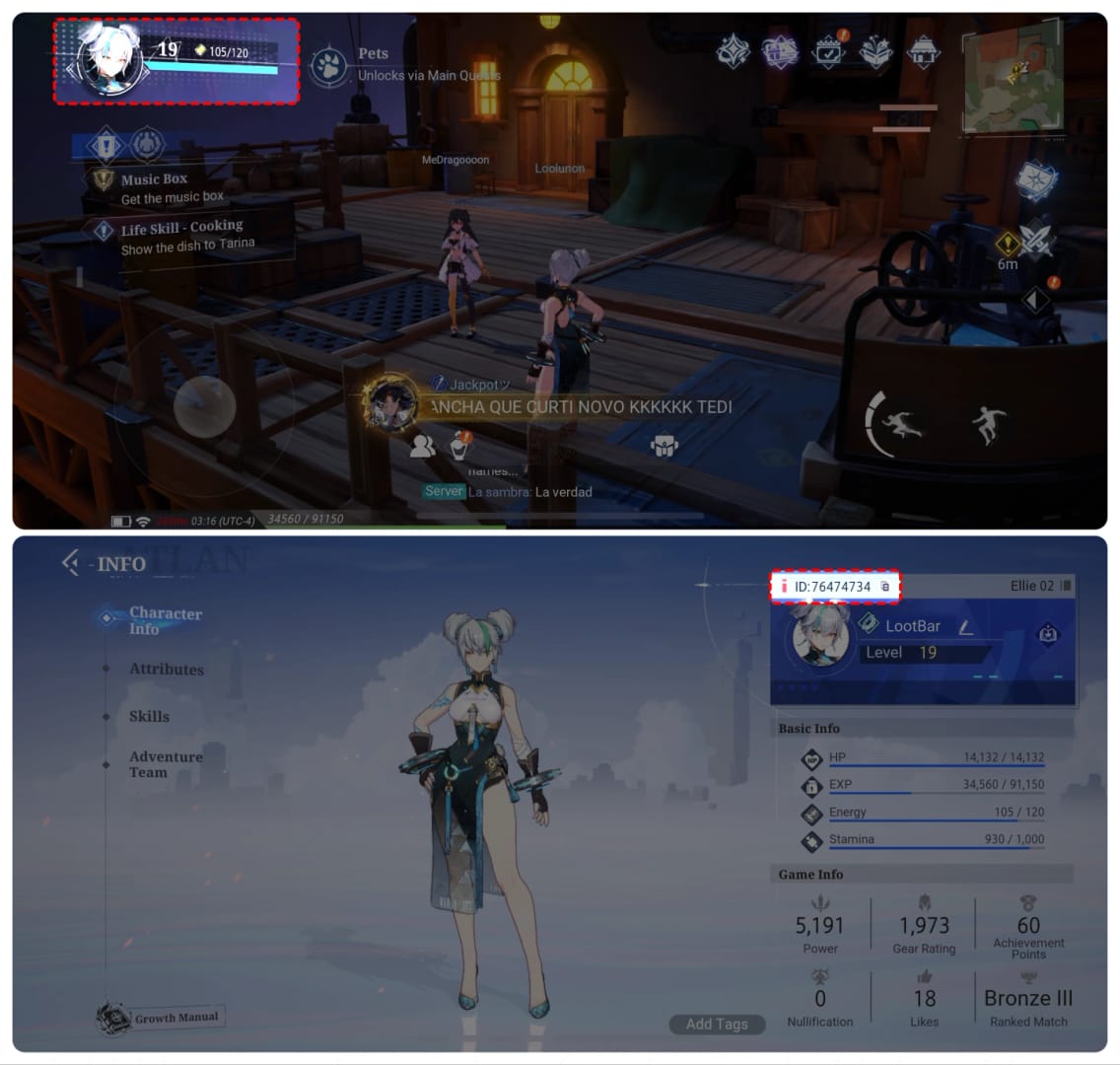
Third, re-verify your account, server, and region. Pull up your Player ID the official way. Log in, tap the avatar icon at the top-left, and the display shows your ID, per SEAGM and MooGold's matching instructions. Then compare it against your checkout entry, digit by digit. The trap here is nasty in how subtle it is: a region or account mismatch can ship your vouchers to a lookalike UID that's off by a single number. They're not gone. They're on somebody else's account, and getting them back means proving the correct target.
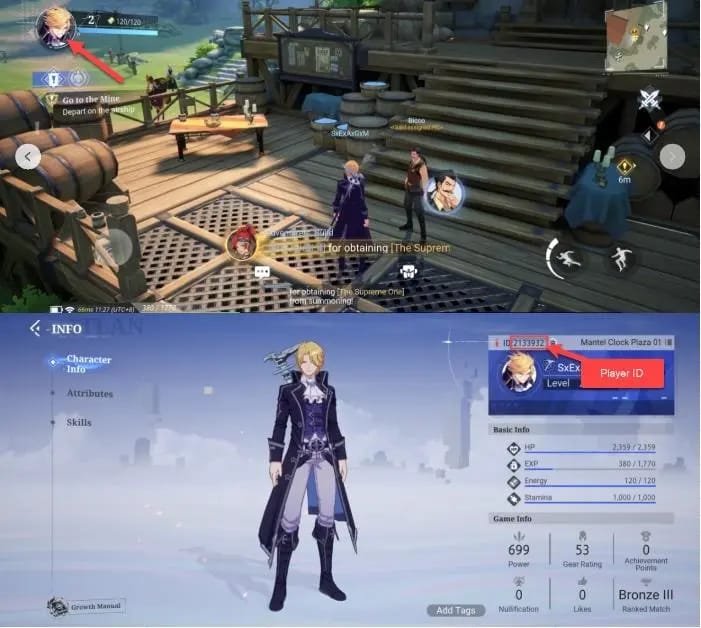
Fourth, only now, file the ticket. If the order's past its delivery window, the mailbox and pending inbox are both bare, and your IDs hold up, contact support with your payment proof and Game ID. Joytify points to 24/7 support for exactly this. For a wrong-account delivery, the documented route is to submit a ticket with the correct ID for recovery, which JollyMax lays out directly. Attach the lot: order ID, receipt, the screenshot of your verified in-game ID.
Topped up through VGTopup? Re-check your order status inside your VGTopup account first. Your order ID and confirmation are stored right there, and that's the proof that shrinks a support request from days to hours.
The escalation question (ticket versus platform refund versus chargeback) deserves its own ranking, because botching this one can cost you the account.
The escalation order that guards your account, not just your wallet
When a ticket stalls, players grab for the nuclear options way too early, and those options come with a blast radius. Here's how the routes really stack up:
| Route |
Typical speed |
Risk to your account |
When to use it |
| Platform support ticket |
Hours to a few days with full proof |
None |
Always first — built to recover or refund |
| Google Play / App Store refund |
Days, store-policy dependent |
Low–moderate |
When the platform genuinely can't deliver |
| Card chargeback |
Slow, bank-dependent |
High — risks account flag |
Last resort only |
Source: synthesized from top-up community consensus and seller FAQs (2026)
That ranking is deliberate, and I'll defend it. A card chargeback feels like the heaviest hammer in the box. You claw the money back through your bank, done. But filing one early risks getting your account flagged, per standard community advice across top-up platforms in 2026. You can win the chargeback and lose the ability to ever top up on that account again. Lousy trade for an order a support ticket would've recovered inside a day.
Store-level refunds through Google Play or the App Store sit somewhere in the middle. Legitimate routes when delivery truly cratered, sure, but slower than a direct platform ticket and still capable of muddying future purchases. They belong after you've given support an honest shot with real proof, never as your opening swing.
So here's the spine of the whole escalation mindset: drain the channel built to help you (support, with an order ID) before you reach for the ones that can bite you (chargebacks, premature disputes). The order ID isn't bureaucratic red tape. It's the very thing that lets support pull your vouchers back without anyone touching the refund machinery at all.
What's still unsettled and what to watch next patch
The straight answer on what shifts from here: the mechanics of recovery are stable, but how often delays crop up tracks right alongside the game's maintenance and event calendar. The official anomaly notice tells you the publisher side can stumble. What it doesn't tell you is when. My read for the months ahead is that delivery windows will widen around big patches and event launches, when login surges flood the same servers that process top-up confirmations. Those are precisely the days to wait the full window before you write the order off, because that's when the harmless 5–15 minute hold is most likely to be your answer.
No official fixed delivery-time SLA or published top-up maintenance schedule has surfaced beyond the seller windows and that lone anomaly notice. So treat any tidy "guaranteed in X minutes" claim as marketing, not a contract. If the team ever publishes a standing top-up FAQ or a maintenance calendar, that's the development worth refreshing this guide for. Until then, the diagnostic order above is your steadiest tool, patch after patch.
Frequently Asked Questions
How long should I actually wait before assuming my top-up failed?
Wait the full stated window plus a buffer. Sellers cite anywhere from under 60 seconds (KYUBI) to 5–15 minutes (Joytify) depending on publisher server load, so I'd hand it a clean 15–20 minutes minimum before touching anything. During a confirmed maintenance period or a major patch day, stretch that patience even further. The official notice confirms anomalies can drag delivery out, and re-paying inside that window is exactly how double charges get born.
What if the next patch triggers another top-up anomaly like before?
Treat it as a temporary, harmless hold instead of a lost order. The official Crystal of Atlan notice already established that an anomaly in the top-up function delayed purchases for some players, which means any future recurrence is far likelier to be queue backlog than a payment failure. Keep your order ID and receipt within reach, steer clear of chargebacks entirely during a known incident, and let support reconcile the queue.
My bank shows a charge but no vouchers — does that prove I paid?
Not necessarily. An "authorized" hold can appear on your statement as a charge yet never capture, auto-reversing inside a few days, so a pending line item isn't the same as a completed payment that triggers delivery. Check whether the charge has genuinely posted versus merely pending before you escalate, and tell a failed payment (no real capture) apart from a delivered-but-uncredited order, since the fixes have nothing in common.
I think my vouchers went to the wrong account — are they gone?
They're recoverable. A mistyped UID or a region mismatch can route vouchers to a lookalike account off by a single digit, but the standard fix is submitting a support ticket with your correct Player ID for recovery, the route JollyMax documents directly. Pull your real ID via the avatar icon at the top-left, screenshot it, and pack both the wrong and correct IDs into your ticket to speed the match.
Is a chargeback ever the right call for a missing top-up?
Only as an absolute last resort, after support and store-level refunds have genuinely come up empty. A premature chargeback risks getting your account flagged, per consistent community advice across top-up platforms. You can win the dispute and still forfeit future top-up access on that account. Give the platform's support team a documented shot first. With a full order ID and receipt, most recoverable cases never need a dispute at all.
👉 Crystal of Atlan Top-Up top up 👈
✅ Official direct recharge, 100% secure
✅ No waiting – top-up arrives in 7 seconds
✅ Big discounts, low prices to save more
✅ 7×24-hour customer service, ready to assist anytime







Comments